

fob for Mac
Secure Enclave-backed SSH key manager that restricts keys to approved hosts and authenticates with a single touch.
By olivierzol. Free and open source, AGPL-3.0 licence.
fob at a glance
- Version
- 0.17.1
- Released
- 18 September 2026
- Download size
- 1.3 MB
- Works on
- Apple silicon and Intel
- Licence
- AGPL-3.0
- Category
- Security and Privacy
- Developer
- olivierzol
- GitHub stars
- 23
About fob
Your Mac as a key fob: SSH keys that live in the Secure Enclave, open only the doors they're badged for, and take one touch to use.
Screenshots
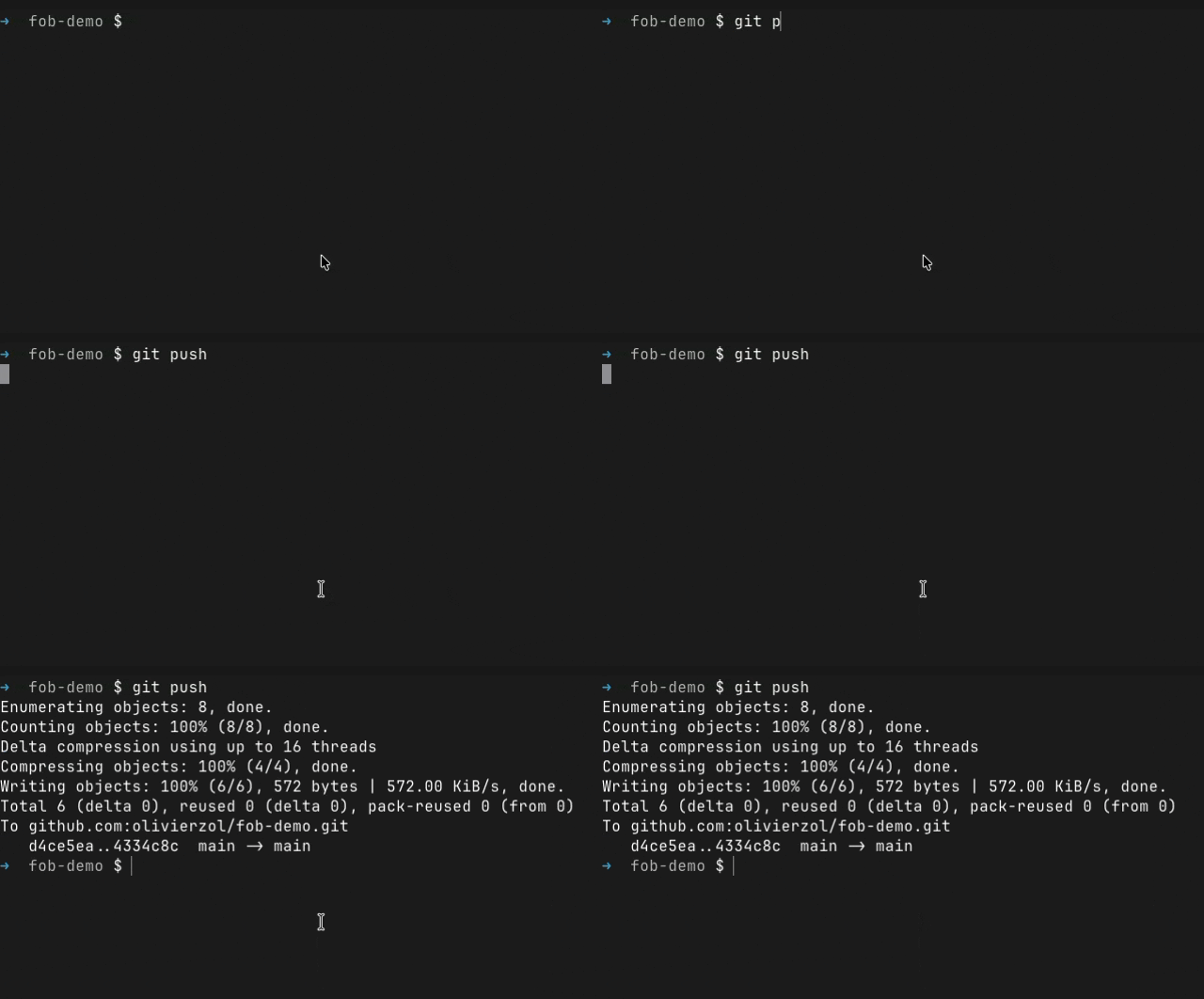
How to install fob on a Mac
- Get OpenDMG. It is a free app store for open source Mac apps. Download OpenDMG.
- Search for fob and press Get. OpenDMG downloads version 0.17.1 from olivierzol's own GitHub release.
- Open it. The download is checked against its SHA-256 fingerprint and its signature is checked on your Mac before it lands in Applications.
Updates to fob show up in OpenDMG and install with one button. No account is needed.
Prefer to do it by hand? The developer's file is on GitHub: fob-0.17.1.zip (1.3 MB).
What is new in fob 0.17.1
A small release: the Touch ID prompt now fits the redesigned macOS 27 dialog, and the menu-bar panel gets an opaque backdrop.

### Touch ID prompt, retuned for macOS 27 (#39)

macOS 27 restyled the LocalAuthentication dialog — the separate bold app-name row is gone and the whole reason string is now the **bold headline**, in a narrower window. fob's prompt was written for the old regular-weight body slot, so it turned into a heavy four-line bold block.

The prompt is trimmed, without giving up what makes it an authorization decision rather than a rubber stamp:

```
fob is trying to connect to github-ousson (github.com)
for ssh (pid 10110).
Touch ID to continue with fob.
```

The signing key's name is dropped when it's already the destination alias, and kept when it isn't — notably for `an UNKNOWN destination`, where naming the key matters most. The wording reads fine on macOS 26 too, so there's no version-specific copy.

### Menu-bar panel (#38)

An opaque backdrop behind the panel, so it no longer picks up whatever is behind it.

### Install

```sh
brew install --cask olivierzol/fob/fob
```

Developer ID–signed, notarized and stapled. `sha256: 94982b96e81fe8c350ead7064494e8abf796063ecf960eda84e3db3eb4151a77`
More Security and Privacy apps
-
 GlanceUnlock your Mac at a glance through on-device face recognition in a dynamic island-style…
-
 FaceGateLock sensitive apps behind Face ID, Touch ID, or a password — all processed on-device
-
 SentrySecurity monitor that alerts on activity while you're away
-
 TouchBridgeBiometric authentication tool using phone, watch, or browser for sudo and unlock
-
 MergenCIS benchmark security audit tool that checks 85 controls and auto-fixes most failures
-
 TracexySession-based network intelligence — capture live traffic or open saved captures, then…