

EqLume for Mac
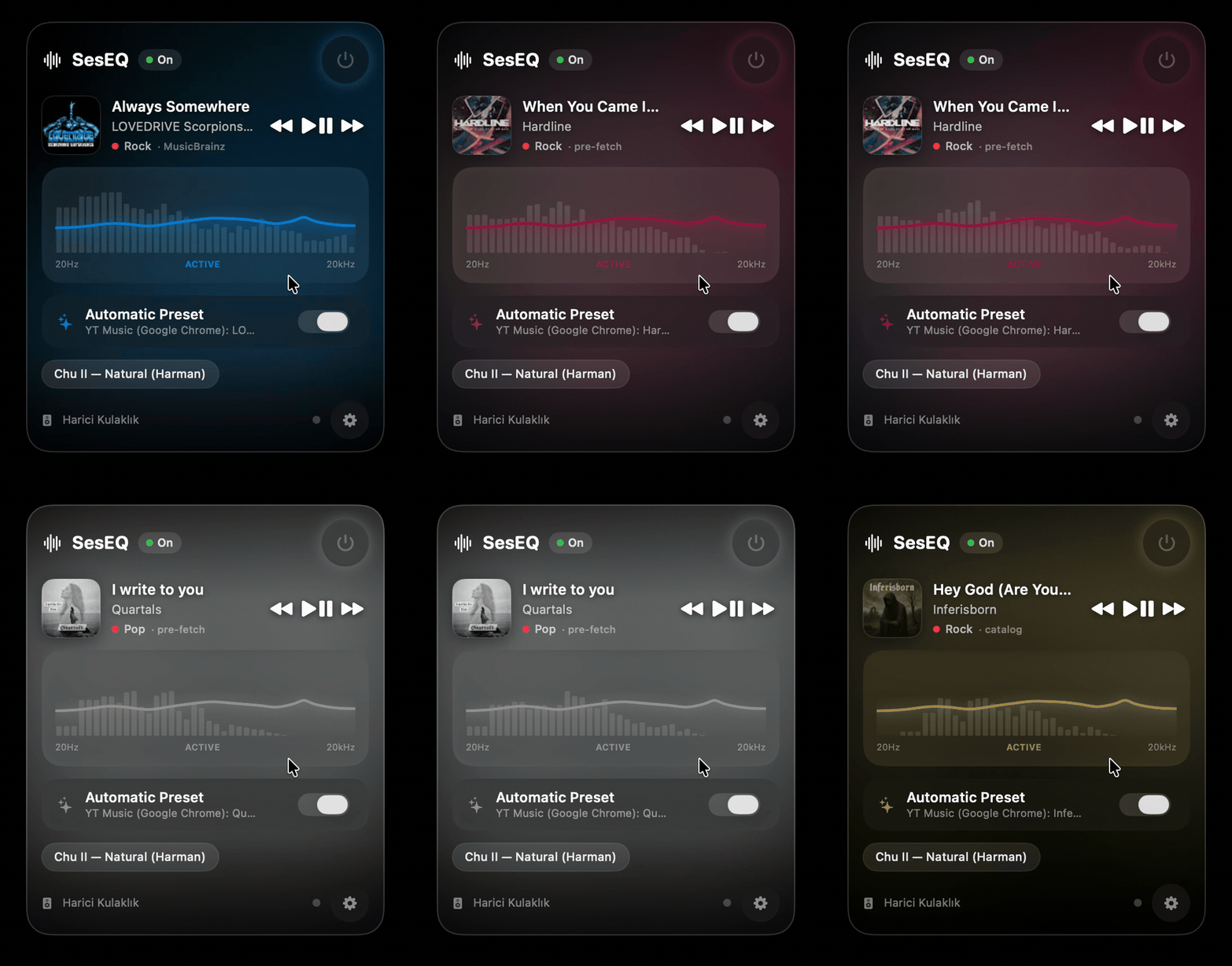
System-wide equalizer that listens to current playback and automatically applies the best-matching EQ curve.
By gokturkgocen. Free and open source.
EqLume at a glance
- Version
- 0.1.0
- Released
- 8 July 2026
- Download size
- 8.5 MB
- Works on
- Apple silicon and Intel
- Category
- Audio and Music
- Developer
- gokturkgocen
- GitHub stars
- 4
About EqLume
Free, open-source system-wide equalizer for macOS that detects each track's genre and applies a matching EQ preset automatically. Menu bar app, Core Audio process tap — no virtual audio driver, no kernel extension.
Screenshots
How to install EqLume on a Mac
- Get OpenDMG. It is a free app store for open source Mac apps. Download OpenDMG.
- Search for EqLume and press Get. OpenDMG downloads version 0.1.0 from gokturkgocen's own GitHub release.
- Open it. The download is checked against its SHA-256 fingerprint and its signature is checked on your Mac before it lands in Applications.
Updates to EqLume show up in OpenDMG and install with one button. No account is needed.
Prefer to do it by hand? The developer's file is on GitHub: SesEQ-macos.zip (8.5 MB).
What is new in EqLume 0.1.0
System-wide macOS equalizer with no virtual audio driver. Captures system audio through a Core Audio process tap, runs it through a native AVAudioUnitEQ, and auto-switches presets based on the genre of the current track.

- Apple Silicon + macOS 26 (Tahoe)
- Ad-hoc signed — see the README Download section for the one-time Gatekeeper step
- 21 built-in genre presets, Harman IE 2019v2 baseline

Download `SesEQ-macos.zip` below.
More Audio and Music apps
-
 MonitorControlAdjust external monitor settings
-
 FluidVoiceVoice-to-text app with AI enhancement
-
 eqMacSystem-wide audio equalizer and volume mixer
-
 VoiceInkReal-time speech-to-text app
-
 LyricsXDisplay lyrics for iTunes/Spotify
-
 FreeFlowPush-to-talk speech-to-text tool that inserts polished transcripts into any app