
Container Desktop for Mac
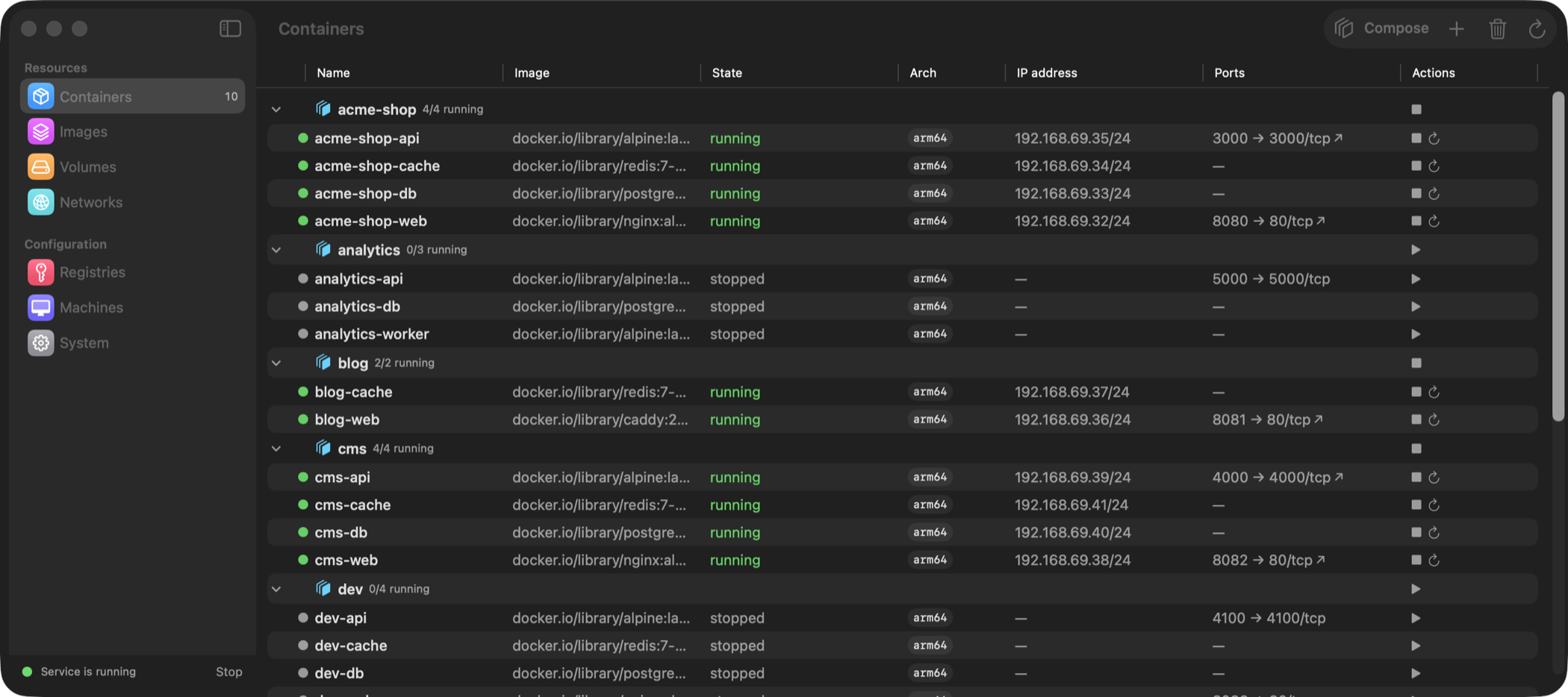
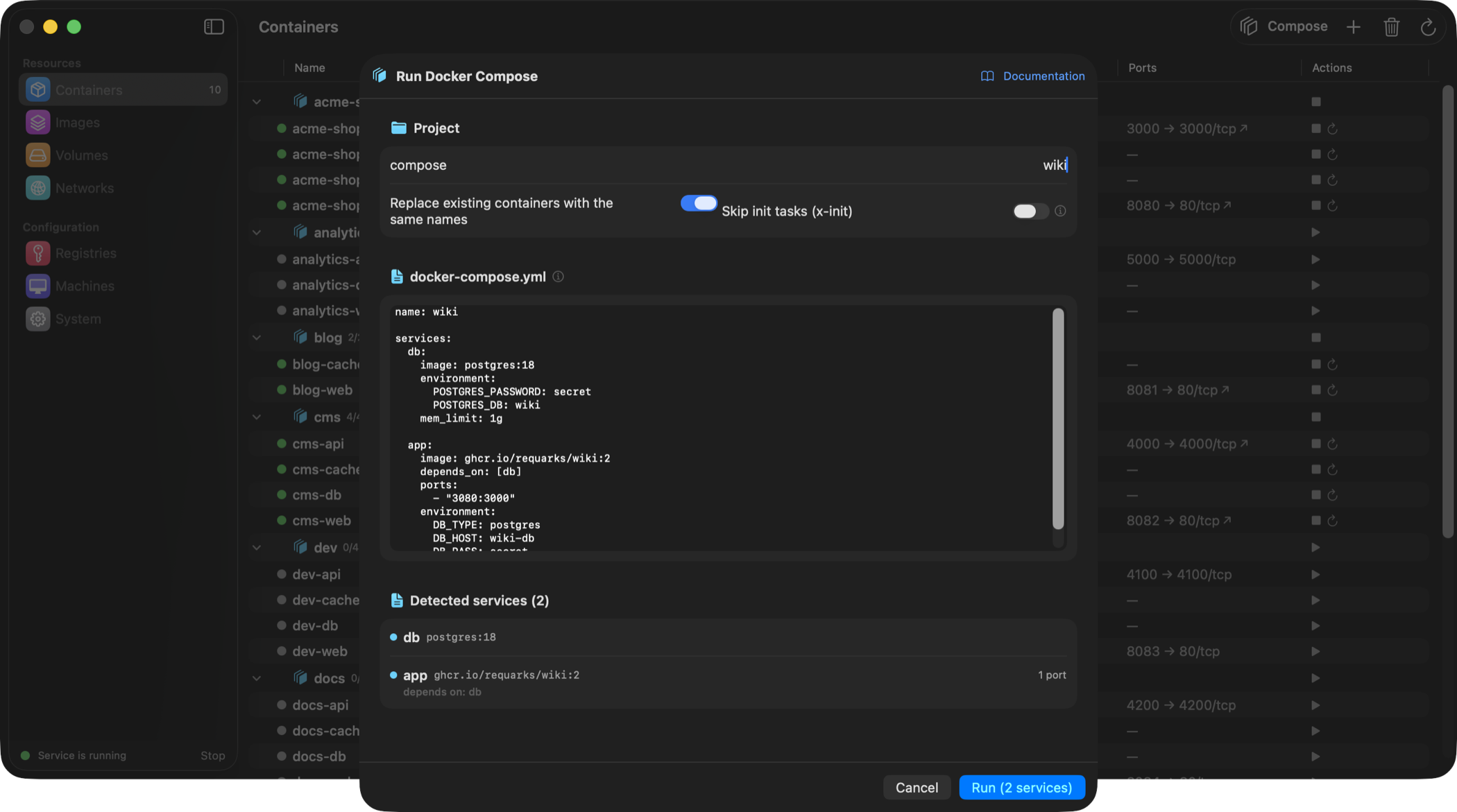
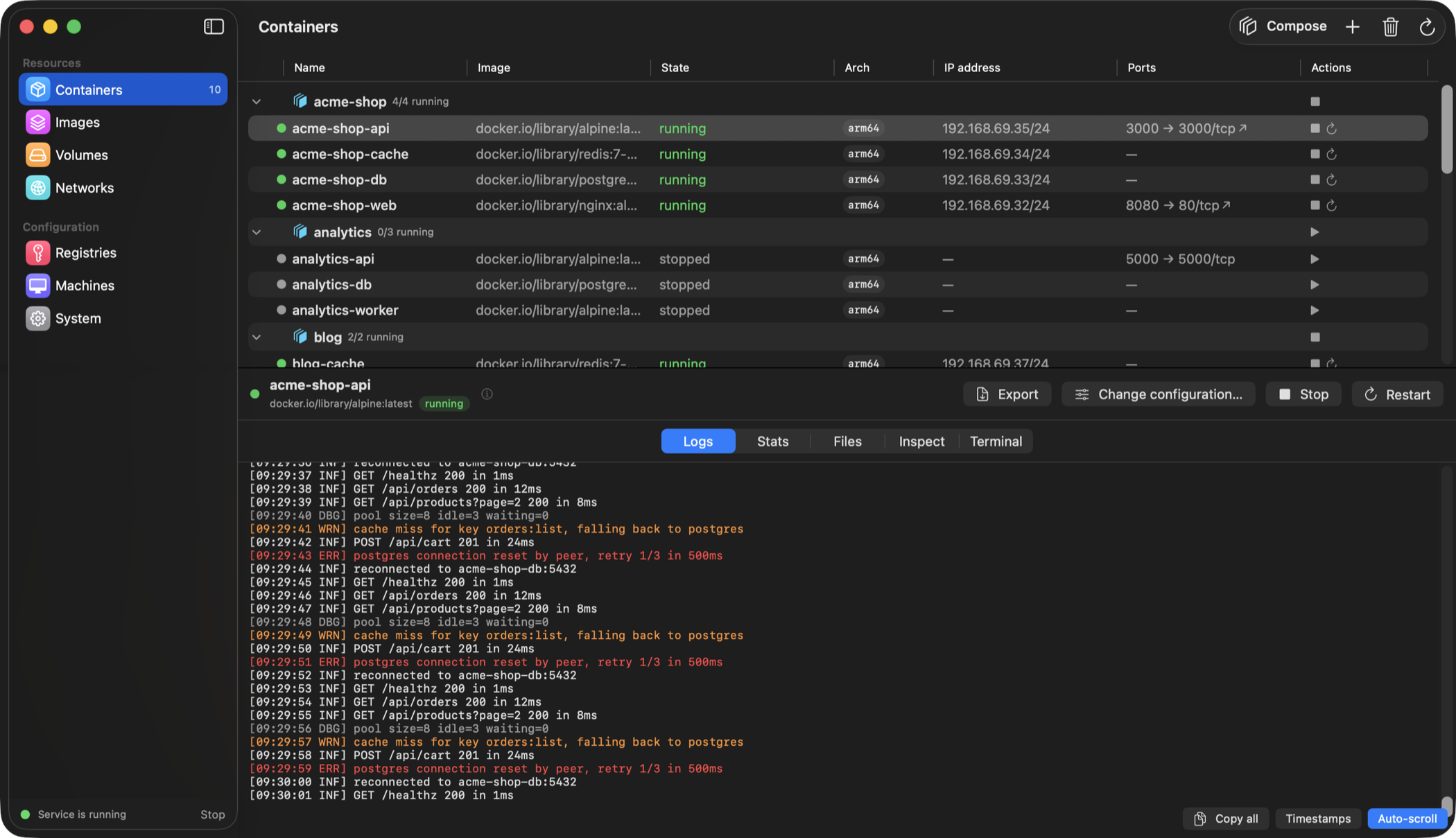
SwiftUI frontend for Apple's container CLI to manage containers, images, volumes, networks, and machines.
By sembsa. Free and open source, MIT licence.
Container Desktop at a glance
- Version
- 0.9.1
- Released
- 30 September 2026
- Download size
- 18 MB
- Works on
- Apple silicon and Intel
- Licence
- MIT
- Category
- Developer Tools
- Developer
- sembsa
- GitHub stars
- 91
About Container Desktop
Native macOS GUI for Apple's container CLI — Docker Desktop-style, SwiftUI, free & open source
Screenshots
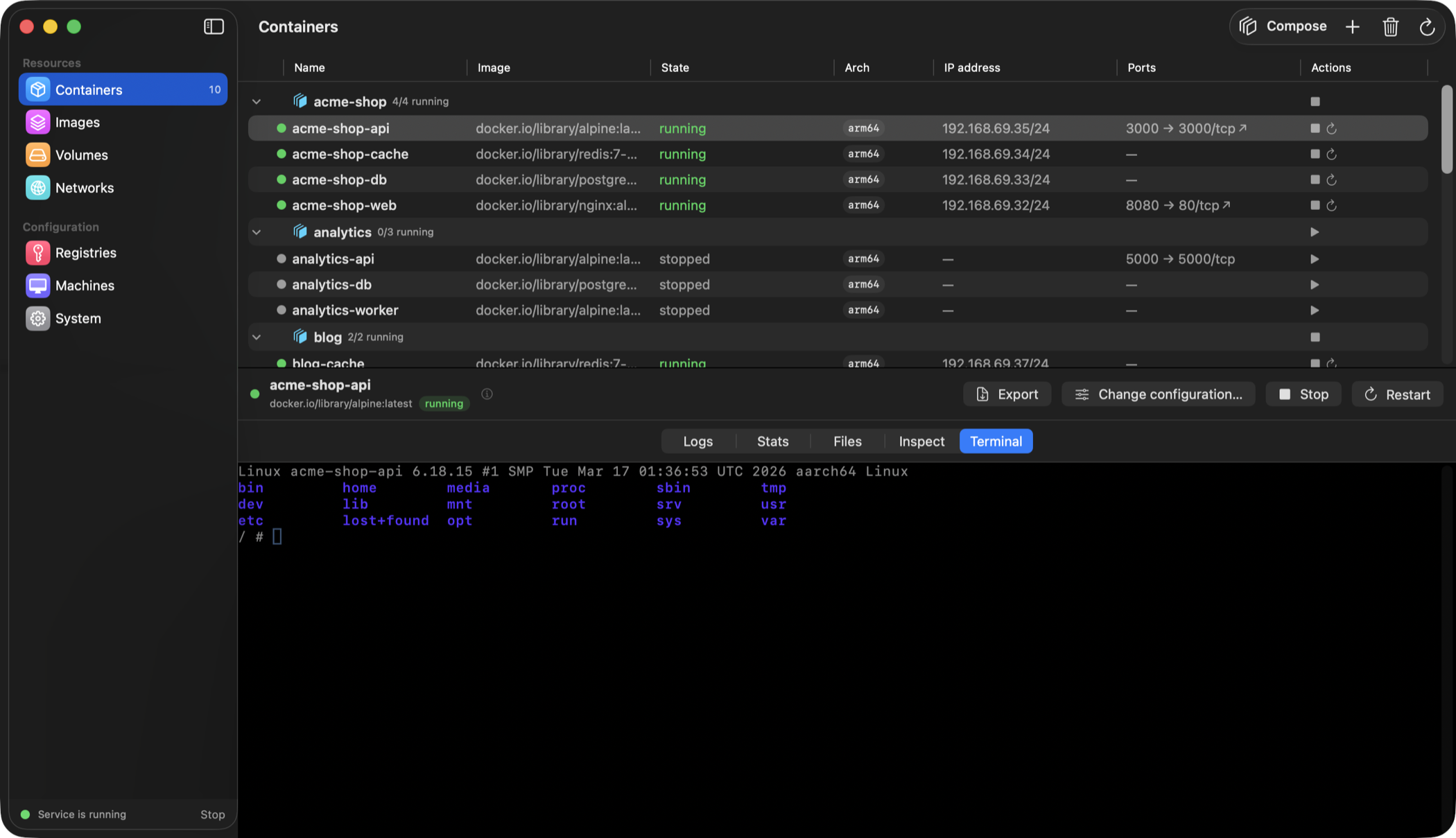
How to install Container Desktop on a Mac
- Get OpenDMG. It is a free app store for open source Mac apps. Download OpenDMG.
- Search for Container Desktop and press Get. OpenDMG downloads version 0.9.1 from sembsa's own GitHub release.
- Open it. The download is checked against its SHA-256 fingerprint and its signature is checked on your Mac before it lands in Applications.
Updates to Container Desktop show up in OpenDMG and install with one button. No account is needed.
Prefer to do it by hand? The developer's file is on GitHub: ContainerDesktop.dmg (18 MB).
What is new in Container Desktop 0.9.1
## Compatible with container 1.5.0

`container` 1.5.0 removed `k8s start`. A stopped Kubernetes cluster can no longer
be restarted — it has to be deleted and created again.

The app offered a **Start** button on every stopped cluster, and on 1.5.0 that
failed with `Unknown option '--name'` — a message about something else entirely.
It now explains what happened and points at delete. On container 1.4.x the button
still works, because the app checks which CLI you actually have.

Nothing else in 1.5.0 needed a change, and that was checked rather than assumed:
`system status` keeps its shape, the `k8s list` table is unchanged, and every
flag the app sends to `container run` and `k8s create` still exists.

## Text scales with the system again

A dozen or so strings had a fixed point size, so turning text size up in System
Settings did nothing to them. They follow it now.

The smallest badges grew by a point along the way — they had been sitting below
the smallest size macOS offers at all.

---

## Zgodność z container 1.5.0

`container` 1.5.0 usunął `k8s start`. Zatrzymanego klastra Kubernetes nie da się
już uruchomić ponownie — trzeba go usunąć i utworzyć na nowo.

Program pokazywał przy każdym zatrzymanym klastrze przycisk **Uruchom**, a na
1.5.0 kończyło się to błędem `Unknown option '--name'`, czyli komunikatem o
…
More Developer Tools apps
-
 UTMVirtual machines for iOS and macOS
-
 vphone-cliCLI to boot a virtual iPhone (iOS 26) with Apple Virtualization.framework and PCC…
-
 VirtualBuddyVirtual machine manager for running recent macOS versions on Apple Silicon
-
 WWDCUnofficial WWDC app for macOS
-
 Xcodes.appThe easiest way to install and switch between multiple versions of Xcode
-
 Postgres.appThe easiest way to get started with PostgreSQL on the Mac