
Contained for Mac
Native SwiftUI control surface for Apple's container CLI to run and manage Linux containers.
By tdeverx. Free and open source.
Contained at a glance
- Version
- 1.0.0-nightly.235+00b298b (pre-release)
- Released
- 7 October 2026
- Download size
- 9.6 MB
- Works on
- Apple silicon and Intel
- Category
- Developer Tools
- Developer
- tdeverx
- GitHub stars
- 852
About Contained
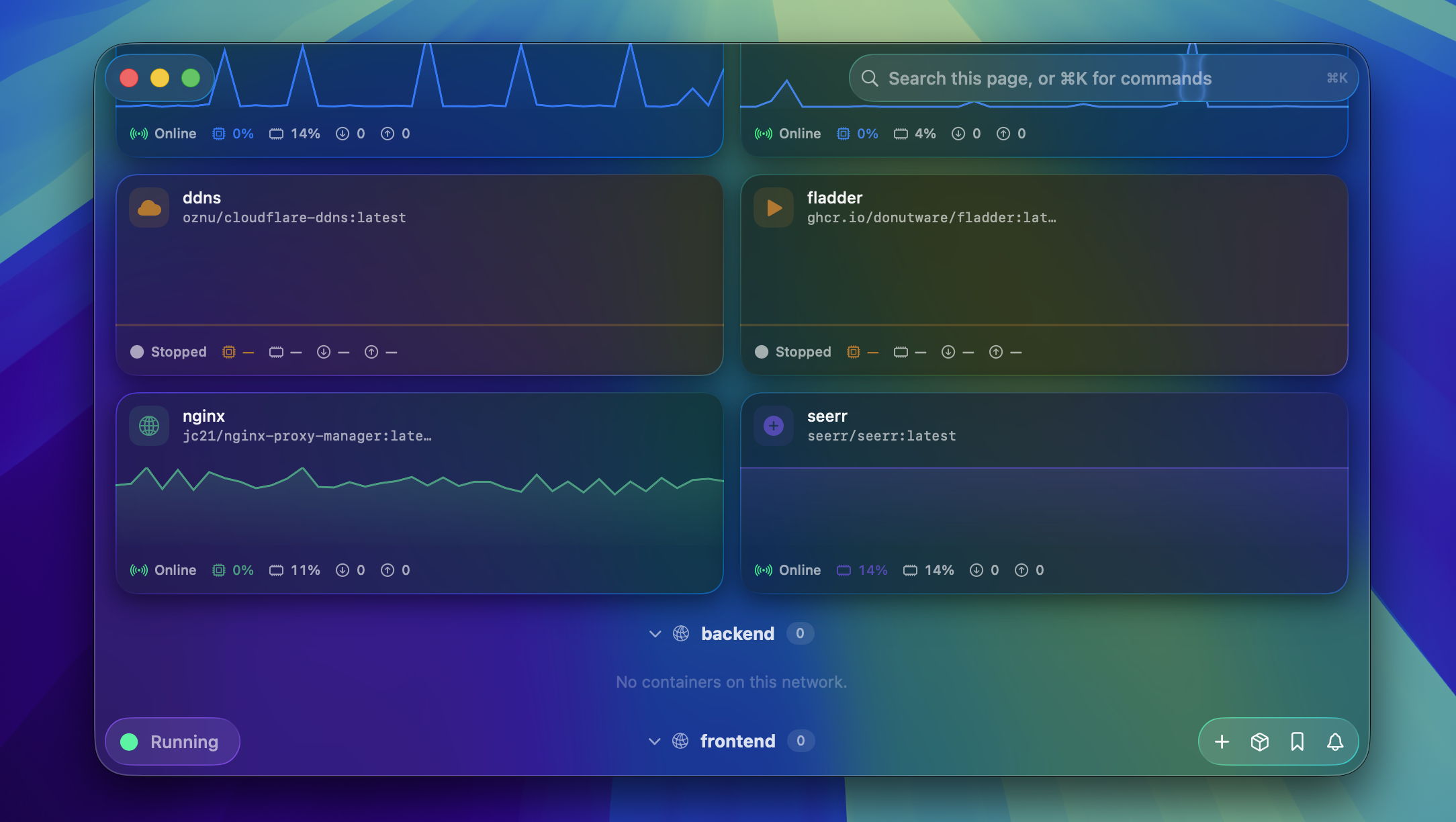
A native macOS app for Apple's Container CLI
Screenshots
How to install Contained on a Mac
- Get OpenDMG. It is a free app store for open source Mac apps. Download OpenDMG.
- Search for Contained and press Get. OpenDMG downloads version 1.0.0-nightly.235+00b298b from tdeverx's own GitHub release.
- Open it. The download is checked against its SHA-256 fingerprint and its signature is checked on your Mac before it lands in Applications.
Updates to Contained show up in OpenDMG and install with one button. No account is needed.
Prefer to do it by hand? The developer's file is on GitHub: Contained-1.0.0-nightly.235+00b298b.dmg (9.6 MB).
What is new in Contained 1.0.0-nightly.235+00b298b
Automated build of `nightly` @ 00b298b.

## Changes Since Last Nightly

- Added **Free Up Space…** with compaction selected by default, explicit opt-in resource/cache deletion, and access to automatic compaction settings.
- Fixed Apple Container recreation accumulating image entrypoint arguments; pinned and verified rollback, preserved originals before update pulls without weakening child-manifest digest pins, and added visible recovery for missing containers after failed replacement/restoration.
- Protected saved recovery and local metadata during failed runtime reads, corrupt-data recovery, and orphan cleanup; kept stopped originals stopped during restoration, kept open resource details current, and reduced repeated cleanup scans and scrolling work.

## Full Release Notes

### Highlights

- First complete Contained release: a native macOS 26 SwiftUI control surface for Apple's `container` CLI.
- Classic sidebar navigation is the default experience. The Liquid Glass toolbar, morph panels, command palette, Docker Hub search, Compose import, image build workspace, and keyboard shortcuts are available as explicit experimental features.
- Contained stays CLI-first: privileged runtime work goes through Apple's `container` command, run/edit operations can reveal the generated `container ...` command, and decorative app metadata stays local to Contained.
…
More Developer Tools apps
-
 UTMVirtual machines for iOS and macOS
-
 vphone-cliCLI to boot a virtual iPhone (iOS 26) with Apple Virtualization.framework and PCC…
-
 VirtualBuddyVirtual machine manager for running recent macOS versions on Apple Silicon
-
 WWDCUnofficial WWDC app for macOS
-
 Xcodes.appThe easiest way to install and switch between multiple versions of Xcode
-
 Postgres.appThe easiest way to get started with PostgreSQL on the Mac