

Clip for Mac
Menu bar tool for screenshots, screen recording, and OCR.
By chengffei. Free and open source, MIT licence.
Clip at a glance
- Version
- 0.7.1
- Released
- 9 November 2026
- Download size
- 15 MB
- Works on
- Apple silicon and Intel
- Licence
- MIT
- Category
- Video and Screen Capture
- Developer
- chengffei
- GitHub stars
- 3
About Clip
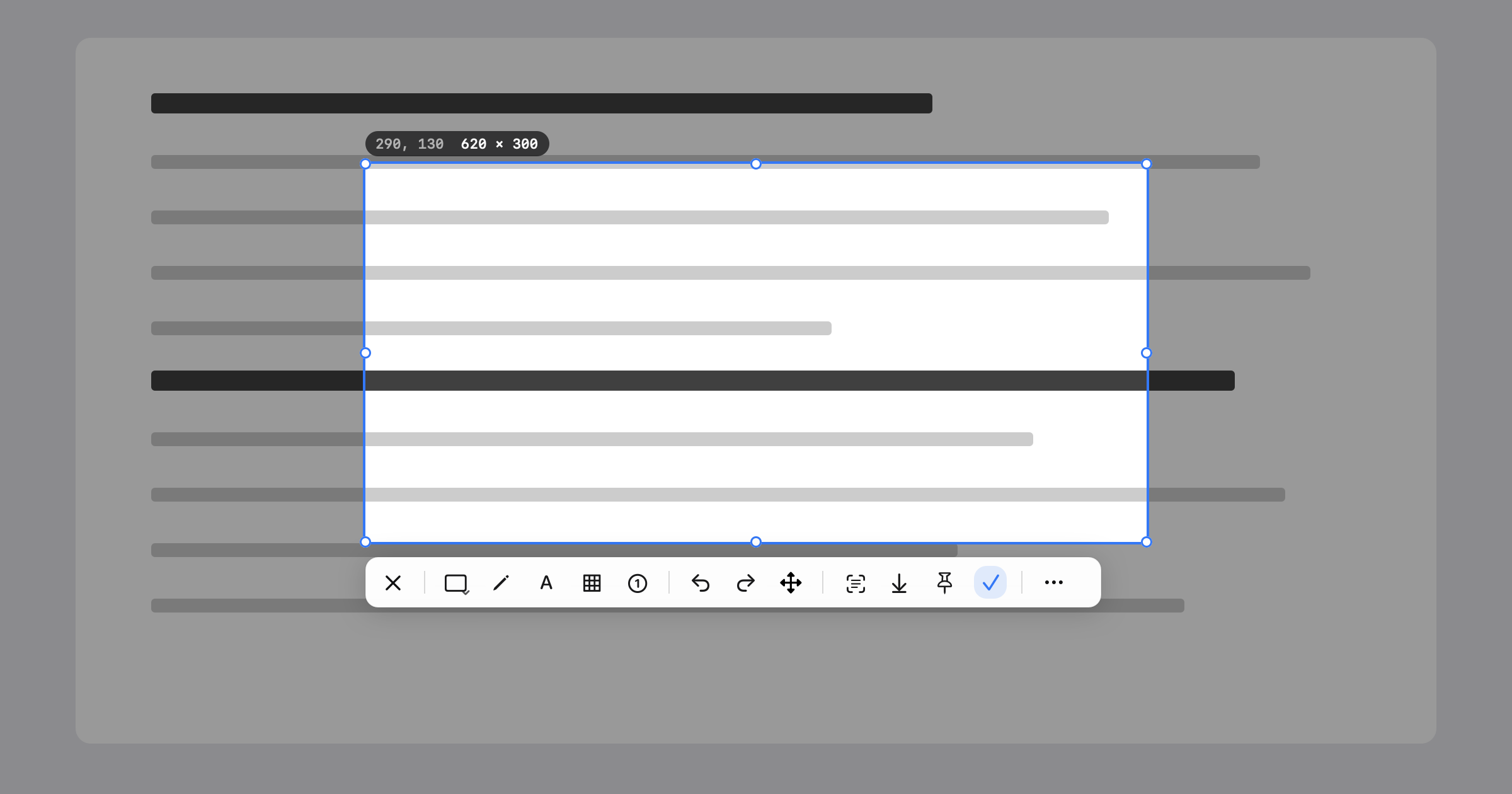
Double-tap ⌘. Frame it. Done. A macOS menu bar tool for annotated screenshots, region recording and OCR to clipboard.
Screenshots
How to install Clip on a Mac
- Get OpenDMG. It is a free app store for open source Mac apps. Download OpenDMG.
- Search for Clip and press Get. OpenDMG downloads version 0.7.1 from chengffei's own GitHub release.
- Open it. The download is checked against its SHA-256 fingerprint and its signature is checked on your Mac before it lands in Applications.
Updates to Clip show up in OpenDMG and install with one button. No account is needed.
Prefer to do it by hand? The developer's file is on GitHub: Clip-0.7.1.dmg (15 MB).
What is new in Clip 0.7.1
Performance release. No new features.

- **Long screenshots** use a fraction of the memory: frames share the stream's pixels, each frame is trimmed to the band the final image needs once the next one lands, and the preview is a small strip updated incrementally. Memory while stitching a 30-frame page drops from about 860 MB to 110 MB. Starting a long screenshot no longer freezes the app while the first frame arrives.
- **Selection overlay** repaints only what changed while you drag or hover, instead of the whole screen on every mouse move.
- **Full-screen screenshot** captures in the background instead of blocking the app for the duration of the capture.
- **Editor** caches the shortcut configuration, fonts and text metrics; highlighter strokes and the transparency checkerboard draw far cheaper.
- **GIF export** caps frames at 1600 px on the long edge so long recordings do not run out of memory.
- Settings stops polling permissions when its window is closed; the recording timer keeps counting while a menu is open; the log file is rotated instead of deleted.
More Video and Screen Capture apps
-
 IINAThe modern video player for macOS
-
 Palmier ProOpen source video editor where you and AI agents generate and edit videos together in the…
-
 Quick RecorderA lightweight and high-performance screen recorder for macOS
-
 macshotScreenshot and screen recording tool with annotation, OCR, and scroll capture
-
 SnapzyOpen-source tool for screenshots, screen recording, annotation, and editing
-
 ScreendropBeautiful screenshot and screen recording tool — a native, self-hostable, and free Loom…