

CCSwitcher for Mac
Manage and switch between multiple Claude Code accounts with one-click credential swapping.
By XueshiQiao. Free and open source.
CCSwitcher at a glance
- Version
- 1.12.0
- Released
- 30 July 2026
- Download size
- 6.2 MB
- Works on
- Apple silicon and Intel
- Category
- Developer Tools
- Developer
- XueshiQiao
- GitHub stars
- 190
About CCSwitcher
Switch you Claude Code accounts with a click
Screenshots
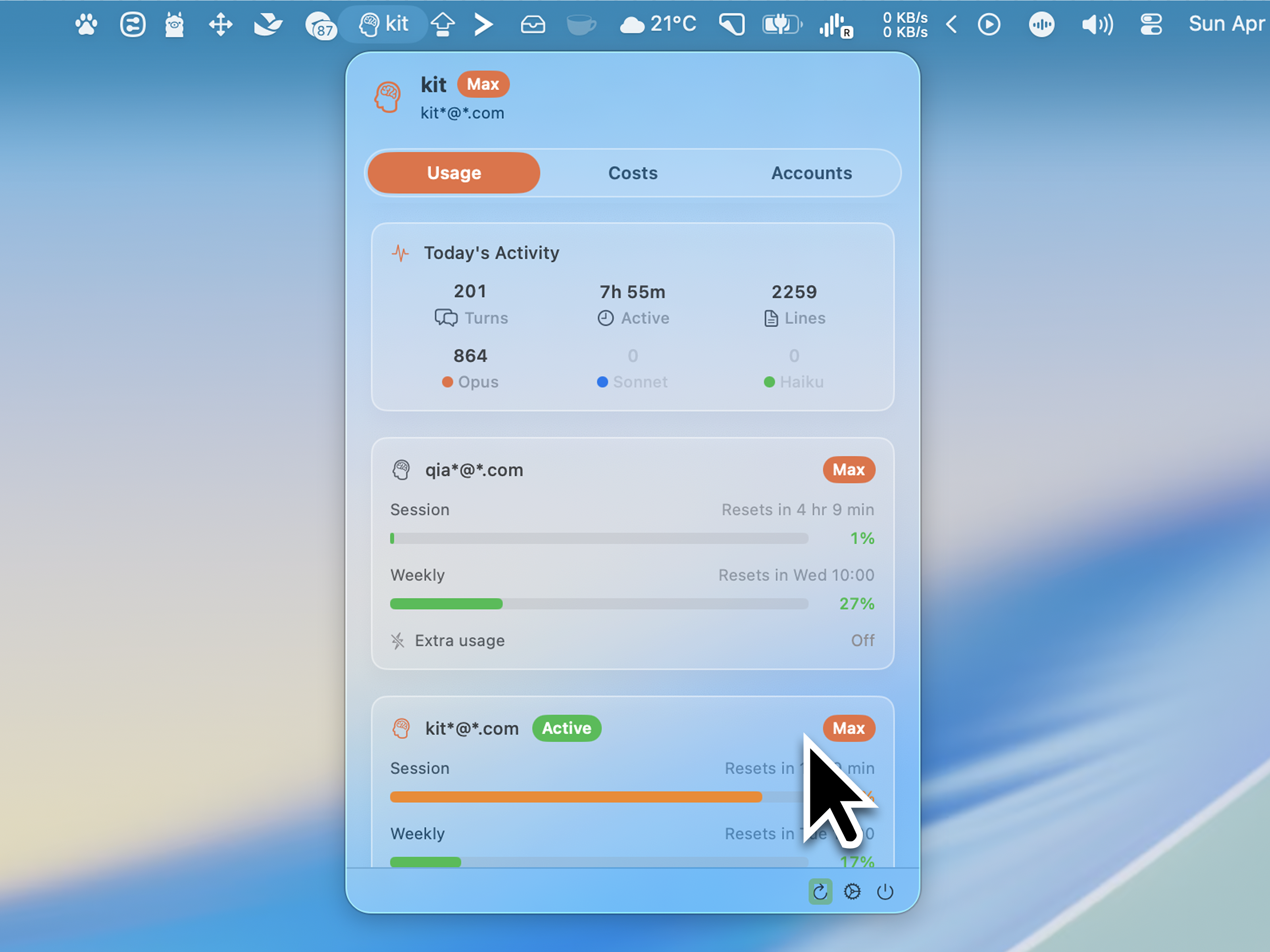
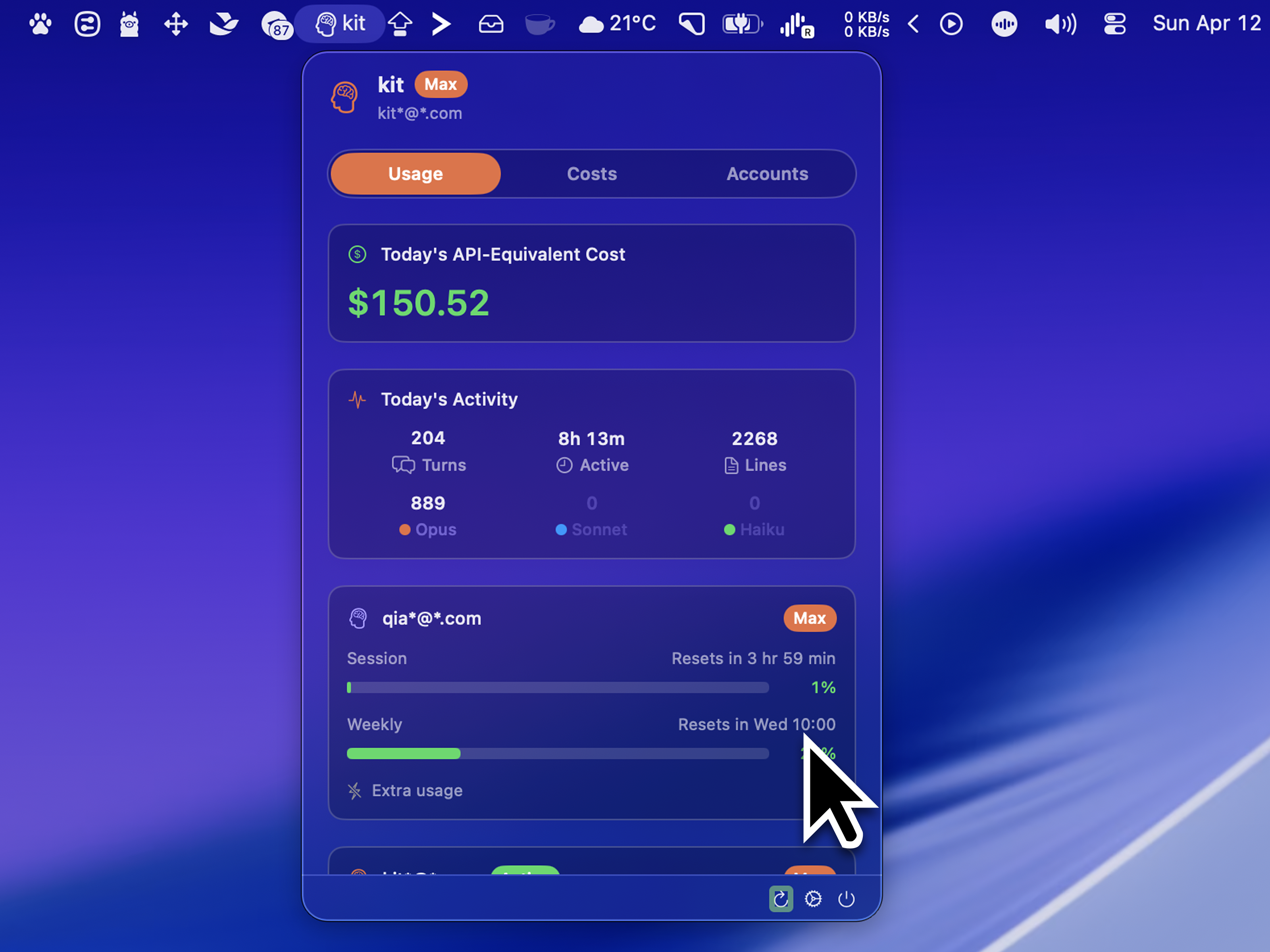
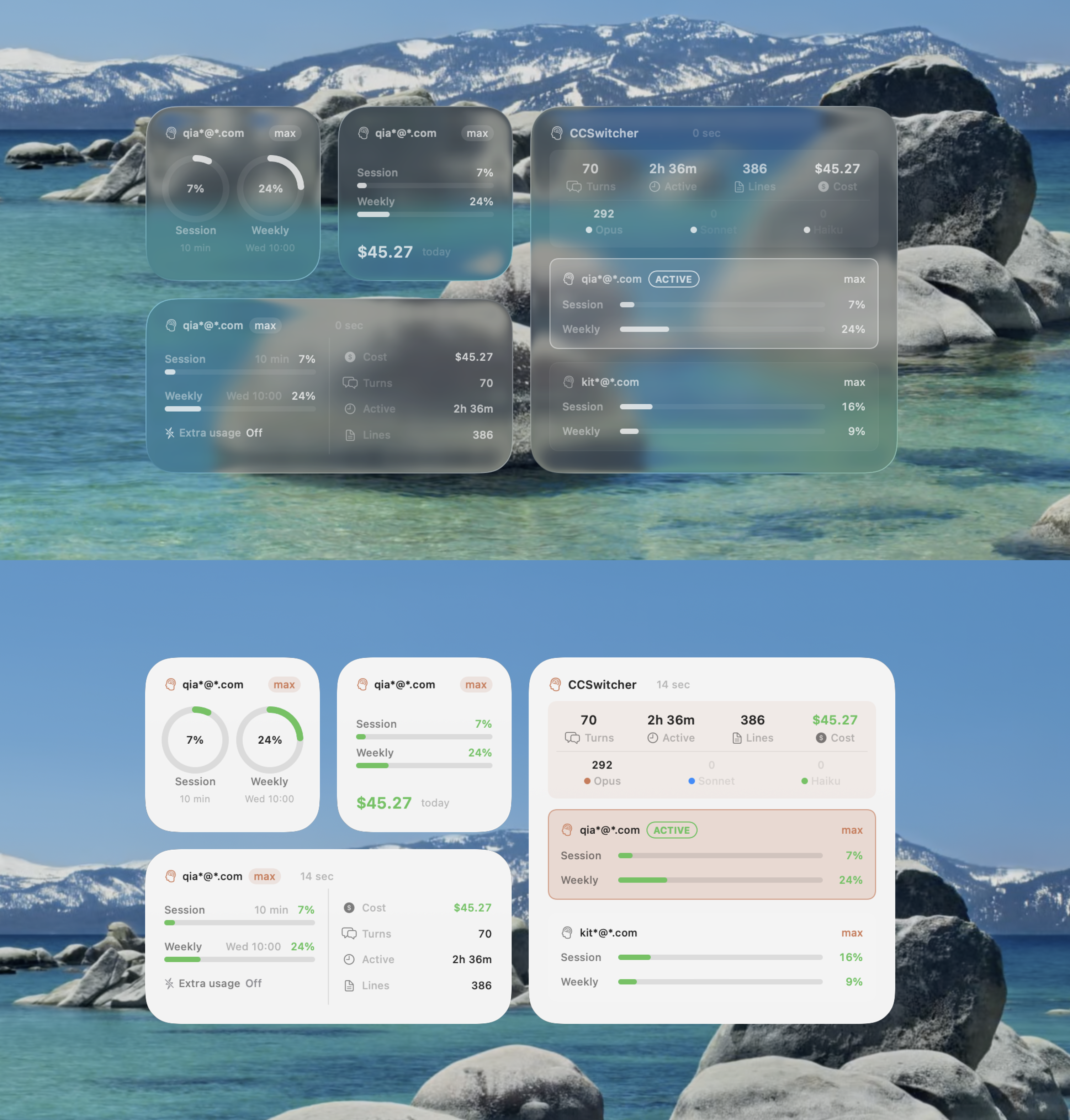

How to install CCSwitcher on a Mac
- Get OpenDMG. It is a free app store for open source Mac apps. Download OpenDMG.
- Search for CCSwitcher and press Get. OpenDMG downloads version 1.12.0 from XueshiQiao's own GitHub release.
- Open it. The download is checked against its SHA-256 fingerprint and its signature is checked on your Mac before it lands in Applications.
Updates to CCSwitcher show up in OpenDMG and install with one button. No account is needed.
Prefer to do it by hand? The developer's file is on GitHub: CCSwitcher.dmg (6.2 MB).
What is new in CCSwitcher 1.12.0
### Hide the head icon in the menu bar

**Settings → Menu Bar → Show head icon in menu bar** switches the brain icon off, so the strip shows only the readings you chose. Useful when your menu bar is crowded.

### Pick your own limit bar colors (opt-in)

Turn on **Customize limit bar colors** in Settings → Menu Bar and you can set the session bar, the weekly bar, and a low-remaining warning color separately — plus how much quota has to be left before the warning color takes over.

Off by default, and while it is off the bars look exactly as they always have: the menu-bar bars stay monochrome so they follow a light or dark menu bar and turn red only above 90% used, and the Usage dashboard keeps its green / orange / red steps at 60% and 90%.

### Thanks

- **[@kyoubelyu](https://github.com/kyoubelyu)** — the menu bar icon toggle and the custom limit bar colors ([#20](https://github.com/XueshiQiao/CCSwitcher/pull/20)).

### Included from v1.11.0

Released less than an hour before this one, so you may be updating straight past it.

#### Auto-switch before you hit the limit (opt-in)

Turn it on in **Settings → General → Auto-switch** and CCSwitcher moves you to the account with the most quota left once the active one reaches your chosen threshold (default 90%). Off by default — nothing changes unless you enable it.
…
More Developer Tools apps
-
 UTMVirtual machines for iOS and macOS
-
 vphone-cliCLI to boot a virtual iPhone (iOS 26) with Apple Virtualization.framework and PCC…
-
 VirtualBuddyVirtual machine manager for running recent macOS versions on Apple Silicon
-
 WWDCUnofficial WWDC app for macOS
-
 Xcodes.appThe easiest way to install and switch between multiple versions of Xcode
-
 Postgres.appThe easiest way to get started with PostgreSQL on the Mac