
Boost for Mac
Free up memory without closing apps, freeze and restore them exactly as they were.
By Kernel-Hunter. Free and open source, GPL-3.0 licence.
Boost at a glance
- Version
- 1.2.0
- Released
- 5 October 2026
- Download size
- 4.8 MB
- Works on
- Apple silicon and Intel
- Licence
- GPL-3.0
- Category
- System Tools
- Developer
- Kernel-Hunter
- GitHub stars
- 15
About Boost
A memory and disk utility for macOS that tells you the truth. Pause apps instead of closing them, reclaim disk space that is genuinely safe to reclaim.
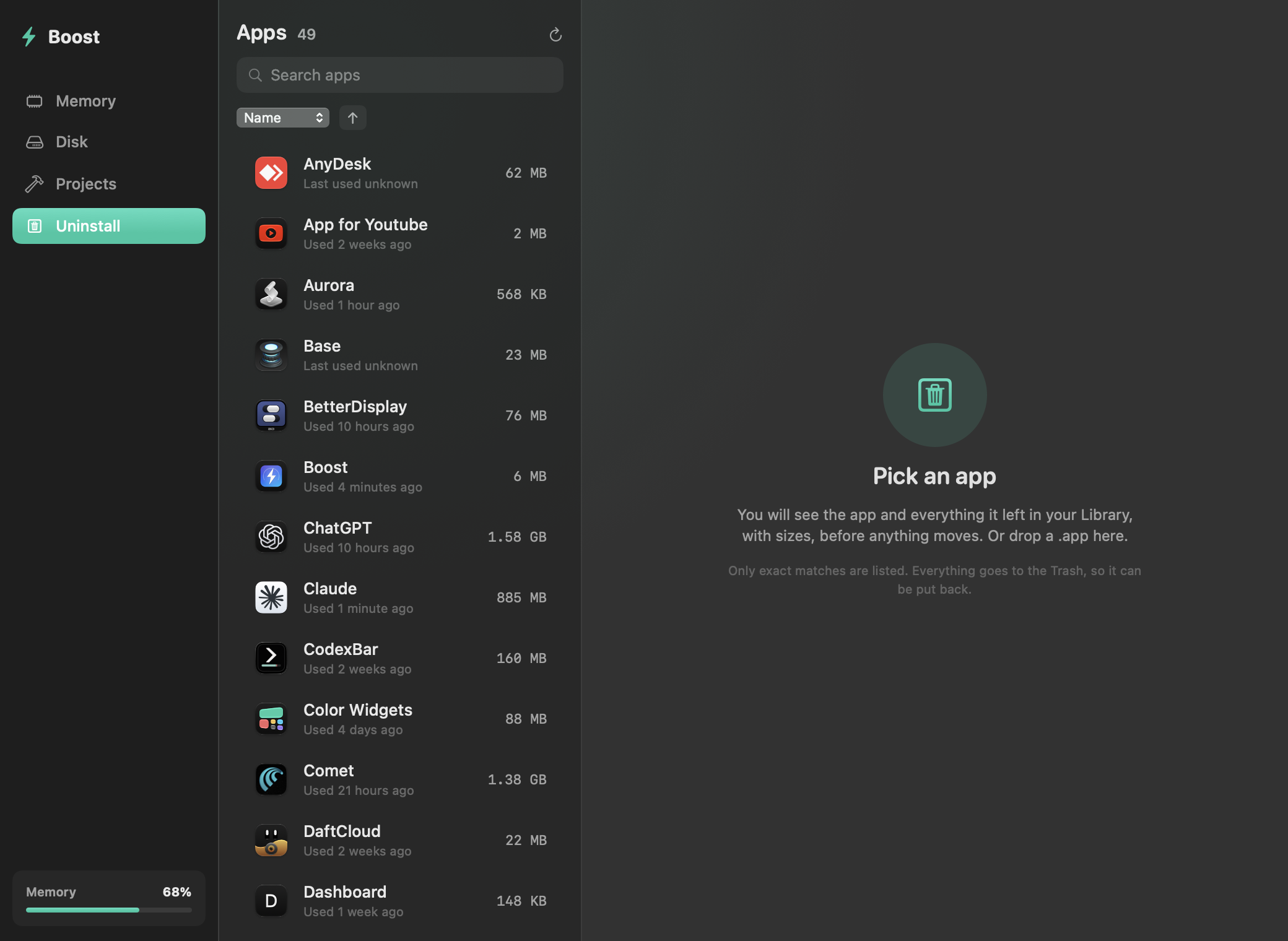
Screenshots
How to install Boost on a Mac
- Get OpenDMG. It is a free app store for open source Mac apps. Download OpenDMG.
- Search for Boost and press Get. OpenDMG downloads version 1.2.0 from Kernel-Hunter's own GitHub release.
- Open it. The download is checked against its SHA-256 fingerprint and its signature is checked on your Mac before it lands in Applications.
Updates to Boost show up in OpenDMG and install with one button. No account is needed.
Prefer to do it by hand? The developer's file is on GitHub: Boost.zip (4.8 MB).
What is new in Boost 1.2.0
## What's new in 1.2.0

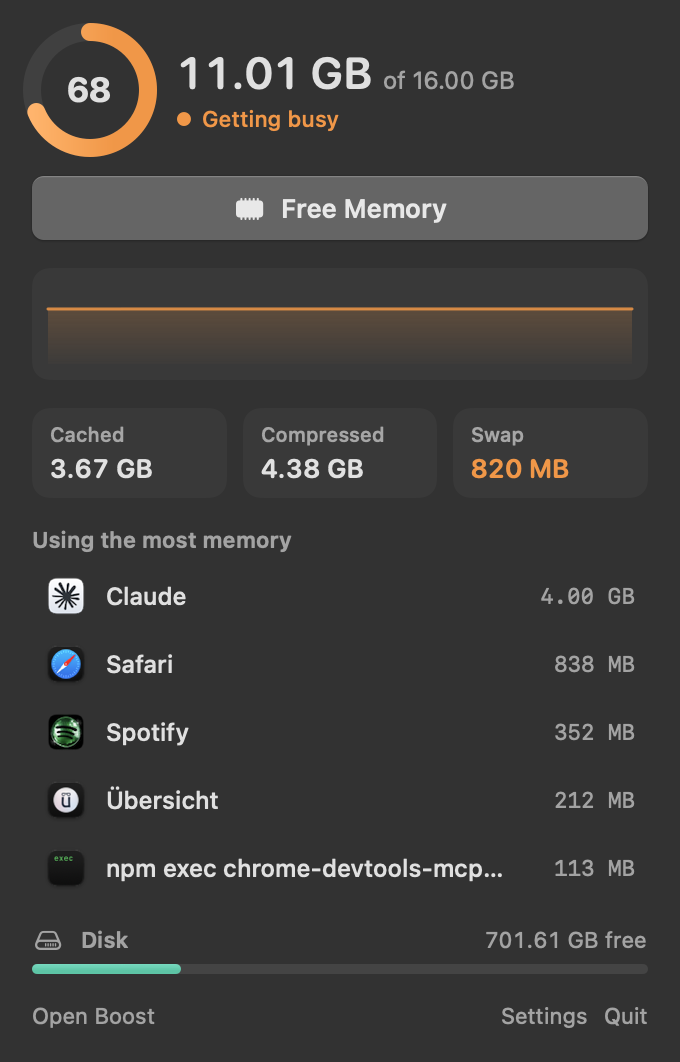
- **Menu bar popover.** Click the icon to see memory pressure, a graph, swap, cached and compressed memory, your five biggest apps, and free disk space. Pause or quit an app from there, or hit Free Memory.
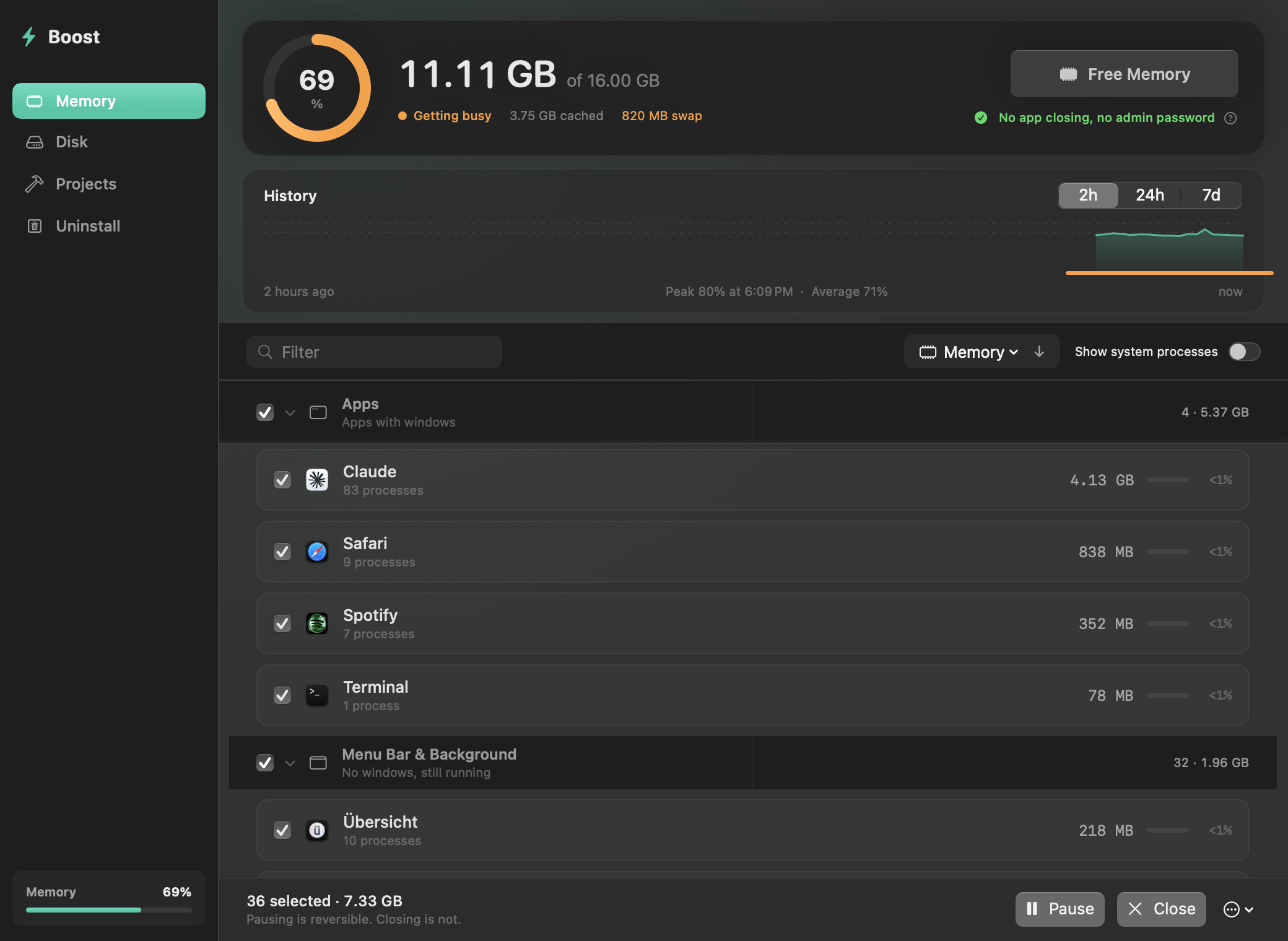
- **History.** A reading every minute, kept for a week. Chart it over 2 hours, 24 hours or 7 days, with the peak, the average and each time your Mac went into swap.
- **Auto-pause.** Pick apps to freeze after 5 to 60 minutes in the background. Each one wakes when you switch to it. If Boost crashes, a watchdog resumes everything it froze.
- **Alerts.** A notice when memory has stayed tight for a minute, naming the app using the most. The swap alert is still there.
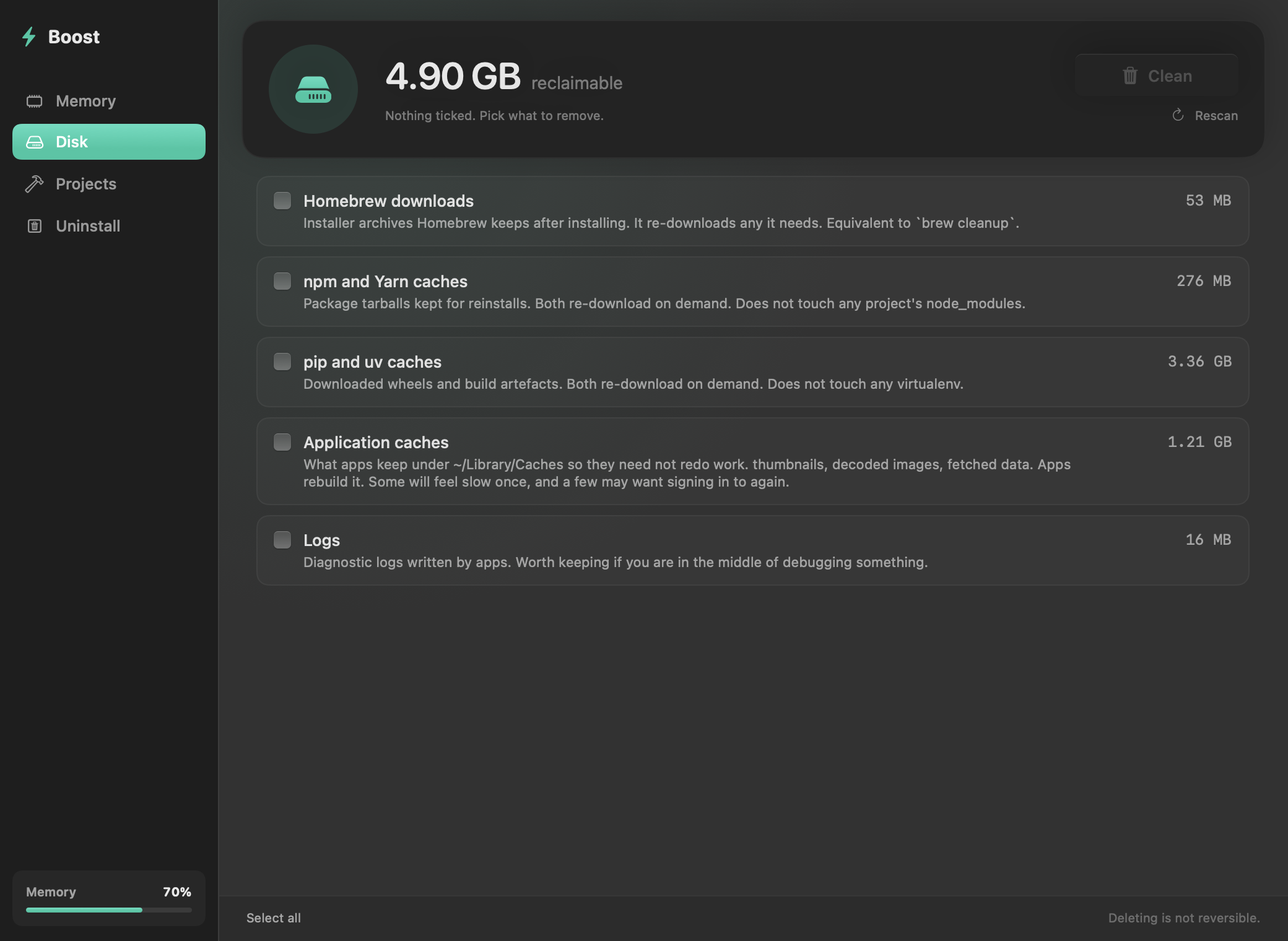
- **Projects tab.** Finds node_modules, Rust target, SwiftPM .build, virtualenvs and similar folders in projects you have not touched for 30 to 180 days. Everything goes to the Trash.
- **Uninstall tab.** Lists what an app left in your Library, with sizes, before anything moves. Exact matches only, to the Trash, with Undo.
- **Settings.** Start at login, and an option to always show the percentage in the menu bar.
- New app icon, and sizes under 1 MB now show in KB.

## Install

```bash
brew install --cask kernel-hunter/boost/boost
```

Or download `Boost.zip` below and drag it to Applications.
…
More System Tools apps
-
 PearcleanerApp Cleaner and Uninstaller Tool
-
 OpenInTerminalFinder toolbar tool for opening the current folder in a terminal
-
 PureMacFree open-source system cleaner with privacy protection
-
 DockDoorWindow peeking for macOS
-
 LatestApp update checker that notifies you of available updates for installed applications
-
 DorsoPosture reminder that progressively blurs your screen when you slouch