

Birth for Mac
View and manage all startup items — daemons, login items, and background agents — with code-signing identity and one-click removal.
By iAmCorey. Free and open source, MIT licence.
Birth at a glance
- Version
- 0.2.11
- Released
- 29 August 2026
- Download size
- 3.7 MB
- Works on
- Apple silicon and Intel
- Licence
- MIT
- Category
- System Tools
- Developer
- iAmCorey
- GitHub stars
- 569
About Birth
一目了然地管理你的电脑启动项 | 开源 macOS 启动项管理器
Screenshots
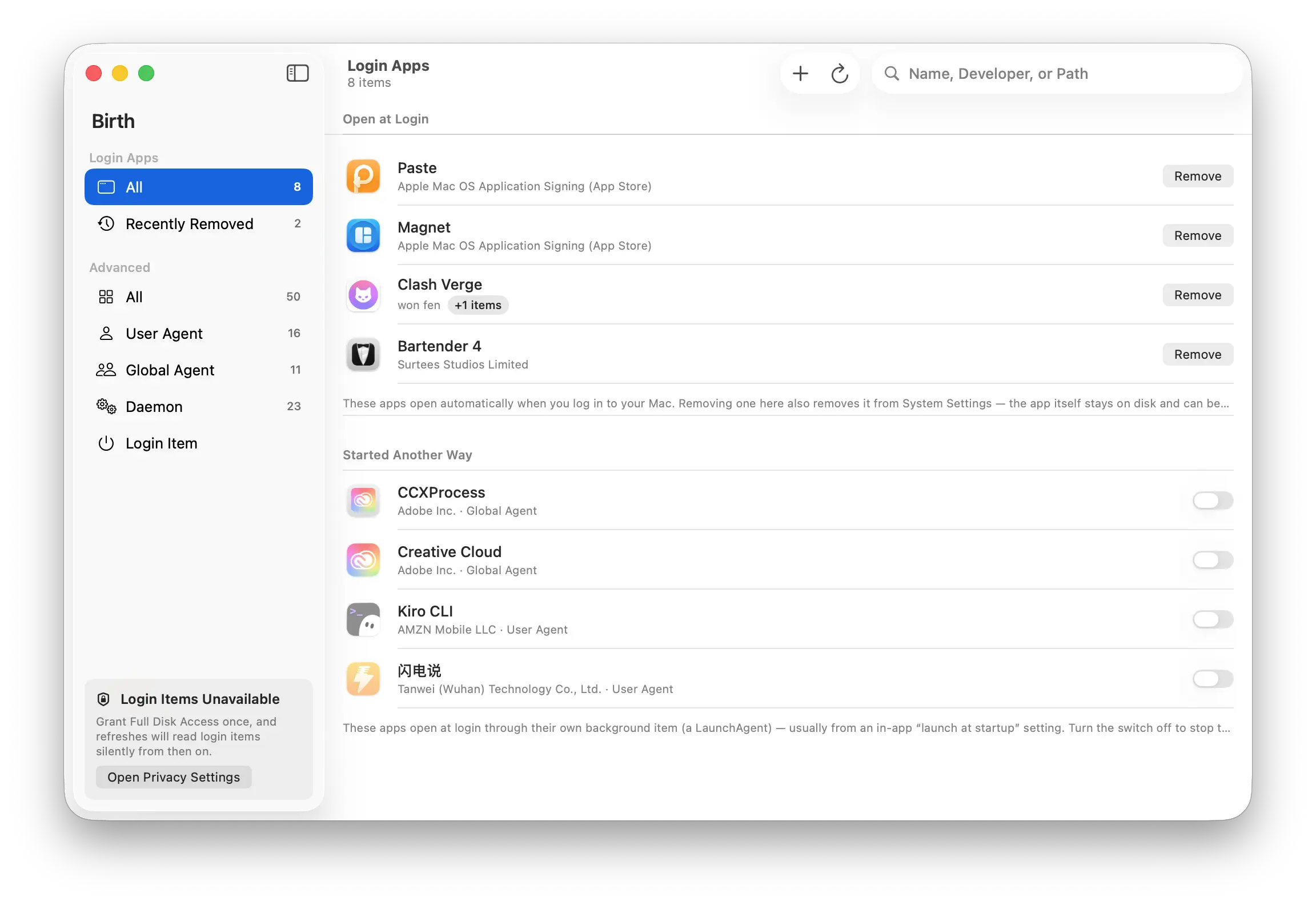
How to install Birth on a Mac
- Get OpenDMG. It is a free app store for open source Mac apps. Download OpenDMG.
- Search for Birth and press Get. OpenDMG downloads version 0.2.11 from iAmCorey's own GitHub release.
- Open it. The download is checked against its SHA-256 fingerprint and its signature is checked on your Mac before it lands in Applications.
Updates to Birth show up in OpenDMG and install with one button. No account is needed.
Prefer to do it by hand? The developer's file is on GitHub: Birth-0.2.11.dmg (3.7 MB).
What is new in Birth 0.2.11
一目了然地管理你的电脑启动项。

### 新增

- **应用图标适配深色外观**([#7](https://github.com/iAmCorey/birth/issues/7)):macOS 26 现在使用分层 Icon Composer 图标;Default 外观延续原有深蓝配色,Dark 外观改为黑色背景。macOS 14/15 继续使用传统静态图标,兼容性不变。

---

安装:下载 DMG,拖入“应用程序”文件夹。首次打开如遇 Gatekeeper 提示,请在“系统设置 → 隐私与安全性”中允许打开。
More System Tools apps
-
 PearcleanerApp Cleaner and Uninstaller Tool
-
 OpenInTerminalFinder toolbar tool for opening the current folder in a terminal
-
 PureMacFree open-source system cleaner with privacy protection
-
 DockDoorWindow peeking for macOS
-
 LatestApp update checker that notifies you of available updates for installed applications
-
 DorsoPosture reminder that progressively blurs your screen when you slouch