
BerryDB for Mac
Fast native database client for macOS.
By berry-apps. Free and open source, Apache-2.0 licence.
BerryDB at a glance
- Version
- 1.1.0
- Released
- 12 November 2026
- Download size
- 48 MB
- Works on
- Apple silicon and Intel
- Licence
- Apache-2.0
- Category
- Developer Tools
- Developer
- berry-apps
- GitHub stars
- 27
About BerryDB
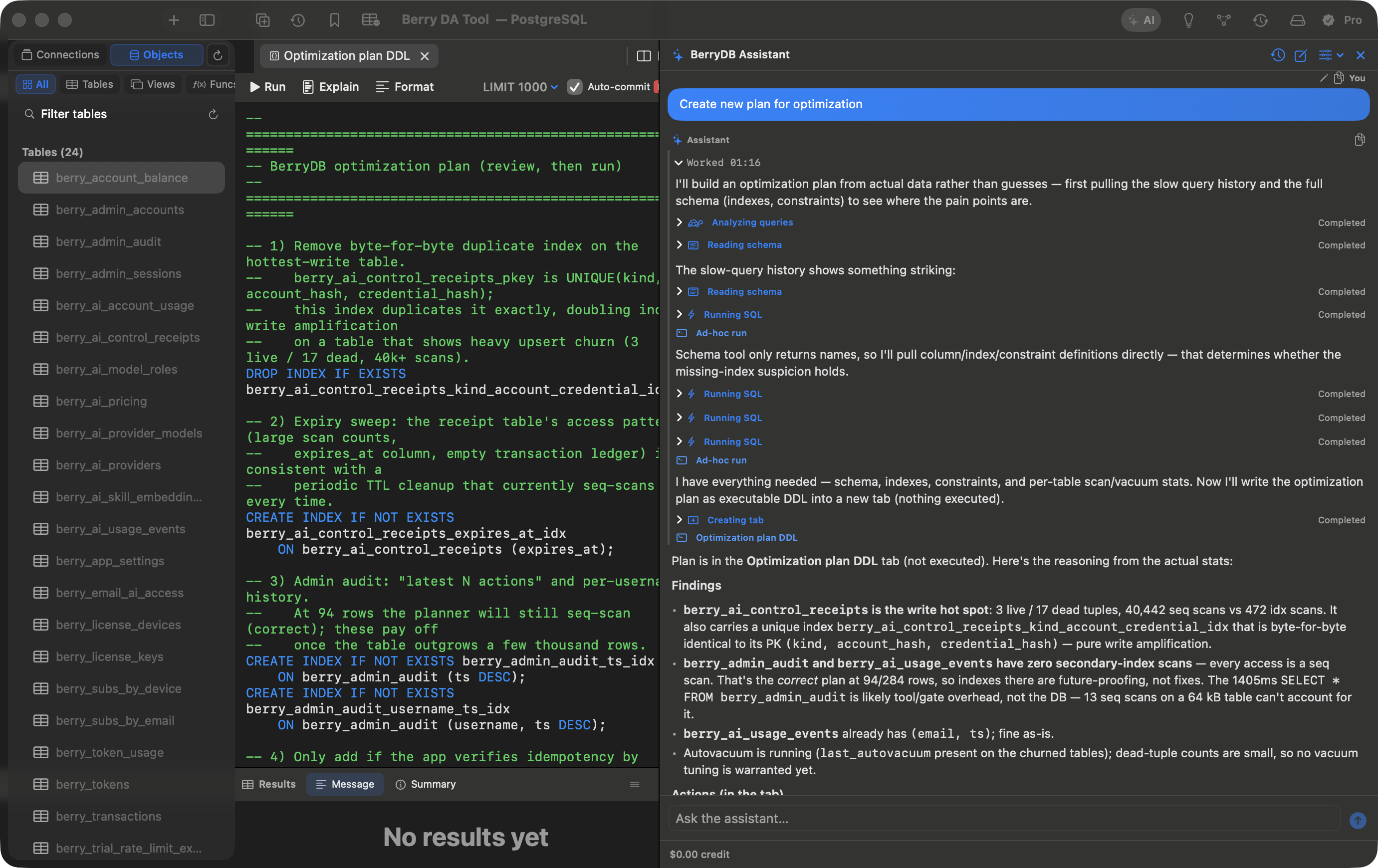
Open-source (Apache 2.0) macOS database client in Swift & AppKit for PostgreSQL, MySQL, SQL Server, SQLite, Redis/Valkey, MongoDB, DynamoDB, Elasticsearch and Qdrant, with an optional AI assistant.
Screenshots
How to install BerryDB on a Mac
- Get OpenDMG. It is a free app store for open source Mac apps. Download OpenDMG.
- Search for BerryDB and press Get. OpenDMG downloads version 1.1.0 from berry-apps's own GitHub release.
- Open it. The download is checked against its SHA-256 fingerprint and its signature is checked on your Mac before it lands in Applications.
Updates to BerryDB show up in OpenDMG and install with one button. No account is needed.
Prefer to do it by hand? The developer's file is on GitHub: BerryDB-1.1.0.dmg (48 MB).
What is new in BerryDB 1.1.0
## Coding agents (MCP) — Schema cache & opt-in live reads

BerryDB.app now includes `berrydb-mcp` (`/Applications/BerryDB.app/Contents/Helpers/berrydb-mcp`), a local helper that Claude Code, Codex and Antigravity start as a stdio MCP server.

- **7 schema cache tools (default):** `berrydb_status`, `berrydb_list_connections`, `berrydb_get_schema`, `berrydb_search_schema`, `berrydb_graph_query`, `berrydb_get_graph_stats`, and `berrydb_get_schema_changes`. In cache-only mode, the helper opens BerryDB's local store read-only, never connects to a database, and never reads connection passwords.
- **2 opt-in live read tools (off by default, per connection in Settings → AI Agents):**
 - `berrydb_execute_read_query` (PostgreSQL, MySQL/MariaDB, SQLite): runs one SQL statement in a read-only transaction (`BEGIN TRANSACTION READ ONLY` / `SET TRANSACTION READ ONLY` / `PRAGMA query_only = ON`) with a SQL read policy, max 4 concurrent reads per helper process, row/size/time limits (stricter on production-labeled connections: 50 rows / 256 KiB / 5 s vs. 100 rows / 1 MiB / 30 s), and best-effort column redaction by name. A read-only database user (and read replica for production) is recommended: on production-labeled connections, a write-capable database user is refused and live reads expire (`1h`, `8h`, `24h` default, or `7d`, reported as `live_read_until`). Note: on MySQL/MariaDB, a user with
…
More Developer Tools apps
-
 UTMVirtual machines for iOS and macOS
-
 vphone-cliCLI to boot a virtual iPhone (iOS 26) with Apple Virtualization.framework and PCC…
-
 VirtualBuddyVirtual machine manager for running recent macOS versions on Apple Silicon
-
 WWDCUnofficial WWDC app for macOS
-
 Xcodes.appThe easiest way to install and switch between multiple versions of Xcode
-
 Postgres.appThe easiest way to get started with PostgreSQL on the Mac