

AudioMator for Mac
Audio metadata editor for inspecting tags, batch editing, managing artwork, and tagging releases with MusicBrainz.
By ChrisLloydME. Free and open source, MIT licence.
AudioMator at a glance
- Version
- 2.6-B2691
- Released
- 16 September 2026
- Download size
- 9.0 MB
- Works on
- Apple silicon and Intel
- Licence
- MIT
- Category
- Audio and Music
- Developer
- ChrisLloydME
- GitHub stars
- 36
About AudioMator
AudioMator is a native macOS app for viewing and editing audio metadata. The project is still in development with more fields and features planned.
Screenshots
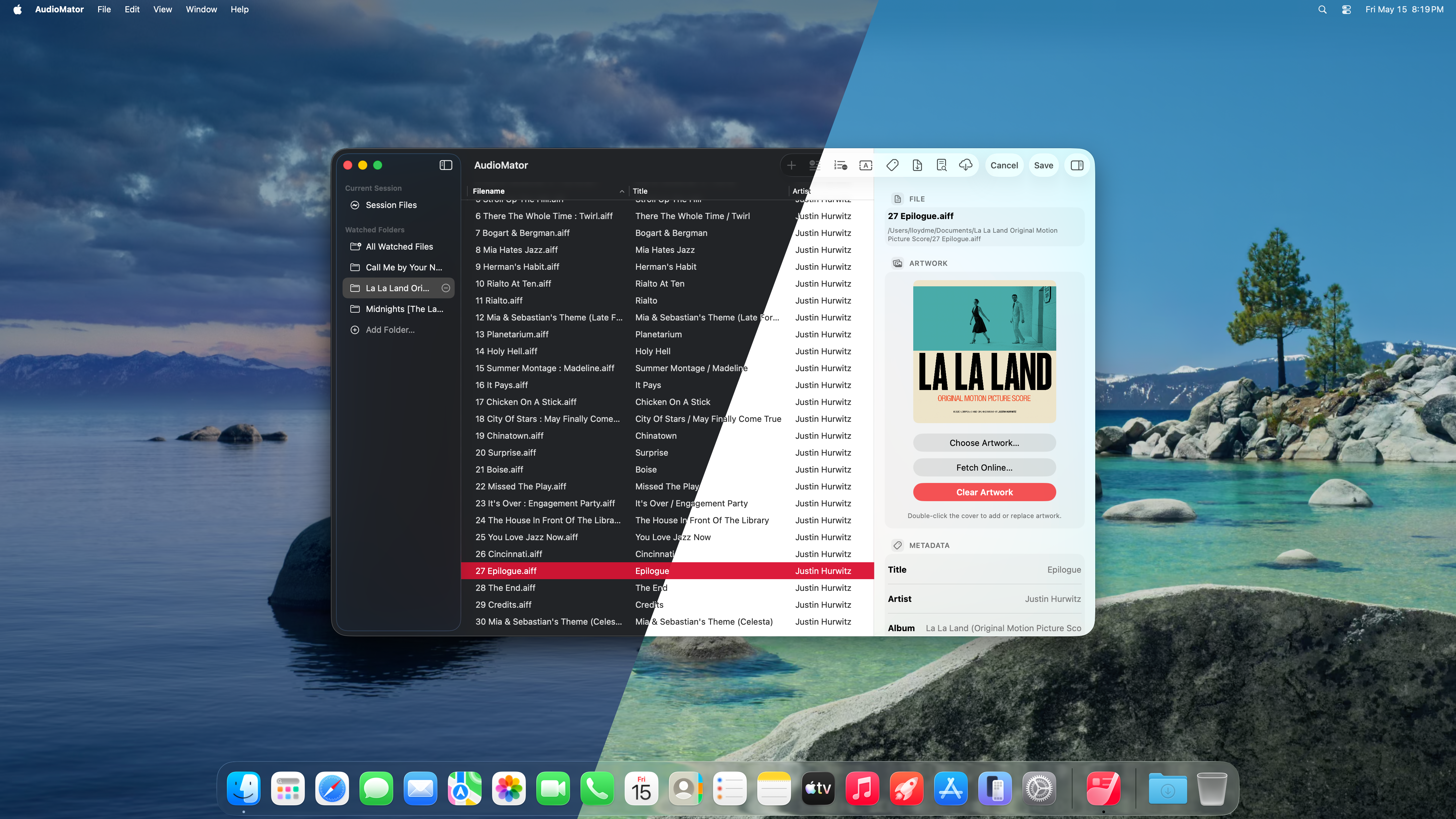


How to install AudioMator on a Mac
- Get OpenDMG. It is a free app store for open source Mac apps. Download OpenDMG.
- Search for AudioMator and press Get. OpenDMG downloads version 2.6-B2691 from ChrisLloydME's own GitHub release.
- Open it. The download is checked against its SHA-256 fingerprint and its signature is checked on your Mac before it lands in Applications.
Updates to AudioMator show up in OpenDMG and install with one button. No account is needed.
Prefer to do it by hand? The developer's file is on GitHub: AudioMator.2691.zip (9.0 MB).
What is new in AudioMator 2.6-B2691
# Release Notes

## Improvements

- Reworked Inspector metadata saving to update only fields that were actually modified, reducing unnecessary changes to unrelated metadata.
- Improved metadata consistency by using a single metadata snapshot as the authoritative source for editable tags, artwork, and content advisory information.
- Improved Raw Metadata Editor handling of multi-value metadata so values are preserved individually instead of being flattened into a single string.
- Improved track and disc number editing through the transactional metadata pipeline.
- Improved LRCLIB lyric updates so only the lyrics field is modified instead of rewriting the complete raw metadata map.
- Improved MusicBrainz release and track matching, especially for ambiguous releases and multi-disc albums.
- Improved MusicBrainz candidate ranking using title, artist, year, duration, track count, track/disc position, and existing MusicBrainz identifiers.
- Improved handling of release title suffixes such as “EP”, “Single”, and “Album”.
- Reduced unnecessary MusicBrainz fallback searches and release-detail requests.
- Improved MusicBrainz networking with shared rate limiting, request caching, in-flight request deduplication, and retry handling for temporary service failures.
- Improved Quick Import reliability for temporarily unavailable, security-scoped, and File Provider-backed files.
…
More Audio and Music apps
-
 MonitorControlAdjust external monitor settings
-
 FluidVoiceVoice-to-text app with AI enhancement
-
 eqMacSystem-wide audio equalizer and volume mixer
-
 VoiceInkReal-time speech-to-text app
-
 LyricsXDisplay lyrics for iTunes/Spotify
-
 FreeFlowPush-to-talk speech-to-text tool that inserts polished transcripts into any app