
Audio Priority Bar for Mac
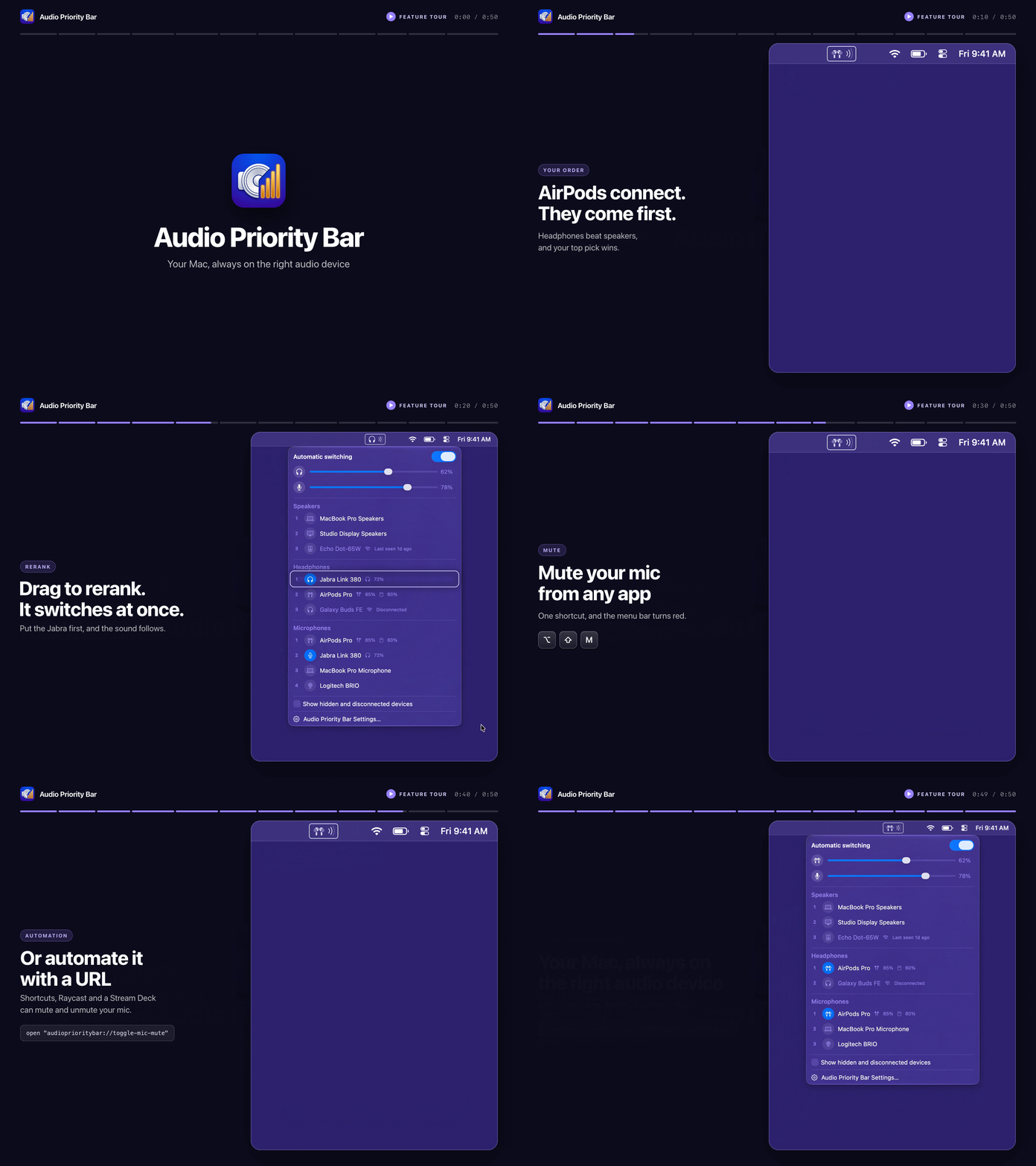
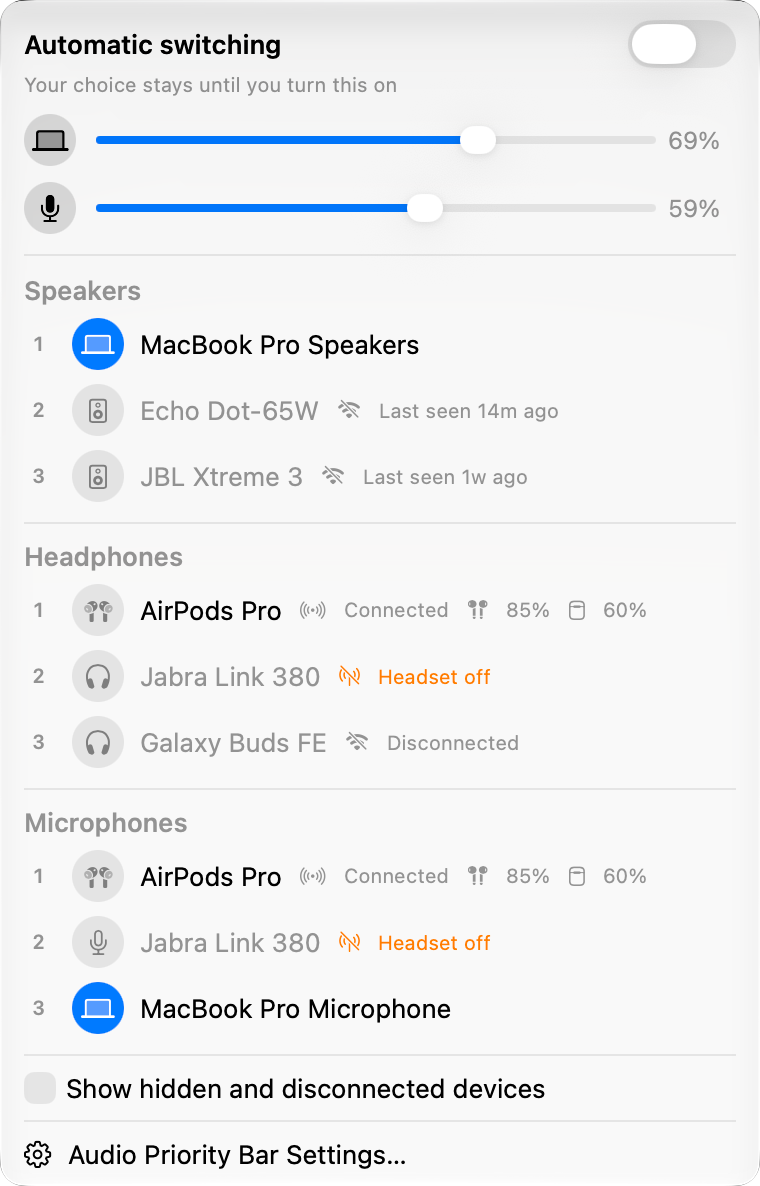
Menu bar app that automatically switches to your highest-priority connected headphones, speakers, and microphone.
By camguillory. Free and open source, MIT licence.
Audio Priority Bar at a glance
- Version
- 2.10.0
- Released
- 10 October 2026
- Download size
- 5.4 MB
- Works on
- Apple silicon and Intel
- Licence
- MIT
- Category
- Audio and Music
- Developer
- camguillory
- GitHub stars
- 27
About Audio Priority Bar
A native macOS menu bar app for managing audio device priorities
Screenshots
How to install Audio Priority Bar on a Mac
- Get OpenDMG. It is a free app store for open source Mac apps. Download OpenDMG.
- Search for Audio Priority Bar and press Get. OpenDMG downloads version 2.10.0 from camguillory's own GitHub release.
- Open it. The download is checked against its SHA-256 fingerprint and its signature is checked on your Mac before it lands in Applications.
Updates to Audio Priority Bar show up in OpenDMG and install with one button. No account is needed.
Prefer to do it by hand? The developer's file is on GitHub: AudioPriorityBar.zip (5.4 MB).
What is new in Audio Priority Bar 2.10.0
Audio Priority Bar 2.10.0 shows a muted microphone in red in the menu bar, with an option to stop its pulse, and lifts a dragged row on the panel's own material. Coming from 2.9.2, the update installs in place, and your existing priorities and overrides are kept.

## Menu bar

- A muted microphone now shows in red in the menu bar, while the other glyphs keep following a light or dark menu bar ([#49](https://github.com/camguillory/Audio-Priority-Bar/pull/49)).
- **Pulse muted microphone** in Settings › Menu Bar turns the pulse off for anyone who finds it distracting, without turning on Reduce Motion everywhere ([#49](https://github.com/camguillory/Audio-Priority-Bar/pull/49), [#50](https://github.com/camguillory/Audio-Priority-Bar/pull/50)).

## Panel

- A row you drag to rerank now lifts on a frosted material that matches the translucent panel, instead of a dark slab in dark mode ([#51](https://github.com/camguillory/Audio-Priority-Bar/pull/51)).

## Updates

- Updating from 2.9.0 or later downloads only what changed. Older versions download the full archive.

## Thanks

Thanks to @DigiH for the red muted microphone and the pulse setting ([#49](https://github.com/camguillory/Audio-Priority-Bar/pull/49)), and for reporting the dim microphone fixed in [#50](https://github.com/camguillory/Audio-Priority-Bar/pull/50).

## Install

```bash
…
More Audio and Music apps
-
 MonitorControlAdjust external monitor settings
-
 FluidVoiceVoice-to-text app with AI enhancement
-
 eqMacSystem-wide audio equalizer and volume mixer
-
 VoiceInkReal-time speech-to-text app
-
 LyricsXDisplay lyrics for iTunes/Spotify
-
 FreeFlowPush-to-talk speech-to-text tool that inserts polished transcripts into any app