

Atalaya for Mac
Server dashboard that reads metrics over SSH, with no agent or open port.
By neural-beat. Free and open source, GPL-3.0 licence.
Atalaya at a glance
- Version
- 1.0.0
- Released
- 19 September 2026
- Download size
- 8.2 MB
- Works on
- Apple silicon and Intel
- Licence
- GPL-3.0
- Category
- Developer Tools
- Developer
- neural-beat
- GitHub stars
- 6
About Atalaya
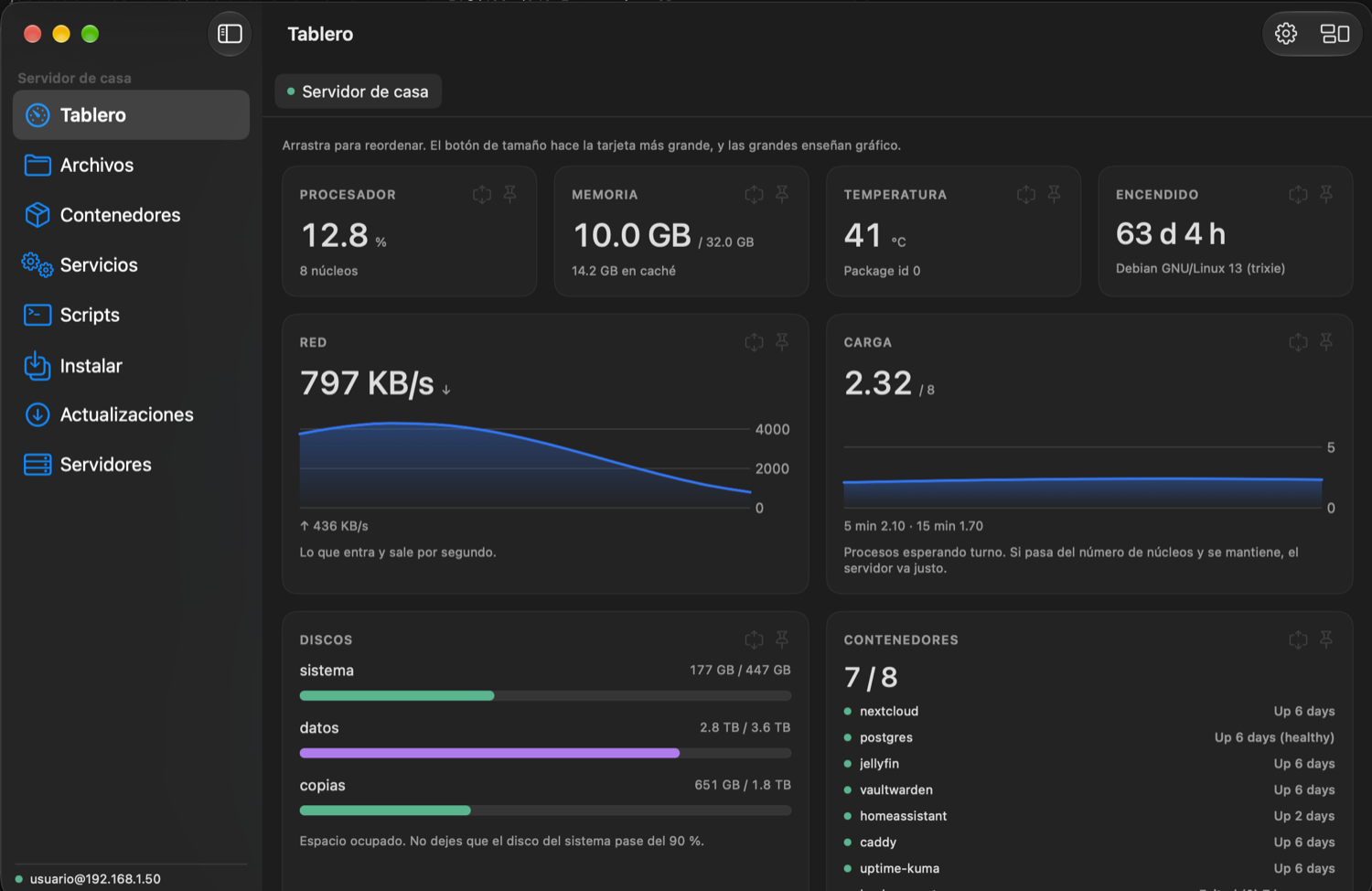
Your Linux server, in plain sight — over SSH, with nothing to install on it. Live dashboard, containers, services and your own scripts explained by their own comments. Universal, Intel and Apple Silicon.
Screenshots
How to install Atalaya on a Mac
- Get OpenDMG. It is a free app store for open source Mac apps. Download OpenDMG.
- Search for Atalaya and press Get. OpenDMG downloads version 1.0.0 from neural-beat's own GitHub release.
- Open it. The download is checked against its SHA-256 fingerprint and its signature is checked on your Mac before it lands in Applications.
Updates to Atalaya show up in OpenDMG and install with one button. No account is needed.
Prefer to do it by hand? The developer's file is on GitHub: Atalaya-1.0.0.zip (8.2 MB).
What is new in Atalaya 1.0.0
**Your Linux server, in plain sight — over SSH, with nothing to install on it.**

Atalaya logs into your server the way you already do and reads what is there: no agent, no web panel, no open ports.

- **Live dashboard**: CPU, memory, load, temperature, network and disks. Cards you drag into place, resize and pin; wide ones grow a chart.
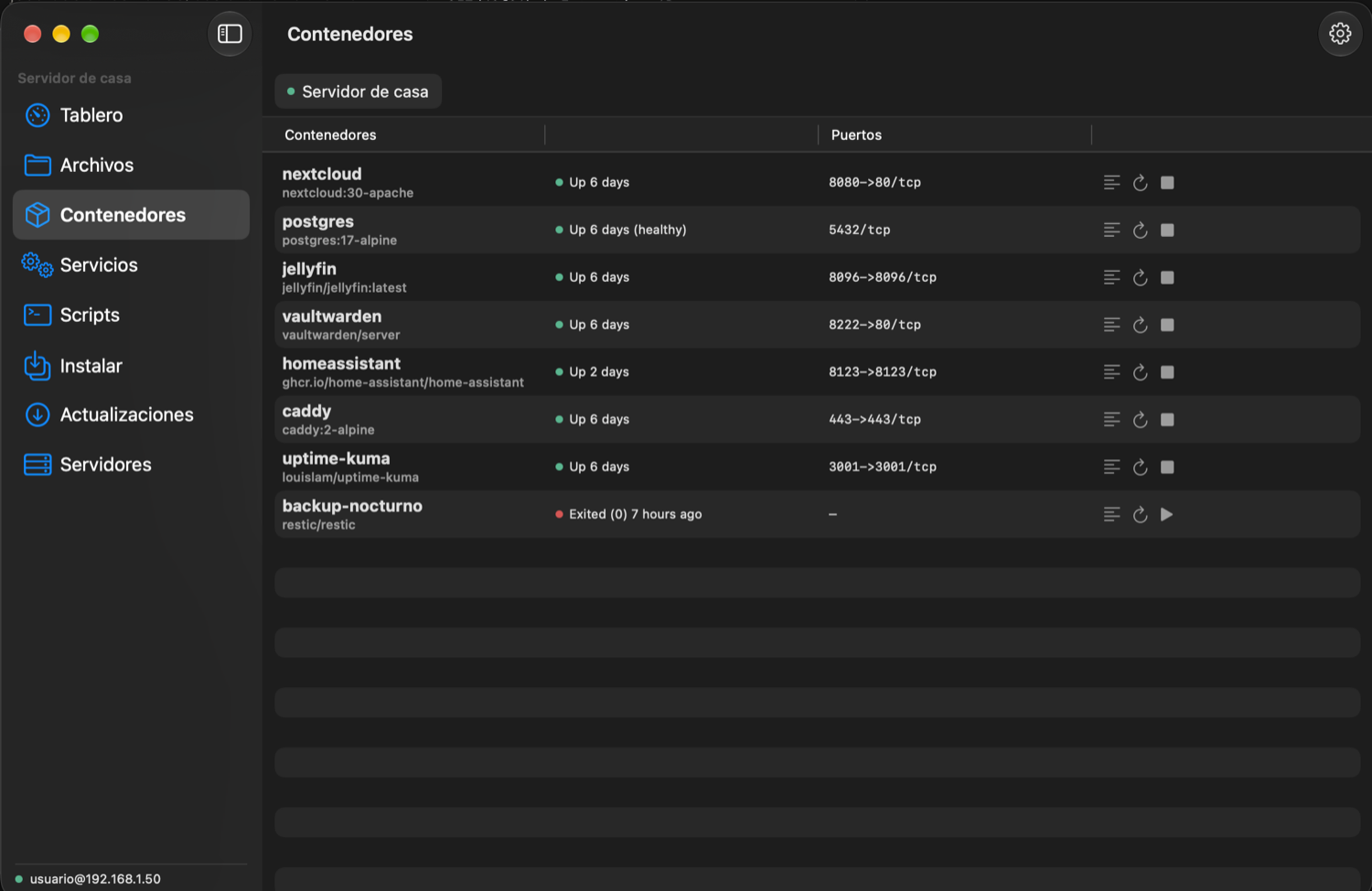
- **Containers**: every Docker container with its state, plus start, stop, restart and logs.
- **Services**: what systemd is running, with a plain-language explanation of what the common ones are for.
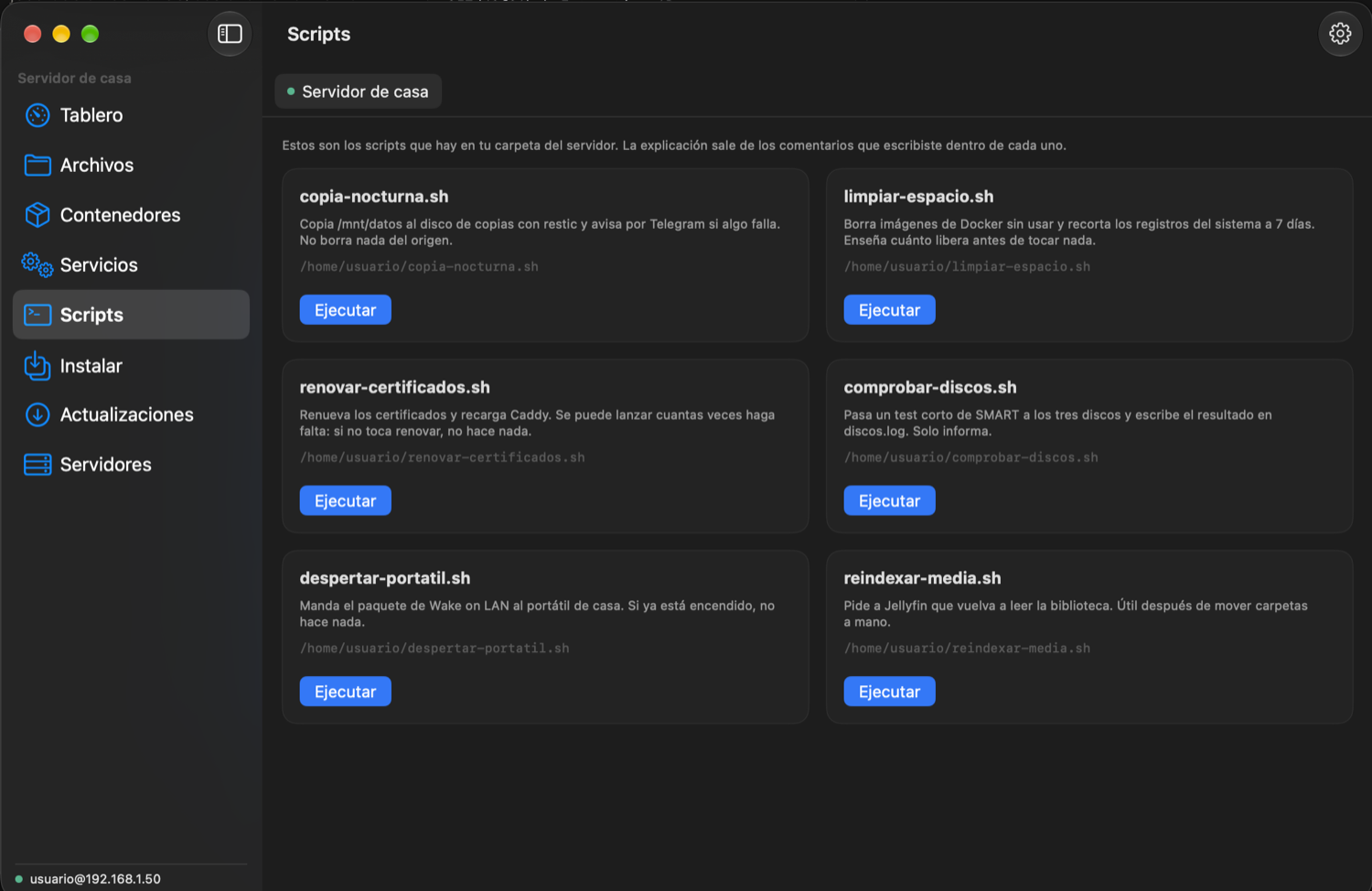
- **Your scripts, as buttons**: Atalaya finds the scripts in your home folder and explains each one using the comments you wrote inside it, with live output.
- **Updates, grouped**: security, kernel, programs, libraries and the rest, with checkboxes. Only packages already installed are ever upgraded.
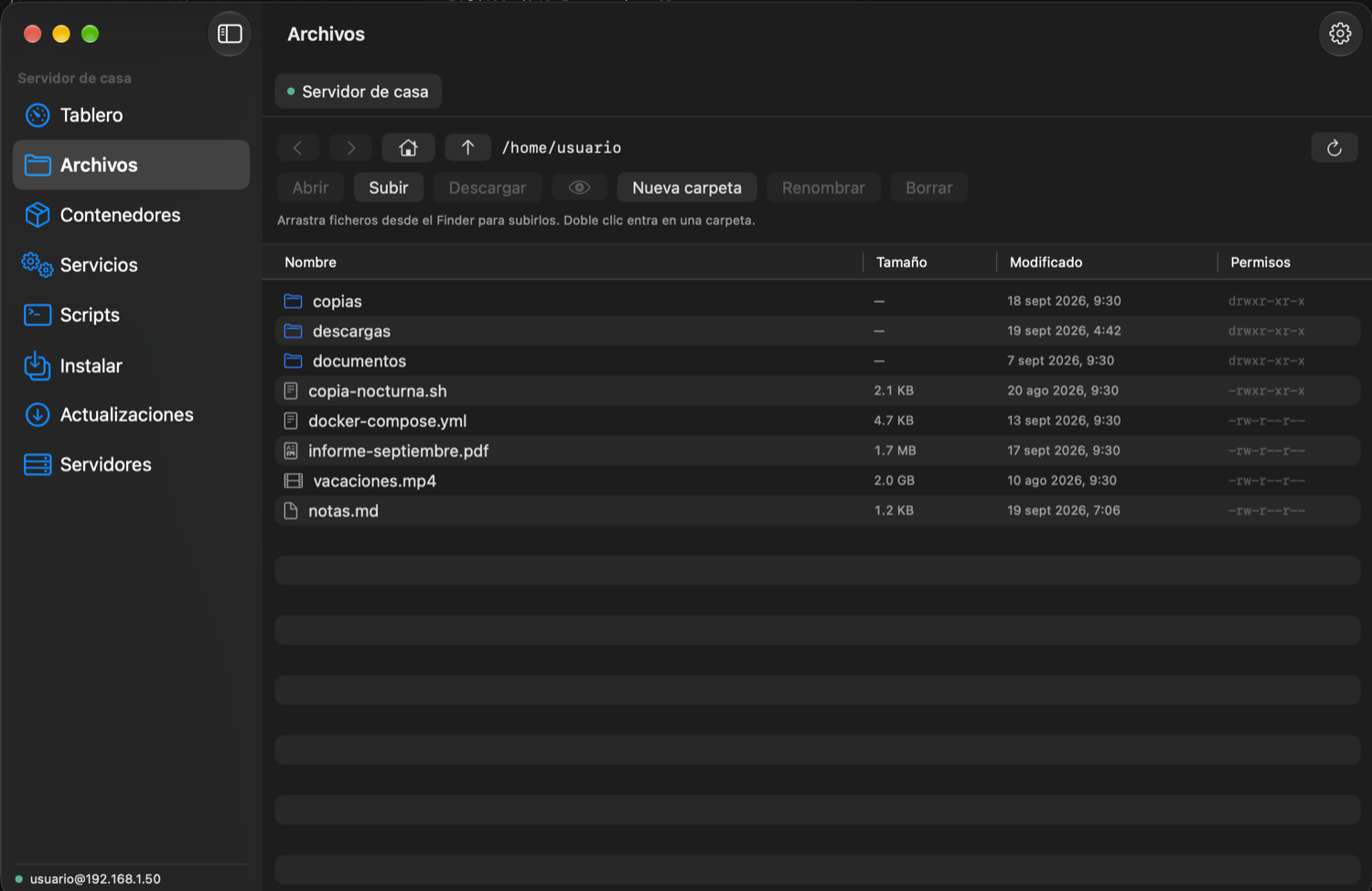
- **Files over SFTP**: browse, upload by dragging from the Finder, download with a progress bar, Quick Look, new folder, rename and delete.
- **Install from a repository**: paste a project with a Docker Compose file and Atalaya shows its images, its ports and any clash before starting anything.
- **Several servers**: each opens as a tab.
- Spanish and English, chosen by you rather than by the system. Passwords go to the macOS Keychain, and host keys are checked against your `known_hosts`.

Universal build (Apple Silicon and Intel), macOS 14 or newer.
…
More Developer Tools apps
-
 UTMVirtual machines for iOS and macOS
-
 vphone-cliCLI to boot a virtual iPhone (iOS 26) with Apple Virtualization.framework and PCC…
-
 VirtualBuddyVirtual machine manager for running recent macOS versions on Apple Silicon
-
 WWDCUnofficial WWDC app for macOS
-
 Xcodes.appThe easiest way to install and switch between multiple versions of Xcode
-
 Postgres.appThe easiest way to get started with PostgreSQL on the Mac