
TidyLeft for Mac
Open-source Mac cleaner and app uninstaller for leftovers and developer caches.
By seanay-sys. Free and open source, MIT licence.
TidyLeft at a glance
- Version
- 1.1.1
- Released
- 20 November 2026
- Download size
- 1.7 MB
- Works on
- Apple silicon and Intel
- Licence
- MIT
- Category
- System Tools
- Developer
- seanay-sys
- GitHub stars
- 6
About TidyLeft
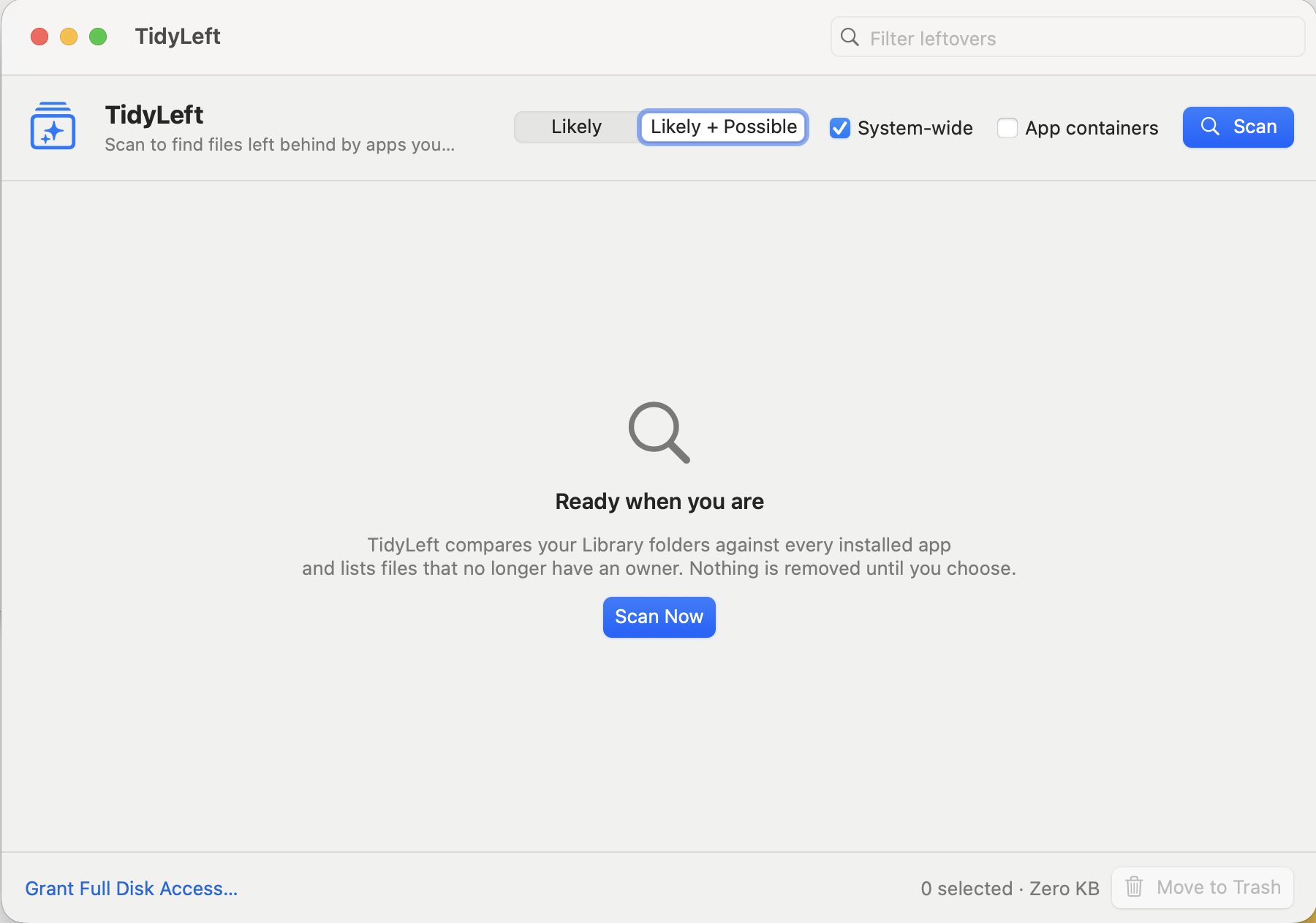
TidyLeft: free, open-source Mac cleaner that removes leftover files from uninstalled apps (caches, preferences, launch agents). Third-party only; never touches macOS system files.
Screenshots
How to install TidyLeft on a Mac
- Get OpenDMG. It is a free app store for open source Mac apps. Download OpenDMG.
- Search for TidyLeft and press Get. OpenDMG downloads version 1.1.1 from seanay-sys's own GitHub release.
- Open it. The download is checked against its SHA-256 fingerprint and its signature is checked on your Mac before it lands in Applications.
Updates to TidyLeft show up in OpenDMG and install with one button. No account is needed.
Prefer to do it by hand? The developer's file is on GitHub: TidyLeft-1.1.1.dmg (1.7 MB).
What is new in TidyLeft 1.1.1
### What's new in 1.1.1
- A small, optional **Buy me a coffee** link: at the bottom of the sidebar, in **TidyLeft → About TidyLeft**, and in the Help menu.
- After a cleanup that frees 500 MB or more, the result message mentions it once, with a **Buy Me a Coffee** button next to **OK**. There are no pop-ups or reminders otherwise.

The link only opens the Ko-fi page in your browser. TidyLeft never handles payments and sends no data. Everything else works exactly as in 1.1.

> **⚠️ Disclaimer: use at your own risk.** I built TidyLeft for my own Mac, with the help of Claude (an AI assistant), because I wanted a free tool for this. I'm sharing it in case it's useful to others, but it comes with no warranty and no support, and I'm not responsible for any data loss or damage to your system. Review what it lists before removing anything, and keep a backup (for example Time Machine). Removed items go to the Trash, so check it before you empty it.

Release of **TidyLeft**, a native macOS app that finds files left behind by apps you've uninstalled and moves them to the Trash.

### Download
**TidyLeft-1.1.1.dmg** (below). It's universal, so it runs on Apple Silicon and Intel Macs, and needs macOS 14 Sonoma or later.

### Install
1. Open the DMG and drag **TidyLeft** onto **Applications**.
…
More System Tools apps
-
 PearcleanerApp Cleaner and Uninstaller Tool
-
 PureMacFree open-source system cleaner with privacy protection
-
 OpenInTerminalFinder toolbar tool for opening the current folder in a terminal
-
 DockDoorWindow peeking for macOS
-
 DigUpSemantic search app that finds files by their contents
-
 LatestApp update checker that notifies you of available updates for installed applications