
Swivel for Mac
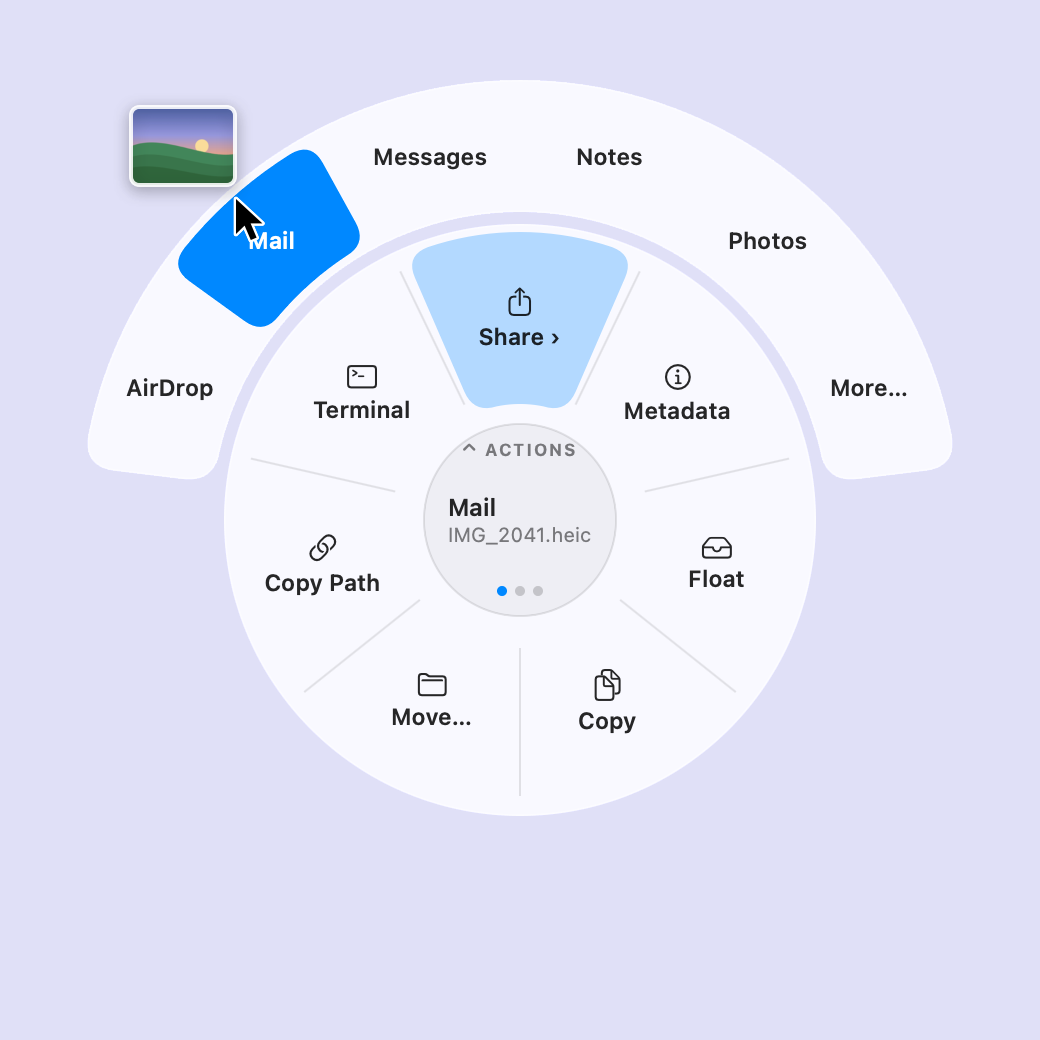
Tap a key mid-drag for a three-ring wheel that converts, crops, compresses, inspects or shares files, with no network code.
By jonathanlotan. Free and open source, MIT licence.
Swivel at a glance
- Version
- 1.0.0
- Released
- 20 October 2026
- Download size
- 3.0 MB
- Works on
- Apple silicon and Intel
- Licence
- MIT
- Category
- System Tools
- Developer
- jonathanlotan
- GitHub stars
- 33
About Swivel
Free, open-source, offline file converter for macOS: drag files, tap a key, and convert, crop, compress or share them from a radial menu.
Screenshots
How to install Swivel on a Mac
- Get OpenDMG. It is a free app store for open source Mac apps. Download OpenDMG.
- Search for Swivel and press Get. OpenDMG downloads version 1.0.0 from jonathanlotan's own GitHub release.
- Open it. The download is checked against its SHA-256 fingerprint and its signature is checked on your Mac before it lands in Applications.
Updates to Swivel show up in OpenDMG and install with one button. No account is needed.
Prefer to do it by hand? The developer's file is on GitHub: Swivel.dmg (3.0 MB).
What is new in Swivel 1.0.0
The first public release.

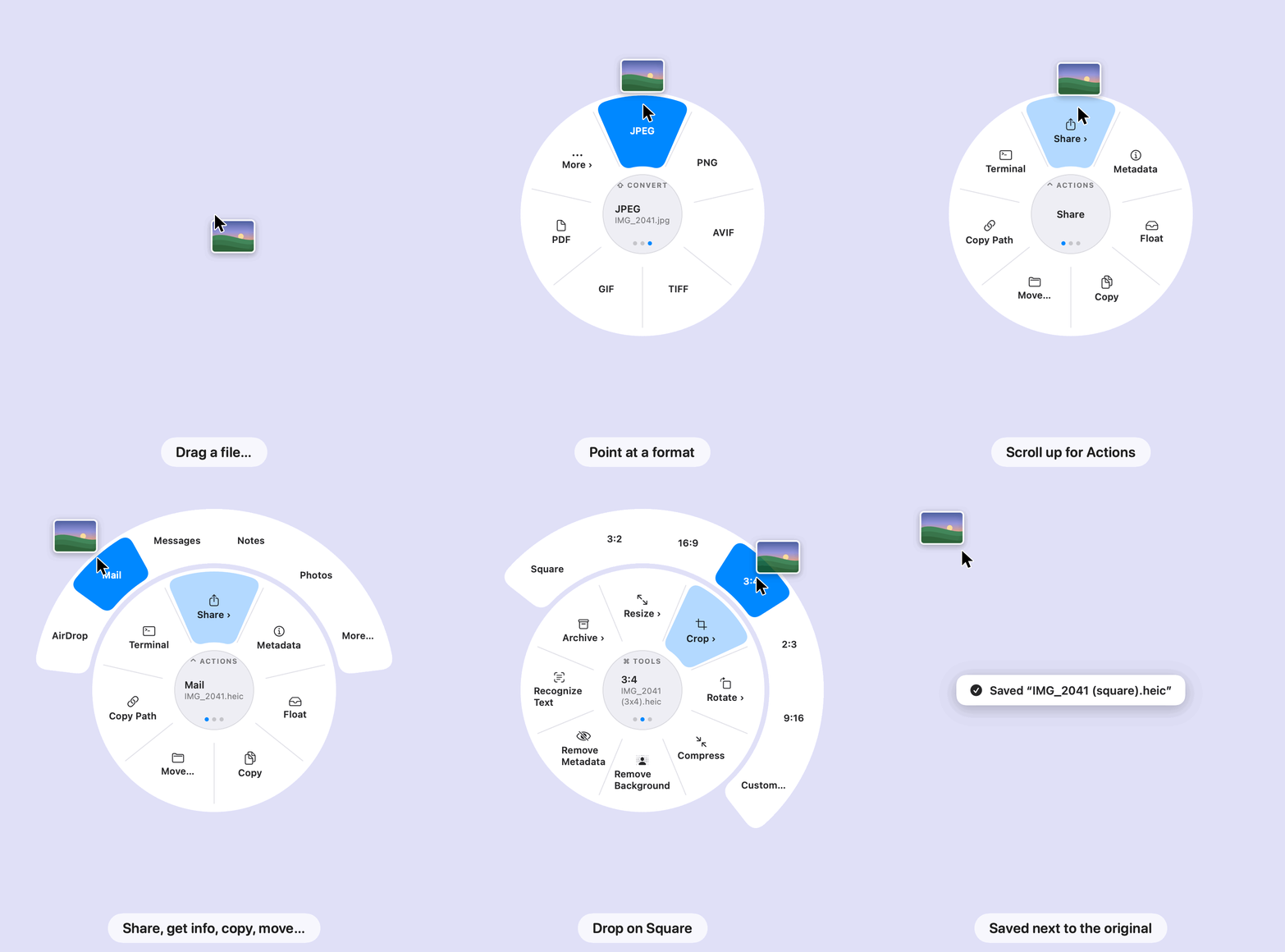
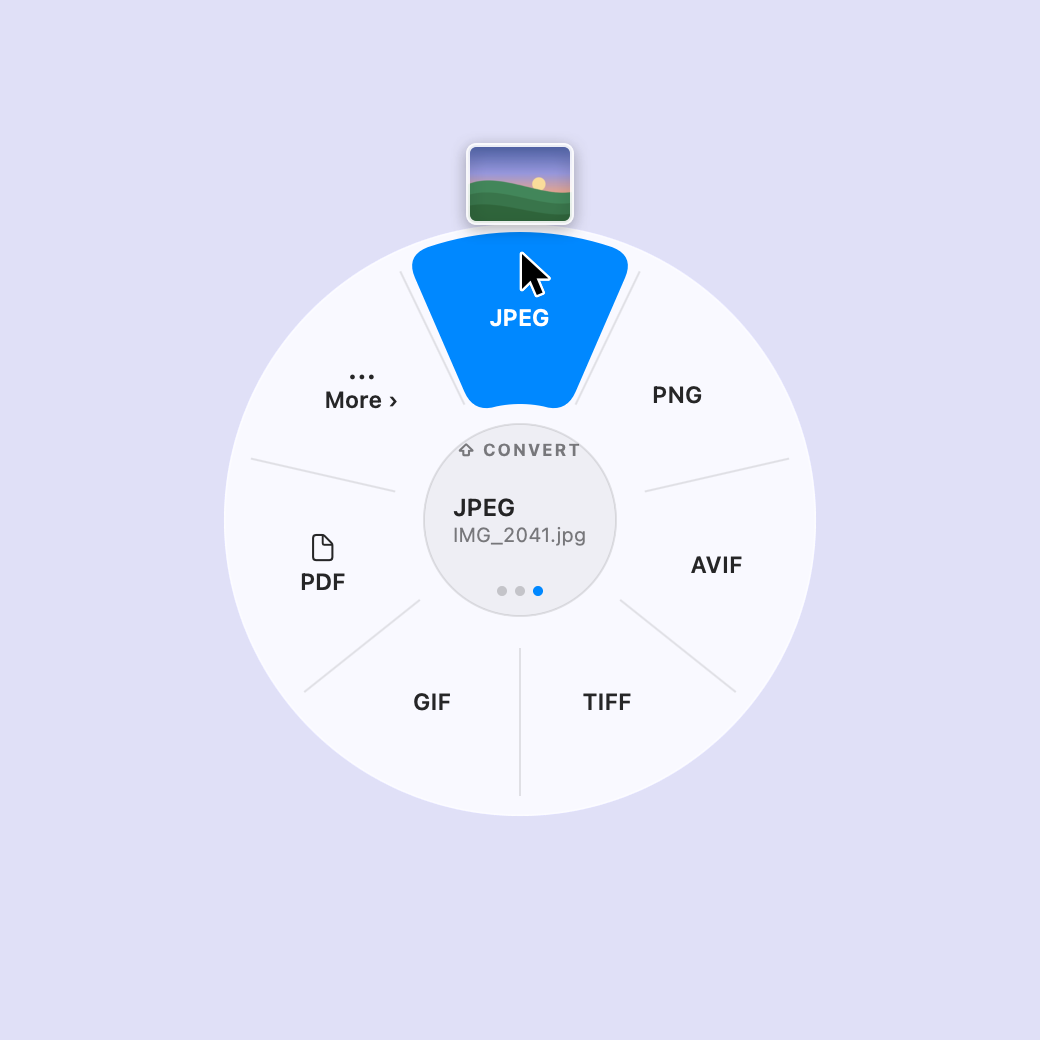
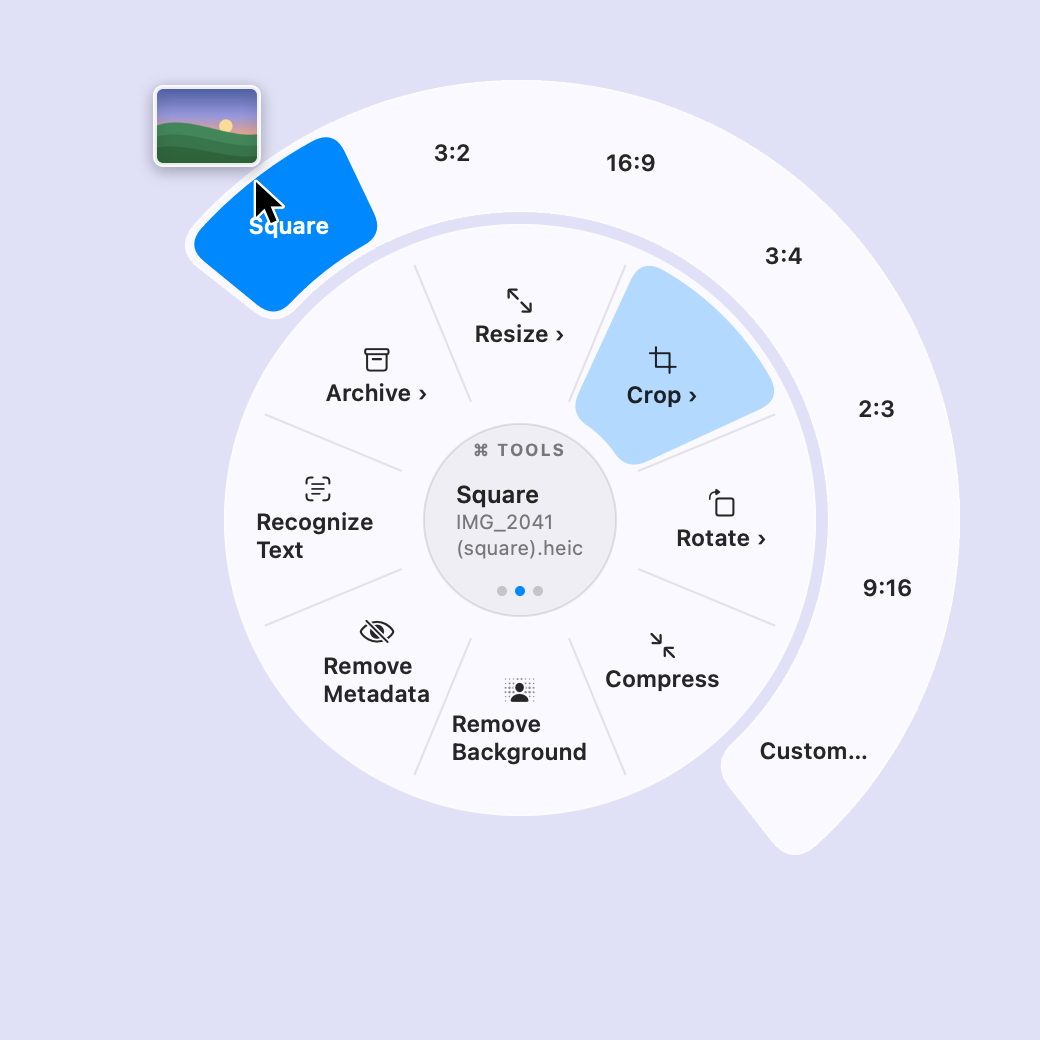
- **The wheel.** While dragging files, tap ⇧ for Convert, ⌘ for Tools or ⌃ for Actions.
 Scroll or tap another key to switch rings. The keys can be changed in Settings.
- **Convert** images (JPEG, PNG, HEIC, AVIF, TIFF, GIF, PDF and more), video (MP4, MOV,
 ProRes, GIF), audio (M4A, WAV, AIFF, FLAC, AAC, CAF), documents (text, RTF, HTML, Word,
 OpenDocument, PDF) and archives (ZIP, TAR.GZ, TAR.XZ, 7Z, Apple Archive).
- **Tools:** resize, crop (presets and an editor), rotate and flip, fit to a size (under 1, 5,
 8 or 25 MB), compress (images, video, audio and PDFs), remove the background (macOS 14 or
 later), remove metadata (photos, video and PDFs), recognize text, merge and split PDFs, make
 and extract archives. Compress and Fit to Size never save a copy that isn't smaller.
- **Actions:** share (AirDrop, Mail, Messages, Notes, Photos and more), metadata, a floating
 shelf, copy, move, copy the path, open in Terminal.
- A welcome window with a practice wheel on first launch.
- The `swivel` command line, inside the app and installed by Homebrew.
- **Shortcuts.** A **Convert File** action for the Shortcuts app: files and a conversion in,
 the results out, saved next to the originals. Builds folder automations and Quick Actions
 without the wheel. **Convert to JPEG**, **Compress** and **Convert to PDF** come ready-made,
 in Spotlight too.
…
More System Tools apps
-
 PearcleanerApp Cleaner and Uninstaller Tool
-
 PureMacFree open-source system cleaner with privacy protection
-
 OpenInTerminalFinder toolbar tool for opening the current folder in a terminal
-
 DockDoorWindow peeking for macOS
-
 DigUpSemantic search app that finds files by their contents
-
 LatestApp update checker that notifies you of available updates for installed applications