
Starcat for Mac
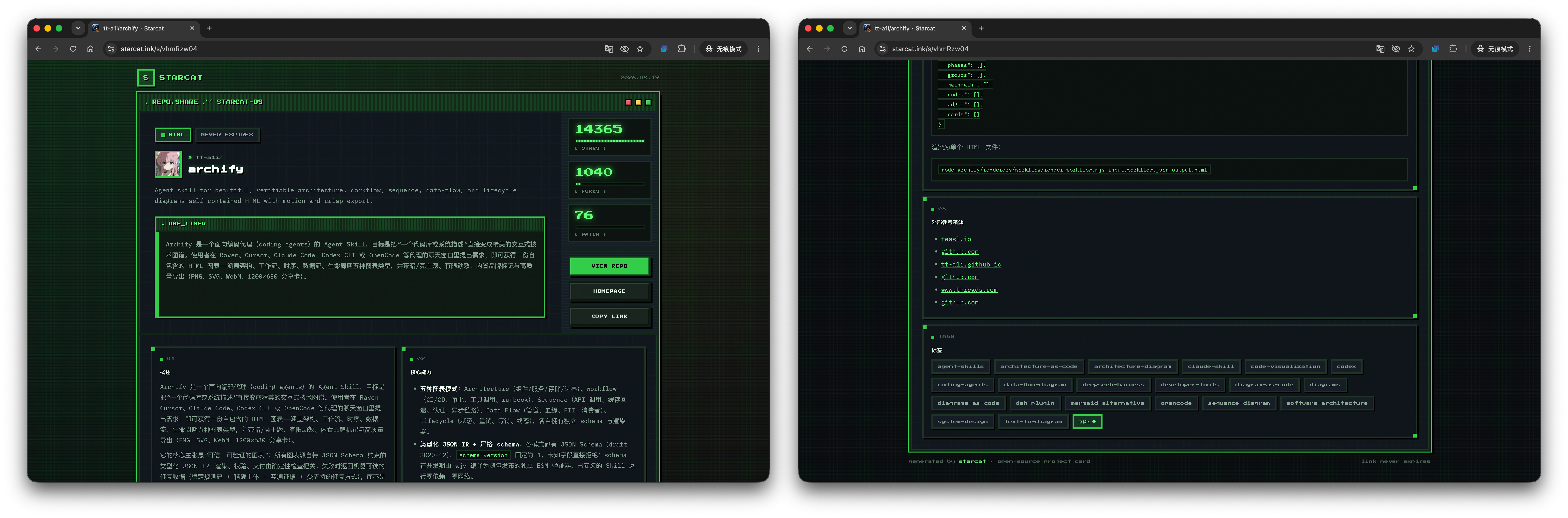
Syncs your GitHub Stars into a searchable, taggable local knowledge base with AI-assisted insights.
By starcat-app. Free and open source, MIT licence.
Starcat at a glance
- Version
- 1.9.1
- Released
- 23 October 2026
- Download size
- 113 MB
- Works on
- Apple silicon
- Licence
- MIT
- Category
- Productivity
- Developer
- starcat-app
- GitHub stars
- 230
About Starcat
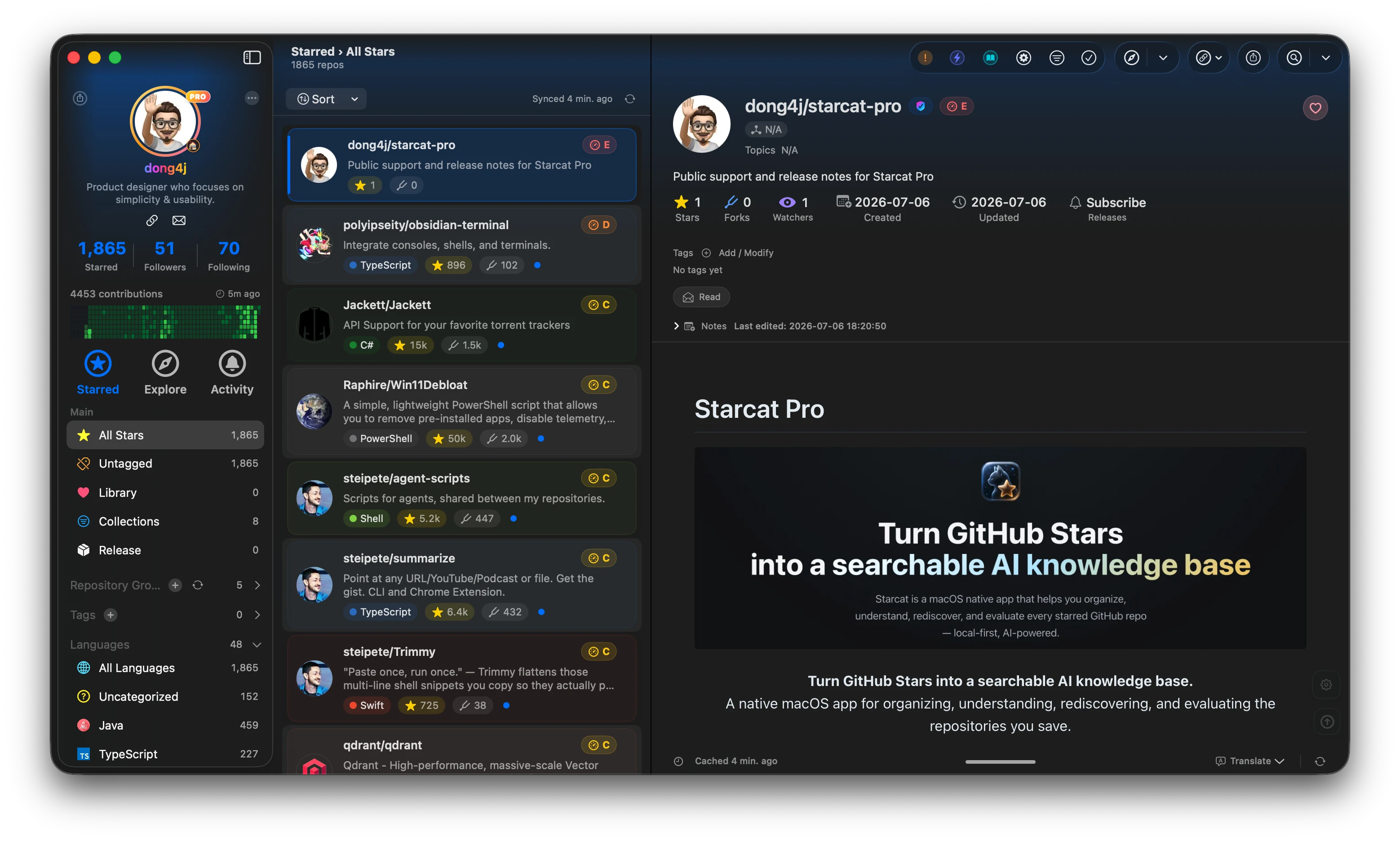
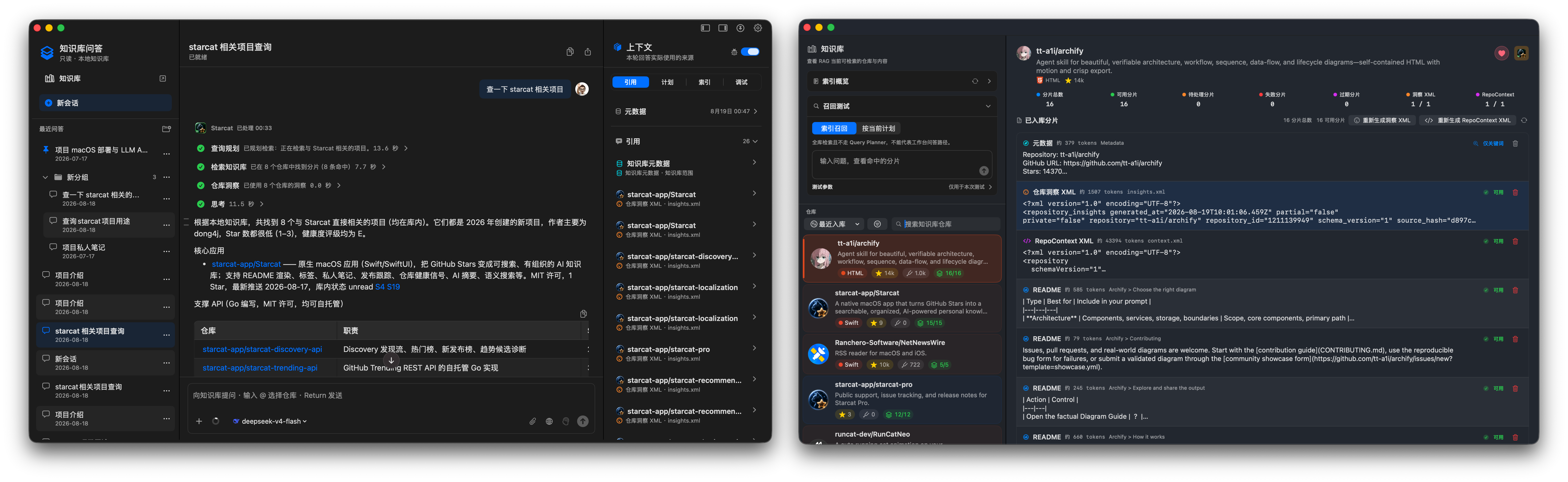
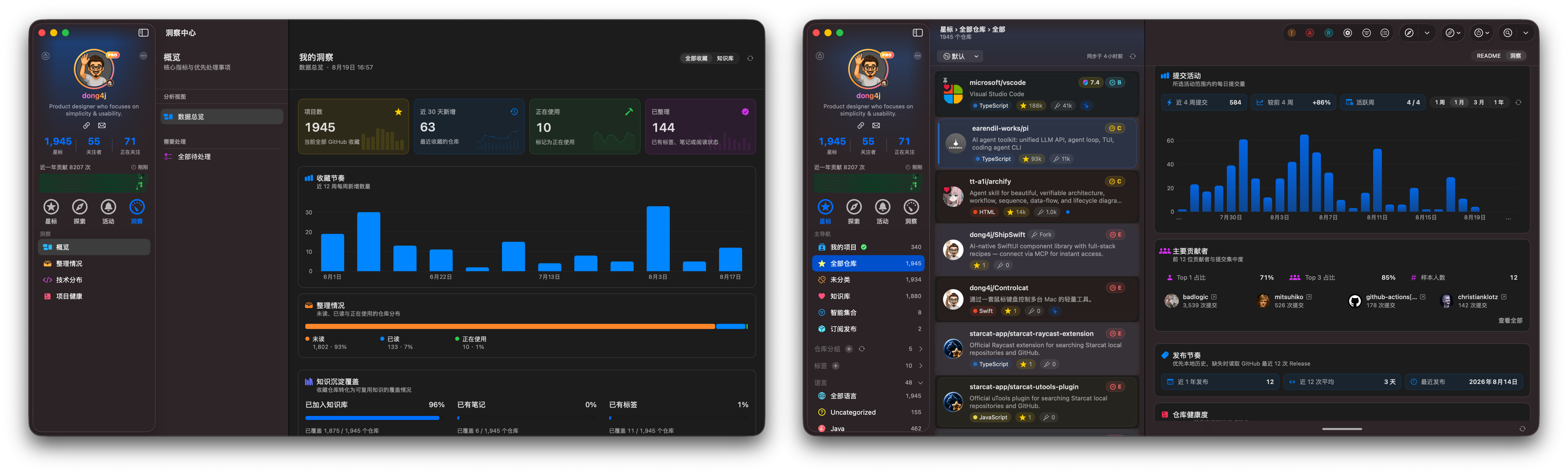
A native macOS app that turns GitHub Stars into a searchable, organized, AI-powered personal knowledge base.
Screenshots
How to install Starcat on a Mac
- Get OpenDMG. It is a free app store for open source Mac apps. Download OpenDMG.
- Search for Starcat and press Get. OpenDMG downloads version 1.9.1 from starcat-app's own GitHub release.
- Open it. The download is checked against its SHA-256 fingerprint and its signature is checked on your Mac before it lands in Applications.
Updates to Starcat show up in OpenDMG and install with one button. No account is needed.
Prefer to do it by hand? The developer's file is on GitHub: Starcat-1.9.1-arm64.dmg (113 MB).
What is new in Starcat 1.9.1
### New

- Development update channel: Direct users can opt into signed and notarized preview releases in Settings, while Stable remains the default.
- Linux.do discovery: Browse verified open-source projects promoted on Linux.do with language subcategories, see provenance badges across repository lists, and open the original discussion directly from the source badge in repository details.
- Quick search across lists: Expand the middle-column search field to quickly find repositories and activity items across Manage, Explore, Trending, Weekly, Awesome, Linux.do, notifications, and Undo Star.
- Repository license filters: Select multiple licenses in the main window and combine them with other filters, with consistent pagination, project counts, and cached results.
- Unstar data cleanup: Before unstarring, see which notes, tags, AI content, and analysis caches will be deleted; repositories in your library can optionally be removed from the knowledge base, with a clear warning that deletion cannot be undone.

### Improvements

- Business icons: Unified icons across the sidebar, Settings, repository details, and the AI/RAG workspaces, with distinct marks for forked origin and fork counts; Insights icons now match the main window, while similar-repository recommendations, embedding models, and CodeFlow are easier to distinguish.
…
More Productivity apps
-
 MaccyLightweight search-as-you-type clipboard manager
-
 AltTabBrings the Windows Alt-Tab functionality to macOS
-
 TinycastLightweight native launcher with app search, clipboard management, window controls, and…
-
 ClipyClipy is a Clipboard extension app for macOS
-
 FSNotesNotes manager for macOS/iOS: modern notational velocity (nvALT) on steroids
-
 OpenDisplayTurn spare Apple devices into second monitors — true extended display over USB or WiFi