

SpinWin for Mac
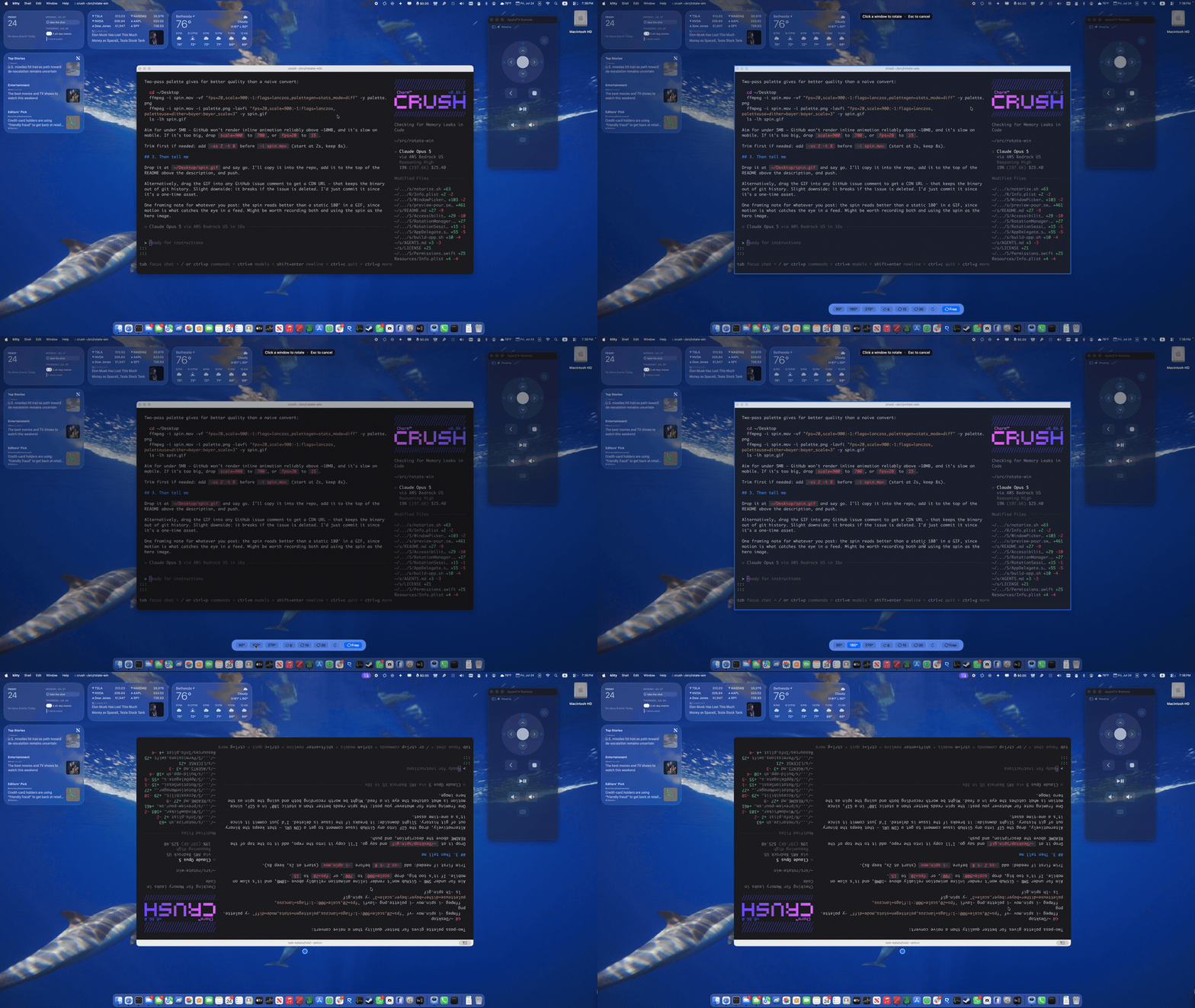
Rotate any window by any angle — 90° increments, arbitrary angles, or continuous spin.
By alokdhir. Free and open source, MIT licence.
SpinWin at a glance
- Version
- 1.12
- Released
- 28 July 2026
- Download size
- 681 KB
- Works on
- Apple silicon and Intel
- Licence
- MIT
- Category
- Windows and Keyboard
- Developer
- alokdhir
- GitHub stars
- 49
About SpinWin
macOS menubar app that visually rotates or spins another app's window, using ScreenCaptureKit to fake what macOS has no API to do
Screenshots
How to install SpinWin on a Mac
- Get OpenDMG. It is a free app store for open source Mac apps. Download OpenDMG.
- Search for SpinWin and press Get. OpenDMG downloads version 1.12 from alokdhir's own GitHub release.
- Open it. The download is checked against its SHA-256 fingerprint and its signature is checked on your Mac before it lands in Applications.
Updates to SpinWin show up in OpenDMG and install with one button. No account is needed.
Prefer to do it by hand? The developer's file is on GitHub: SpinWin-1.12.zip (681 KB).
What is new in SpinWin 1.12
## Highlights

**Dragging the rotated proxy now sticks.** Previously, moving the rotated overlay to a new spot on screen and then pressing Escape (or otherwise stopping rotation) would snap the real window back to its original, pre-rotation position. Now the real window reappears wherever you left the proxy, even if it was mid-spin, animating back to upright the same way rotation is applied.

## Install

1. Download `SpinWin-1.12.zip`, unzip, and move `SpinWin.app` to `/Applications`.
2. Launch it and grant **Screen Recording** and **Accessibility** when prompted.
3. Left-click the menubar icon to rotate a window; right-click for the menu.

Requires macOS 14 or later. Signed with a Developer ID certificate and notarized by Apple, so it launches without Gatekeeper warnings.
More Windows and Keyboard apps
-
 RectangleRectangle is a window manager heavily based on Spectacle, written in Swift
-
 AeroSpaceAeroSpace is an i3-like tiling window manager for macOS
-
 AmethystAutomatic tiling window manager for macOS
-
 LoopWindow management made elegant
-
 FlashSpaceEnhance and replace the native Spaces functionality of macOS
-
 OmniWMA Flexible and Modern Tiling Window Manager