

SlowQuit for Mac
Menu bar app that adds a delay to Cmd-Q to prevent accidental quits.
By dudukee. Free and open source, MIT licence.
SlowQuit at a glance
- Version
- 0.0.3
- Released
- 11 May 2026
- Download size
- 966 KB
- Works on
- Apple silicon and Intel
- Licence
- MIT
- Category
- Utilities
- Developer
- dudukee
- GitHub stars
- 27
About SlowQuit
A macOS menu bar app that prevents accidental app quits by adding a delay to Cmd-Q.
Screenshots
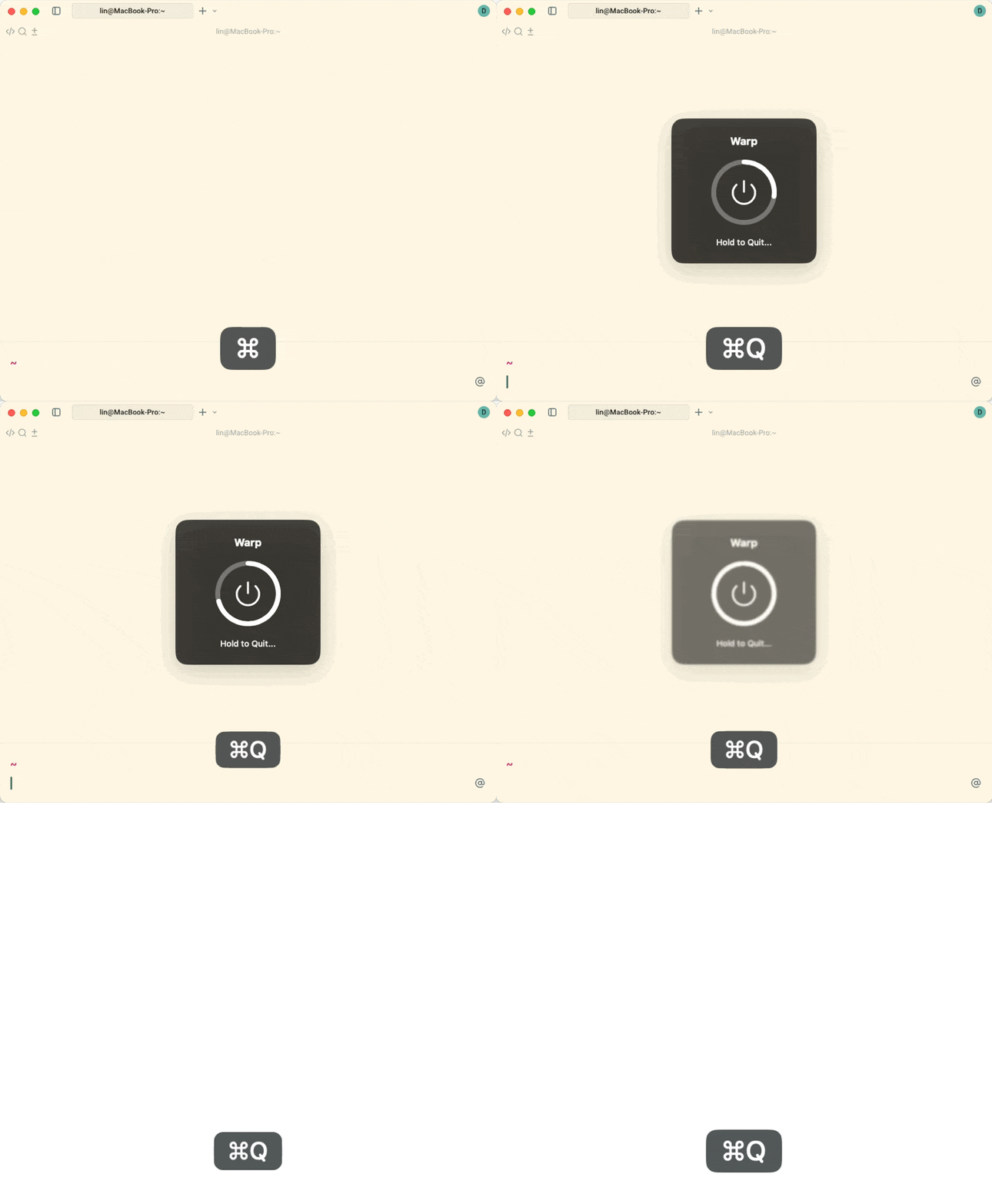
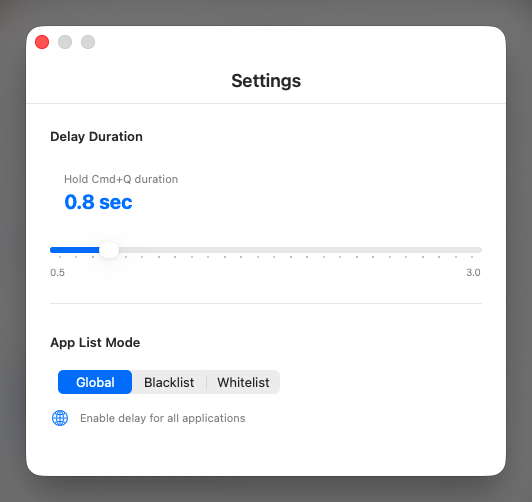
How to install SlowQuit on a Mac
- Get OpenDMG. It is a free app store for open source Mac apps. Download OpenDMG.
- Search for SlowQuit and press Get. OpenDMG downloads version 0.0.3 from dudukee's own GitHub release.
- Open it. The download is checked against its SHA-256 fingerprint and its signature is checked on your Mac before it lands in Applications.
Updates to SlowQuit show up in OpenDMG and install with one button. No account is needed.
Prefer to do it by hand? The developer's file is on GitHub: SlowQuit-0.0.3.dmg (966 KB).
What is new in SlowQuit 0.0.3
- Fix SlowClose repeated close handling

----
### Installation Process:

1. After the download is complete, double-click the `.dmg` file to open it.
2. If a security warning appears ("'SlowQuit' cannot be opened because Apple cannot check it for malicious software."), please follow these steps:
 - Open **System Settings** \> **Privacy & Security**.
 - Scroll down and click the **"Open Anyway"** button to grant permission.

 *Official Guide: [Open a Mac app from an unidentified developer](https://www.google.com/search?q=https://support.apple.com/en-us/guide/mac-help/mh40616/mac)*

### Completing the Installation:

1. Drag the **SlowQuit** icon into your **Applications** folder.
2. Once installed, you can launch SlowQuit from your Applications folder.

---

### 安装过程:
1. 下载完成后,双击打开 `.dmg` 文件,系统可能会提示您允许打开来自未知开发者的文件。
2. 如果出现安全警告(“无法打开 SlowQuit,因为 Apple 无法检查是否包含恶意软件”),请按照以下步骤解决:
 - 打开“系统偏好设置” > “安全性与隐私” > “通用”。
 - 点击“仍然打开”以允许运行该应用。

 *官方教程:[如何打开来自未知开发者的 Mac App](https://support.apple.com/zh-cn/guide/mac-help/mh40616/mac)*

### 完成安装:
1. 将 **SlowQuit** 拖动到“应用程序”文件夹中。
2. 安装完成后,您可以从“应用程序”文件夹启动SlowQuit。
More Utilities apps
-
 BetterDisplayDisplay management tool with HiDPI scaling, PiP, and EDID controls
-
 VorssaintAn open-source, free, and local toolkit that integrates functions such as preventing…
-
 MosSmooth your mouse's scrolling and reverse the mouse scroll direction
-
 EasydictmacOS instant translator — type/select/screenshot, multi-service, zero setup
-
 OpenHaystackOpen-source tracker for finding Bluetooth devices through Apple's Find My network
-
 KekaKeka is a full featured file archiver, as easy as it can be