

Sidekick for Mac
Chat with a local LLM on macOS using your files — no extra setup.
By johnbean393. Free and open source, MIT licence.
Sidekick at a glance
- Version
- 1.0.0-rc.18 (pre-release)
- Released
- 2 April 2026
- Download size
- 172 MB
- Works on
- Apple silicon and Intel
- Licence
- MIT
- Category
- Artificial Intelligence
- Developer
- johnbean393
- GitHub stars
- 3.3K
About Sidekick
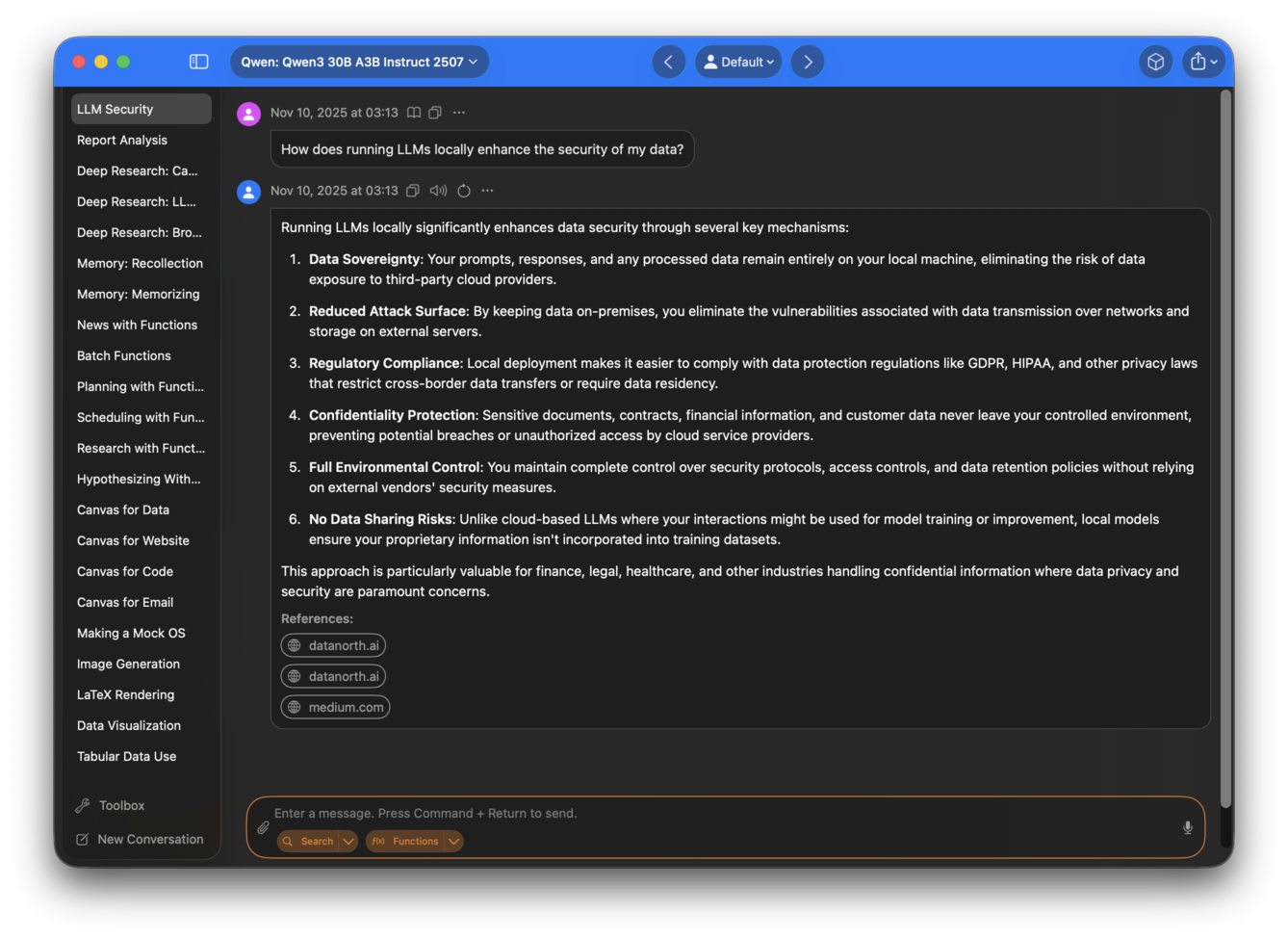
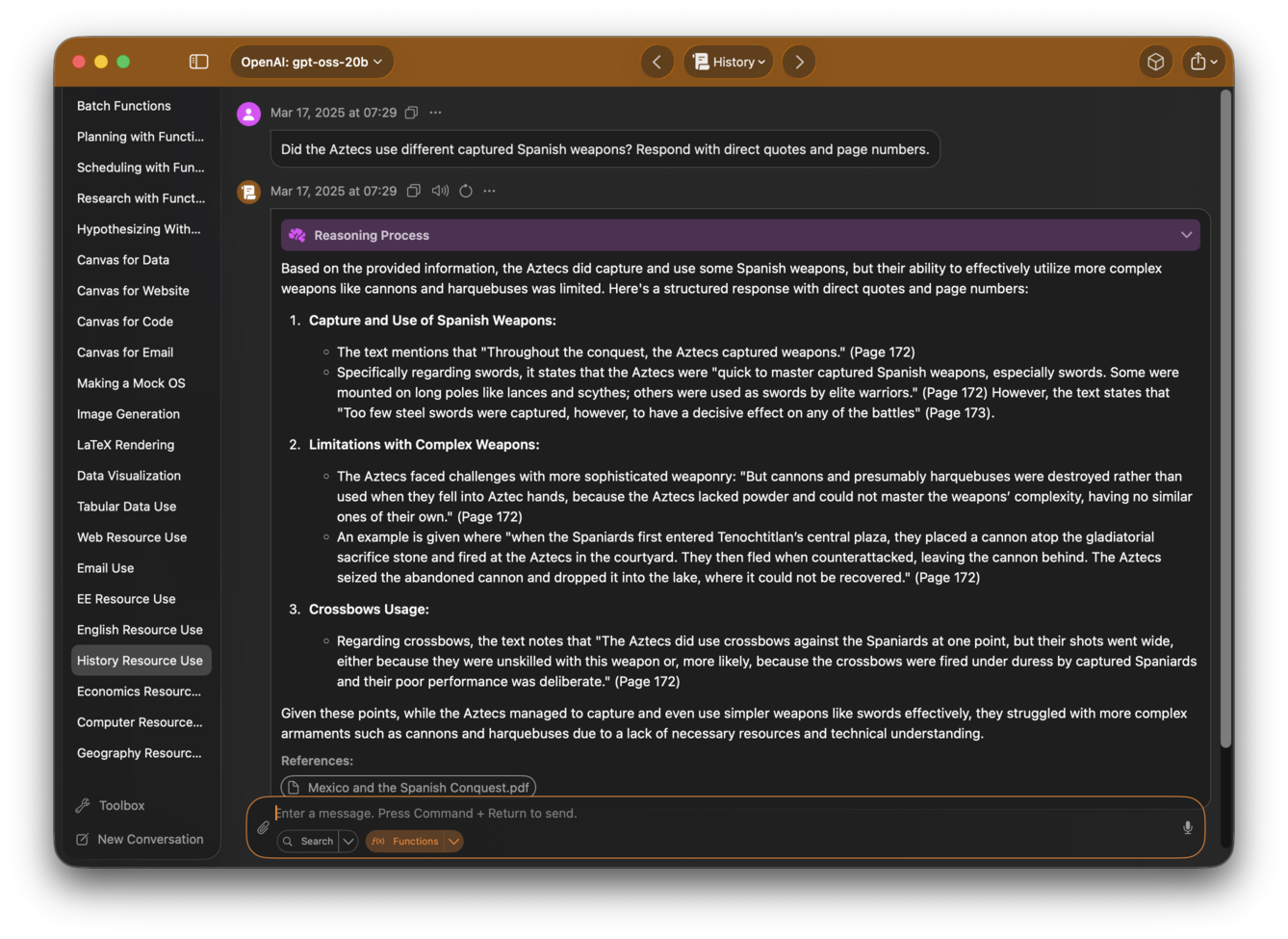
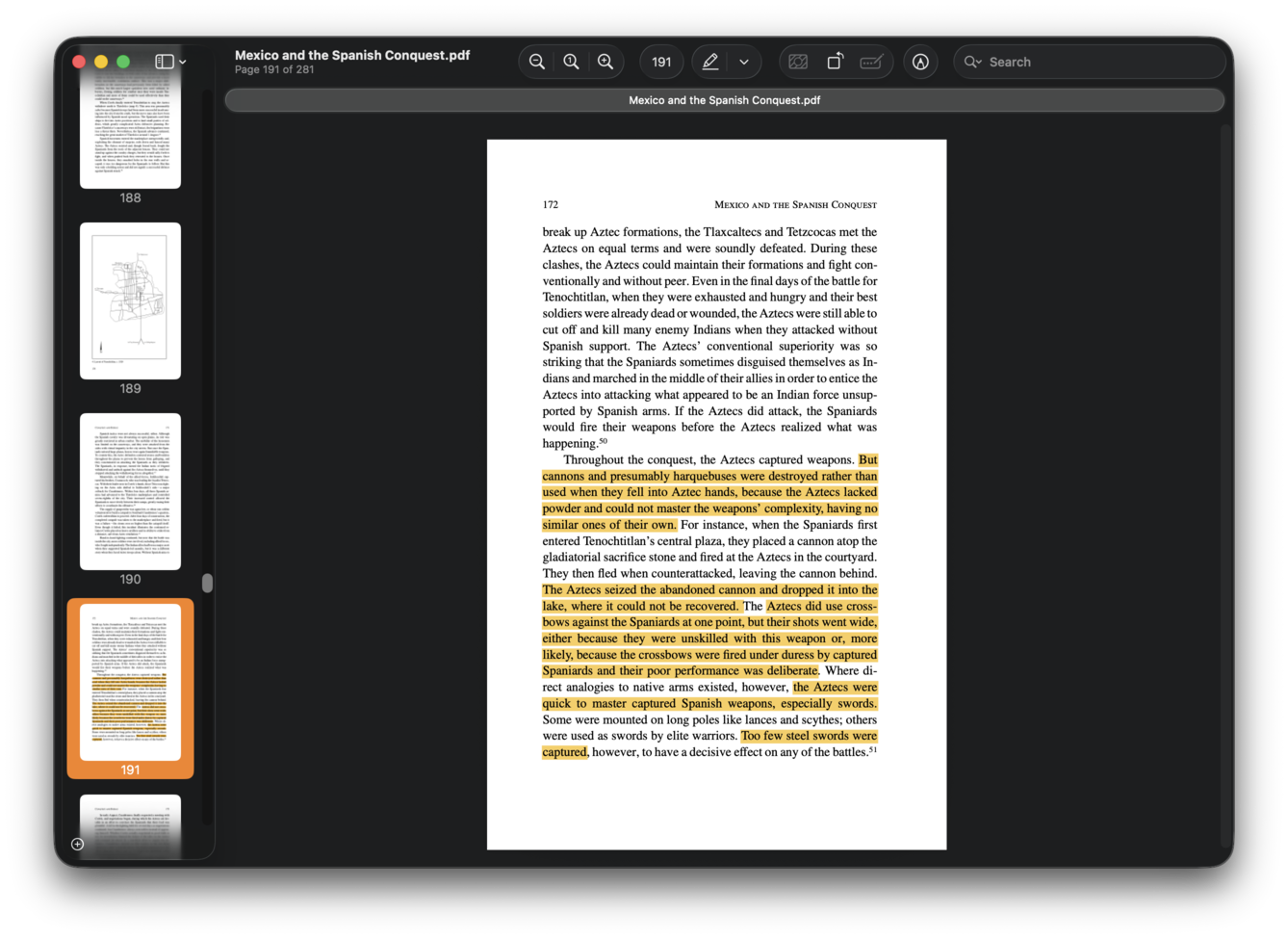
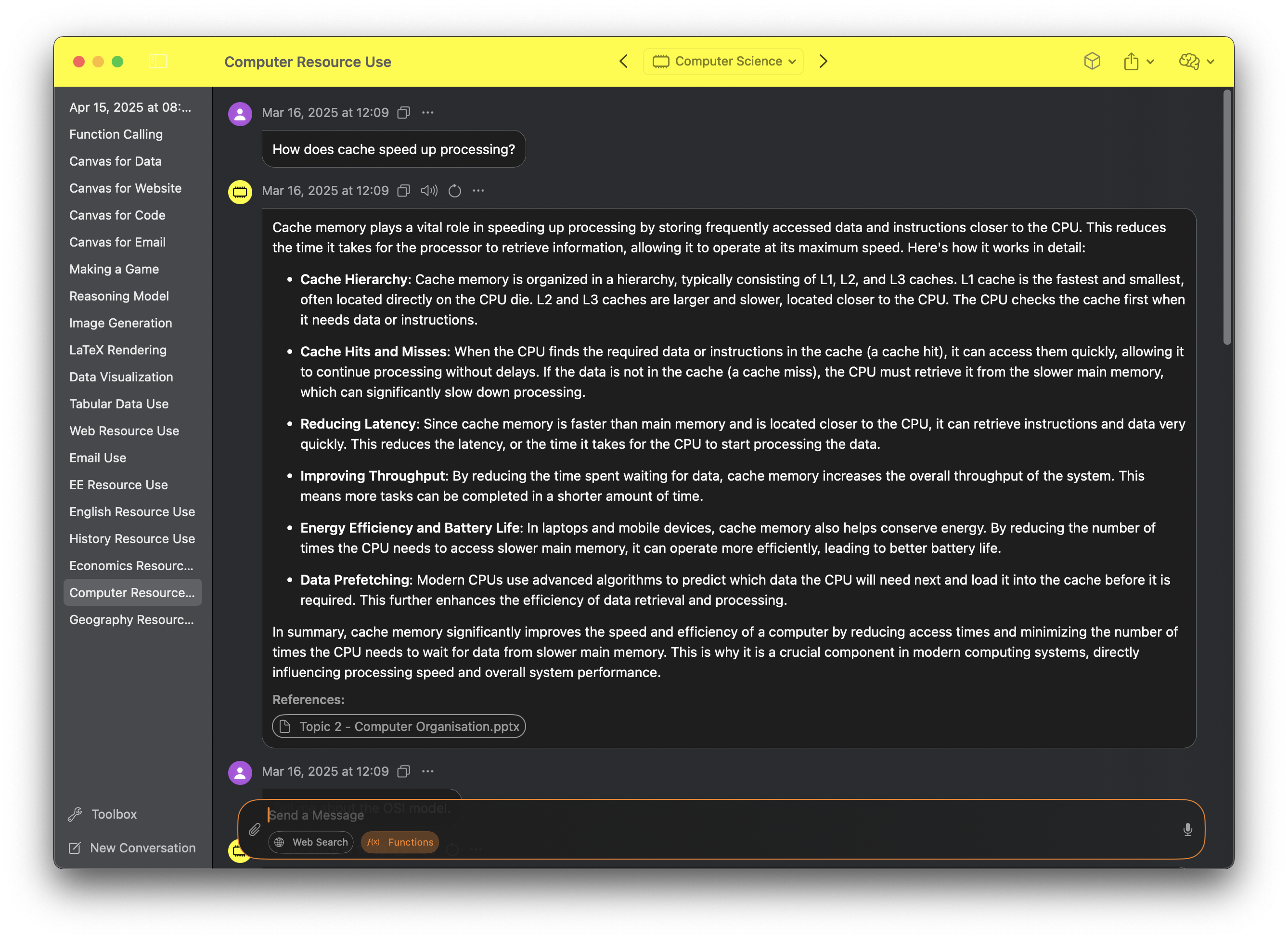
A native macOS app that allows users to chat with a local LLM that can respond with information from files, folders and websites on your Mac without installing any other software. Powered by llama.cpp.
Screenshots
How to install Sidekick on a Mac
- Get OpenDMG. It is a free app store for open source Mac apps. Download OpenDMG.
- Search for Sidekick and press Get. OpenDMG downloads version 1.0.0-rc.18 from johnbean393's own GitHub release.
- Open it. The download is checked against its SHA-256 fingerprint and its signature is checked on your Mac before it lands in Applications.
Updates to Sidekick show up in OpenDMG and install with one button. No account is needed.
Prefer to do it by hand? The developer's file is on GitHub: Sidekick.1.0.0-rc.18.dmg (172 MB).
What is new in Sidekick 1.0.0-rc.18
# Update

## Features
- Local LLM & remote VLMs with an OpenAI compatible API
- File, folder, website indexing and context
- Web search
- Function calling
- Deep Research
- Memory
- Canvas
- Image generation
- Diagrammer
- Slide Studio
- Inline Writing Assistant & Completions
- Detector

## New Changes
- Support Gemma 4

## Fixes and Performance Improvements
- Response streaming
More Artificial Intelligence apps
-
 CodexBarShow usage stats for OpenAI Codex and Claude Code, without having to login
-
 CodeBurnTracks token usage, cost, and performance across 25 AI agents with per-task breakdowns
-
 OsaurusLocal LLM server and AI infrastructure with menu bar, CLI, and shared tools
-
 QuotioAI subscription manager with quota tracking and automatic failover
-
 Claude Usage TrackerTrack the usage of Claude Code
-
 VibeProxyMenu bar app to use existing Claude, ChatGPT, and other subscriptions with AI coding…