
Show Desktop for Mac
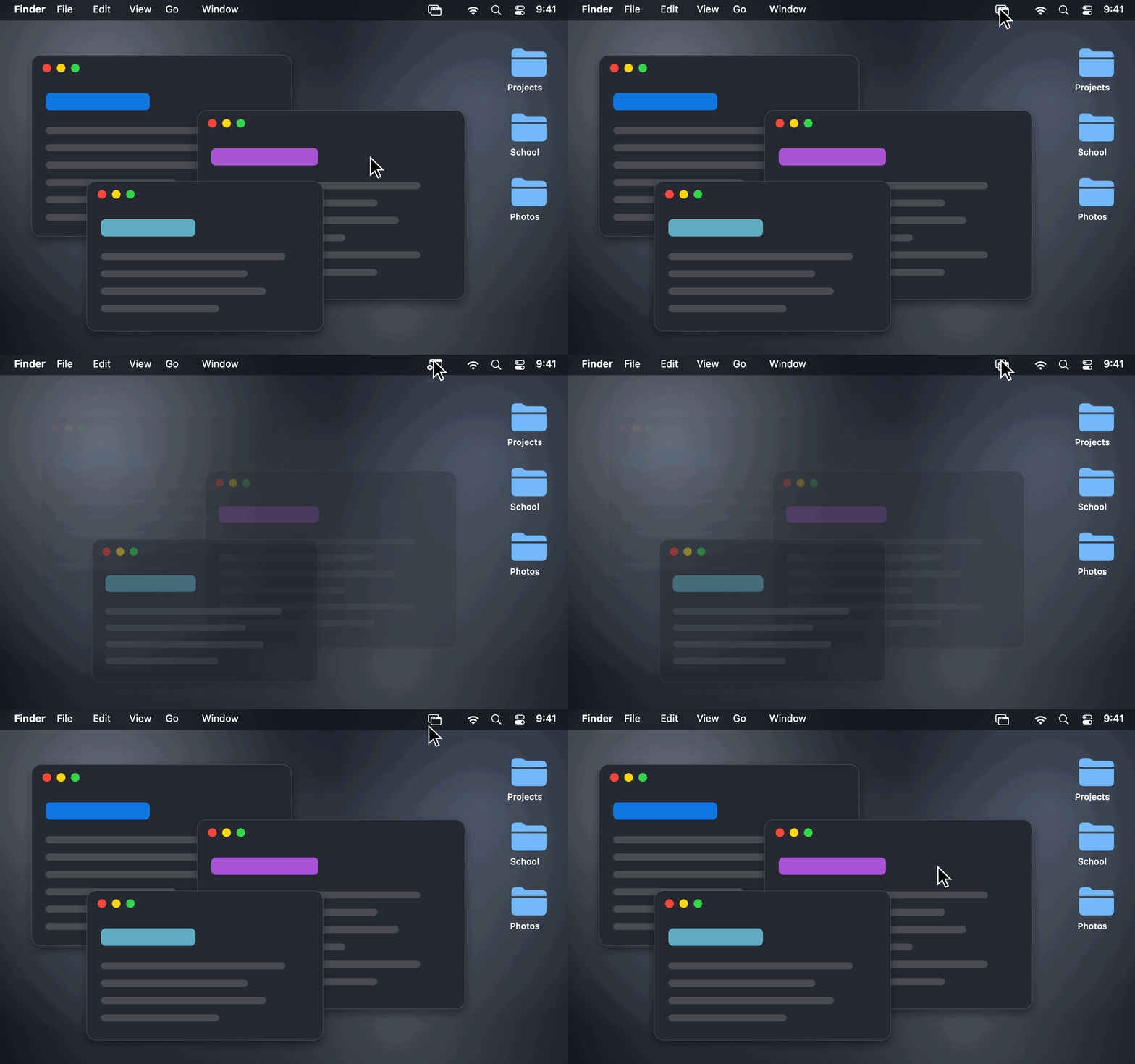
Hide every window with one click or ⌃⇧D, then bring them all back right where they were.
By stanczykwyatt. Free and open source, MIT licence.
Show Desktop at a glance
- Version
- 0.2.0
- Released
- 29 October 2026
- Download size
- 523 KB
- Works on
- Apple silicon and Intel
- Licence
- MIT
- Category
- Windows and Keyboard
- Developer
- stanczykwyatt
- GitHub stars
- 7
About Show Desktop
Show Desktop for Mac: hide every window with one click or ⌃⇧D, then bring them all back exactly as they were. The Windows+D shortcut for macOS. Free, open source, no internet access.
Screenshots
How to install Show Desktop on a Mac
- Get OpenDMG. It is a free app store for open source Mac apps. Download OpenDMG.
- Search for Show Desktop and press Get. OpenDMG downloads version 0.2.0 from stanczykwyatt's own GitHub release.
- Open it. The download is checked against its SHA-256 fingerprint and its signature is checked on your Mac before it lands in Applications.
Updates to Show Desktop show up in OpenDMG and install with one button. No account is needed.
Prefer to do it by hand? The developer's file is on GitHub: Show-Desktop.zip (523 KB).
What is new in Show Desktop 0.2.0
Pick any shortcut you like.

- **Record your own shortcut:** right-click the menu bar icon → **Keyboard Shortcut → Record Shortcut…**, then press the keys you want. Any combination with ⌃, or ⌘ with ⇧ or ⌥, works, and so do function keys like F13 on their own.
- **Won't break anything you rely on:** shortcuts that would get in the way of typing (like ⌥E, which types an accent) or that macOS already uses (like ⇧⌘3 for screenshots) are refused.
- **Clashes:** when macOS reports that another app already has your shortcut, the Keyboard Shortcut menu says so.
- **Function keys and arrows** show up next to Show Desktop in the menu, like any other shortcut.
- The shortcut you picked in 0.1.0 carries over.

Still no internet access, no Accessibility permission and no Screen Recording permission. The recorder only reads the keys you press in its own window.

## Install or update

1. Download **Show-Desktop.zip** below and unzip it.
2. Quit Show Desktop if it's running, then move the new **Show Desktop** into Applications, replacing the old one.
3. Open it and click its menu bar icon, or press your shortcut.

The first time you open it, macOS may say Apple couldn't verify it, because it isn't notarized yet. Go to **System Settings → Privacy & Security** and click **Open Anyway**. For the same reason, macOS may ask again whether Show Desktop can control Finder.
…
More Windows and Keyboard apps
-
 RectangleRectangle is a window manager heavily based on Spectacle, written in Swift
-
 AeroSpaceAeroSpace is an i3-like tiling window manager for macOS
-
 AmethystAutomatic tiling window manager for macOS
-
 LoopWindow management made elegant
-
 OmniWMA Flexible and Modern Tiling Window Manager
-
 FlashSpaceEnhance and replace the native Spaces functionality of macOS