

serverui for Mac
A modern, open-source control panel for managing your servers from the browser.
By rakhechashubham. Free and open source, Apache-2.0 licence.
serverui at a glance
- Version
- 0.2.0
- Released
- 9 October 2026
- Download size
- 20 MB
- Works on
- Apple silicon and Intel
- Licence
- Apache-2.0
- Category
- Utilities
- Developer
- rakhechashubham
- GitHub stars
- 82
Screenshots
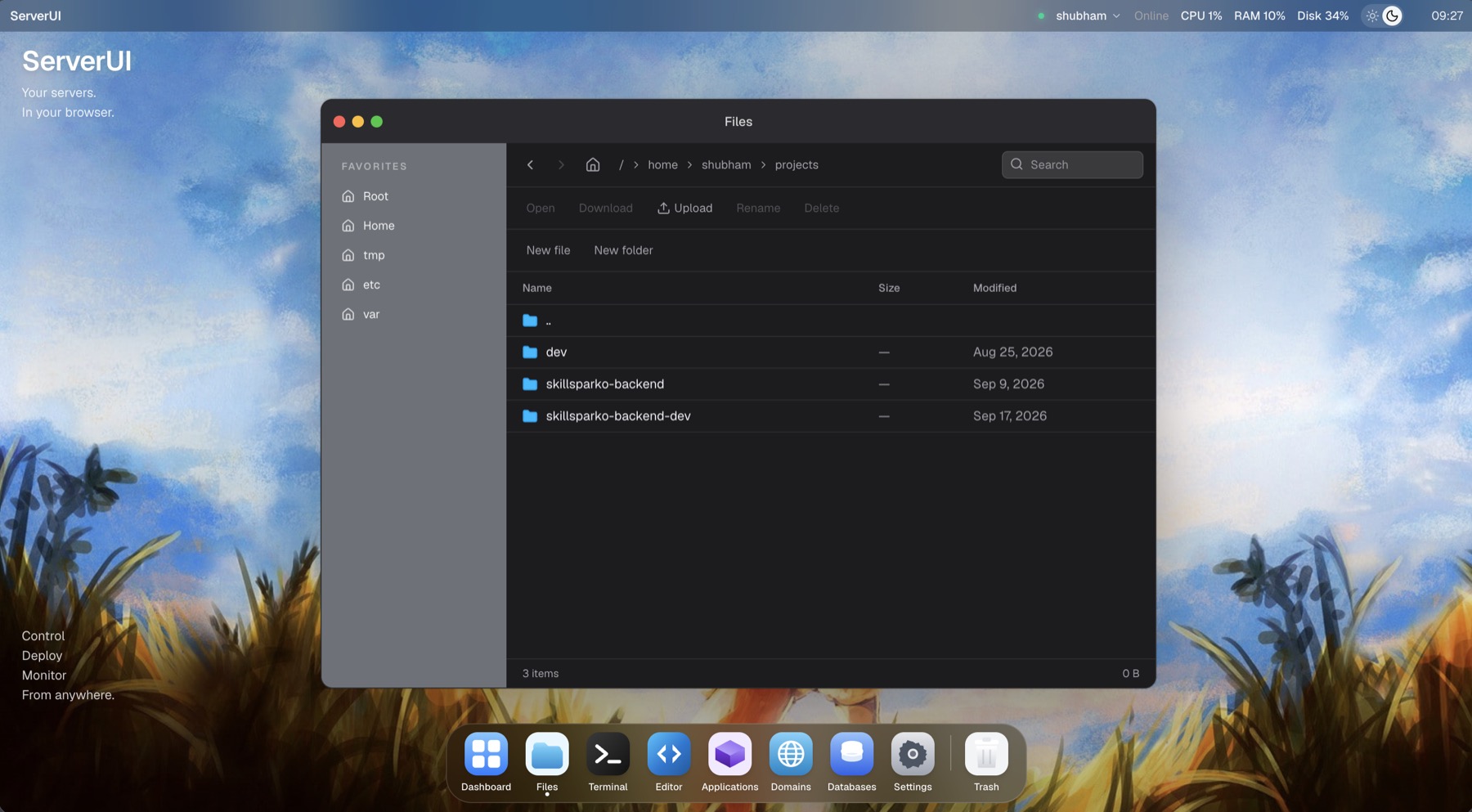
How to install serverui on a Mac
- Get OpenDMG. It is a free app store for open source Mac apps. Download OpenDMG.
- Search for serverui and press Get. OpenDMG downloads version 0.2.0 from rakhechashubham's own GitHub release.
- Open it. The download is checked against its SHA-256 fingerprint and its signature is checked on your Mac before it lands in Applications.
Updates to serverui show up in OpenDMG and install with one button. No account is needed.
Prefer to do it by hand? The developer's files are on GitHub: ServerUI-0.2.0-arm64.dmg (20 MB), ServerUI-0.2.0-x64.dmg (20 MB).
What is new in serverui 0.2.0
A major update to ServerUI focused on making server management feel more like a desktop environment.

What's new since [v0.1.0](https://github.com/rakhechashubham/serverui/releases/tag/v0.1.0), the first public release.

<img width="1278" height="761" alt="Screenshot 2026-10-06 at 11 40 28 AM" src="https://github.com/user-attachments/assets/ac62b180-1625-433d-967c-c7a26749f6c3" />

## 🚀 File Manager

Files now works like Finder.

- One unified toolbar with back/forward navigation, folder name, Icons/List view, Upload, New Folder, Download, Delete, More, and Search.
- Icon view is now the default, with folder and document icons, type badges, selection highlights, rubber-band selection, and drag-to-move.
- List view shows Name, Date Modified, Size, and Kind.
- Sidebar with Favorites and Locations. Files can be dragged directly onto sidebar locations.
- Path bar and selection status, such as `2 of 17 selected`.
- Right-click empty space to create a folder, create a file, or upload.
- Home resolves to the signed-in user's actual home directory, including `/root` and homes outside `/home`.

### Selection & File Operations

- Rectangle selection, Shift-click ranges, and Cmd/Ctrl-click multi-selection.
- Select All and Clear Selection.
- Download or delete multiple selected items.
- Download progress with individual retry support for failed items.
…
More Utilities apps
-
 BetterDisplayDisplay management tool with HiDPI scaling, PiP, and EDID controls
-
 VorssaintAn open-source, free, and local toolkit that integrates functions such as preventing…
-
 MosSmooth your mouse's scrolling and reverse the mouse scroll direction
-
 EasydictmacOS instant translator — type/select/screenshot, multi-service, zero setup
-
 OpenHaystackOpen-source tracker for finding Bluetooth devices through Apple's Find My network
-
 KekaKeka is a full featured file archiver, as easy as it can be