

Scarf for Mac
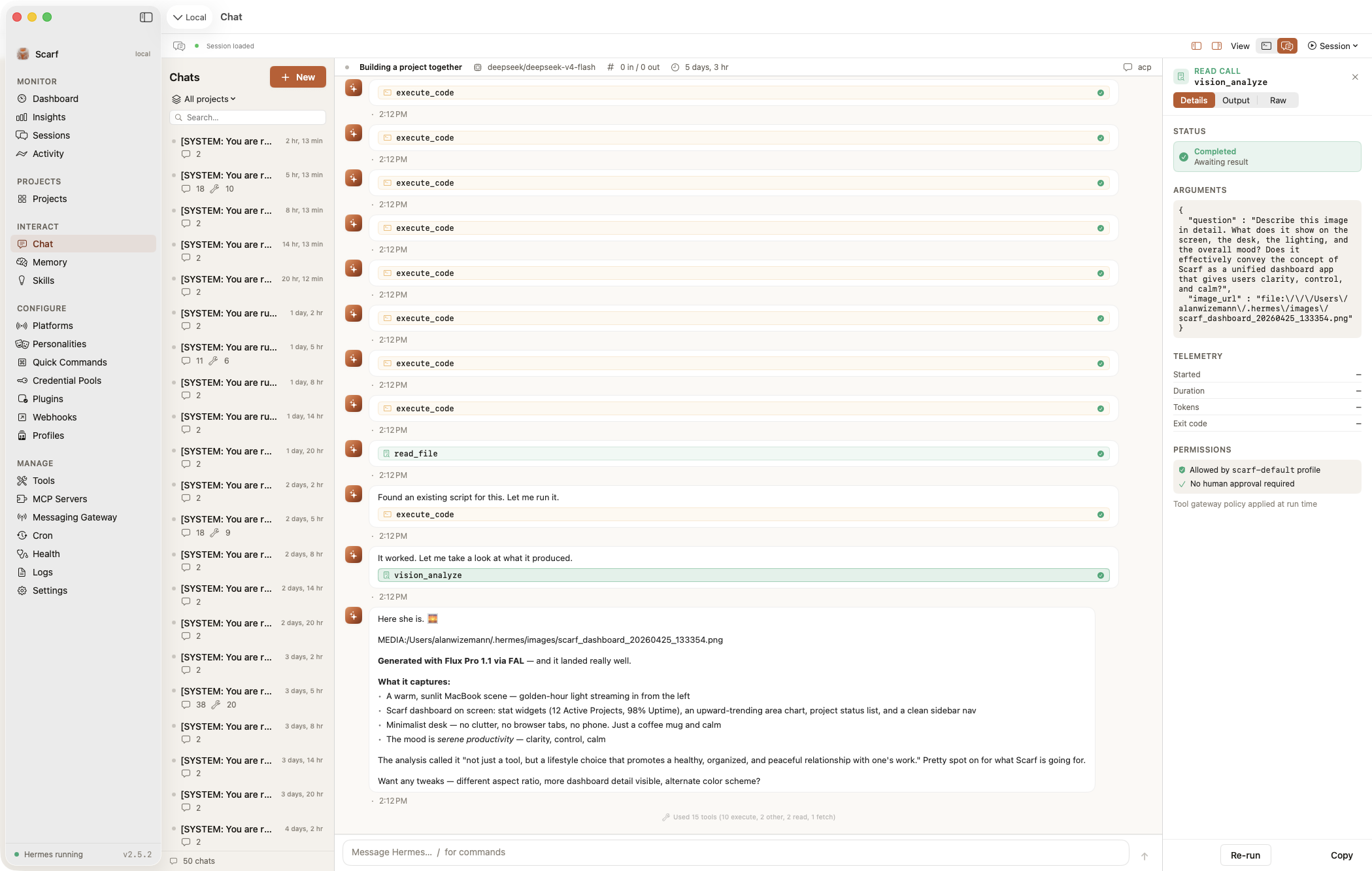
Native client for the Hermes AI agent, with multi-window, multi-server, session management, and MCP support.
By awizemann. Free and open source, MIT licence.
Scarf at a glance
- Version
- 3.6.0
- Released
- 6 October 2026
- Download size
- 22 MB
- Works on
- Apple silicon and Intel
- Licence
- MIT
- Category
- Artificial Intelligence
- Developer
- awizemann
- GitHub stars
- 885
About Scarf
Native macOS and iOS App for the Hermes AI agent — multi-window, multi-server (local + remote over SSH). Chat, dashboard, sessions, memory, cron, MCP, and more.
Screenshots

How to install Scarf on a Mac
- Get OpenDMG. It is a free app store for open source Mac apps. Download OpenDMG.
- Search for Scarf and press Get. OpenDMG downloads version 3.6.0 from awizemann's own GitHub release.
- Open it. The download is checked against its SHA-256 fingerprint and its signature is checked on your Mac before it lands in Applications.
Updates to Scarf show up in OpenDMG and install with one button. No account is needed.
Prefer to do it by hand? The developer's files are on GitHub: Scarf-v3.6.0-ARM64.zip (22 MB), Scarf-v3.6.0-Universal.zip (35 MB).
What is new in Scarf 3.6.0
# Scarf v3.6.0

This release is about trust and readability. **ScarfGo now checks the identity of every server it connects to**, closing a gap where it would have accepted a server pretending to be yours. Both apps got a contrast pass so buttons, status text and warnings are readable in light and dark mode. The privacy policy and the in-app privacy text were rewritten to match exactly what the code does, which means Live Voice will ask for your consent once more. And Mac users still on macOS 14 Sonoma are no longer offered updates that can't run on their Mac.

## ScarfGo now verifies your server's identity

Until now, ScarfGo didn't check a server's SSH host key, the fingerprint that proves a server is the one you paired with. On a network someone else controls, a machine pretending to be your Hermes host could have been accepted, and it could then read and change what ScarfGo sent, including your chats. The Mac app was never affected: it uses the system `ssh`, which has always checked host keys.

ScarfGo now behaves like the Mac:

- **The first time it connects to a server, it remembers that server's key.** Servers you paired before this update are remembered on their next connection, with nothing for you to do.
…
More Artificial Intelligence apps
-
 CodexBarShow usage stats for OpenAI Codex and Claude Code, without having to login
-
 CodeBurnTracks token usage, cost, and performance across 25 AI agents with per-task breakdowns
-
 OsaurusLocal LLM server and AI infrastructure with menu bar, CLI, and shared tools
-
 QuotioAI subscription manager with quota tracking and automatic failover
-
 Claude Usage TrackerTrack the usage of Claude Code
-
 VibeProxyMenu bar app to use existing Claude, ChatGPT, and other subscriptions with AI coding…