

Relaycat for Mac
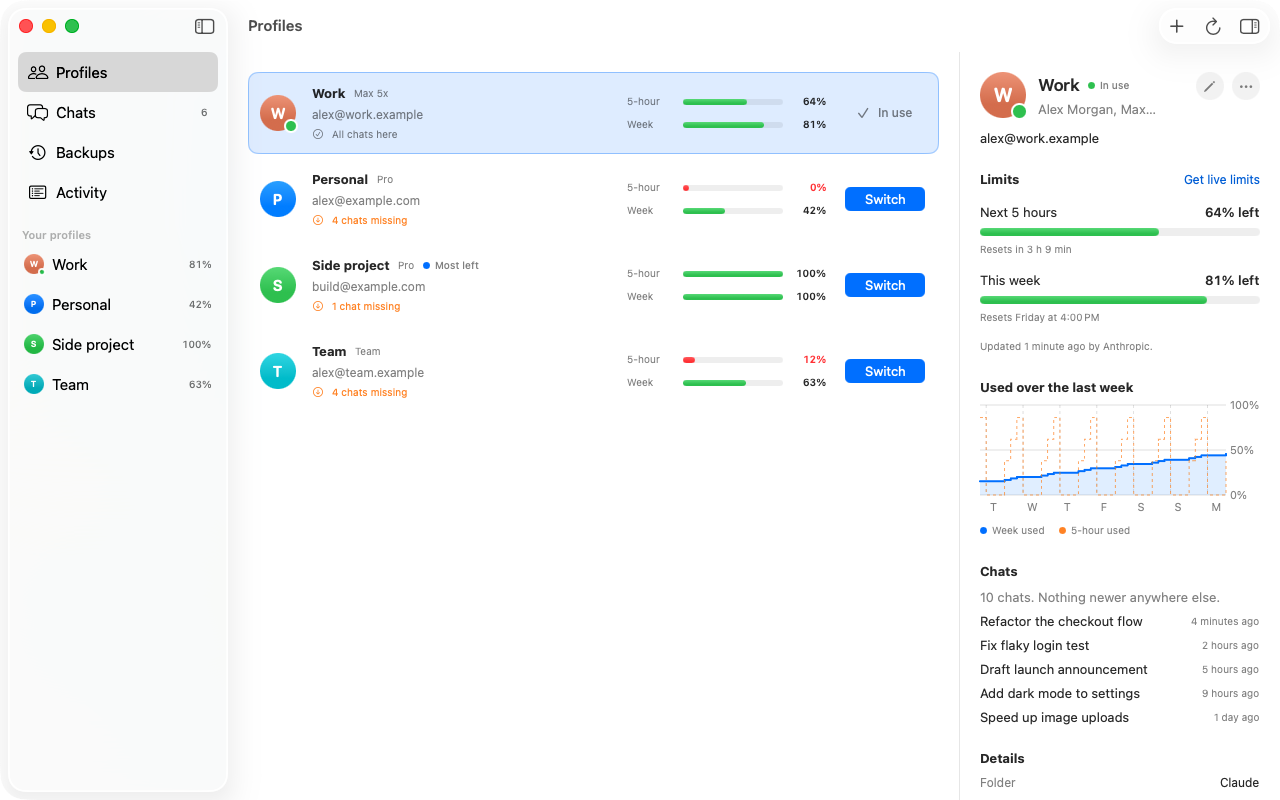
Menu bar app that runs several Claude desktop accounts, switches between them in one click, brings chats along and shows each account's session and weekly limits.
By krutikJain. Free and open source, MIT licence.
Relaycat at a glance
- Version
- 1.2.0
- Released
- 21 November 2026
- Download size
- 2.7 MB
- Works on
- Apple silicon and Intel
- Licence
- MIT
- Category
- Artificial Intelligence
- Developer
- krutikJain
- GitHub stars
- 5
About Relaycat
Run multiple Claude accounts on one Mac. Free, open-source macOS menu bar app to switch Claude Desktop profiles in one click, see each account's session and weekly usage limits, and keep your chats in sync.
Screenshots
How to install Relaycat on a Mac
- Get OpenDMG. It is a free app store for open source Mac apps. Download OpenDMG.
- Search for Relaycat and press Get. OpenDMG downloads version 1.2.0 from krutikJain's own GitHub release.
- Open it. The download is checked against its SHA-256 fingerprint and its signature is checked on your Mac before it lands in Applications.
Updates to Relaycat show up in OpenDMG and install with one button. No account is needed.
Prefer to do it by hand? The developer's file is on GitHub: Relaycat-v1.2.0.zip (2.7 MB).
What is new in Relaycat 1.2.0
Relaycat is a free, open-source Mac app for running multiple Claude accounts on one Mac.

### What's new

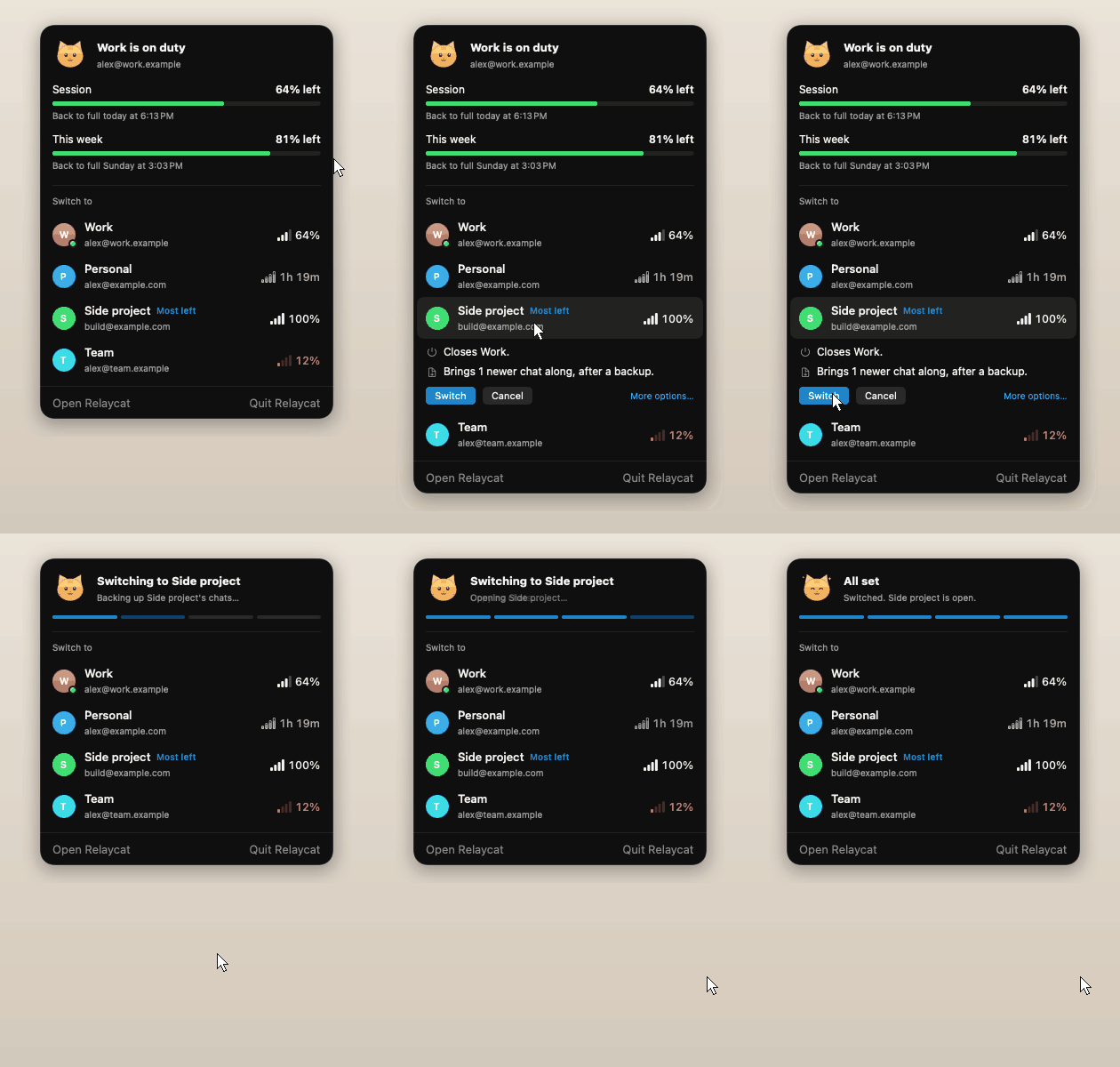
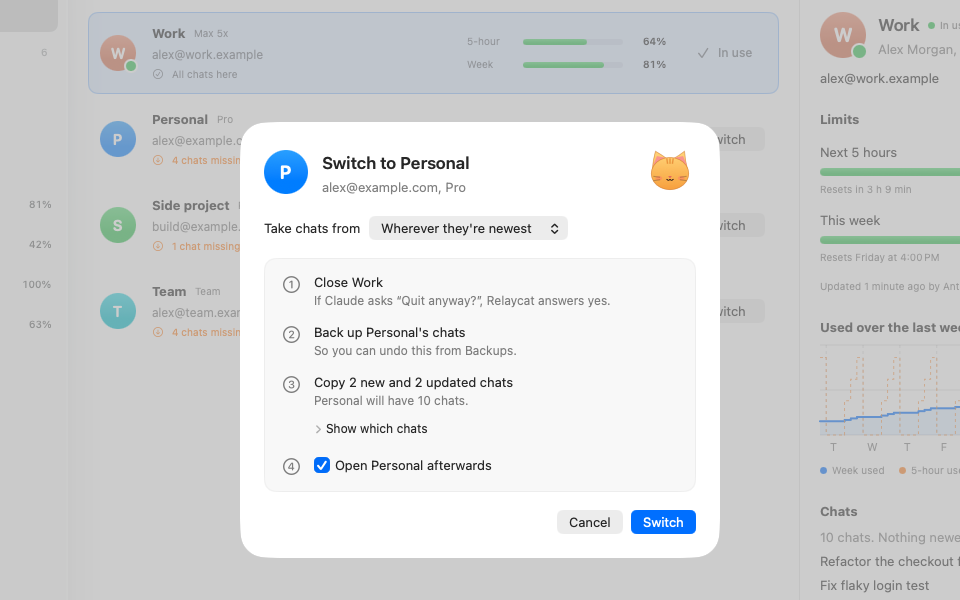
- **Switch from the menu bar.** Click a profile in the menu bar panel and switch right there. The panel says which Claude closes and how many chats come along, warns you about a busy chat or an account that's out of room, then shows the progress. The Relaycat window stays closed. Click the Claude that's already open to bring it to the front.
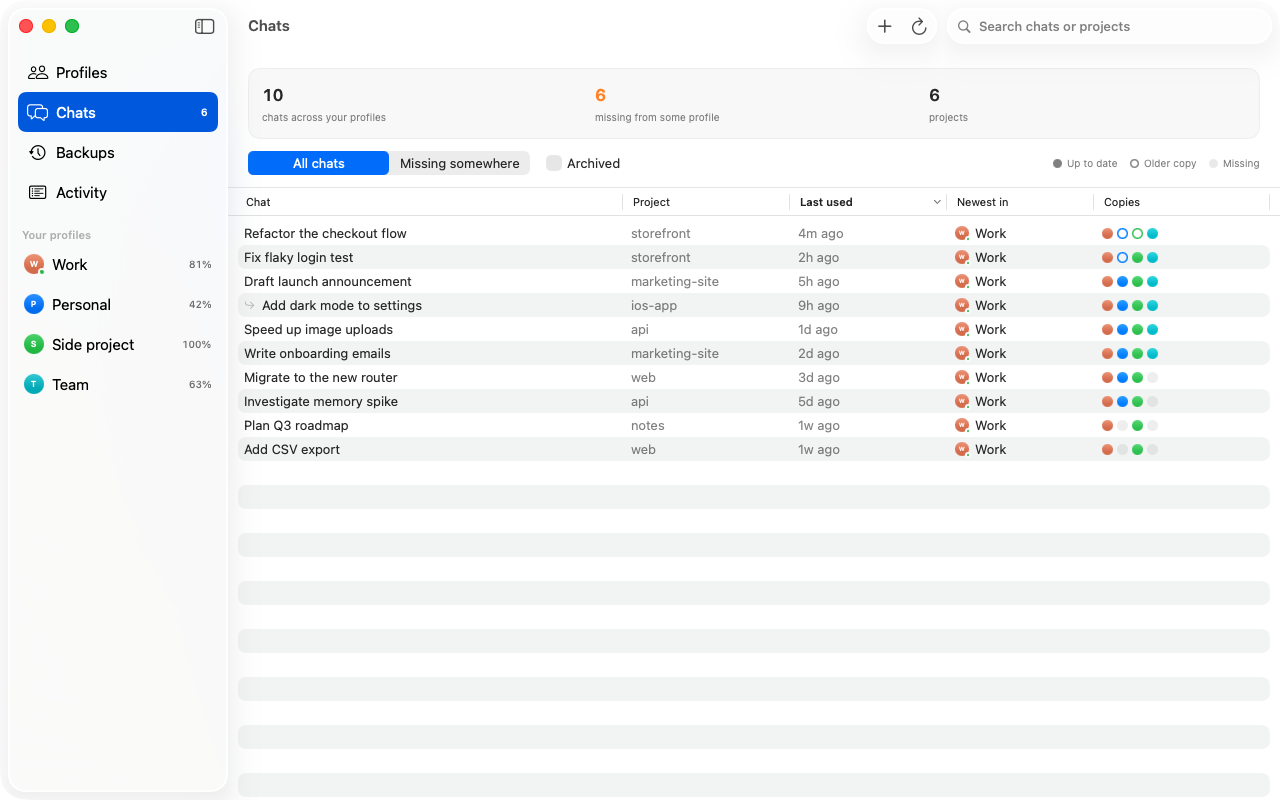
- **Safer chat sync.** Relaycat now picks the newest copy of a chat by how far the conversation got (its last message and its number of turns), not by its activity time. A notification or a background agent touching an older copy can no longer make it overwrite newer work, and a copy is never replaced by one with fewer turns. If two copies went separate ways, both stay and the switch tells you.
- **Mochi has more life.** Every few seconds Mochi blinks, glances around, twitches an ear, tilts its head or yawns when tired, then holds still. It looks at the profile you point at, hops when a switch finishes, walks with a proper gait and sits down facing you. Mochi stops moving when the window isn't in front, and Reduce Motion keeps it still.

### Install
…
More Artificial Intelligence apps
-
 CodexBarShow usage stats for OpenAI Codex and Claude Code, without having to login
-
 CodeBurnTracks token usage, cost, and performance across 25 AI agents with per-task breakdowns
-
 OsaurusLocal LLM server and AI infrastructure with menu bar, CLI, and shared tools
-
 QuotioAI subscription manager with quota tracking and automatic failover
-
 Claude Usage TrackerTrack the usage of Claude Code
-
 VibeProxyMenu bar app to use existing Claude, ChatGPT, and other subscriptions with AI coding…