
Recall for Mac
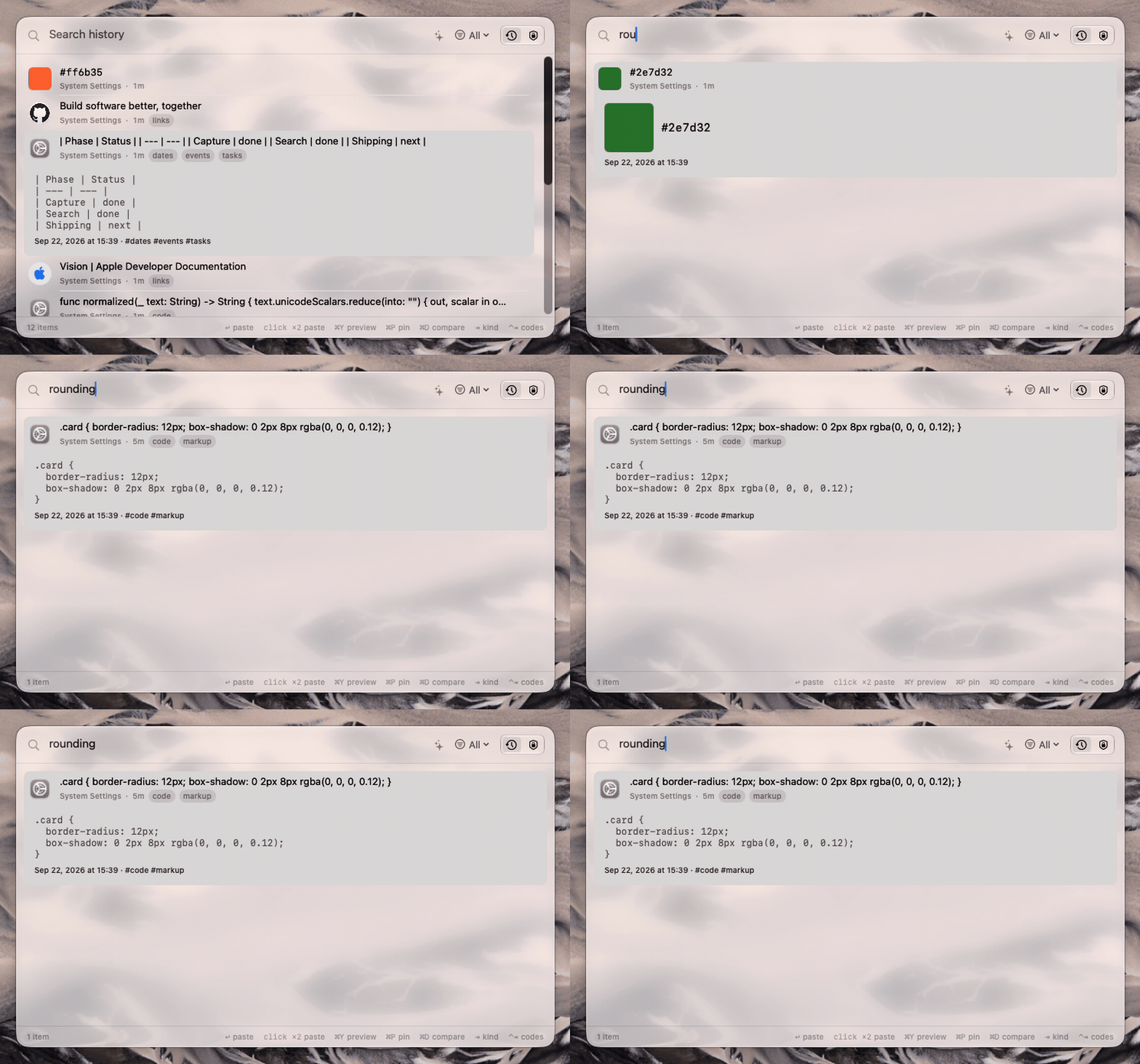
Clipboard manager with on-device semantic search — finds copies by meaning, guards credentials.
By cnazk. Free and open source, GPL-3.0 licence.
Recall at a glance
- Version
- 0.2.0
- Released
- 24 September 2026
- Download size
- 2.7 MB
- Works on
- Apple silicon and Intel
- Licence
- GPL-3.0
- Category
- Productivity
- Developer
- cnazk
- GitHub stars
- 7
About Recall
A local-first, AI-integrated clipboard manager for macOS. Semantic search, on-device AI, and credentials that delete themselves.
Screenshots
How to install Recall on a Mac
- Get OpenDMG. It is a free app store for open source Mac apps. Download OpenDMG.
- Search for Recall and press Get. OpenDMG downloads version 0.2.0 from cnazk's own GitHub release.
- Open it. The download is checked against its SHA-256 fingerprint and its signature is checked on your Mac before it lands in Applications.
Updates to Recall show up in OpenDMG and install with one button. No account is needed.
Prefer to do it by hand? The developer's file is on GitHub: Recall-v0.2.0.zip (2.7 MB).
What is new in Recall 0.2.0
Recall 0.2.0 adds a todo list to the panel.

## What's new

- **Todos, as the panel's third tab.** Type one and press Return; Return again, or a click, ticks it off. Drag to reorder, double-click to rename. Finished todos wait under **Done** until you clear them. Open it from the tab picker, **⌃⇥**, or **Todos** in the menu bar.
- **Make a clip a todo with ⌘T.** The todo keeps its own copy of the text, so it survives the clip being deleted from history. While the clip is still there, **⌘⏎** pastes it. Clips marked secret cannot become todos.
- **Sealed like everything else.** Todos go in the same encrypted database as your history, and nothing about them is readable on disk, not even when they were written. Clearing history never touches them. In In-Memory Mode they live in RAM and are gone at quit.
- **⌃⇥ walks all three tabs.** History's search field and filters now show only on History. Keys meant for History, such as ⌘P, no longer act on it from the other tabs.
- **In four languages**, like the rest of the app.

## Install

**Build it from source.** That is the supported path, and it is one command:

```bash
git clone https://github.com/cnazk/recall-mac.git
cd recall-mac
./Scripts/install.sh --build
```

Requires macOS 26 or later and Xcode 27.

## About the attached build

`Recall-v0.2.0.zip` is signed **ad-hoc**, not with a Developer ID, because
…
More Productivity apps
-
 MaccyLightweight search-as-you-type clipboard manager
-
 AltTabBrings the Windows Alt-Tab functionality to macOS
-
 ClipyClipy is a Clipboard extension app for macOS
-
 TinycastLightweight native launcher with app search, clipboard management, window controls, and…
-
 FSNotesNotes manager for macOS/iOS: modern notational velocity (nvALT) on steroids
-
 OpenDisplayTurn spare Apple devices into second monitors — true extended display over USB or WiFi