

QDuo for Mac
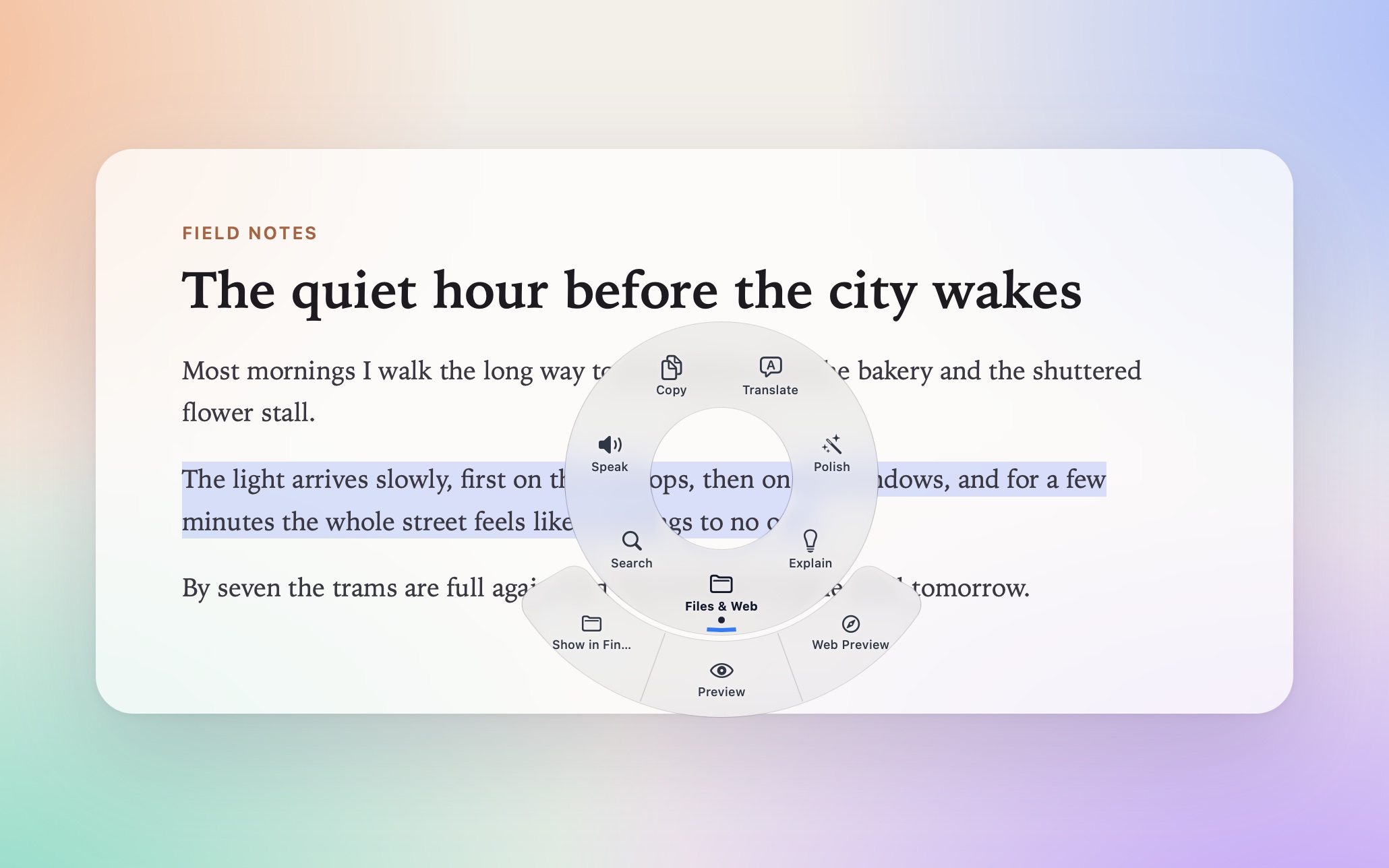
Select text anywhere and run your own actions at the cursor — translate, polish, search, or ask AI.
By XueshiQiao. Free and open source, GPL-3.0 licence.
QDuo at a glance
- Version
- 26.10.23
- Released
- 7 October 2026
- Download size
- 7.6 MB
- Works on
- Apple silicon and Intel
- Licence
- GPL-3.0
- Category
- Artificial Intelligence
- Developer
- XueshiQiao
- GitHub stars
- 186
Screenshots
How to install QDuo on a Mac
- Get OpenDMG. It is a free app store for open source Mac apps. Download OpenDMG.
- Search for QDuo and press Get. OpenDMG downloads version 26.10.23 from XueshiQiao's own GitHub release.
- Open it. The download is checked against its SHA-256 fingerprint and its signature is checked on your Mac before it lands in Applications.
Updates to QDuo show up in OpenDMG and install with one button. No account is needed.
Prefer to do it by hand? The developer's file is on GitHub: QDuo.dmg (7.6 MB).
What is new in QDuo 26.10.23
<h3>What's New in 26.10.23</h3>
<ul>
 <li><b>The popup waits until you let go</b> — After a double-click or triple-click, the popup now opens when you release the mouse button, not while it is still down. Holding the second click and dragging to select more words no longer has the popup sitting on top of the text. Thanks <a href="https://x.com/elviscai">@elviscai</a> on X for <a href="https://github.com/XueshiQiao/qduo/issues/13">#13</a>.</li>
 <li><b>Paragraphs from Chrome stay paragraphs</b> — Several paragraphs selected in Chrome used to arrive as one run of text, for every action. Chrome is now read by pressing ⌘C for you (your clipboard is put back afterwards), which keeps the line breaks. The list of apps read this way is in Settings → Advanced; a clipboard history tool may record the selected text.</li>
 <li><b>Translations keep your line breaks</b> — The built-in Translate prompt for new installs now asks for every line break to stay where it is, and the result panel shows a single line break as a line break instead of joining the lines.</li>
…
More Artificial Intelligence apps
-
 CodexBarShow usage stats for OpenAI Codex and Claude Code, without having to login
-
 CodeBurnTracks token usage, cost, and performance across 25 AI agents with per-task breakdowns
-
 OsaurusLocal LLM server and AI infrastructure with menu bar, CLI, and shared tools
-
 QuotioAI subscription manager with quota tracking and automatic failover
-
 Claude Usage TrackerTrack the usage of Claude Code
-
 VibeProxyMenu bar app to use existing Claude, ChatGPT, and other subscriptions with AI coding…