
PreviewMD for Mac
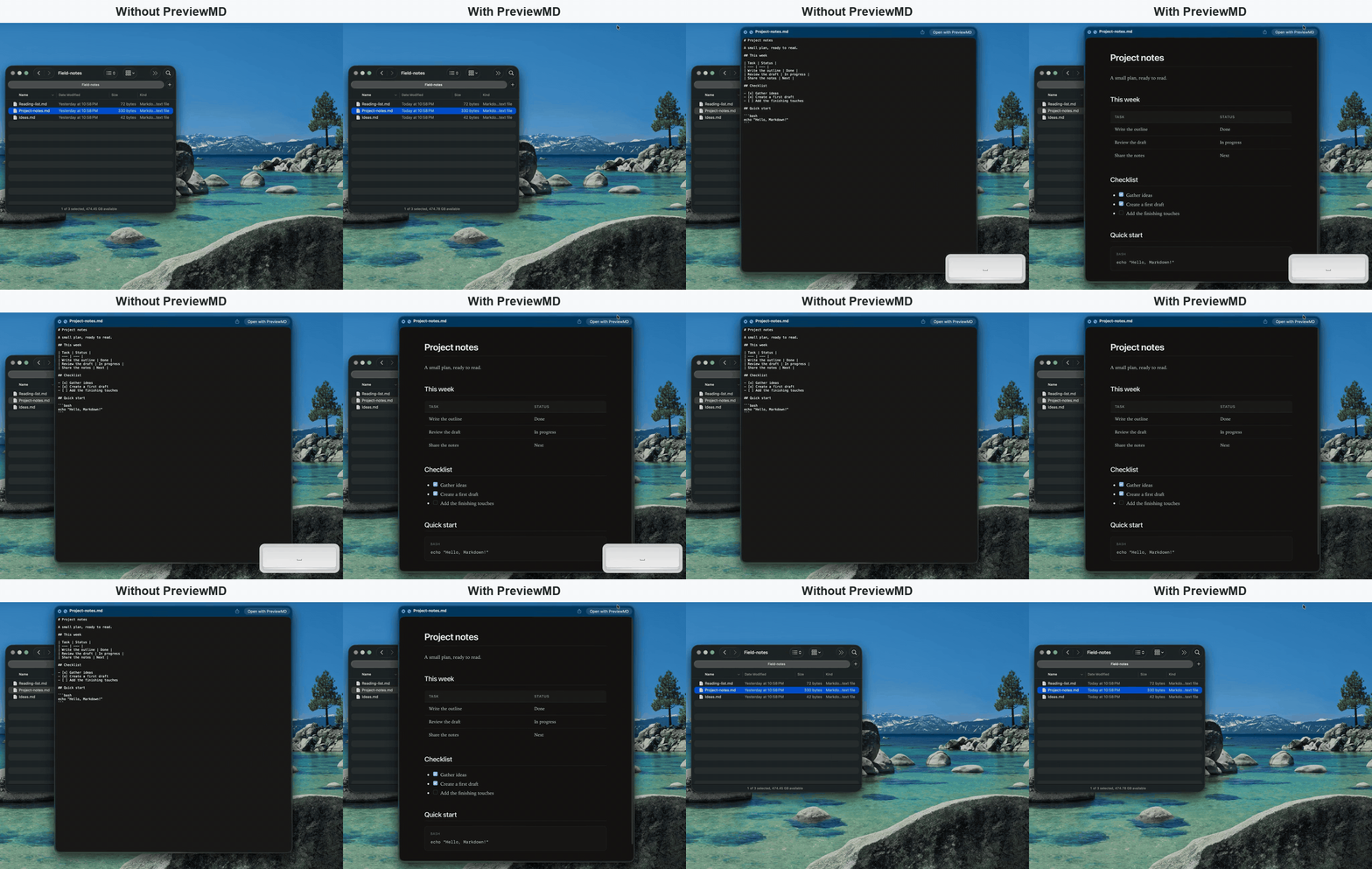
Preview Markdown files in Finder and read files or folders.
By ychani. Free and open source, MIT licence.
PreviewMD at a glance
- Version
- 0.5.0
- Released
- 8 November 2026
- Download size
- 6.4 MB
- Works on
- Apple silicon and Intel
- Licence
- MIT
- Category
- Writing and Editors
- Developer
- ychani
- GitHub stars
- 2
About PreviewMD
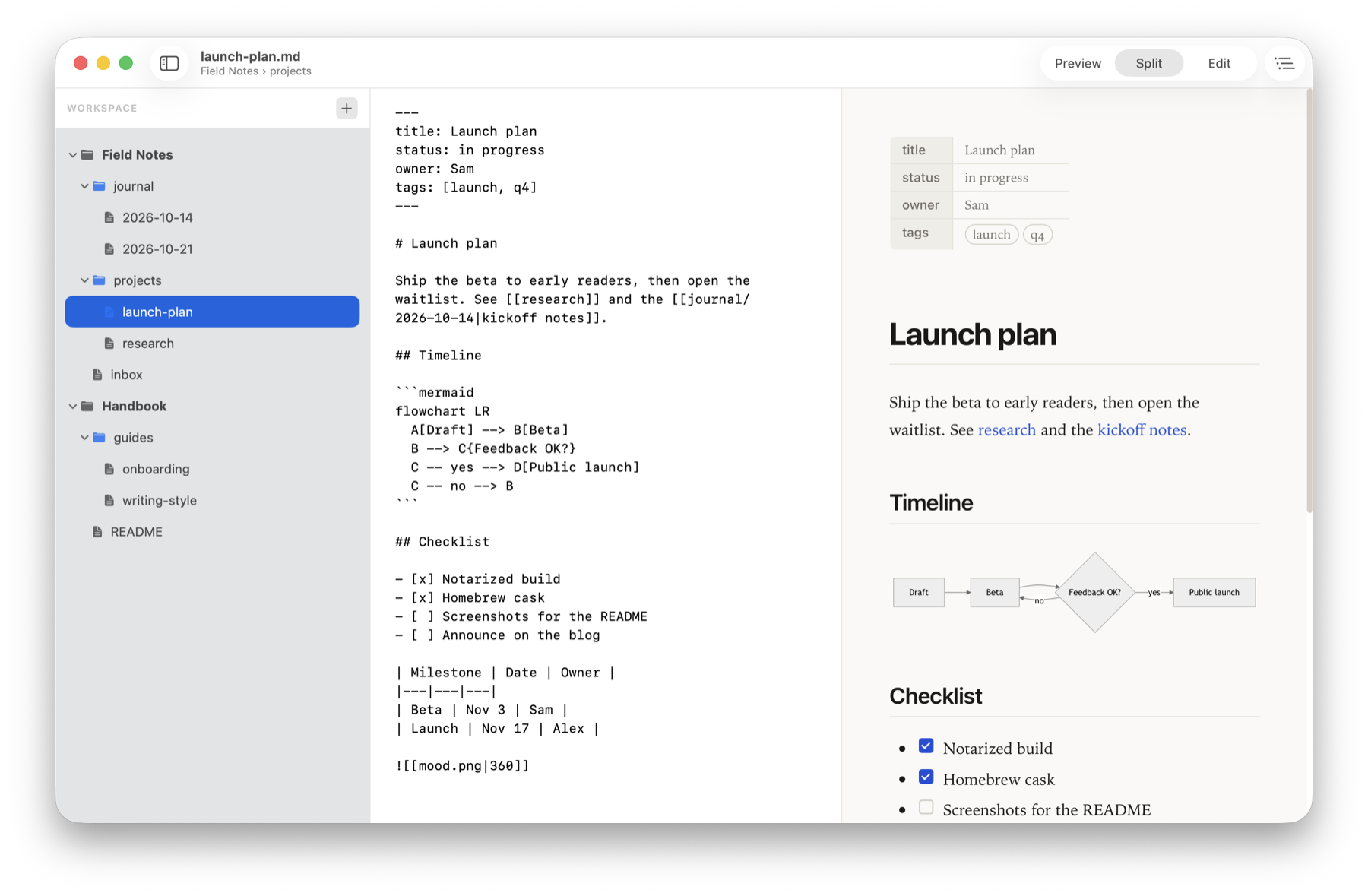
Press Space to read Markdown: free Quick Look previews and a native reader for Markdown on macOS.
Screenshots
How to install PreviewMD on a Mac
- Get OpenDMG. It is a free app store for open source Mac apps. Download OpenDMG.
- Search for PreviewMD and press Get. OpenDMG downloads version 0.5.0 from ychani's own GitHub release.
- Open it. The download is checked against its SHA-256 fingerprint and its signature is checked on your Mac before it lands in Applications.
Updates to PreviewMD show up in OpenDMG and install with one button. No account is needed.
Prefer to do it by hand? The developer's file is on GitHub: PreviewMD-0.5.0.dmg (6.4 MB).
What is new in PreviewMD 0.5.0
Univocal is one app for all the text you read and write. Read Aloud reads the open document through Univocal 0.3.29 or later, highlighting the current word and sentence as it goes. Start it from the toolbar or Edit ▸ Read Aloud (⇧⌘R). The first time, allow PreviewMD in Univocal. Text is sent to Univocal on the same Mac only when you start reading.

### Added
- **Read Aloud** with word-by-word highlighting through
 [Univocal](https://univocalapp.com) (Univocal Connect protocol): the toolbar
 button or Edit ▸ Read Aloud (⇧⌘R) reads the preview, highlights the current
 word and sentence, and follows them as they scroll out of view (a manual
 scroll pauses following for a few seconds). Click a word while reading to
 jump there. Univocal's floating controls pause, skip sentences, change
 speed or voice, and stop; PreviewMD has no pause or stop of its own — while
 it reads, the toolbar button shows a reading state and ⇧⌘R does nothing. Code blocks, diagrams, images and front
 matter are skipped. Edits in Split view (or a reload from disk) restart
 reading at the current sentence; switching documents or to Edit view
 stops it. Univocal asks once for permission. If Univocal isn't installed,
 clicking the button shows a popover with a Download option. If an older
 version of Univocal is installed, the button offers an update.
…
More Writing and Editors apps
-
 CodeEditOpen-source code editor
-
 MiaoYanLightweight Markdown notebook that keeps notes as plain files in a folder you choose…
-
 CotEditorLightweight Plain-Text Editor for macOS
-
 CopilotForXcodeThe first GitHub Copilot, Codeium and ChatGPT Xcode Source Editor Extension
-
 MarkEditA simple and efficient Markdown editor focused on pure writing experience
-
 PineA modern MacOS markdown editor