
Pippa for Mac
On-device AI assistant for letters, photo PDFs, email drafts, and appointments.
By tschnorpfeil. Free and open source, MIT licence.
Pippa at a glance
- Version
- 0.6.7-1066
- Released
- 11 November 2026
- Download size
- 70 MB
- Works on
- Apple silicon and Intel
- Licence
- MIT
- Category
- Artificial Intelligence
- Developer
- tschnorpfeil
- GitHub stars
- 0
About Pippa
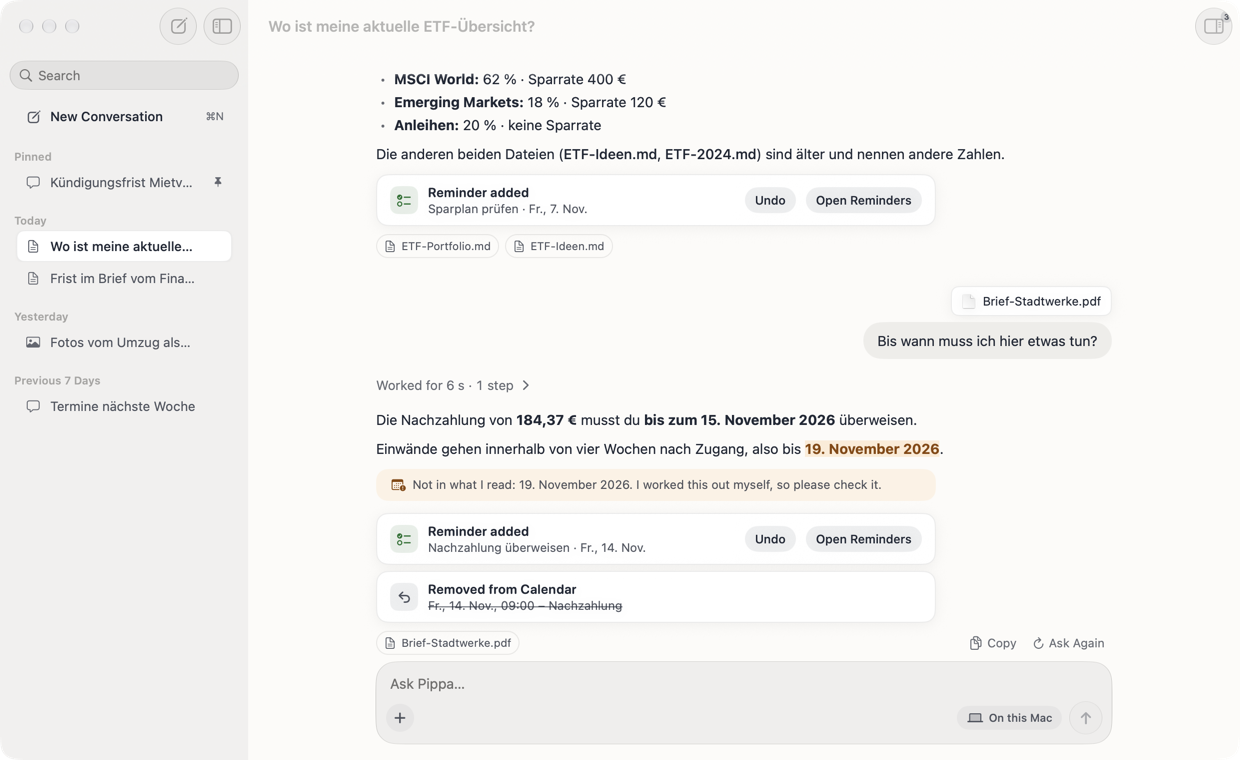
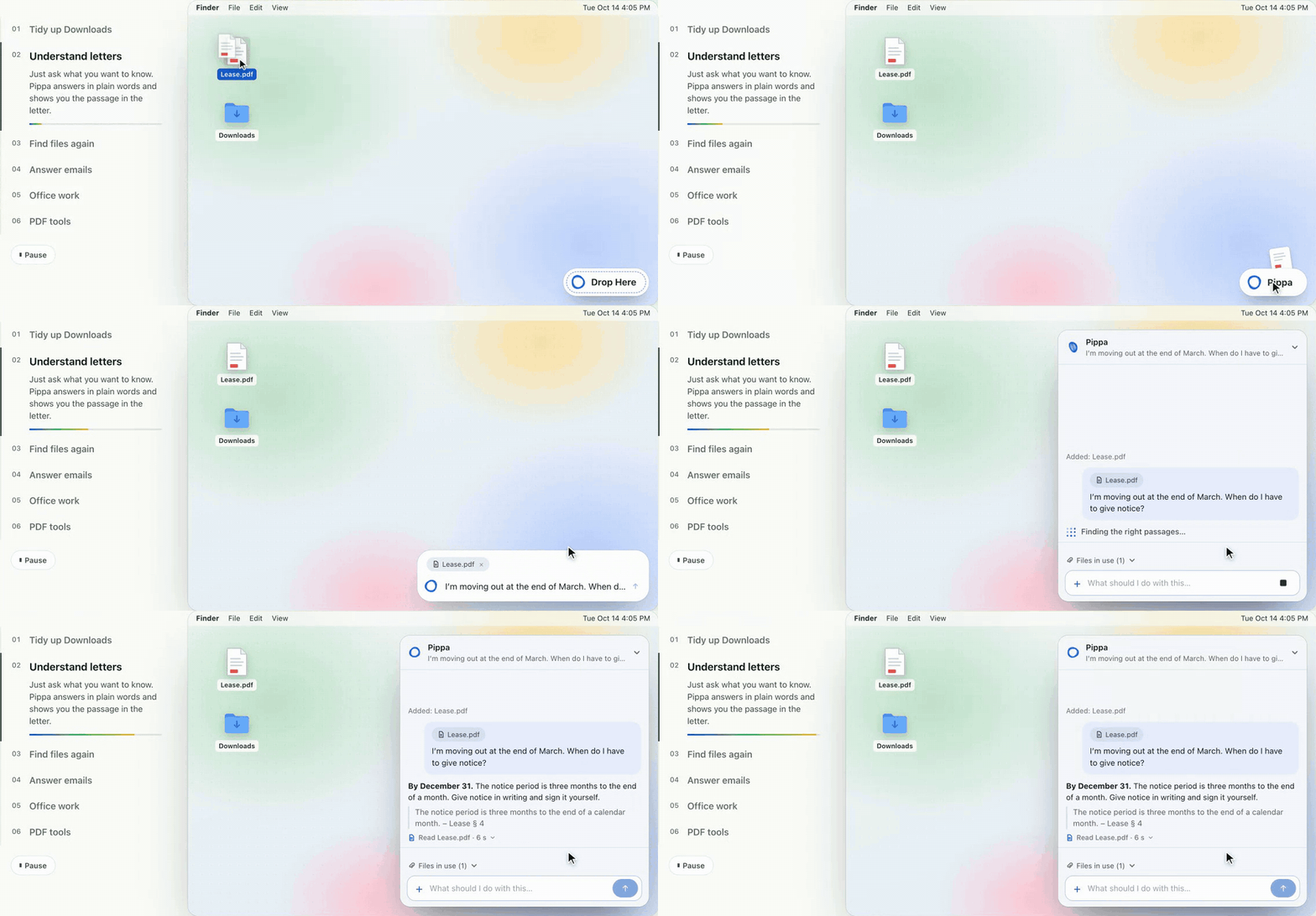
The AI assistant for your Mac that actually gets things done: letters explained, photos to one PDF, mail drafts and appointments. Her AI runs on your Mac: no account, no subscription.
Screenshots
How to install Pippa on a Mac
- Get OpenDMG. It is a free app store for open source Mac apps. Download OpenDMG.
- Search for Pippa and press Get. OpenDMG downloads version 0.6.7-1066 from tschnorpfeil's own GitHub release.
- Open it. The download is checked against its SHA-256 fingerprint and its signature is checked on your Mac before it lands in Applications.
Updates to Pippa show up in OpenDMG and install with one button. No account is needed.
Prefer to do it by hand? The developer's file is on GitHub: Pippa.dmg (70 MB).
What is new in Pippa 0.6.7-1066
<!-- Checked: island and chat snapshots (Pippa --snapshot-island, Pippa --snapshot); check-approvals for the step chain's height, follow-up questions and the island without thinking text; PippaChecks for the answer stream; builds installed on a MacBook Air with a notch. Not checked: the motion of a live answer at the real notch (no way to type into Pippa from the build machine). -->
# Pippa 0.6.7

Pippa is a free Mac helper for paperwork and small chores. Drop a letter, a PDF, a folder or a few photos on her, or ask her something, and she hands back the result: one PDF ready to send, what a letter wants from you and by when, a tidy folder, a reply draft in Mail. Her built-in AI runs on your Mac: no account, no subscription.

**You need** a Mac with Apple silicon (M1 or later) and macOS 26.2 or later. **Download** `Pippa.dmg` below, open it and drag Pippa to Applications. Photo and PDF actions work before AI setup. For AI chat on a Mac with 16 GB of memory or more, Pippa asks before downloading about 5.4 GB; smaller Macs can use an online AI.

**New in Pippa 0.6.7**

- **Follow-up questions on Pippa Island.** Ask "And what about chapter 6?" right after an answer and Pippa remembers what you were talking about. The field says **Follow up…**; the pencil next to it (⌘N) starts something new instead.
…
More Artificial Intelligence apps
-
 CodexBarShow usage stats for OpenAI Codex and Claude Code, without having to login
-
 CodeBurnTracks token usage, cost, and performance across 25 AI agents with per-task breakdowns
-
 OsaurusLocal LLM server and AI infrastructure with menu bar, CLI, and shared tools
-
 QuotioAI subscription manager with quota tracking and automatic failover
-
 Claude Usage TrackerTrack the usage of Claude Code
-
 VibeProxyMenu bar app to use existing Claude, ChatGPT, and other subscriptions with AI coding…