

Pesty for Mac
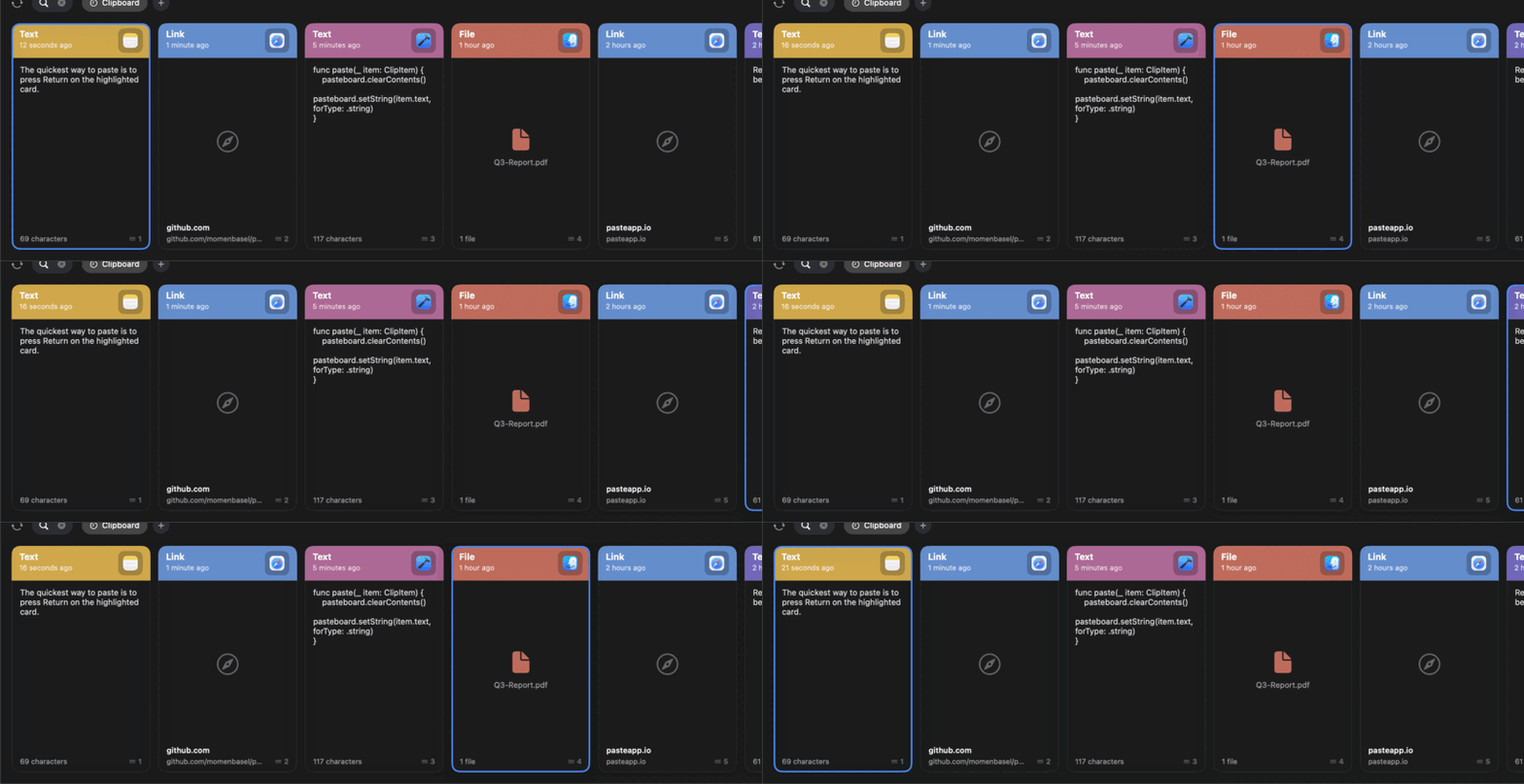
Open-source clipboard manager with a beautiful, color-coded history strip that slides up from the bottom of the screen.
By momenbasel. Free and open source, MIT licence.
Pesty at a glance
- Version
- 1.3.0
- Released
- 8 October 2026
- Download size
- 2.1 MB
- Works on
- Apple silicon and Intel
- Licence
- MIT
- Category
- Productivity
- Developer
- momenbasel
- GitHub stars
- 80
About Pesty
Free, open-source clipboard manager for macOS a native Paste app alternative with color-coded history, pinboards, search & keyboard paste. Signed, notarized, Homebrew.
Screenshots
How to install Pesty on a Mac
- Get OpenDMG. It is a free app store for open source Mac apps. Download OpenDMG.
- Search for Pesty and press Get. OpenDMG downloads version 1.3.0 from momenbasel's own GitHub release.
- Open it. The download is checked against its SHA-256 fingerprint and its signature is checked on your Mac before it lands in Applications.
Updates to Pesty show up in OpenDMG and install with one button. No account is needed.
Prefer to do it by hand? The developer's file is on GitHub: Pesty-1.3.0.dmg (2.1 MB).
What is new in Pesty 1.3.0
Pesty 1.3.0

The v2 wave of features from @alvst (#80), each reviewed and landed with the
author's commits, plus everything merged since 1.2.0: undo for deletions, image
previews on cards, a real search field, a full clip context menu with an
editor, multi-select, retention limits and dragging clips out of Pesty.

### Added
- Image clips, and file clips that point at one image, show the picture edge
 to edge over a checkerboard; other file clips show the file's Finder icon,
 with a "File not found" caption when the file is gone. Decoding happens off
 the main thread behind a bounded cache. (#96, #102)
- Command-Z puts a deleted clip, or a whole bulk delete, back where it was for five
 minutes, and an Undo button sits in the bar while something is restorable.
 Hold Option while deleting to skip it for that deletion, or turn on "Delete
 permanently" in Settings. The undo stack is in memory only: nothing deleted
 is written back to disk or synced. (#88)
- The search indicator is a real, editable field. Return pastes the selected
 clip, Command-1 to Command-9 still quick-paste, and the arrow keys move the selection
 while typing. (#85, #101)
- Command-C copies the selected clip and moves it to the front of history. (#82)
- Paste as Clean Formatting or as Markdown from the card menu. (#93)
- Command-Left and Command-Right switch between History and Pinboards. (#83)
…
More Productivity apps
-
 MaccyLightweight search-as-you-type clipboard manager
-
 AltTabBrings the Windows Alt-Tab functionality to macOS
-
 ClipyClipy is a Clipboard extension app for macOS
-
 TinycastLightweight native launcher with app search, clipboard management, window controls, and…
-
 FSNotesNotes manager for macOS/iOS: modern notational velocity (nvALT) on steroids
-
 OpenDisplayTurn spare Apple devices into second monitors — true extended display over USB or WiFi