
Peel for Mac
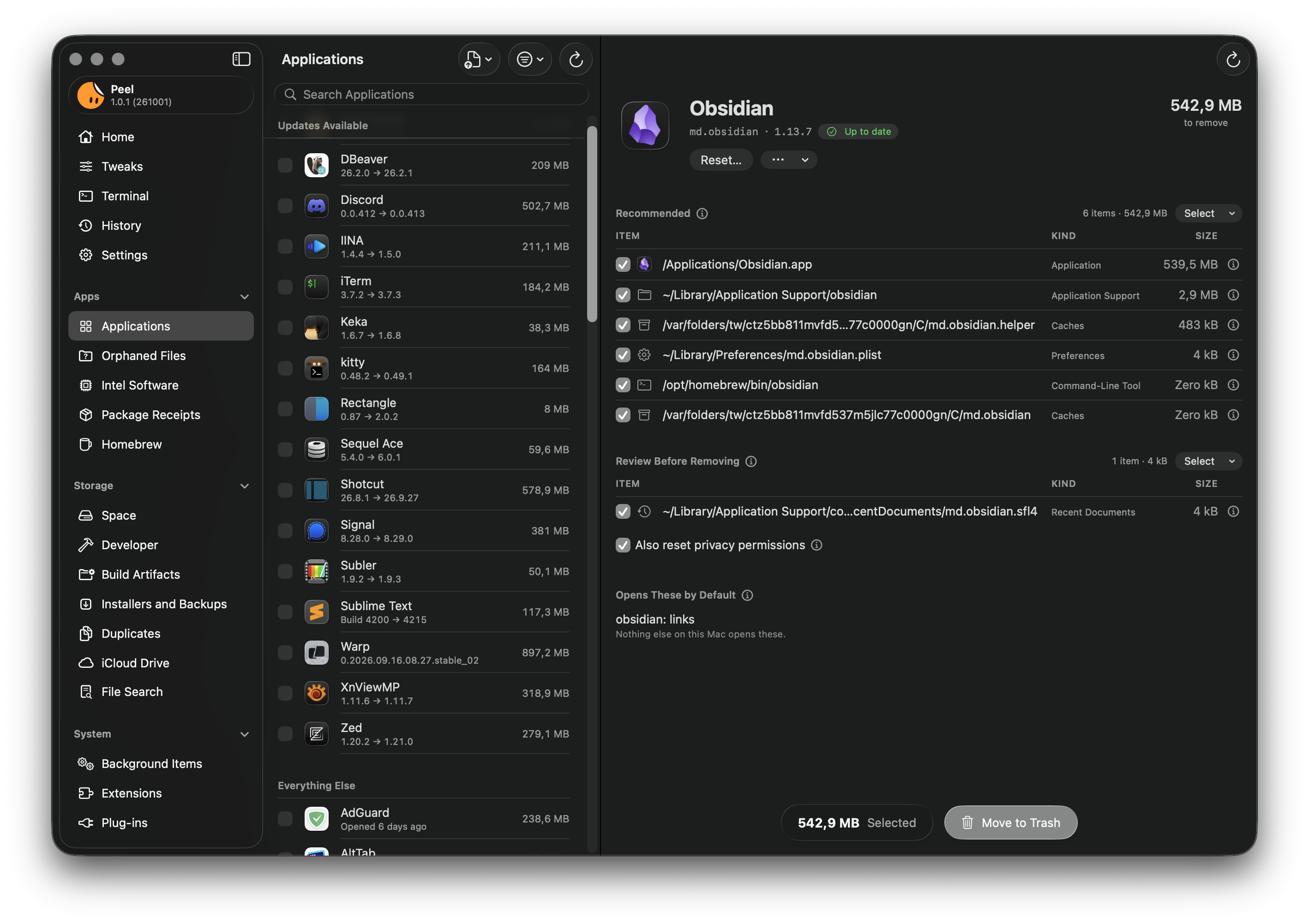
Removes apps with every file they leave behind, shows you why each file belongs, and moves everything to the Trash, so you can put it back. ([Homepage](https://peel.tuguidragos.com/)).
By TuguiDragos. Free and open source, GPL-3.0 licence.
Peel at a glance
- Version
- 1.3.0
- Released
- 4 November 2026
- Download size
- 37 MB
- Works on
- Apple silicon and Intel
- Licence
- GPL-3.0
- Category
- System Tools
- Developer
- TuguiDragos
- GitHub stars
- 565
About Peel
A Mac uninstaller that shows its work
Screenshots
How to install Peel on a Mac
- Get OpenDMG. It is a free app store for open source Mac apps. Download OpenDMG.
- Search for Peel and press Get. OpenDMG downloads version 1.3.0 from TuguiDragos's own GitHub release.
- Open it. The download is checked against its SHA-256 fingerprint and its signature is checked on your Mac before it lands in Applications.
Updates to Peel show up in OpenDMG and install with one button. No account is needed.
Prefer to do it by hand? The developer's file is on GitHub: Peel-1.3.0.dmg (37 MB).
What is new in Peel 1.3.0
I dedicated a whole week to reading Peel again, page by page, and to the people who wrote in. This release is what came out of it: a helper that is harder to trick, the things you asked for, and 248 smaller findings, each fixed.

Peel needs macOS Tahoe 26 or later.

Peel is now an official Homebrew cask: `brew install --cask peel`.

## Safer by one more check

Someone sent me a private mail about the helper, the part of Peel that moves what only root can, and they were right: a rename takes whatever holds a name at that instant, so between the moment the helper looks at an item and the moment it moves it, something else could be slipped into its place. Thank you for the report. Every item the helper moves now passes through a folder only it can reach, where it is checked again before it goes on. Please update. The details are in the security advisory [GHSA-5m57-4fv5-9rrh](https://github.com/TuguiDragos/Peel/security/advisories/GHSA-5m57-4fv5-9rrh).

## From Issues and Discussions

- **Background items** (#4): Start, Stop, and Restart by what launchd really says, and Edit… for your own agents, with the old file kept in the Trash so History can bring it back.
- **Standard accounts** (#9): the helper works for an account that is not an administrator, once an administrator approves the action in the window macOS shows.
…
More System Tools apps
-
 PearcleanerApp Cleaner and Uninstaller Tool
-
 PureMacFree open-source system cleaner with privacy protection
-
 OpenInTerminalFinder toolbar tool for opening the current folder in a terminal
-
 DockDoorWindow peeking for macOS
-
 DigUpSemantic search app that finds files by their contents
-
 LatestApp update checker that notifies you of available updates for installed applications