

OpenNaga for Mac
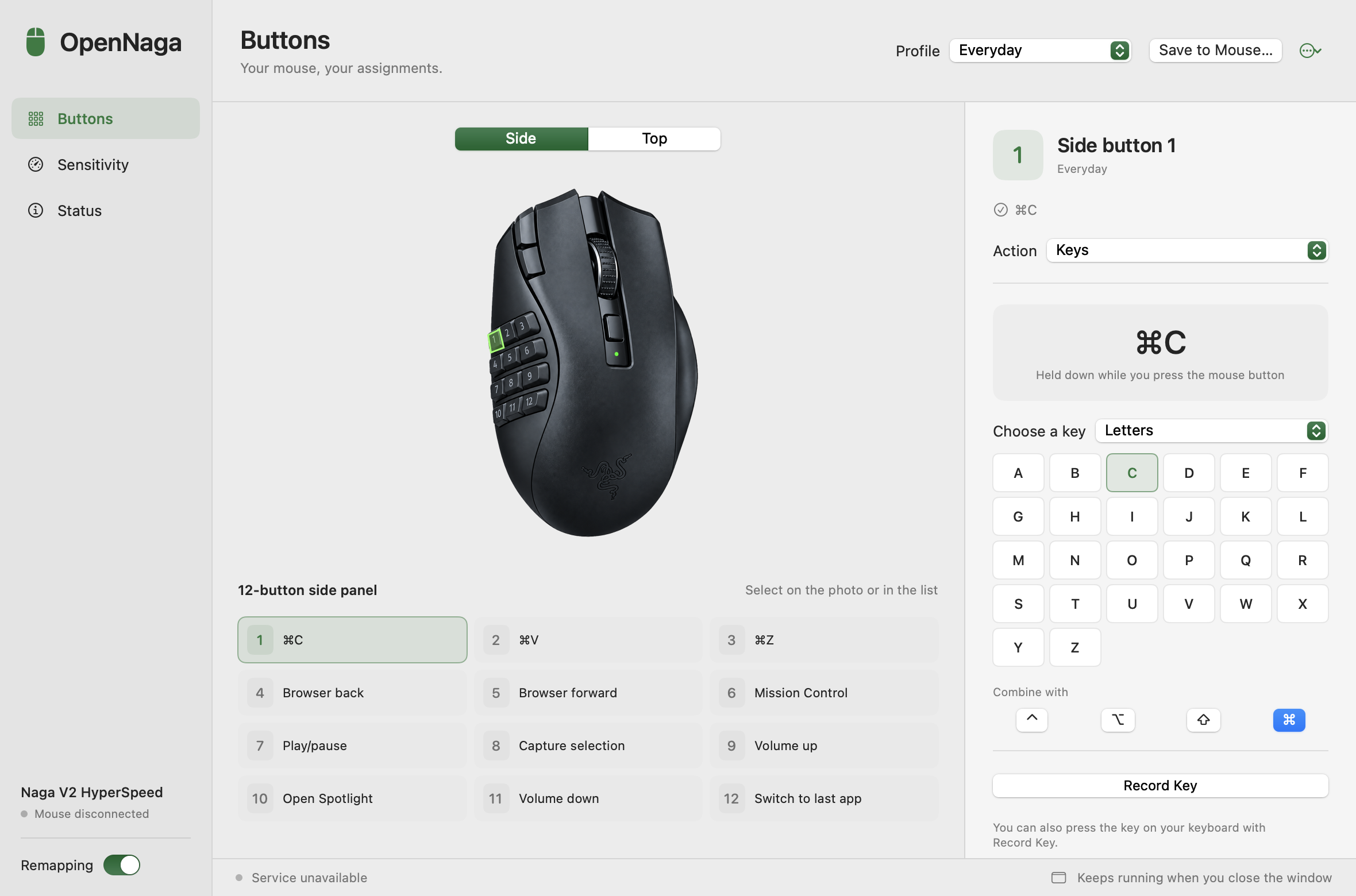
Configure Razer Naga mouse buttons, DPI, and polling rate on macOS.
By Zer0codestuff. Free and open source, MIT licence.
OpenNaga at a glance
- Version
- 2.4.0
- Released
- 4 October 2026
- Download size
- 4.4 MB
- Works on
- Apple silicon and Intel
- Licence
- MIT
- Category
- Utilities
- Developer
- Zer0codestuff
- GitHub stars
- 7
About OpenNaga
Free, open-source Razer Synapse alternative for the Naga V2 HyperSpeed on macOS: remap all 12 side buttons, set DPI and polling rate.
Screenshots
How to install OpenNaga on a Mac
- Get OpenDMG. It is a free app store for open source Mac apps. Download OpenDMG.
- Search for OpenNaga and press Get. OpenDMG downloads version 2.4.0 from Zer0codestuff's own GitHub release.
- Open it. The download is checked against its SHA-256 fingerprint and its signature is checked on your Mac before it lands in Applications.
Updates to OpenNaga show up in OpenDMG and install with one button. No account is needed.
Prefer to do it by hand? The developer's file is on GitHub: OpenNaga-v2.4.0.dmg (4.4 MB).
What is new in OpenNaga 2.4.0
# OpenNaga 2.4.0

OpenNaga now keeps its files in its own folder, `~/Library/Application Support/OpenNaga`.

Up to 2.3.0 it shared `~/Library/Application Support/NagaController` with [NagaController](https://github.com/DParent10/NagaController), the app it started from. The two profile formats have diverged, so with both apps installed each one could rewrite the other's `profiles.json` and drop what it did not recognize. Thanks to DParent10 for reporting this.

- On first launch OpenNaga copies `profiles.json`, the mouse backup (`onboard-profile.json`) and the driver mode journal from the old folder, once. Files that already exist in the new folder are not overwritten.
- The old folder is left exactly as it is. OpenNaga does not write to it or delete it.
- If a copy fails, OpenNaga tries again at the next launch.
- No change to button mapping, mouse memory, DPI or polling rate.

Upgrading: quit OpenNaga, replace the app in Applications with the new `OpenNaga.app`. Profiles and a profile saved to the mouse carry over.

If you also use NagaController and both apps wrote to the shared folder, the imported profiles are whichever app saved last. Check your assignments after the first launch.

Apple Silicon build, ad-hoc signed, not notarized. On first launch right-click the app and choose Open, or run `xattr -dr com.apple.quarantine /Applications/OpenNaga.app`.
More Utilities apps
-
 BetterDisplayDisplay management tool with HiDPI scaling, PiP, and EDID controls
-
 VorssaintAn open-source, free, and local toolkit that integrates functions such as preventing…
-
 MosSmooth your mouse's scrolling and reverse the mouse scroll direction
-
 EasydictmacOS instant translator — type/select/screenshot, multi-service, zero setup
-
 OpenHaystackOpen-source tracker for finding Bluetooth devices through Apple's Find My network
-
 KekaKeka is a full featured file archiver, as easy as it can be