

OpenClip for Mac
Floating text actions for selected text — a fast, open-source PopClip alternative to transform text, run scripts, and integrate AI.
By ganeshmshetty. Free and open source, AGPL-3.0 licence.
OpenClip at a glance
- Version
- 1.8.1
- Released
- 9 October 2026
- Download size
- 18 MB
- Works on
- Apple silicon and Intel
- Licence
- AGPL-3.0
- Category
- Productivity
- Developer
- ganeshmshetty
- GitHub stars
- 642
About OpenClip
An open-source, privacy-first macOS text action popup for running custom scripts, AI-powered actions, and extensible workflows on selected text.
Screenshots
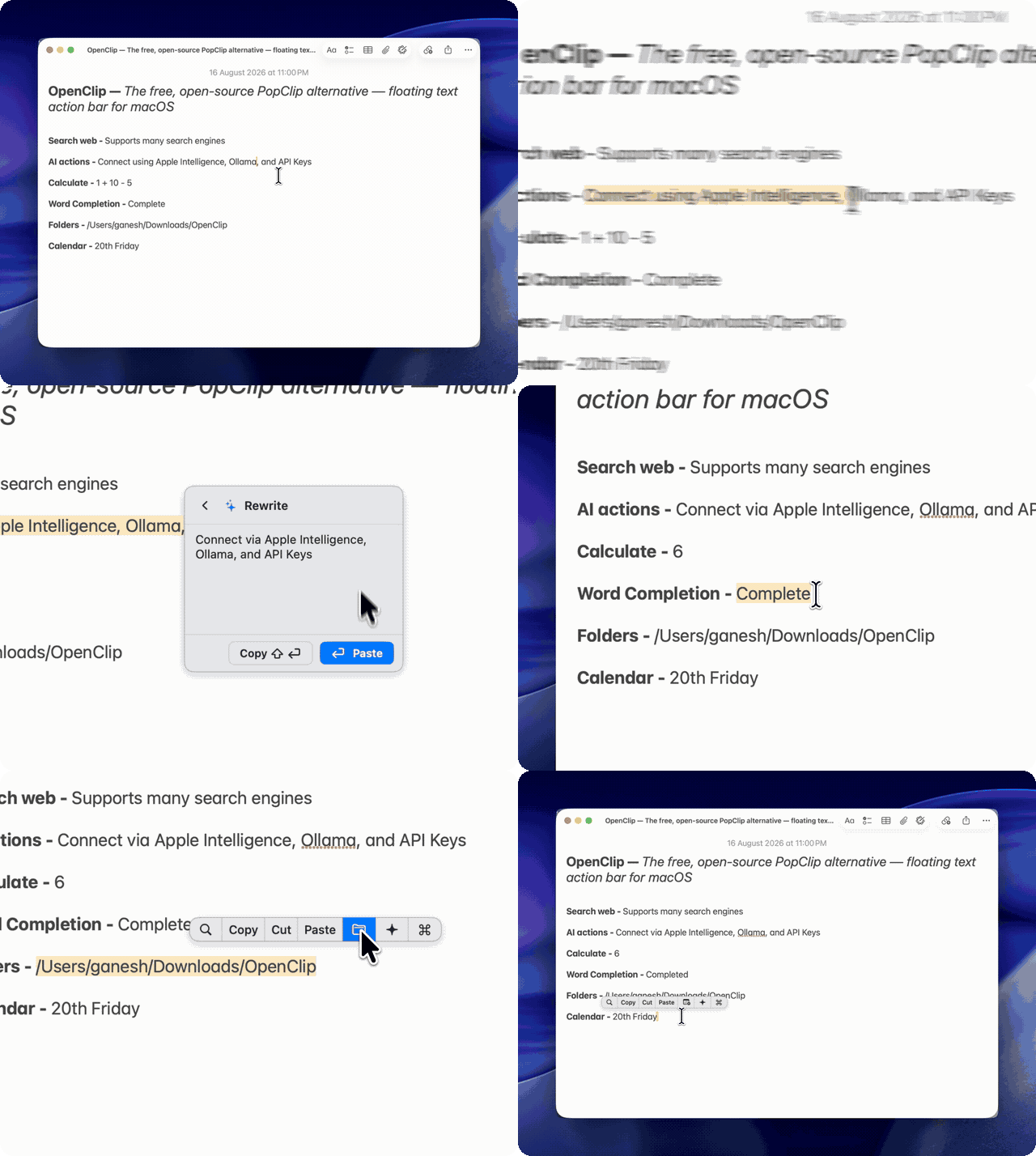
How to install OpenClip on a Mac
- Get OpenDMG. It is a free app store for open source Mac apps. Download OpenDMG.
- Search for OpenClip and press Get. OpenDMG downloads version 1.8.1 from ganeshmshetty's own GitHub release.
- Open it. The download is checked against its SHA-256 fingerprint and its signature is checked on your Mac before it lands in Applications.
Updates to OpenClip show up in OpenDMG and install with one button. No account is needed.
Prefer to do it by hand? The developer's file is on GitHub: OpenClip-v1.8.1.dmg (18 MB).
What is new in OpenClip 1.8.1
### Features & Improvements
- **Automatic extension updates**: Store-installed extensions update at launch and every six hours while OpenClip is running. Control this with the new **About → Extension Updates → Automatically Update Extensions** toggle, enabled by default. Disabled extensions stay disabled, and developer and sideloaded packages are excluded.
- **Extension store improvements**: The New section uses first-publish dates, the store displays the full catalogue total, and search and update lifecycle handling are improved.
- **Task-focused AI prompts**: AI actions follow the selected task more closely, including translation, code fixes, and editing.
- **Simpler update preferences**: Software updates use the stable channel with streamlined About settings.
- Added Android emulators to the app exclusion filter and moved Ghostty to menu-based copy handling.

### Fixes & Stability
- Fixed group and AI Tools sub-bars failing to open when delayed SwiftUI hover events cancelled the opening timer. Hover tracking now uses a shared target-transition handler.
- Restored popup hover highlights, tooltips, and sub-bars over other apps' fullscreen Spaces.

### Contributors
Thanks to @deskangel for improving Ghostty copy handling and adding Android emulator exclusions!
More Productivity apps
-
 MaccyLightweight search-as-you-type clipboard manager
-
 AltTabBrings the Windows Alt-Tab functionality to macOS
-
 ClipyClipy is a Clipboard extension app for macOS
-
 TinycastLightweight native launcher with app search, clipboard management, window controls, and…
-
 FSNotesNotes manager for macOS/iOS: modern notational velocity (nvALT) on steroids
-
 OpenDisplayTurn spare Apple devices into second monitors — true extended display over USB or WiFi