

Nimclip for Mac
Menu bar clipboard history tool — press a hotkey to search and paste previously copied content.
By hukdoesn. Free and open source, Apache-2.0 licence.
Nimclip at a glance
- Version
- 1.1.9
- Released
- 8 October 2026
- Download size
- 1.5 MB
- Works on
- Apple silicon and Intel
- Licence
- Apache-2.0
- Category
- Productivity
- Developer
- hukdoesn
- GitHub stars
- 74
About Nimclip
A native, local-first clipboard history manager for macOS.
Screenshots
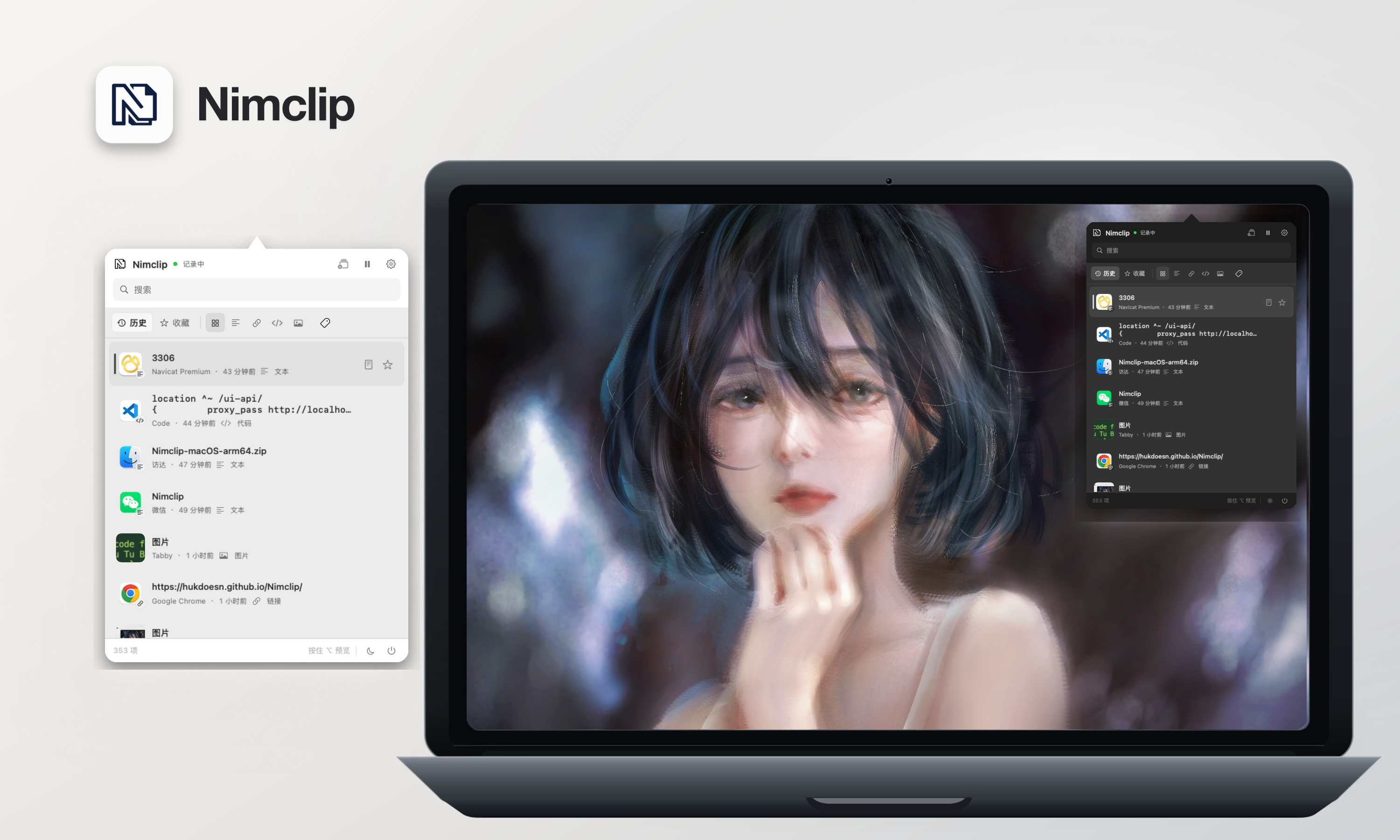


How to install Nimclip on a Mac
- Get OpenDMG. It is a free app store for open source Mac apps. Download OpenDMG.
- Search for Nimclip and press Get. OpenDMG downloads version 1.1.9 from hukdoesn's own GitHub release.
- Open it. The download is checked against its SHA-256 fingerprint and its signature is checked on your Mac before it lands in Applications.
Updates to Nimclip show up in OpenDMG and install with one button. No account is needed.
Prefer to do it by hand? The developer's files are on GitHub: Nimclip-macOS-arm64.zip (1.5 MB), Nimclip-macOS-x86_64.zip (1.5 MB).
What is new in Nimclip 1.1.9
## 本次更新

- 新增多选删除:支持同时勾选文本、图片和收藏记录,全选当前搜索及筛选结果,并在删除前确认数量与收藏项。
- 批量删除一次保存数据库变更,成功后清理对应图片文件;切换筛选或关闭面板时清空勾选,避免误删。
- 多选勾选圆圈缩小为 16pt,减淡未选中描边,并保留整行点击勾选。

## 安装包

- Apple Silicon:`Nimclip-macOS-arm64.zip`
- Intel:`Nimclip-macOS-x86_64.zip`
- 每个安装包均附带对应的 SHA-256 校验文件

**完整变更记录**:https://github.com/hukdoesn/Nimclip/compare/v1.1.8...v1.1.9
More Productivity apps
-
 MaccyLightweight search-as-you-type clipboard manager
-
 AltTabBrings the Windows Alt-Tab functionality to macOS
-
 ClipyClipy is a Clipboard extension app for macOS
-
 TinycastLightweight native launcher with app search, clipboard management, window controls, and…
-
 FSNotesNotes manager for macOS/iOS: modern notational velocity (nvALT) on steroids
-
 OpenDisplayTurn spare Apple devices into second monitors — true extended display over USB or WiFi