

NewFile for Mac
Adds a native Finder button and context-menu action for creating new files.
By mariusgm. Free and open source, MIT licence.
NewFile at a glance
- Version
- 0.2.5
- Released
- 17 November 2026
- Download size
- 1.2 MB
- Works on
- Apple silicon and Intel
- Licence
- MIT
- Category
- System Tools
- Developer
- mariusgm
- GitHub stars
- 90
About NewFile
The missing 'New File' button for macOS Finder — customizable file types, per-type starter templates. Free, open-source Finder Sync Extension. brew install --cask mariusgm/newfile/newfile or DMG.
Screenshots
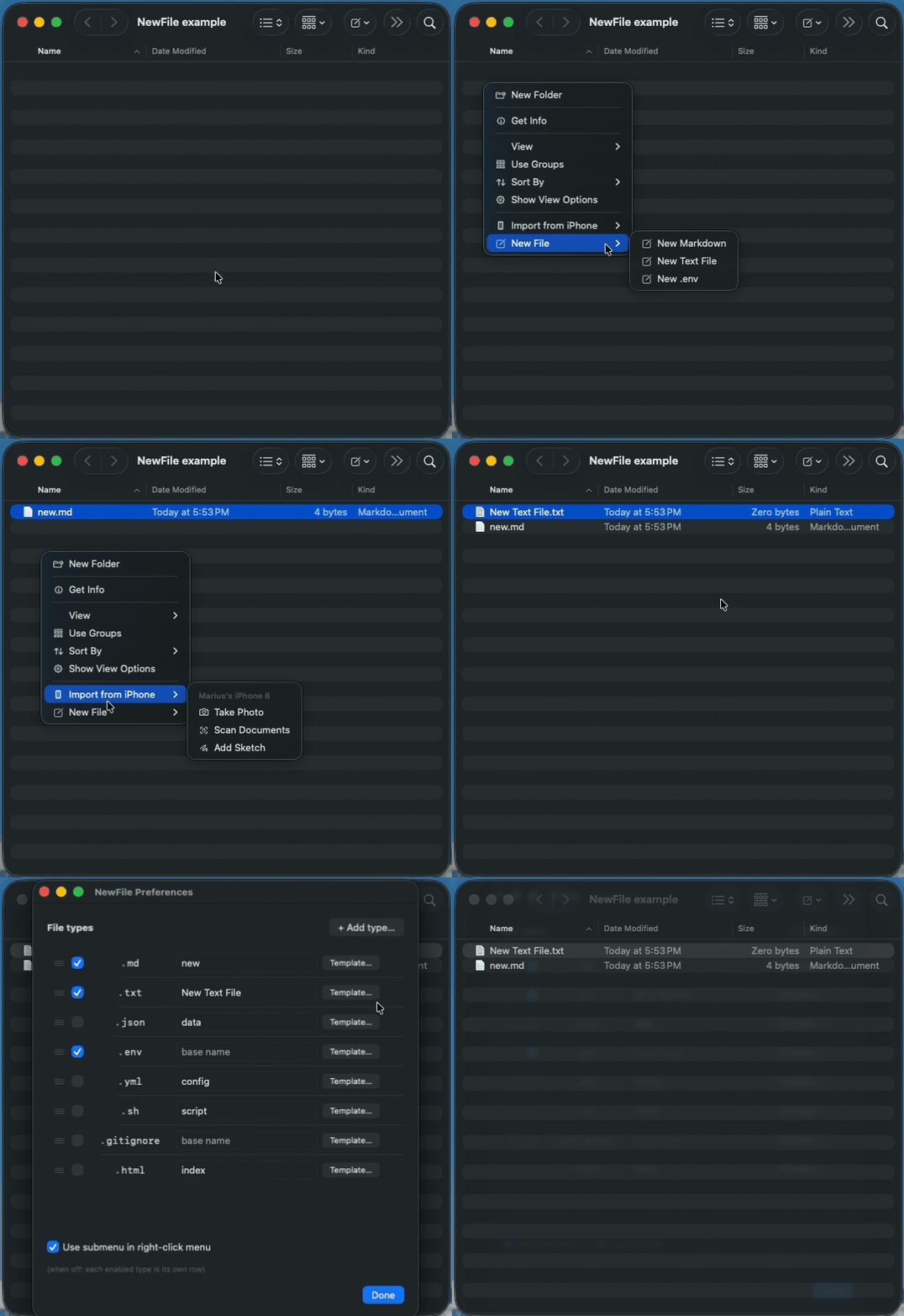
How to install NewFile on a Mac
- Get OpenDMG. It is a free app store for open source Mac apps. Download OpenDMG.
- Search for NewFile and press Get. OpenDMG downloads version 0.2.5 from mariusgm's own GitHub release.
- Open it. The download is checked against its SHA-256 fingerprint and its signature is checked on your Mac before it lands in Applications.
Updates to NewFile show up in OpenDMG and install with one button. No account is needed.
Prefer to do it by hand? The developer's file is on GitHub: NewFile.dmg (1.2 MB).
What is new in NewFile 0.2.5
## NewFile 0.2.5

### Improved
- Custom file types keep uppercase extensions, so `.R` and `.Rproj` files are created as typed. A type you saved before this update keeps its lowercase extension; retype it once to change it.
- On macOS 27, the setup window shows where the extension switch now lives: Extensions → By Category → ⓘ next to File Providers. Earlier macOS versions keep the previous path.
- NewFile → Settings… (⌘,) and Customize… now open the same window, which always shows your saved file types. Before, two settings windows could be open at once, and a change made in one could be undone by the other.
- Settings opens without a text field selected, so a keystroke can't replace a label by accident. A newly added type puts the cursor in its extension field.

### New
- **Support NewFile…** in the app menu opens the GitHub Sponsors page. NewFile stays free.
More System Tools apps
-
 PearcleanerApp Cleaner and Uninstaller Tool
-
 PureMacFree open-source system cleaner with privacy protection
-
 OpenInTerminalFinder toolbar tool for opening the current folder in a terminal
-
 DockDoorWindow peeking for macOS
-
 DigUpSemantic search app that finds files by their contents
-
 LatestApp update checker that notifies you of available updates for installed applications