
Neatly for Mac
AI tool that renames files by content and suggests folders.
By alpozaydin. Free and open source, MIT licence.
Neatly at a glance
- Version
- 0.6.3
- Released
- 16 November 2026
- Download size
- 1.6 MB
- Works on
- Apple silicon and Intel
- Licence
- MIT
- Category
- System Tools
- Developer
- alpozaydin
- GitHub stars
- 9
About Neatly
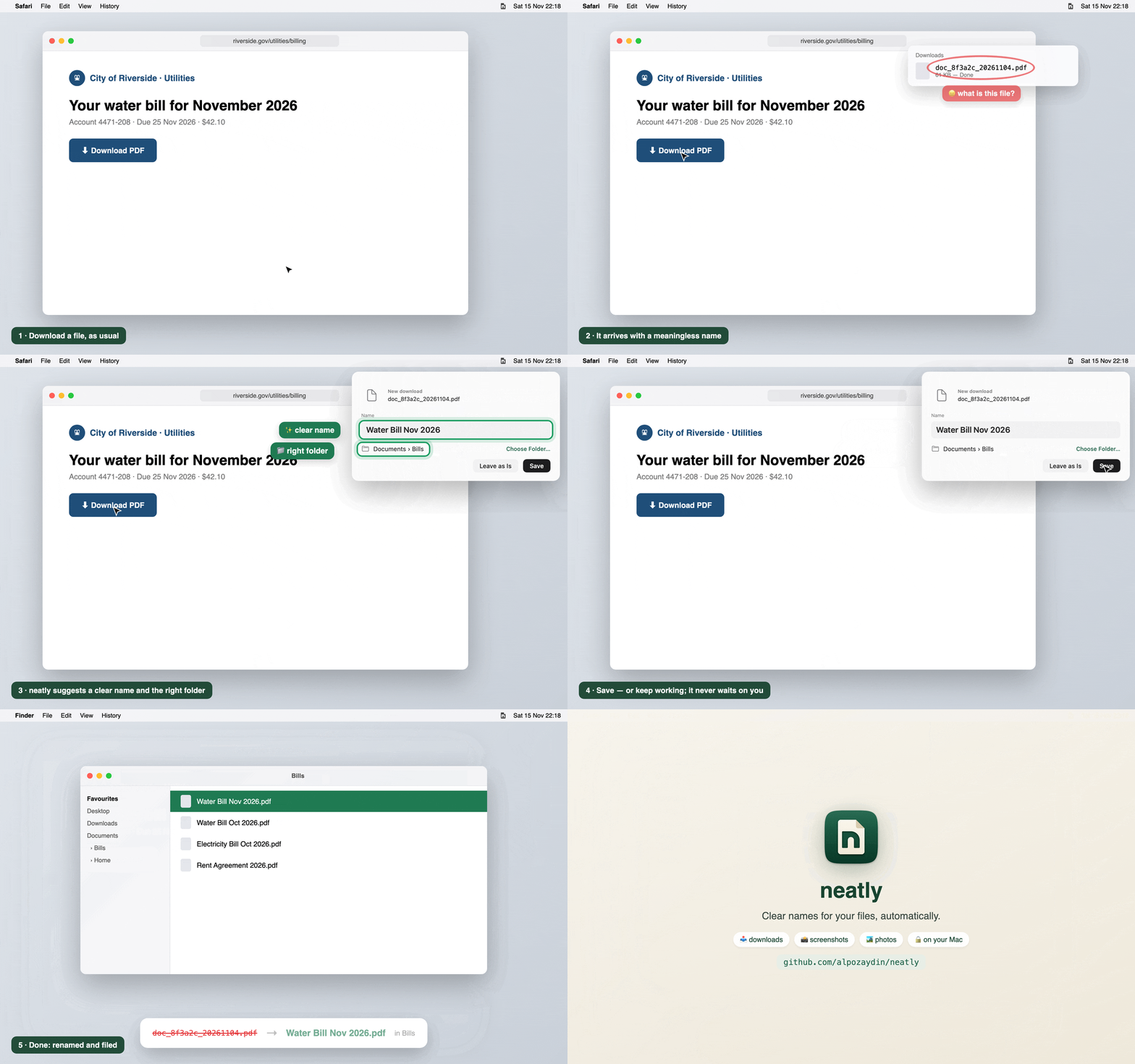
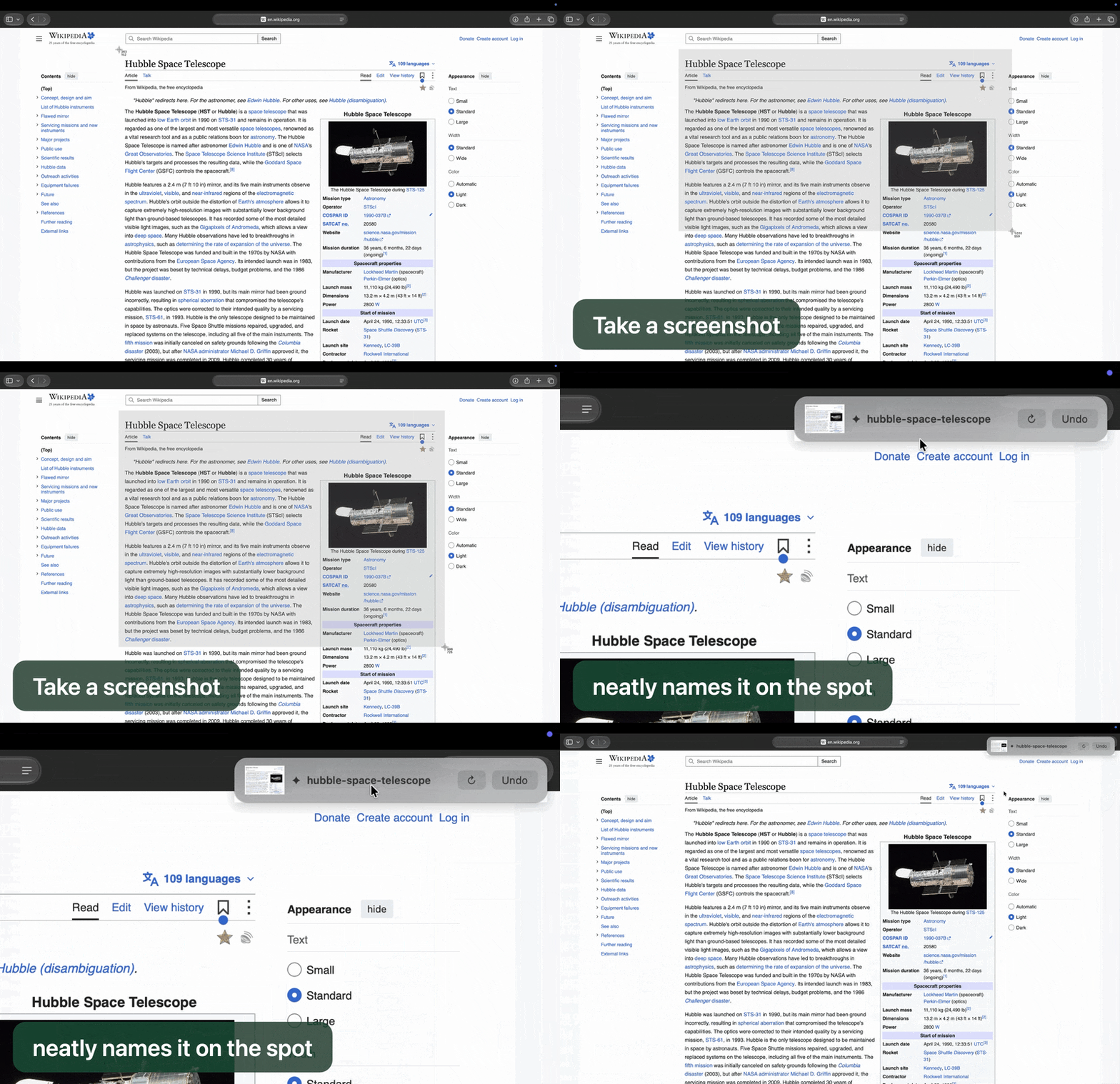
AI file renamer for Mac: clear names for downloads, screenshots and photos, automatically. Private, on-device with Apple Intelligence. Free & open source.
Screenshots
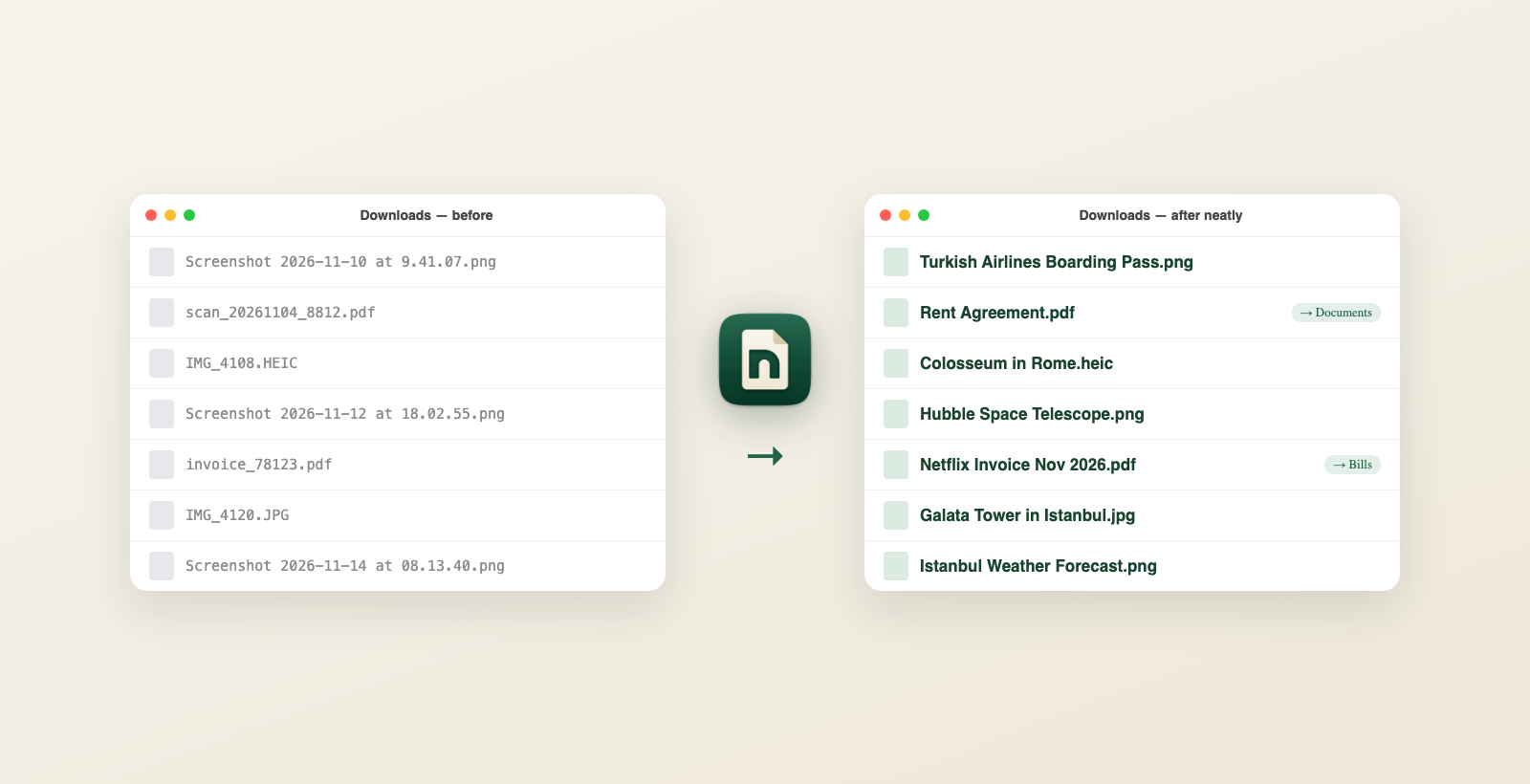
How to install Neatly on a Mac
- Get OpenDMG. It is a free app store for open source Mac apps. Download OpenDMG.
- Search for Neatly and press Get. OpenDMG downloads version 0.6.3 from alpozaydin's own GitHub release.
- Open it. The download is checked against its SHA-256 fingerprint and its signature is checked on your Mac before it lands in Applications.
Updates to Neatly show up in OpenDMG and install with one button. No account is needed.
Prefer to do it by hand? The developer's file is on GitHub: neatly.dmg (1.6 MB).
What is new in Neatly 0.6.3
**neatly** gives your downloads, screenshots and photos clear names, automatically, on your Mac. Private and on-device with Apple Intelligence. Free and open source.

### Install
**[⬇️ Download neatly.dmg](https://github.com/alpozaydin/neatly/releases/latest/download/neatly.dmg)**: open it, drag **neatly** to **Applications**, then open it. Signed and notarized by Apple: no Terminal needed.
Or in Terminal:
```sh
curl -fsSL https://raw.githubusercontent.com/alpozaydin/neatly/main/scripts/install.sh | sh
```
If you have Homebrew: `brew install alpozaydin/tap/neatly && neatly service install`
Needs Apple silicon and macOS 26+. Already installed? neatly updates itself.
### What's new in 0.6.3
- 💿 **neatly.dmg**: install by dragging to Applications, no Terminal. Signed with a Developer ID and notarized by Apple.
- Opened straight from the disk image? neatly installs itself into Applications.
### Also new since 0.6.1 (in 0.6.2)
- 🎬 **Screen recordings** are named like screenshots.
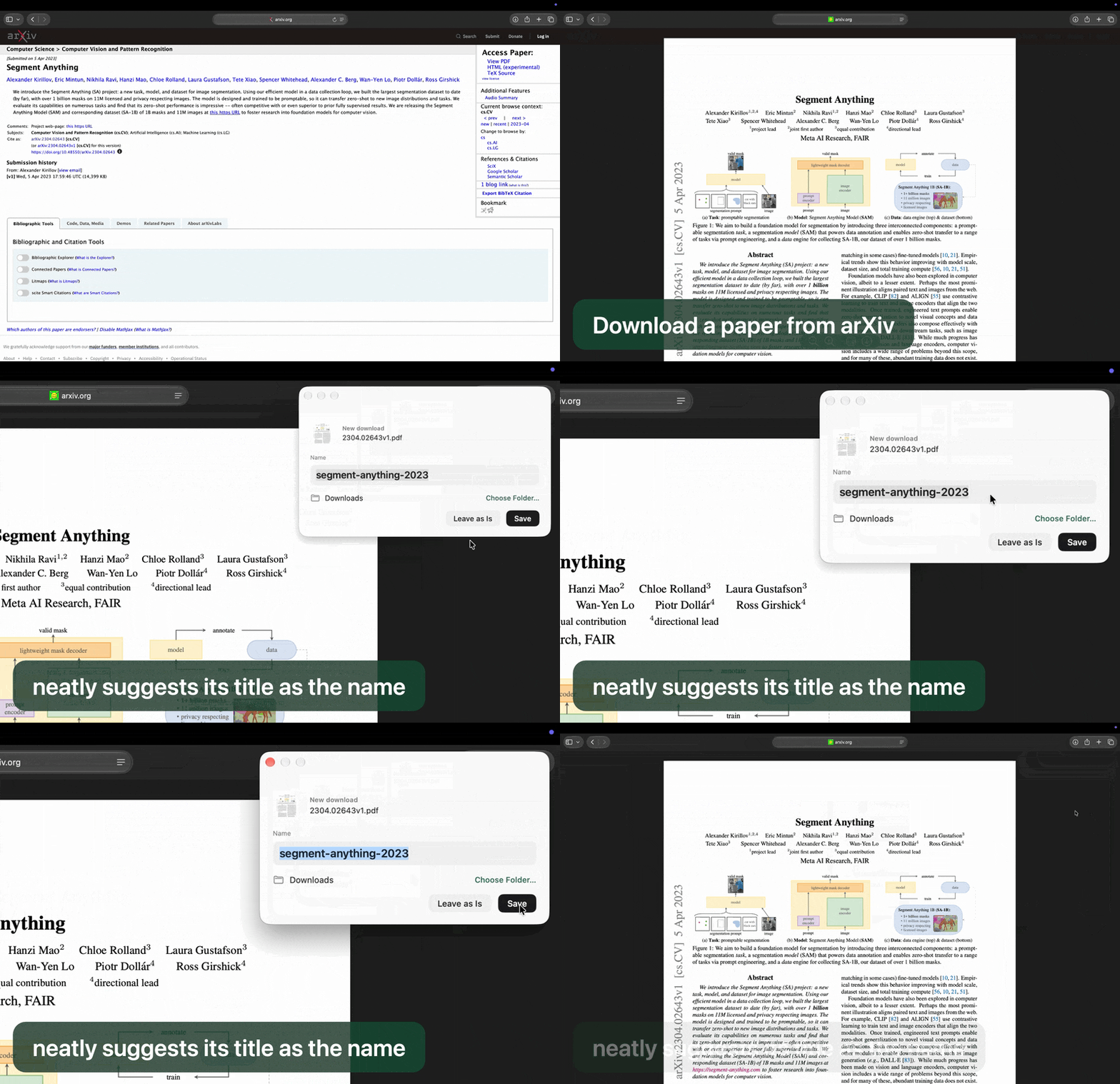
- 📄 Paper titles stay whole ("Attention Is All You Need 2017"); 📚 e-books named by their title ("Pride and Prejudice"); 🧾 forms ("IRS Form W9").
…
More System Tools apps
-
 PearcleanerApp Cleaner and Uninstaller Tool
-
 PureMacFree open-source system cleaner with privacy protection
-
 OpenInTerminalFinder toolbar tool for opening the current folder in a terminal
-
 DockDoorWindow peeking for macOS
-
 DigUpSemantic search app that finds files by their contents
-
 LatestApp update checker that notifies you of available updates for installed applications