

MrEditor for Mac
Ultra-fast viewer and editor for 10 GB+ text files with instant open, full-text search, and atomic saves.
By MR-TABATA. Free and open source, MIT licence.
MrEditor at a glance
- Version
- 1.31.0
- Released
- 26 November 2026
- Download size
- 3.3 MB
- Works on
- Apple silicon and Intel
- Licence
- MIT
- Category
- Writing and Editors
- Developer
- MR-TABATA
- GitHub stars
- 40
About MrEditor
86,420,337 lines — a 10 GB log — open in 80 ms, and 0 bytes of it live in memory. A Mac-native viewer and editor for the files that break everything else: edit in place, save with atomic writes, diff and merge side by side.
Screenshots
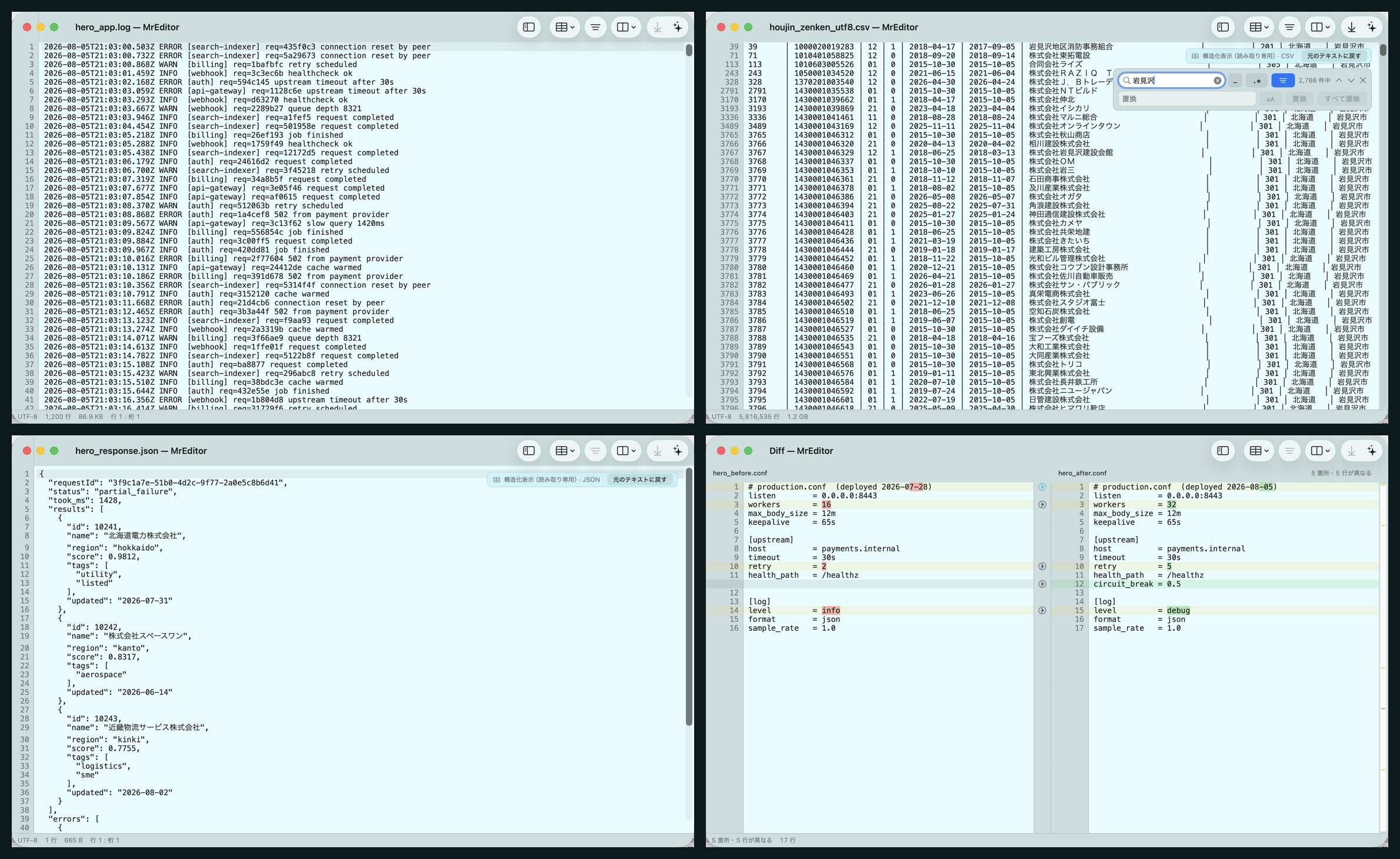
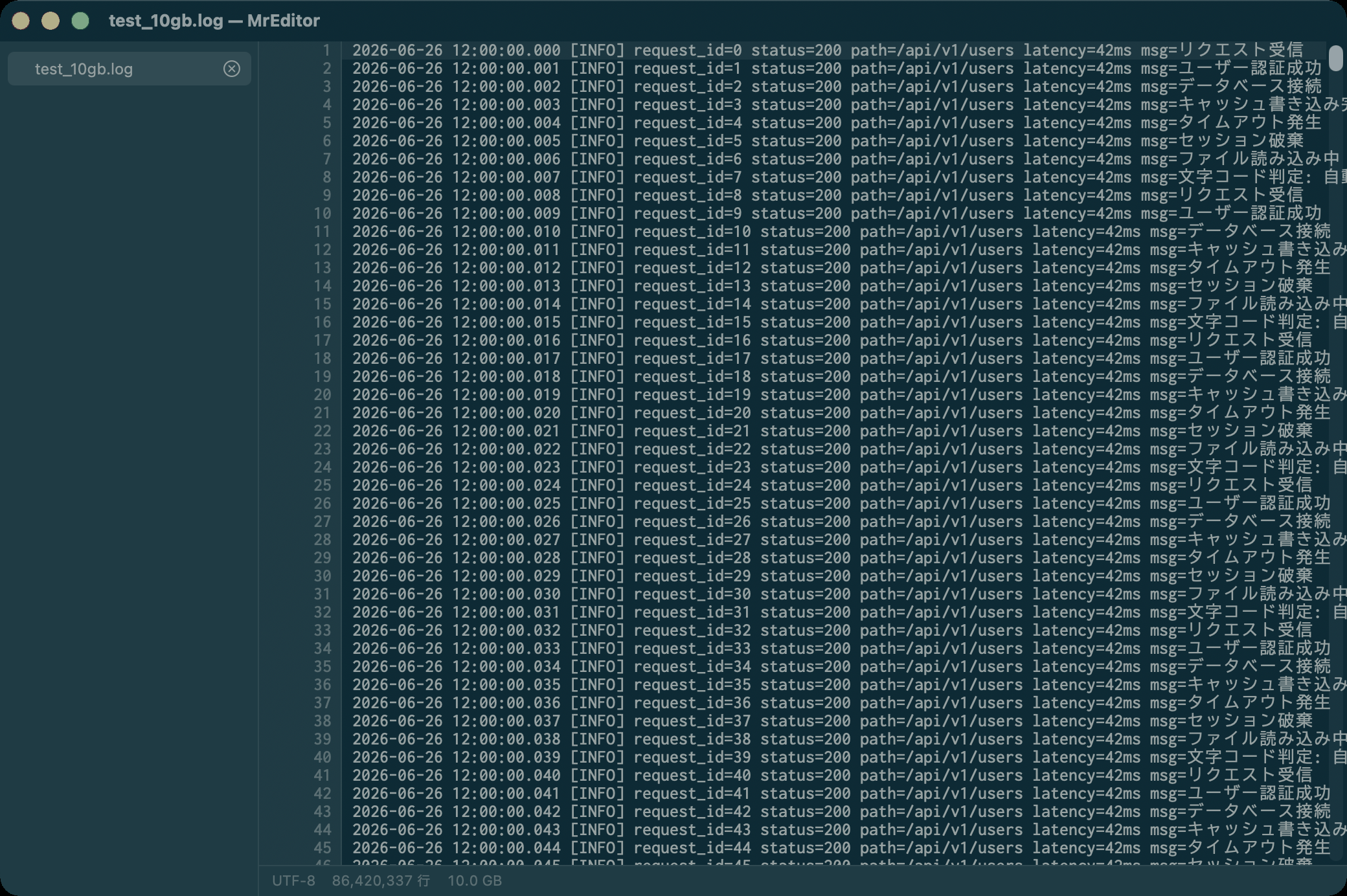
How to install MrEditor on a Mac
- Get OpenDMG. It is a free app store for open source Mac apps. Download OpenDMG.
- Search for MrEditor and press Get. OpenDMG downloads version 1.31.0 from MR-TABATA's own GitHub release.
- Open it. The download is checked against its SHA-256 fingerprint and its signature is checked on your Mac before it lands in Applications.
Updates to MrEditor show up in OpenDMG and install with one button. No account is needed.
Prefer to do it by hand? The developer's file is on GitHub: MrEditor-1.31.0.dmg (3.3 MB).
What is new in MrEditor 1.31.0
## 1.31.0

• 分離した濁点・半濁点を直す:
PDF のテキストや Mac のファイル名を貼ると、「が」が「か」+濁点の 2 文字に分かれて入ることがあります。見た目も検索結果も同じなので、Mac 上では気づけません。書式メニューの「分離した濁点・半濁点を直す」で、選択範囲を 1 文字に直せます。濁点と関係のない文字(互換漢字や記号など)は変えません。

• 分離した濁点の知らせ:
本文に分離した濁点・半濁点があると、ステータスバーに「分離した濁点 N」と件数が出ます。貼り付けたときは、右下の帯でも知らせます。知らせるだけで、本文は書き換えません。件数の表示は、小さいファイルの面だけです(巨大ファイルの閲覧では出ません)。
More Writing and Editors apps
-
 CodeEditOpen-source code editor
-
 MiaoYanLightweight Markdown notebook that keeps notes as plain files in a folder you choose…
-
 CotEditorLightweight Plain-Text Editor for macOS
-
 CopilotForXcodeThe first GitHub Copilot, Codeium and ChatGPT Xcode Source Editor Extension
-
 MarkEditA simple and efficient Markdown editor focused on pure writing experience
-
 PineA modern MacOS markdown editor