

MenubarCC for Mac
Menu bar crab that shows Claude Code session status: walking when working, bouncing when waiting for input.
By ksterx. Free and open source, MIT licence.
MenubarCC at a glance
- Version
- 2.8.0
- Released
- 23 July 2026
- Download size
- 486 KB
- Works on
- Apple silicon and Intel
- Licence
- MIT
- Category
- Artificial Intelligence
- Developer
- ksterx
- GitHub stars
- 6
About MenubarCC
🦀 Clawd, a menu bar crab that shows your Claude Code sessions at a glance — walking while Claude works, bouncing when it needs you
Screenshots
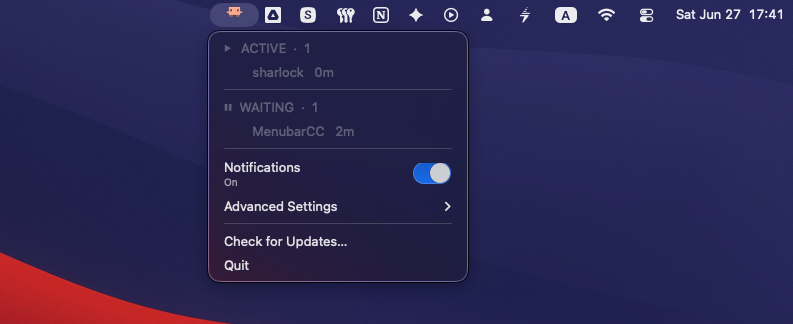
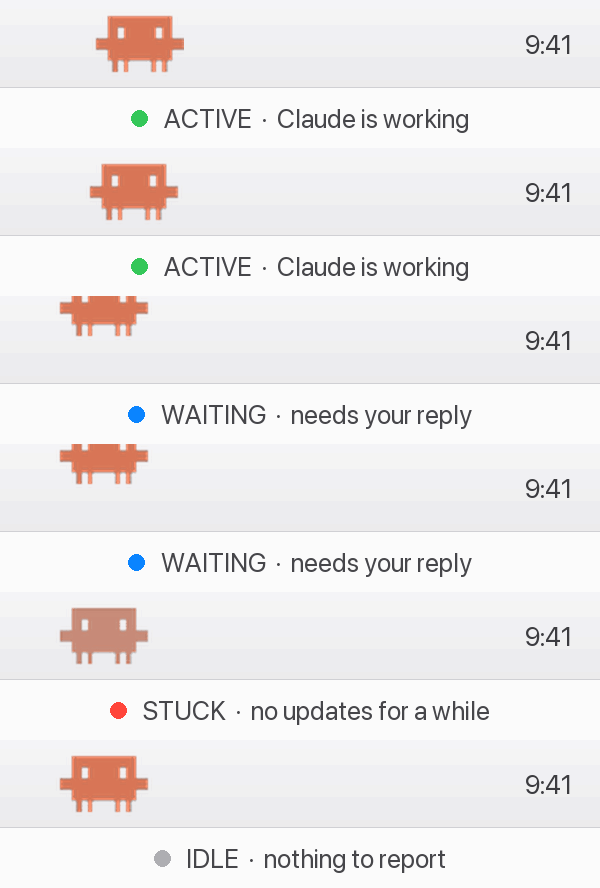
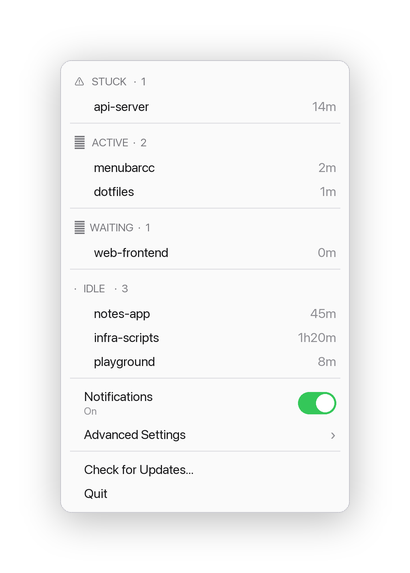
How to install MenubarCC on a Mac
- Get OpenDMG. It is a free app store for open source Mac apps. Download OpenDMG.
- Search for MenubarCC and press Get. OpenDMG downloads version 2.8.0 from ksterx's own GitHub release.
- Open it. The download is checked against its SHA-256 fingerprint and its signature is checked on your Mac before it lands in Applications.
Updates to MenubarCC show up in OpenDMG and install with one button. No account is needed.
Prefer to do it by hand? The developer's file is on GitHub: MenubarCC-2.8.0.dmg (486 KB).
What is new in MenubarCC 2.8.0
## What's new in v2.8.0

- **Automatic update checks.** MenubarCC now checks for new versions on launch and once a day. When one is available, an **Update to vX.Y.Z…** item appears at the top of the menu (downloading and restarting still ask first). Toggle it under **Advanced Settings → Automatically Check for Updates**.
- **Usage limits as rings.** The 5-hour and weekly limits show as side-by-side progress rings.
- **Tidier session list.** Name, age, and context % line up in columns and fill the width — no more empty space on the right.
- **Preview notification sounds.** Each sound in **Advanced Settings → Notification Sounds** has a ▶ that plays the current sound at your set volume, without closing the menu.
- **Gentle nudges** to turn on the hook or usage capture if you haven't yet.
- Response Preview moved into Advanced Settings (still on by default).
More Artificial Intelligence apps
-
 CodexBarShow usage stats for OpenAI Codex and Claude Code, without having to login
-
 CodeBurnTracks token usage, cost, and performance across 25 AI agents with per-task breakdowns
-
 OsaurusLocal LLM server and AI infrastructure with menu bar, CLI, and shared tools
-
 QuotioAI subscription manager with quota tracking and automatic failover
-
 Claude Usage TrackerTrack the usage of Claude Code
-
 VibeProxyMenu bar app to use existing Claude, ChatGPT, and other subscriptions with AI coding…