

MacPacker for Mac
Browse archives like folders, preview files without extracting, and drag out only the ones you need.
By sarensw. Free and open source, GPL-3.0 licence.
MacPacker at a glance
- Version
- 1.0.0
- Released
- 1 October 2026
- Download size
- 19 MB
- Works on
- Apple silicon and Intel
- Licence
- GPL-3.0
- Category
- Utilities
- Developer
- sarensw
- GitHub stars
- 1.2K
About MacPacker
Archive manager and 7zip replacement for macOS. Preview (nested) archives without extracting them. Extract single files.
Screenshots
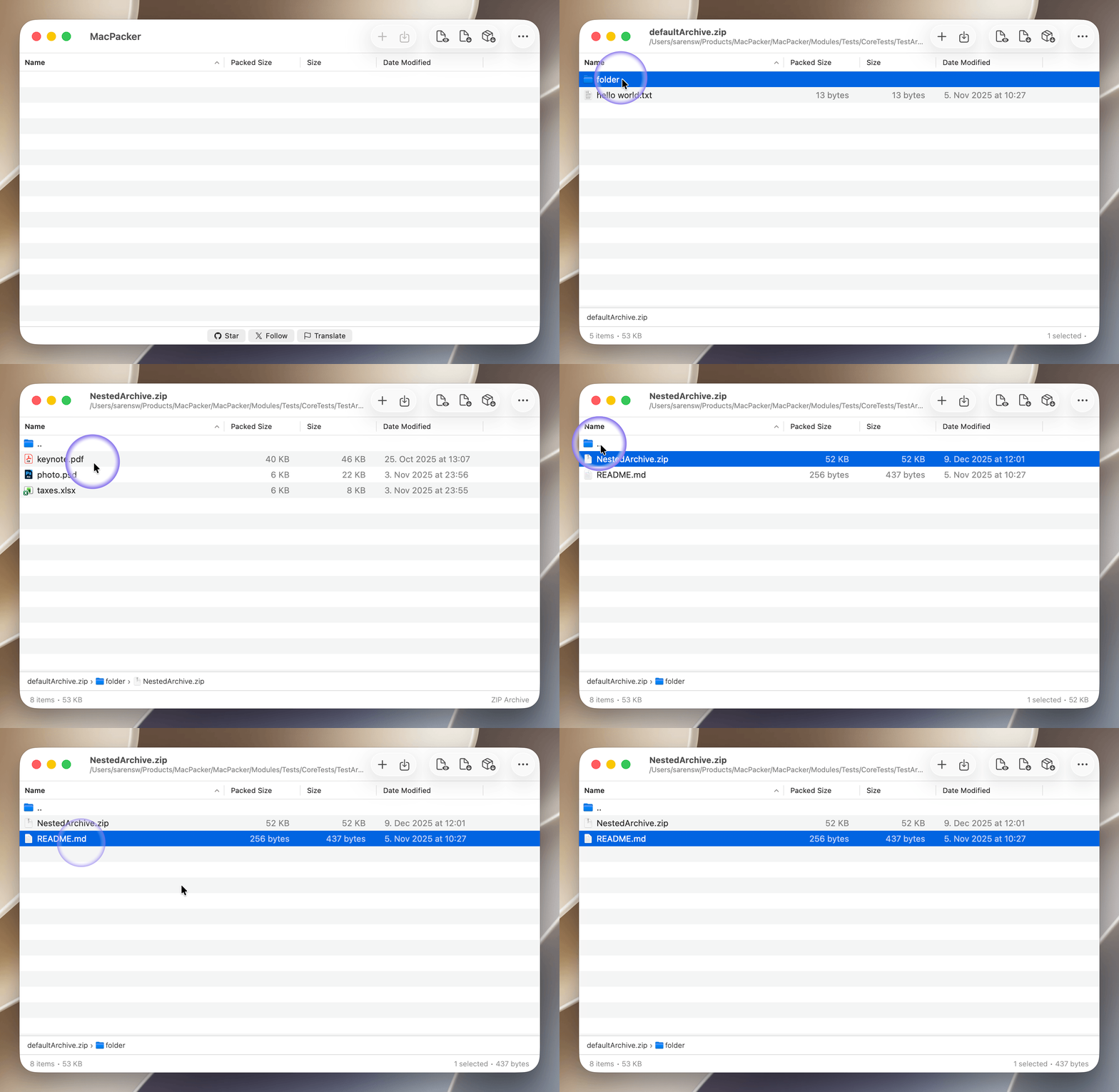
How to install MacPacker on a Mac
- Get OpenDMG. It is a free app store for open source Mac apps. Download OpenDMG.
- Search for MacPacker and press Get. OpenDMG downloads version 1.0.0 from sarensw's own GitHub release.
- Open it. The download is checked against its SHA-256 fingerprint and its signature is checked on your Mac before it lands in Applications.
Updates to MacPacker show up in OpenDMG and install with one button. No account is needed.
Prefer to do it by hand? The developer's file is on GitHub: MacPacker_v1.0.0.dmg (19 MB).
What is new in MacPacker 1.0.0
### New Features
* Extract without scattering files or nesting folders
* Encrypt archives with a password
* Split archives into volumes
* More compression settings when saving
* Leave .DS_Store files out of archives
* New options in Finder integration
* Recent archives can now be turned off
* Quick Look preview for cbz and cbr
* Quick Look follows your engine settings
* Open nested archives in Quick Look
* Grant folder access once in Settings
* Simpler welcome window

### Bug Fixes
* Fewer folder-access prompts
* Archiving strips Mac file information
* 7z extraction strips execute bits and links
* An archive can be opened twice
* Deleting a file could remove a different one

### Localization
* Language update
* Now available in Vietnamese
More Utilities apps
-
 BetterDisplayDisplay management tool with HiDPI scaling, PiP, and EDID controls
-
 VorssaintAn open-source, free, and local toolkit that integrates functions such as preventing…
-
 MosSmooth your mouse's scrolling and reverse the mouse scroll direction
-
 EasydictmacOS instant translator — type/select/screenshot, multi-service, zero setup
-
 OpenHaystackOpen-source tracker for finding Bluetooth devices through Apple's Find My network
-
 KekaKeka is a full featured file archiver, as easy as it can be