
MacAssistant for Mac
Mac maintenance toolbox for app management, repairs, commands, and sideloading.
By iosrxwy. Free and open source.
MacAssistant at a glance
- Version
- 1.0.5
- Released
- 30 October 2026
- Download size
- 17 MB
- Works on
- Apple silicon and Intel
- Category
- System Tools
- Developer
- iosrxwy
- GitHub stars
- 233
About MacAssistant
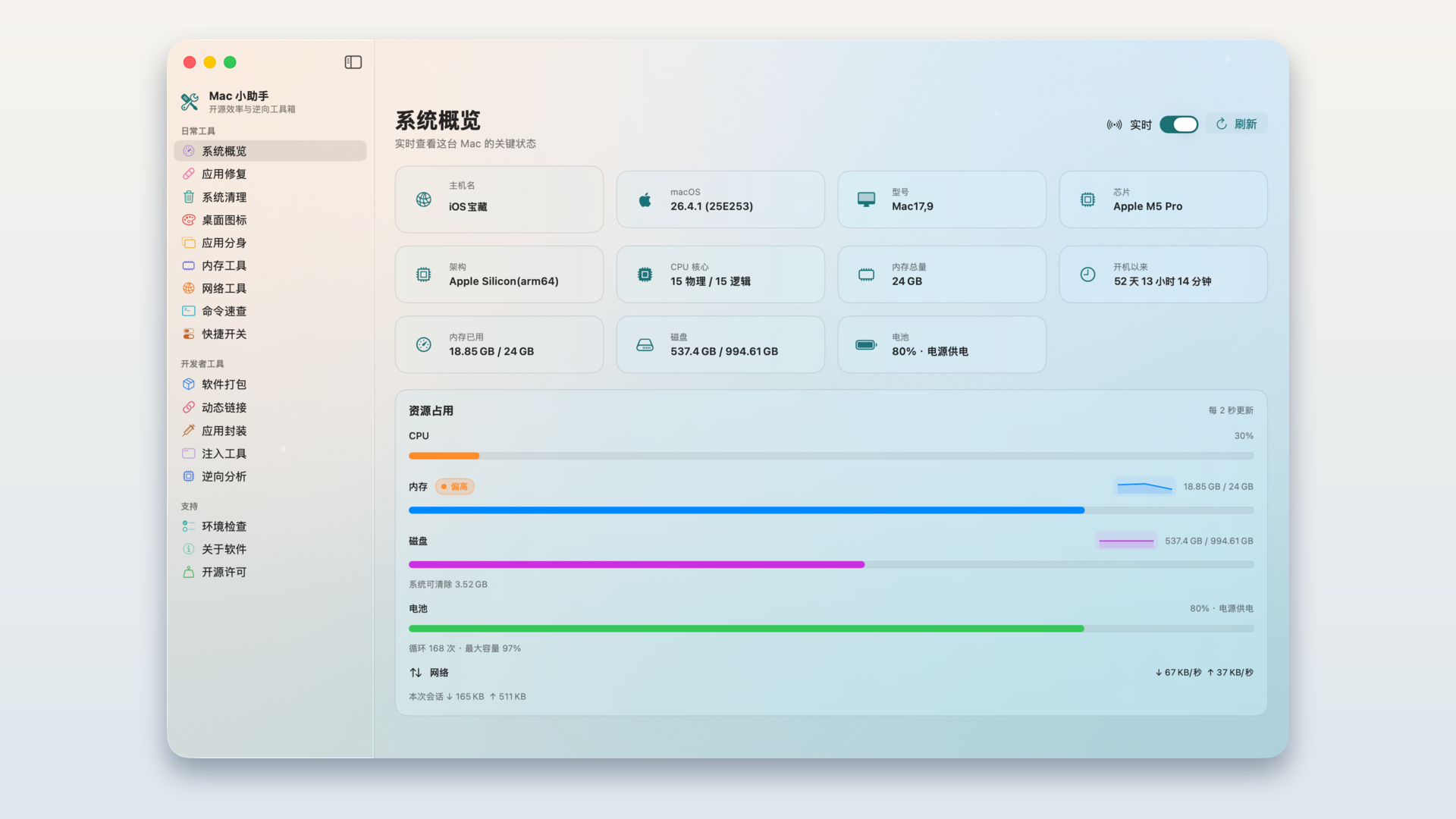
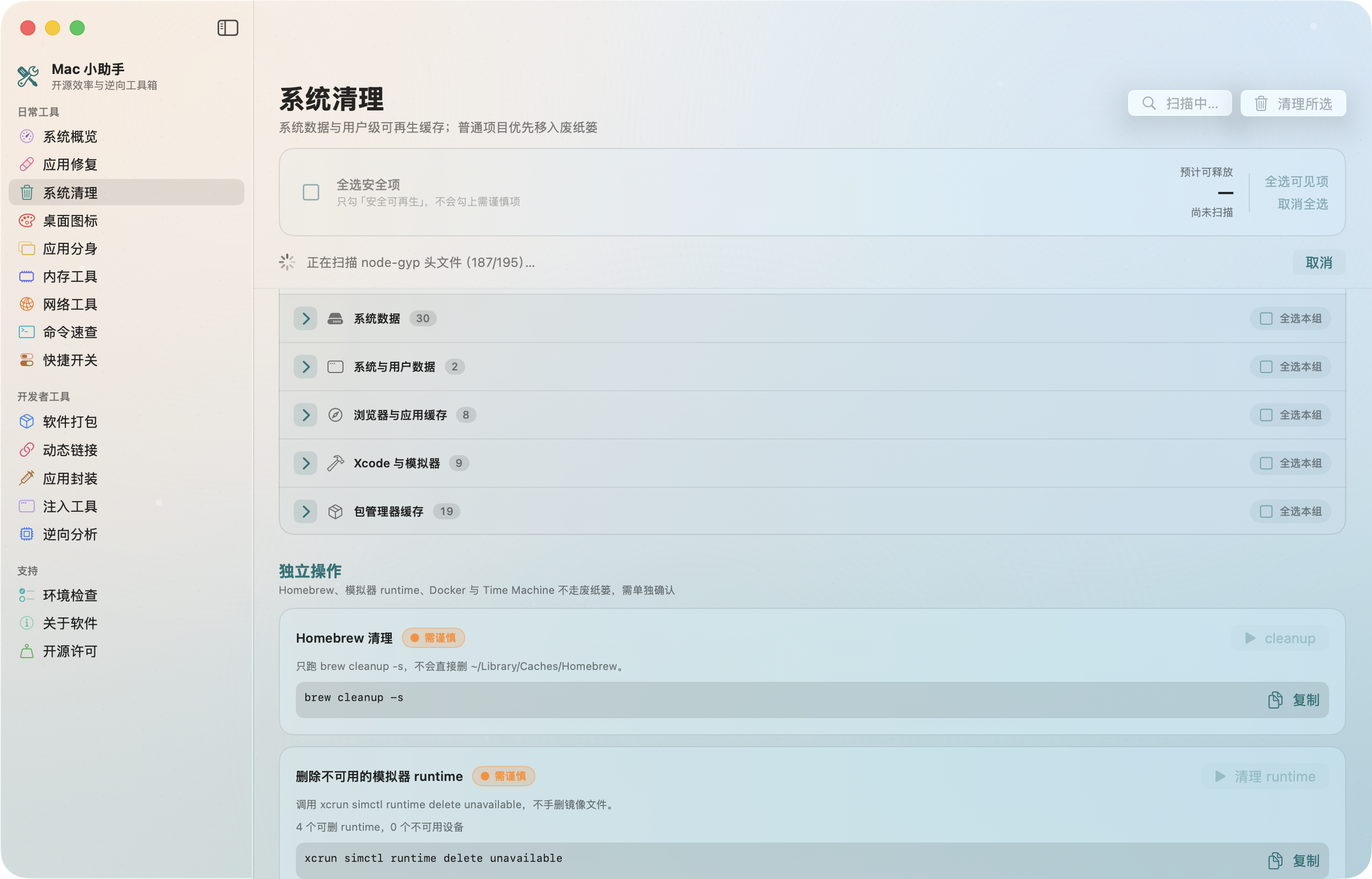
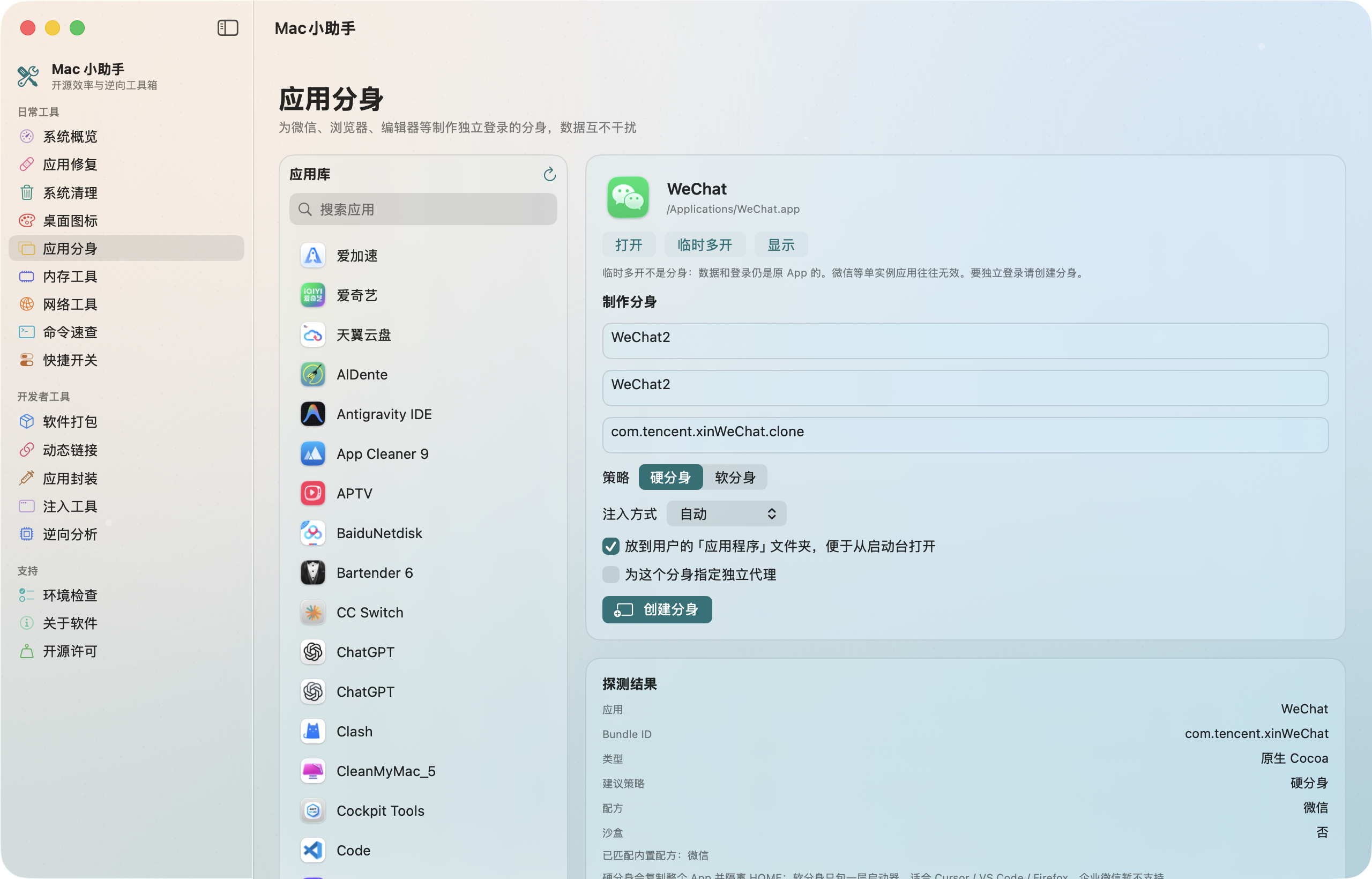
Native SwiftUI toolbox for macOS maintenance and Apple-binary workflows
Screenshots
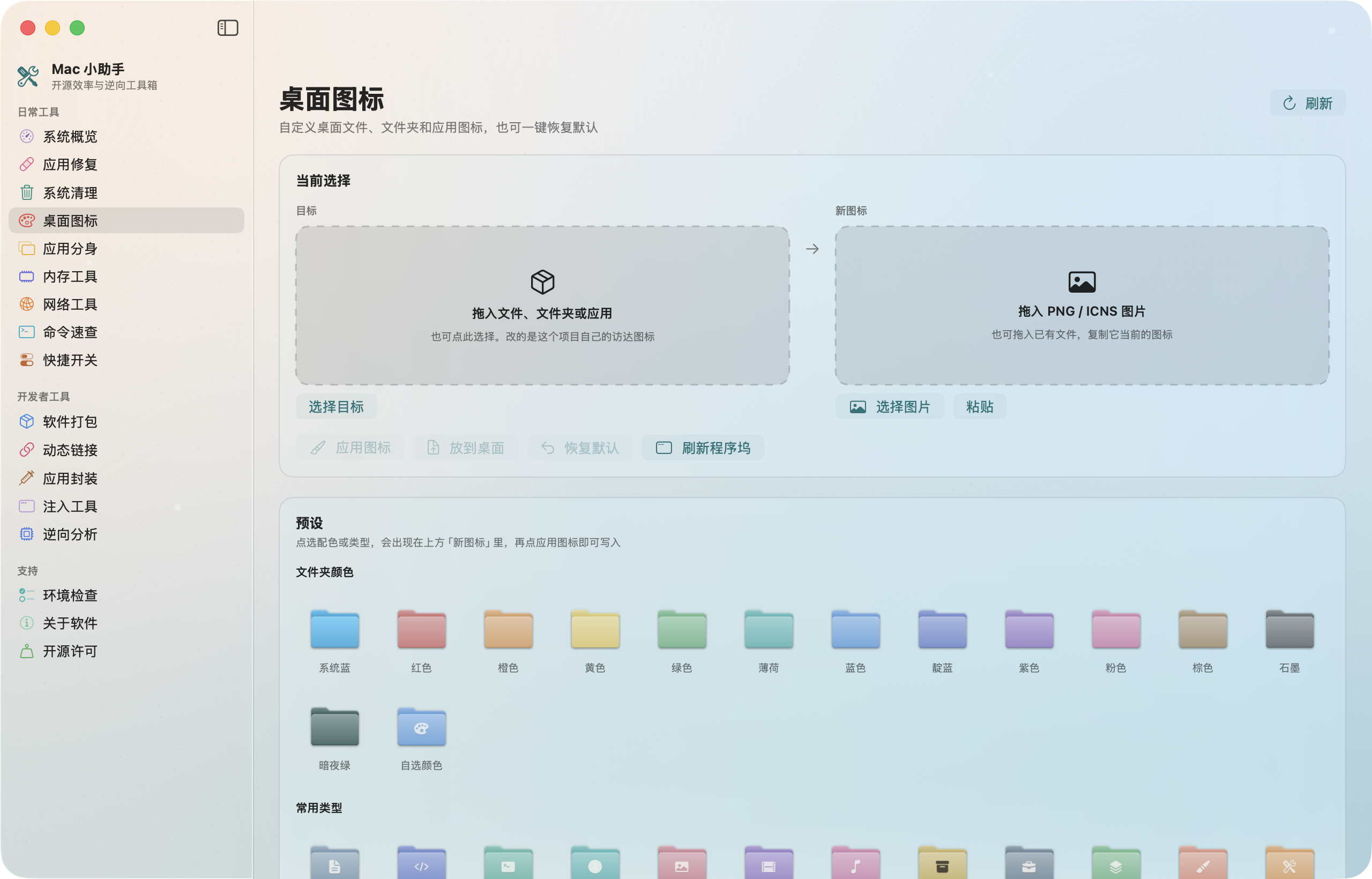
How to install MacAssistant on a Mac
- Get OpenDMG. It is a free app store for open source Mac apps. Download OpenDMG.
- Search for MacAssistant and press Get. OpenDMG downloads version 1.0.5 from iosrxwy's own GitHub release.
- Open it. The download is checked against its SHA-256 fingerprint and its signature is checked on your Mac before it lands in Applications.
Updates to MacAssistant show up in OpenDMG and install with one button. No account is needed.
Prefer to do it by hand? The developer's file is on GitHub: MacAssistant-v1.0.5-macos-universal.zip (17 MB).
What is new in MacAssistant 1.0.5
## 中文

ad-hoc 签名,未经苹果公证。**关于 → 检查更新** 可从上一版升上来。

### 新增
- **菜单栏**:一个图标同时显示电量、Wi-Fi 和音量。可连接或断开蓝牙,并切换自动 / 低电量 / 高电量。授权一次后本次打开不用再输管理员密码。关掉窗口后图标仍留在菜单栏。
- **应用卸载**:把应用和它在个人资料库里的支持文件、缓存、偏好移到废纸篓。系统应用和正在使用的 Mac 小助手不会动。
- **桌面图标**:16 个粘土贴纸、8 个文件夹造型、9 个 AI 文件夹(Codex、GPT、Claude、Grok、Grok Bot、DeepSeek、Kimi、GLM、Muse)。按常见配色和符号原创绘制,不是官方标志文件。
- **本机应用**:可扫描已写入的第三方插件,卸除加载命令,可选删除插件文件并重新签名。
- **应用修复**:可关闭系统自动检查、下载和安装 macOS 更新。不伪装系统版本。

### 优化
- **内存工具**:可冻结同一应用的主进程和辅助进程。暂停后仍留在列表里,再点一次恢复。

### 修复
- 氛围背景不再盖住侧栏和页面。
- 窗口顶栏的关闭、最小化、缩放和侧栏开关不再被页面盖住。

### 首次打开
本构建为 ad-hoc 签名,未经 Apple 公证。若 macOS 拦截:先打开一次,再到 **系统设置 → 隐私与安全性 → 仍要打开**。

SHA-256:`f23dd73c6bdeddb647b6573cd13b801d9bc3a1120ffebc8251e0c3b65a317be3`

---

## English

Ad-hoc signed; not notarized by Apple. Update from **About → Check for updates**.

### Added
- **Menu bar**: battery, Wi-Fi, and volume in one icon. Connect or disconnect Bluetooth, and switch Auto / Low Power / High Power. One admin prompt lasts for this launch. The icon stays after the window closes.
- **App uninstall**: move an app and its support files, caches, and preferences in your home library to the Trash. System apps and the running copy of Mac Assistant are left alone.
- **Desktop icons**: 16 clay stickers, 8 folder costumes, and 9 AI folders (Codex, GPT, Claude, Grok, Grok Bot, DeepSeek, Kimi, GLM, Muse). Original drawings, not official logo files.
…
More System Tools apps
-
 PearcleanerApp Cleaner and Uninstaller Tool
-
 PureMacFree open-source system cleaner with privacy protection
-
 OpenInTerminalFinder toolbar tool for opening the current folder in a terminal
-
 DockDoorWindow peeking for macOS
-
 DigUpSemantic search app that finds files by their contents
-
 LatestApp update checker that notifies you of available updates for installed applications