

Mac Monitor for Mac
Lightweight menu bar monitor for RAM, CPU, network and disk, focused on memory pressure.
By Ahmadjondev. Free and open source, MIT licence.
Mac Monitor at a glance
- Version
- 1.0.0
- Released
- 24 October 2026
- Download size
- 1.8 MB
- Works on
- Apple silicon and Intel
- Licence
- MIT
- Category
- System Tools
- Developer
- Ahmadjondev
- GitHub stars
- 13
About Mac Monitor
Lightweight macOS menu-bar system monitor — RAM, CPU, network, disk. SwiftUI + AppKit, no dependencies.
Screenshots
How to install Mac Monitor on a Mac
- Get OpenDMG. It is a free app store for open source Mac apps. Download OpenDMG.
- Search for Mac Monitor and press Get. OpenDMG downloads version 1.0.0 from Ahmadjondev's own GitHub release.
- Open it. The download is checked against its SHA-256 fingerprint and its signature is checked on your Mac before it lands in Applications.
Updates to Mac Monitor show up in OpenDMG and install with one button. No account is needed.
Prefer to do it by hand? The developer's file is on GitHub: MacMonitor.dmg (1.8 MB).
What is new in Mac Monitor 1.0.0
First public release.

### Added
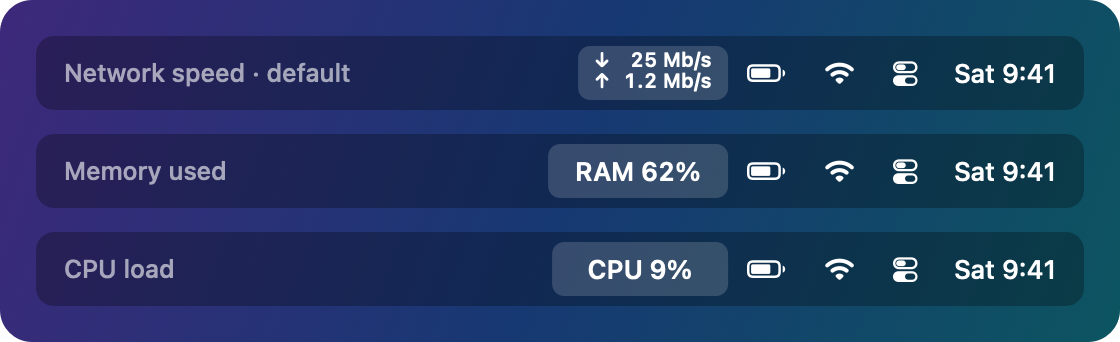
- Menu-bar item showing live network speed (↓/↑), RAM % or CPU %, in a fixed-width
 Retina-crisp template image.
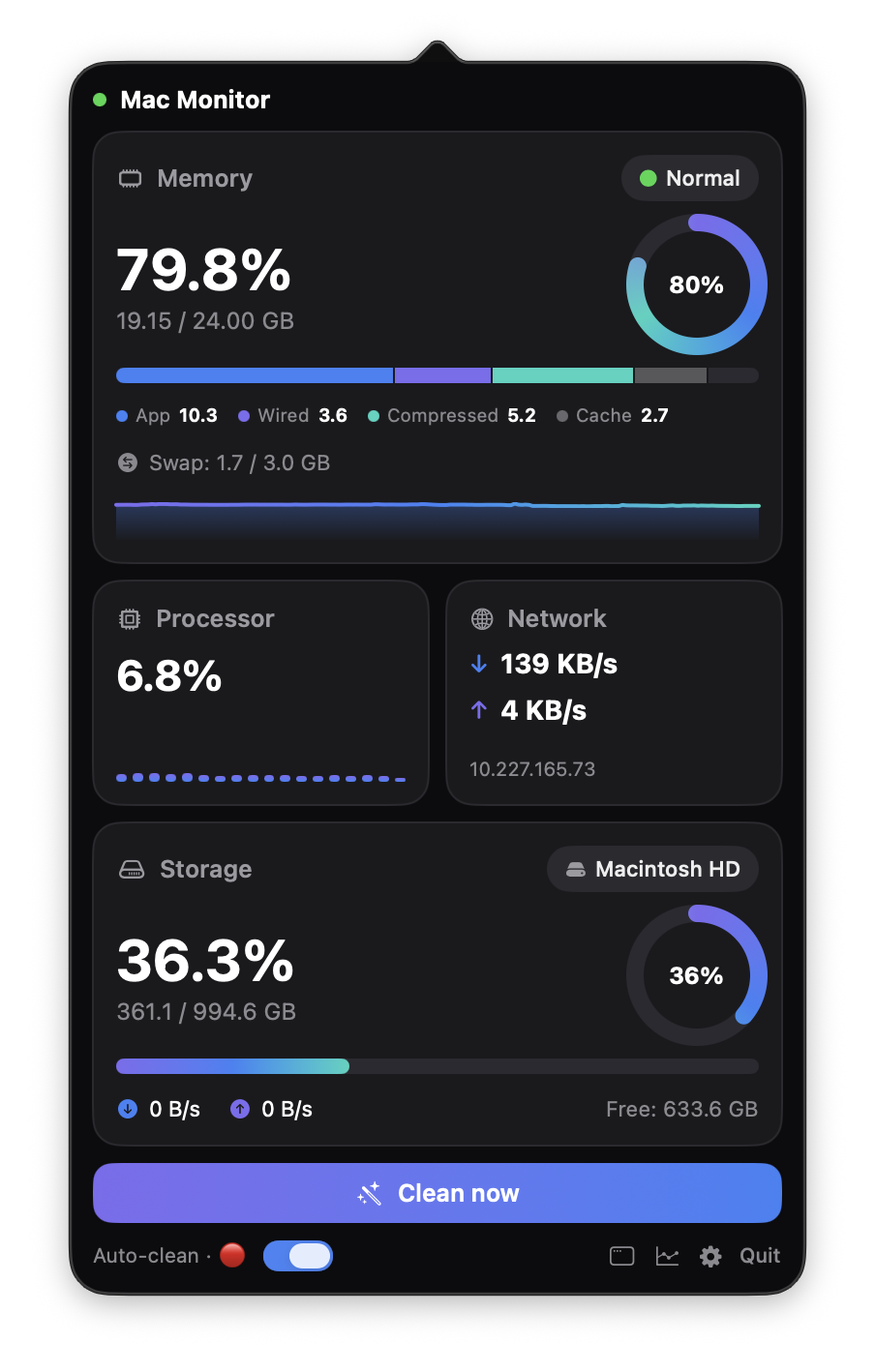
- Dashboard popover with Memory (composition bar, swap, pressure graph), Processor
 (per-core bars), Network (speed, totals, local IP), Storage (capacity, disk I/O) and
 Top apps cards.
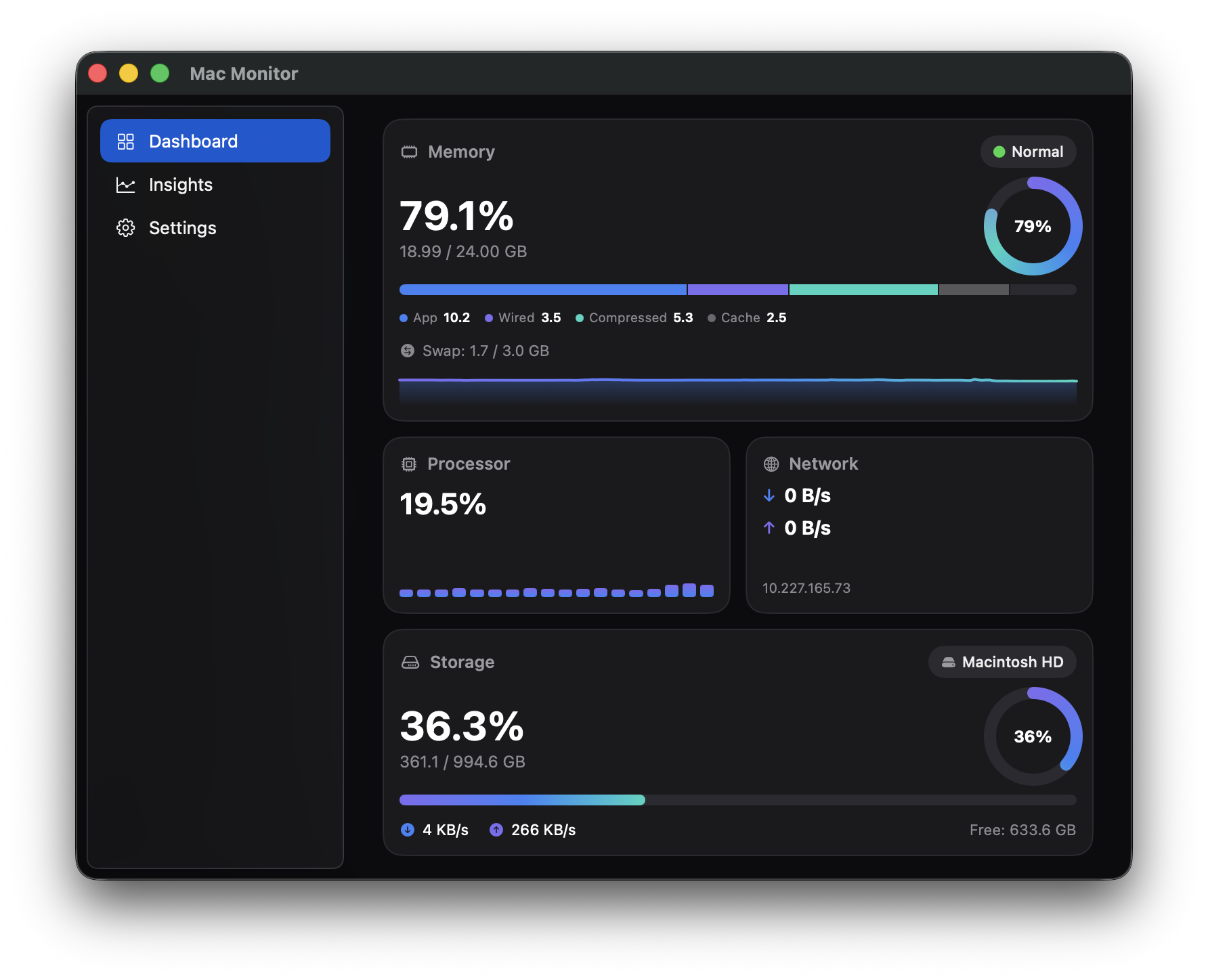
- Full window mode with sidebar (Dashboard / Insights / Settings) and extra detail:
 CPU split, load average, processes/threads, packets, per-interface totals, IOPS,
 Battery and GPU cards.
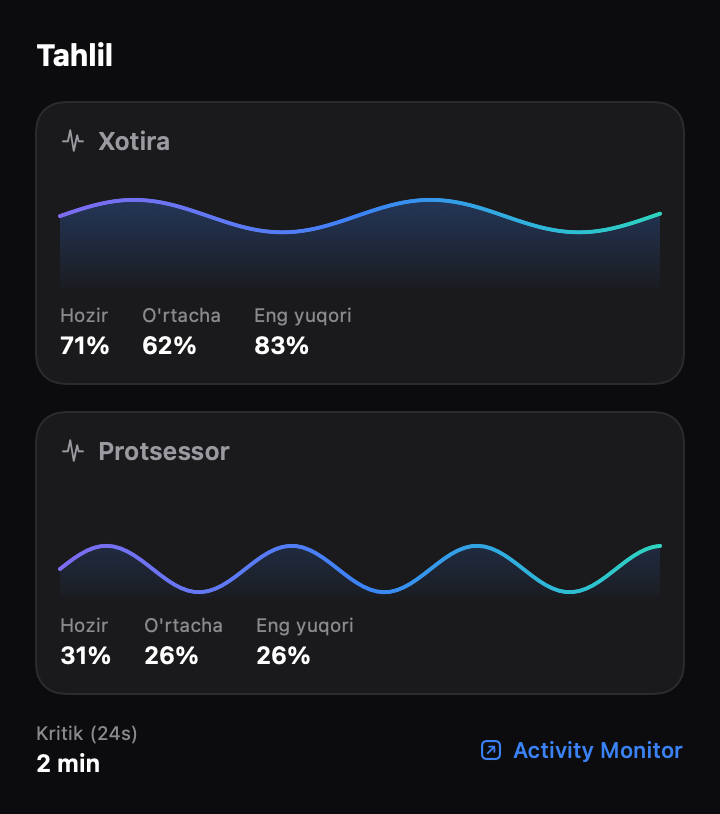
- Insights: RAM and CPU history charts with now / average / peak, and critical-pressure
 minutes over 24 h, persisted across restarts.
- Memory cleaning with `purge`: on demand, or automatically only at critical memory
 pressure (opt-in). Optional single-command sudoers rule for silent cleaning.
- Critical-pressure notifications (opt-in).
- English, Russian and Uzbek UI, switchable live.
- Settings for menu-bar metric, update rate, network unit, card visibility and launch
 at login (LaunchAgent), grouped into sections. Warns when auto-clean is on but the
 sudoers rule is missing.
- First-launch welcome window and a styled drag-to-install DMG.
- Universal binary (Apple Silicon + Intel) for macOS 13 Ventura and later.
- Lightweight sampling: about 1% CPU in normal use. Hidden views don't re-render, and
 `ps` and disk-capacity queries run off the main thread.
…
More System Tools apps
-
 PearcleanerApp Cleaner and Uninstaller Tool
-
 PureMacFree open-source system cleaner with privacy protection
-
 OpenInTerminalFinder toolbar tool for opening the current folder in a terminal
-
 DockDoorWindow peeking for macOS
-
 DigUpSemantic search app that finds files by their contents
-
 LatestApp update checker that notifies you of available updates for installed applications