
Lumi for Mac
AI assistant that uses your screen context to find files and answer questions on your Mac.
By loomtable. Free and open source, GPL-3.0 licence.
Lumi at a glance
- Version
- 0.2.0
- Released
- 29 October 2026
- Download size
- 17 MB
- Works on
- Apple silicon and Intel
- Licence
- GPL-3.0
- Category
- Artificial Intelligence
- Developer
- loomtable
- GitHub stars
- 7
About Lumi
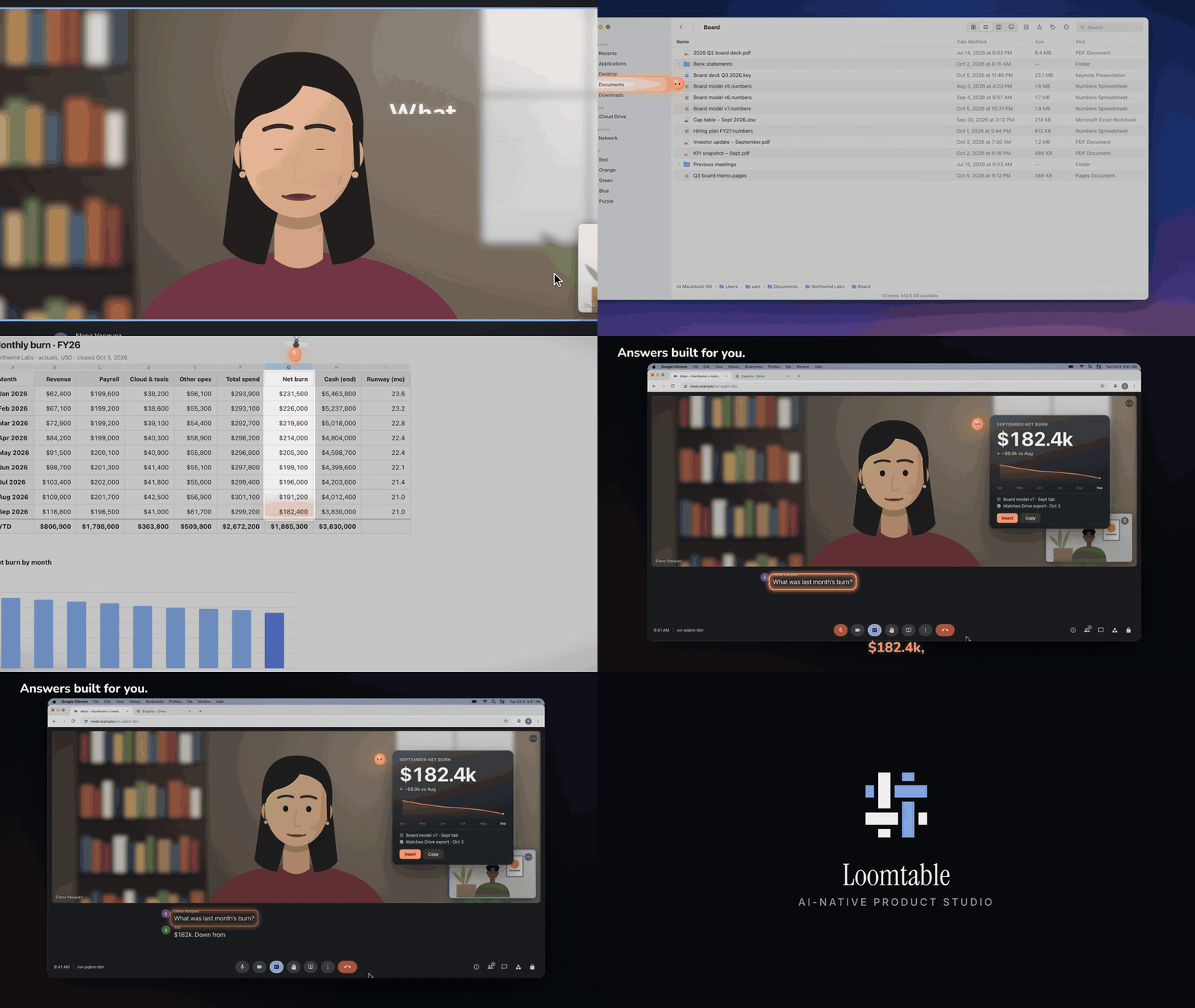
The light inside your Mac. Free, open-source Mac app that works with your Claude Code.
Screenshots
How to install Lumi on a Mac
- Get OpenDMG. It is a free app store for open source Mac apps. Download OpenDMG.
- Search for Lumi and press Get. OpenDMG downloads version 0.2.0 from loomtable's own GitHub release.
- Open it. The download is checked against its SHA-256 fingerprint and its signature is checked on your Mac before it lands in Applications.
Updates to Lumi show up in OpenDMG and install with one button. No account is needed.
Prefer to do it by hand? The developer's file is on GitHub: Lumi.dmg (17 MB).
What is new in Lumi 0.2.0
Ask from your editor, then your inbox, then again tomorrow: it's one conversation, and Lumi still knows where you left off.

### New
- **Switch with Tab.** Hold the Lumi key and press Tab, and your recent sessions open under the pill. Speak before you let go, and the words go to the one you picked.
- **Type, and it opens in the Panel.** Double-tap the key and the answer streams in beside your work, code and all. Paste a screenshot, drop a file, or type `@` for a file and `/` for one of your commands.
- **Change your mind mid-thread.** Edit an earlier question, and the conversation picks up from there.
- **Work runs while you work.** Each running question gets a small capsule at the top of the screen. Answers wait their turn instead of covering the one you're reading, and anything that needs your OK turns amber.
- **Teammates.** A big job can split across a few named helpers working side by side, each in its own lane. Lumi asks first.
- **The Lumi window.** Every session, Home and Settings in one place, a click away in the Dock. Six themes, from Light to Neon Noir.
- **Dictation key.** Tap, speak as long as you like, tap again: your words land at the cursor in any app, and nothing goes to Claude. Every dictation is saved to your Dictation history and kept as long as your sessions, and nothing you dictate into a password field is ever saved.

### Fixed
…
More Artificial Intelligence apps
-
 CodexBarShow usage stats for OpenAI Codex and Claude Code, without having to login
-
 CodeBurnTracks token usage, cost, and performance across 25 AI agents with per-task breakdowns
-
 OsaurusLocal LLM server and AI infrastructure with menu bar, CLI, and shared tools
-
 QuotioAI subscription manager with quota tracking and automatic failover
-
 Claude Usage TrackerTrack the usage of Claude Code
-
 VibeProxyMenu bar app to use existing Claude, ChatGPT, and other subscriptions with AI coding…