
LokalBot for Mac
Local LLM workhorse that records meetings, turns conversations into searchable memory, and helps recall, dictate, write, and automate.
By stevyhacker. Free and open source, GPL-3.0 licence.
LokalBot at a glance
- Version
- 0.14.0
- Released
- 24 November 2026
- Download size
- 71 MB
- Works on
- Apple silicon
- Licence
- GPL-3.0
- Category
- Artificial Intelligence
- Developer
- stevyhacker
- GitHub stars
- 124
About LokalBot
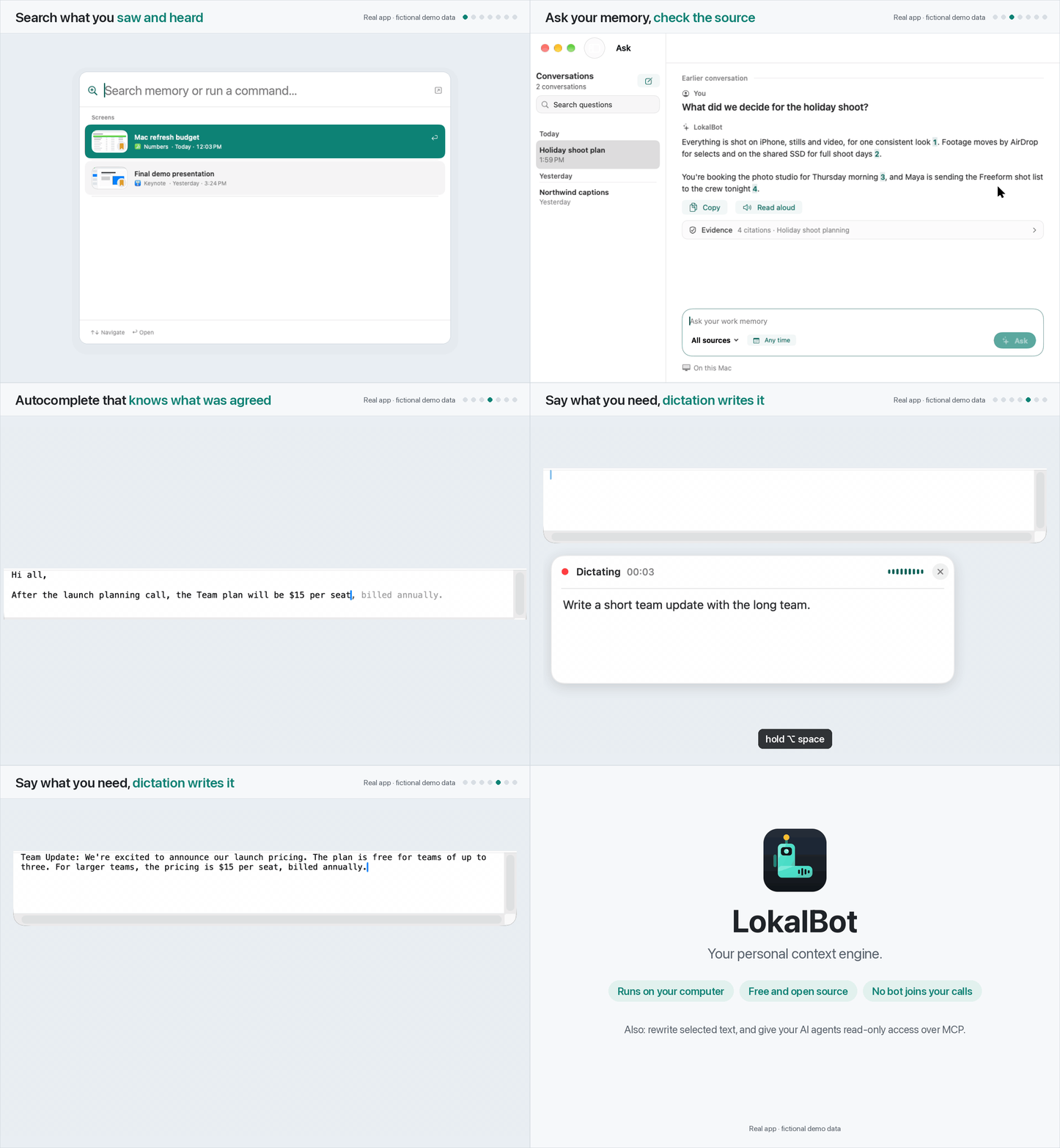
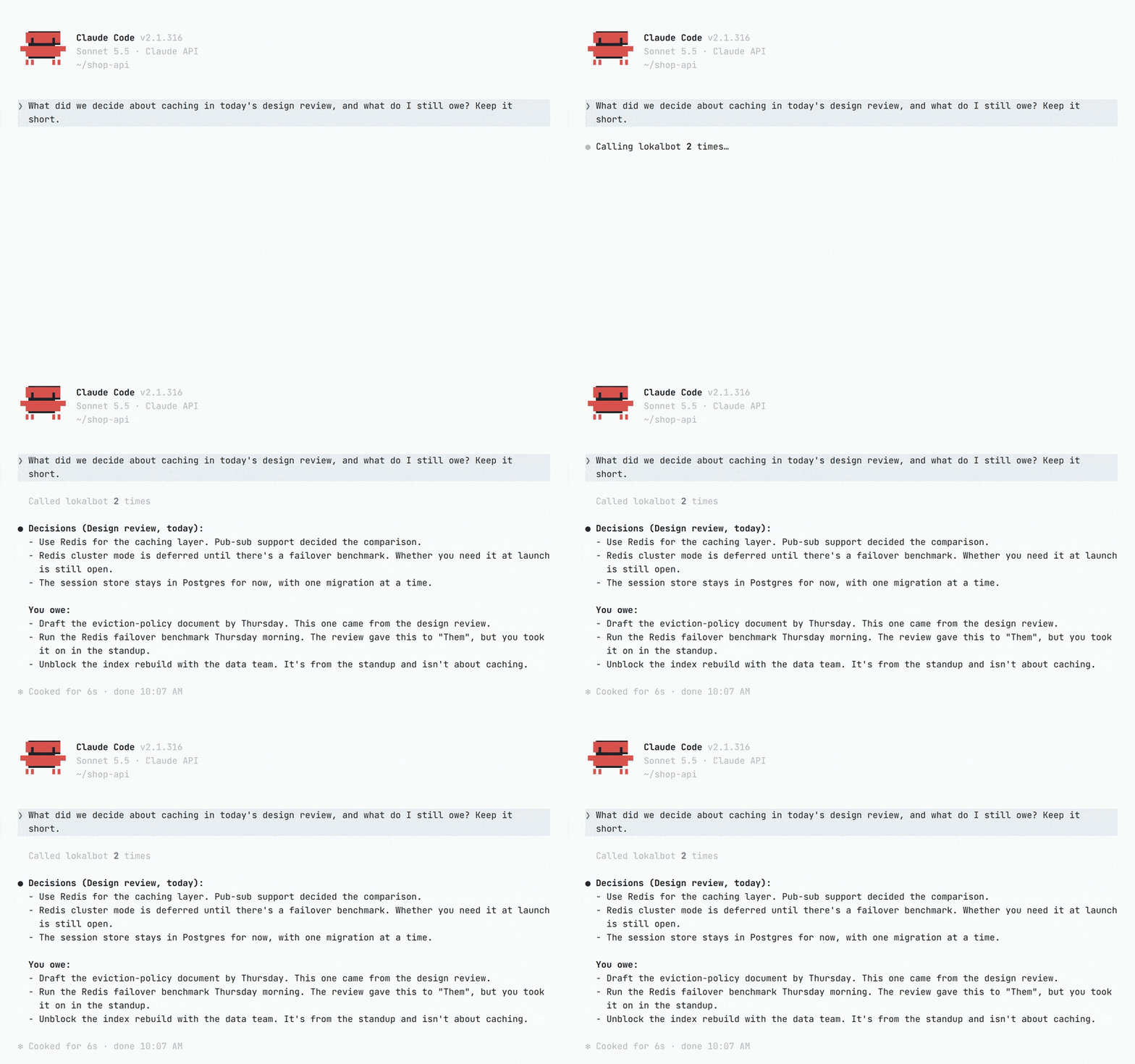
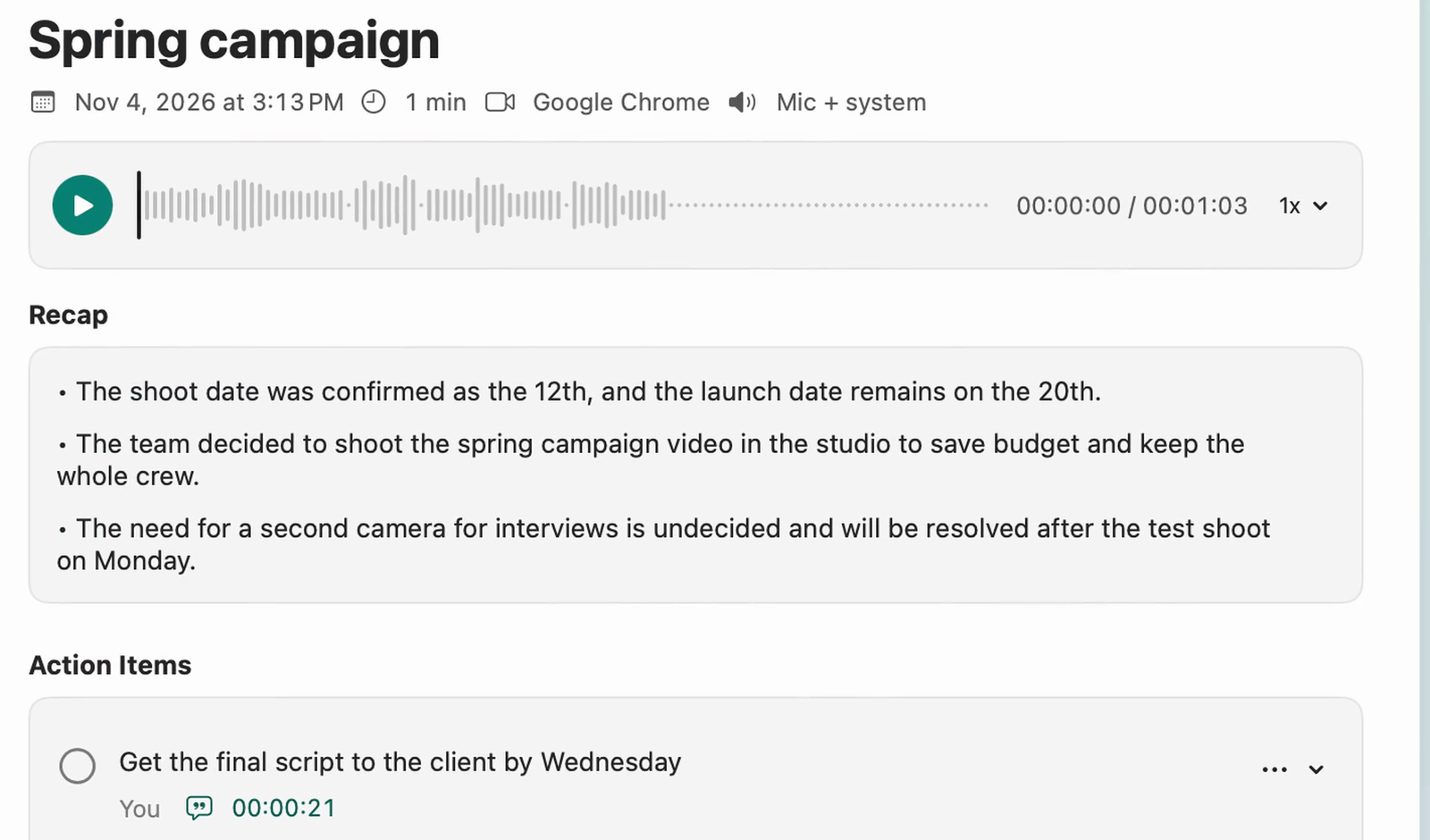
Your personal context engine for macOS, with Windows and Linux in alpha: on-device meeting notes, screen recall, dictation, and autocomplete that you and your AI agents can search. Free and open source (GPLv3).
Screenshots
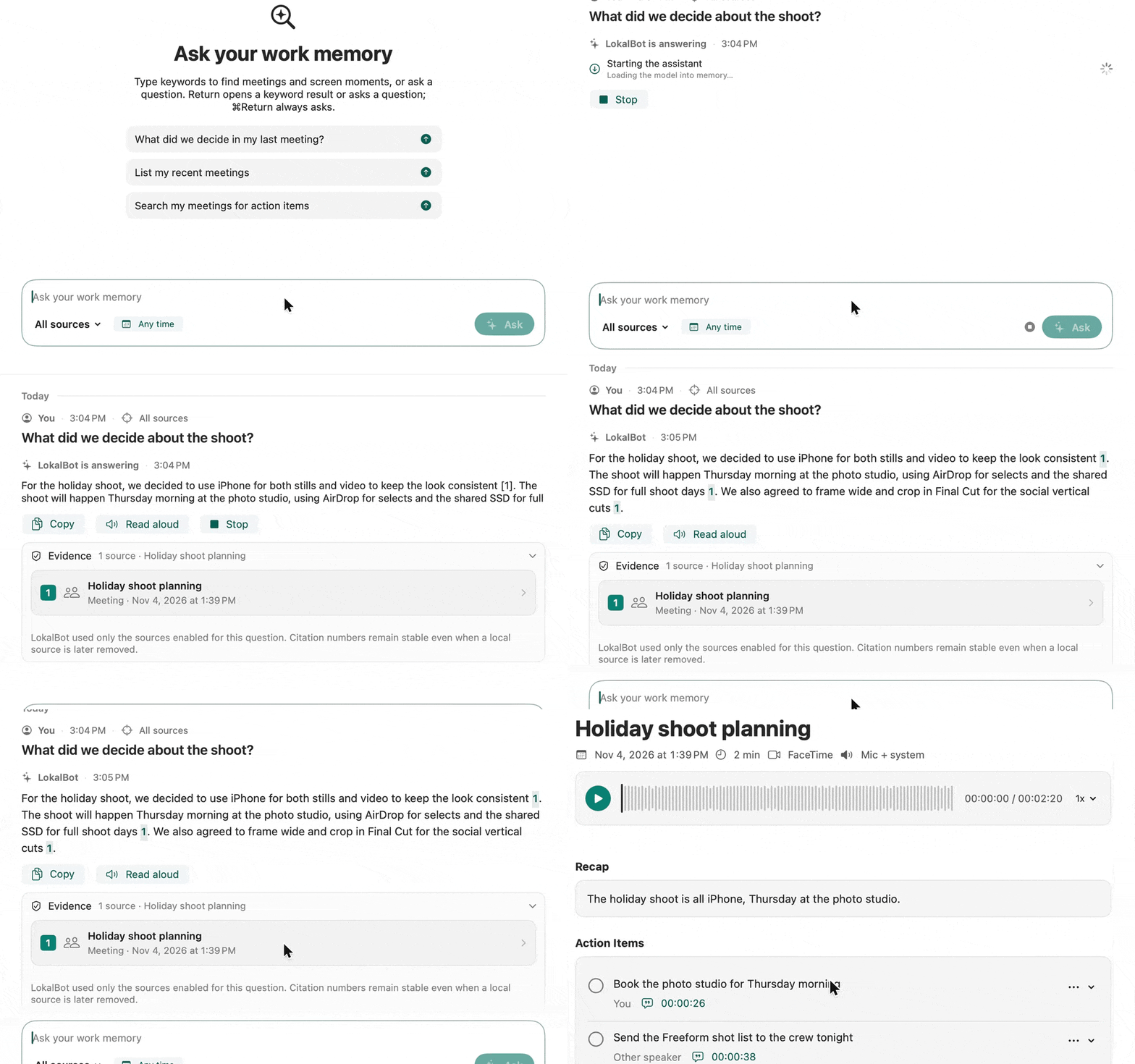
How to install LokalBot on a Mac
- Get OpenDMG. It is a free app store for open source Mac apps. Download OpenDMG.
- Search for LokalBot and press Get. OpenDMG downloads version 0.14.0 from stevyhacker's own GitHub release.
- Open it. The download is checked against its SHA-256 fingerprint and its signature is checked on your Mac before it lands in Applications.
Updates to LokalBot show up in OpenDMG and install with one button. No account is needed.
Prefer to do it by hand? The developer's file is on GitHub: LokalBot-0.14.0-macos-arm64.dmg (71 MB).
What is new in LokalBot 0.14.0
## What’s new

- **Fine-tuned LokalBot models are the new defaults (Mac, Windows and Linux).** Fresh installs now default to Apache-2.0 fine-tuned models trained on open-license datasets: `Qwen3.5 4B (LokalBot v4)` for Think, `Gemma 4 E2B (LokalBot v4)` for Autocomplete, and `Qwen3-ASR 1.7B (LokalBot v3)` and `Qwen3-ASR 0.6B (LokalBot v1)` for transcription on the Mac. Existing installs keep their current models until you choose **Upgrade** from the dismissible card on **Today** or in **Settings → Models**, and the previous stock models stay selectable in the picker if you want to switch back.
- **Meeting waveform zoom, trim and split (Mac).** The meeting player waveform is 1.5× taller with cursor-anchored zoom (up to 30×) and horizontal panning. Click twice to mark a range, then **Trim to Selection** or **New Meeting from Selection** to clean up long recordings or split back-to-back calls. Clicking the player caption jumps to that line in the transcript from any tab.
…
More Artificial Intelligence apps
-
 CodexBarShow usage stats for OpenAI Codex and Claude Code, without having to login
-
 CodeBurnTracks token usage, cost, and performance across 25 AI agents with per-task breakdowns
-
 OsaurusLocal LLM server and AI infrastructure with menu bar, CLI, and shared tools
-
 QuotioAI subscription manager with quota tracking and automatic failover
-
 Claude Usage TrackerTrack the usage of Claude Code
-
 VibeProxyMenu bar app to use existing Claude, ChatGPT, and other subscriptions with AI coding…