
LiteMD for Mac
Lightweight Markdown editor with live preview, 20 themes, and built-in format conversion.
By gentpan. Free and open source, MIT licence.
LiteMD at a glance
- Version
- 0.1.5
- Released
- 1 October 2026
- Download size
- 12 MB
- Works on
- Apple silicon and Intel
- Licence
- MIT
- Category
- Writing and Editors
- Developer
- gentpan
- GitHub stars
- 29
About LiteMD
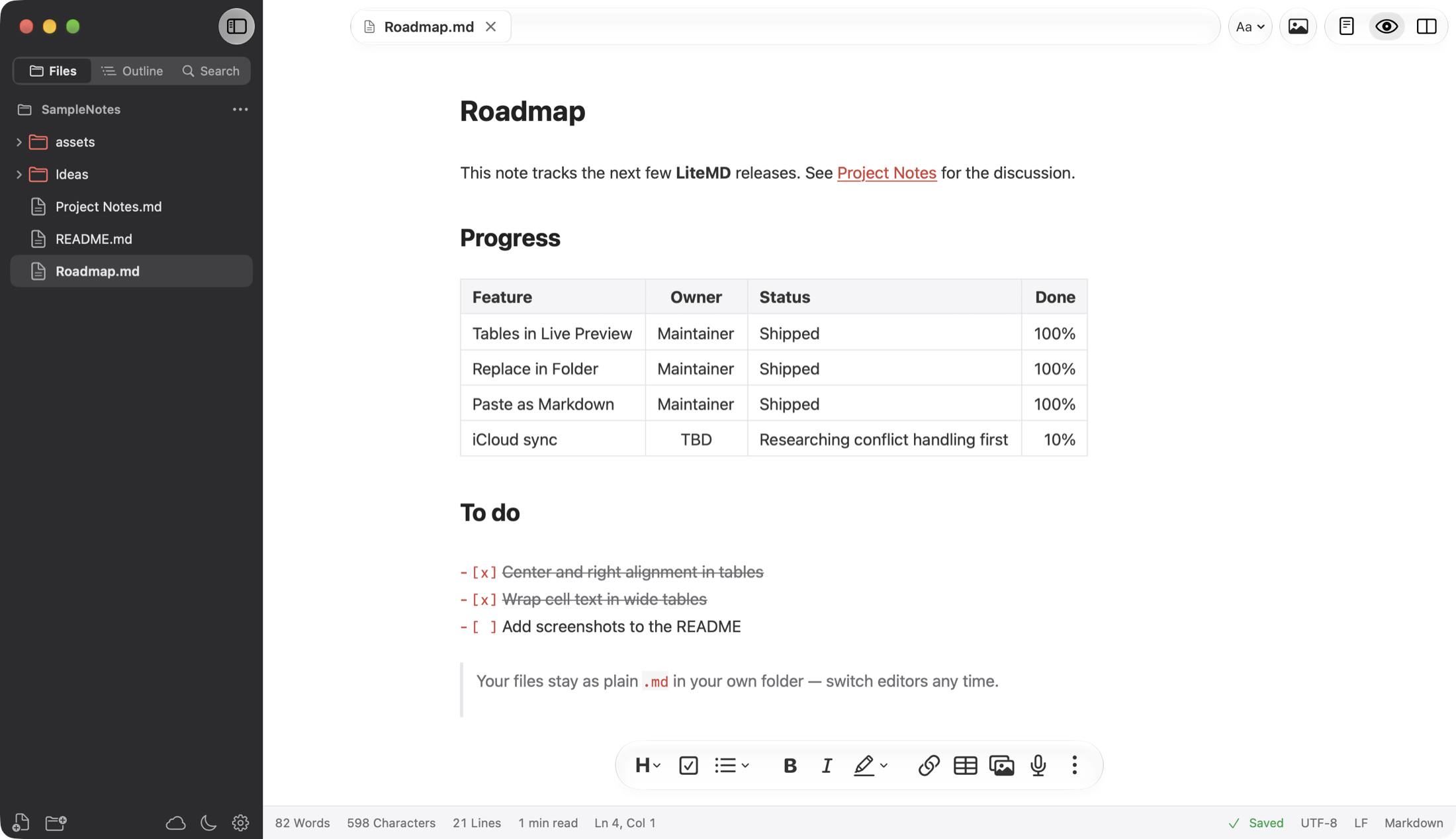
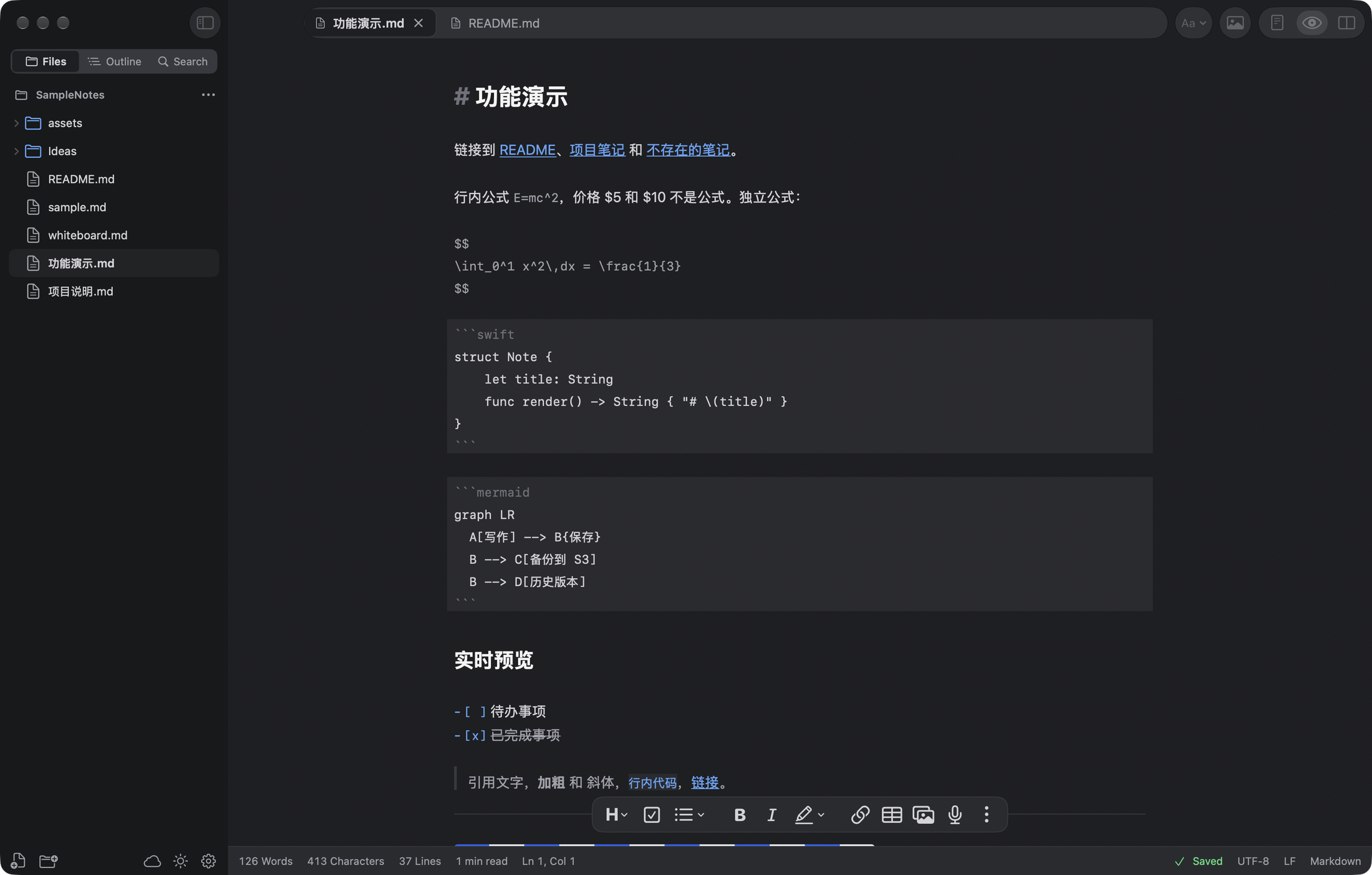
为 macOS 而生的轻量 Markdown 编辑器:实时预览、20 套配色、内置格式转换,文件始终是你自己的 .md
Screenshots
How to install LiteMD on a Mac
- Get OpenDMG. It is a free app store for open source Mac apps. Download OpenDMG.
- Search for LiteMD and press Get. OpenDMG downloads version 0.1.5 from gentpan's own GitHub release.
- Open it. The download is checked against its SHA-256 fingerprint and its signature is checked on your Mac before it lands in Applications.
Updates to LiteMD show up in OpenDMG and install with one button. No account is needed.
Prefer to do it by hand? The developer's file is on GitHub: LiteMD-0.1.5.dmg (12 MB).
What is new in LiteMD 0.1.5
## 更新内容

- 新功能:浏览 S3 文档。列出 S3 或 R2 存储桶里的所有 Markdown,下载到本地编辑,改完可以上传覆盖,也可以只留在本地;S3 上的版本在下载之后被改过时,上传前会先提醒(文件 → 浏览 S3 文档…)
- 修复:文档以表格结尾时,实时预览中表格最后一行显示偏高

第一次下载 S3 文档时,macOS 会询问是否允许 LiteMD 访问“文稿”文件夹(文件下载到 `~/Documents/LiteMD/S3/`),点“允许”即可。

## What's new

- New: Browse S3 Documents. List every Markdown file in an S3 or R2 bucket, download one to edit, then upload it to replace the S3 copy or keep it local. If the S3 copy changed after you downloaded it, LiteMD asks before uploading (File → Browse S3 Documents…).
- Fixed: in Live Preview, the last row of a table at the end of a document was too tall.

The first time you download an S3 document, macOS asks whether LiteMD may access your Documents folder (files go to `~/Documents/LiteMD/S3/`). Choose Allow.

## 安装 / Install

```bash
brew tap gentpan/tap
brew install --cask litemd
```

或者下载 `LiteMD-0.1.5.dmg`,打开后把 LiteMD 拖进「应用程序」。已用 Developer ID 签名并经过 Apple 公证,需要 macOS 15 或更高版本,Apple 芯片与 Intel 通用。已安装 0.1.x 的可以在应用里直接更新。

Or download `LiteMD-0.1.5.dmg`, open it and drag LiteMD to Applications. Signed with a Developer ID certificate and notarized by Apple. Requires macOS 15 or later, universal binary. Existing 0.1.x installs can update from within the app.

`LiteMD-0.1.5.zip` 是应用内更新用的包,手动安装请用 DMG。
`LiteMD-0.1.5.zip` is the package used by in-app updates — install manually from the DMG.
More Writing and Editors apps
-
 CodeEditOpen-source code editor
-
 CotEditorLightweight Plain-Text Editor for macOS
-
 CopilotForXcodeThe first GitHub Copilot, Codeium and ChatGPT Xcode Source Editor Extension
-
 MarkEditA simple and efficient Markdown editor focused on pure writing experience
-
 PineA modern MacOS markdown editor
-
 Clearly MarkdownMarkdown editor with instant preview, syntax highlighting, and PDF export