
Kombucha for Mac
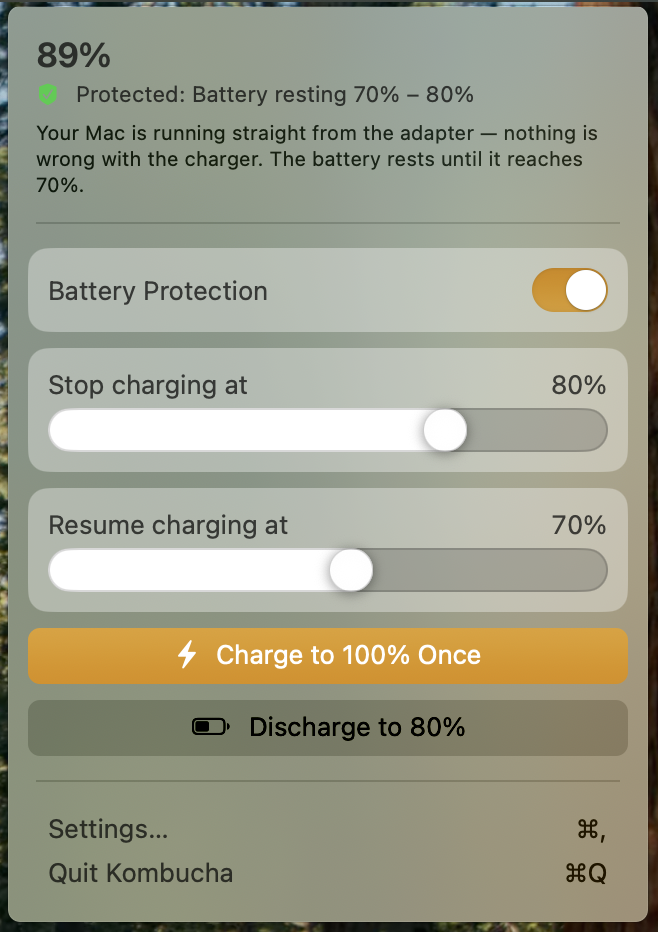
Menu bar app that limits MacBook charging to a chosen battery range to extend battery lifespan.
By askuksov. Free and open source, MIT licence.
Kombucha at a glance
- Version
- 0.3.0
- Released
- 13 November 2026
- Download size
- 1.3 MB
- Works on
- Apple silicon and Intel
- Licence
- MIT
- Category
- System Tools
- Developer
- askuksov
- GitHub stars
- 9
About Kombucha
Limit MacBook charging from the menu bar to extend battery lifespan
Screenshots
How to install Kombucha on a Mac
- Get OpenDMG. It is a free app store for open source Mac apps. Download OpenDMG.
- Search for Kombucha and press Get. OpenDMG downloads version 0.3.0 from askuksov's own GitHub release.
- Open it. The download is checked against its SHA-256 fingerprint and its signature is checked on your Mac before it lands in Applications.
Updates to Kombucha show up in OpenDMG and install with one button. No account is needed.
Prefer to do it by hand? The developer's file is on GitHub: Kombucha-0.3.0.zip (1.3 MB).
What is new in Kombucha 0.3.0
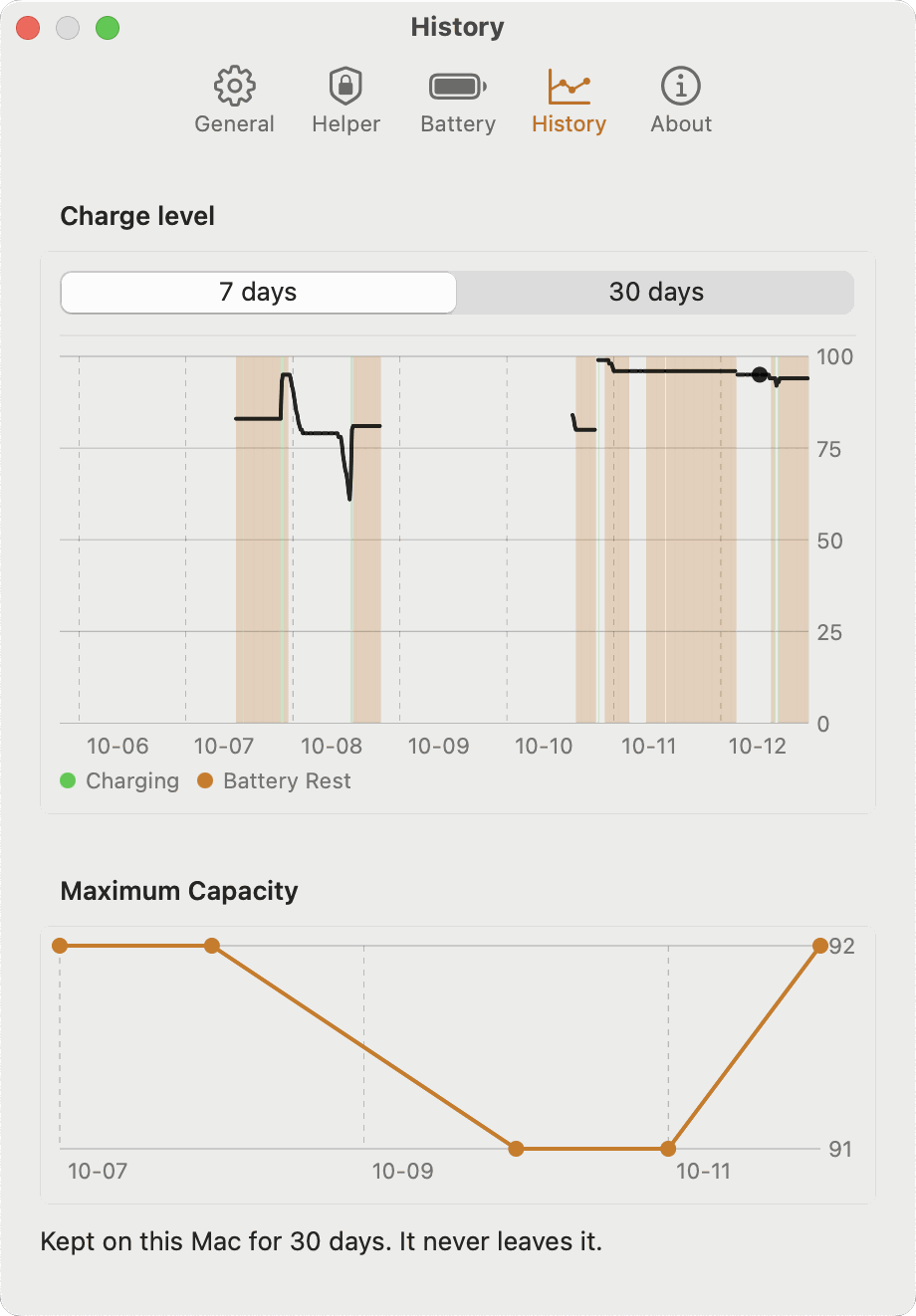
Kombucha holds the MacBook battery inside a charge range you choose: it stops charging at the upper threshold and resumes at the lower one, so the Mac runs from the adapter while the battery rests.

## What's new

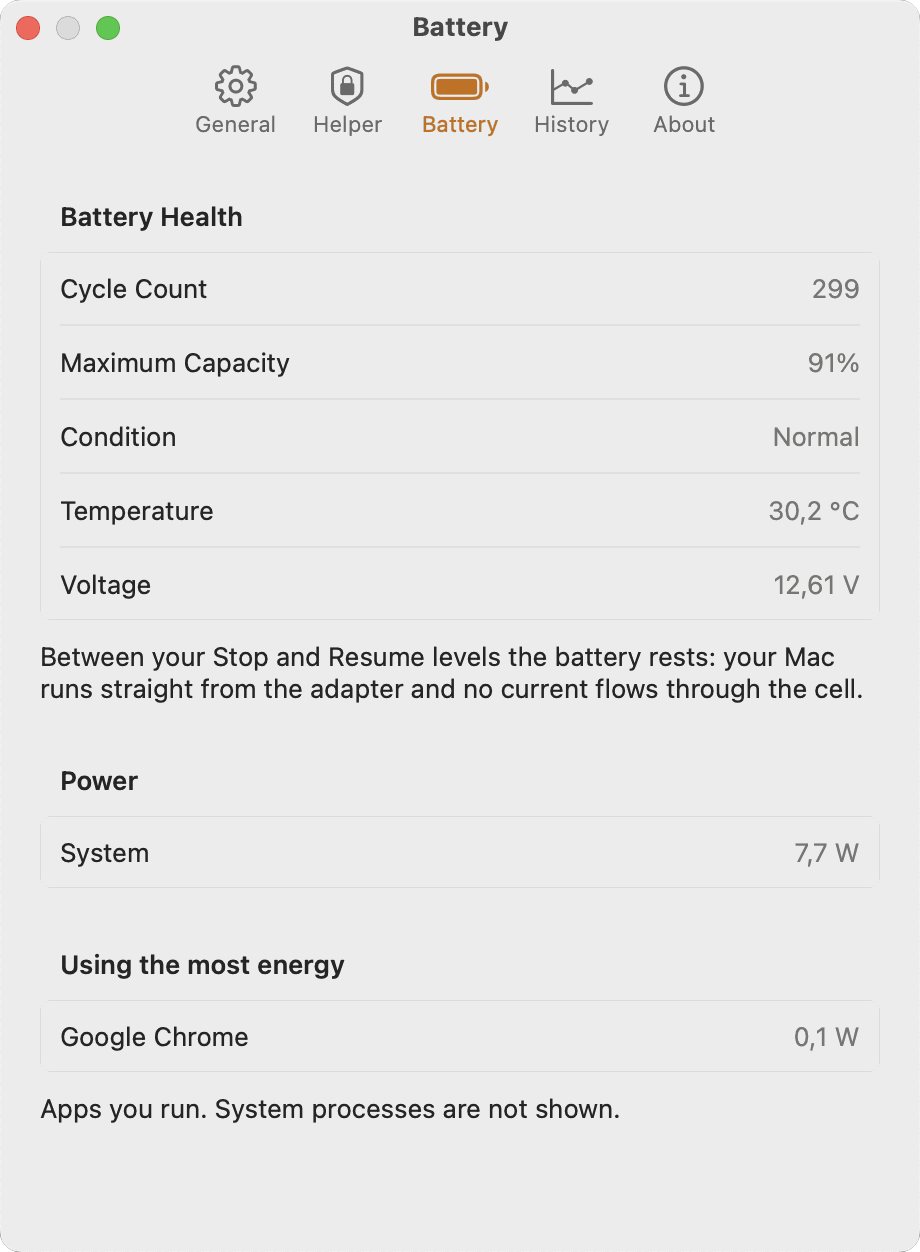
- **Capacity in mAh and Wh.** Settings → Battery now shows the full charge capacity and the design capacity next to Maximum Capacity, in mAh and Wh. The Wh value is an estimate: macOS publishes no nominal pack voltage, so Kombucha uses 3.85 V per cell.
- **Languages.** Simplified Chinese, Japanese and Korean join German, Ukrainian, French and Spanish. Pick one in Settings → General → Language, or let macOS choose from System Settings.

## Updating from 0.2.x

1. Quit Kombucha: menu bar panel → Quit Kombucha.
2. Replace `Kombucha.app` in `/Applications` with the new one, or run `brew upgrade --cask kombucha`.
3. Open Kombucha. If Settings → Helper says the helper stopped answering, press Reinstall helper and approve it in System Settings → General → Login Items & Extensions.

## Install

1. Download `Kombucha-0.3.0.zip` below and unzip it.
2. Move `Kombucha.app` to `/Applications` and open it.
3. Approve the helper once in System Settings → General → Login Items & Extensions.

Or with Homebrew: `brew install --cask askuksov/tap/kombucha`.

The app is signed with a Developer ID and notarized by Apple.

## Requirements
…
More System Tools apps
-
 PearcleanerApp Cleaner and Uninstaller Tool
-
 PureMacFree open-source system cleaner with privacy protection
-
 OpenInTerminalFinder toolbar tool for opening the current folder in a terminal
-
 DockDoorWindow peeking for macOS
-
 DigUpSemantic search app that finds files by their contents
-
 LatestApp update checker that notifies you of available updates for installed applications