

Knopo for Mac
Outliner that stores notes as blocks in plain Markdown files you own with no lock-in.
By alkalim. Free and open source, AGPL-3.0 licence.
Knopo at a glance
- Version
- 0.10.0
- Released
- 23 November 2026
- Download size
- 4.7 MB
- Works on
- Apple silicon
- Licence
- AGPL-3.0
- Category
- Productivity
- Developer
- alkalim
- GitHub stars
- 51
About Knopo
A native macOS outliner for structured thinking, local-first notes, and Markdown-based knowledge management.
Screenshots
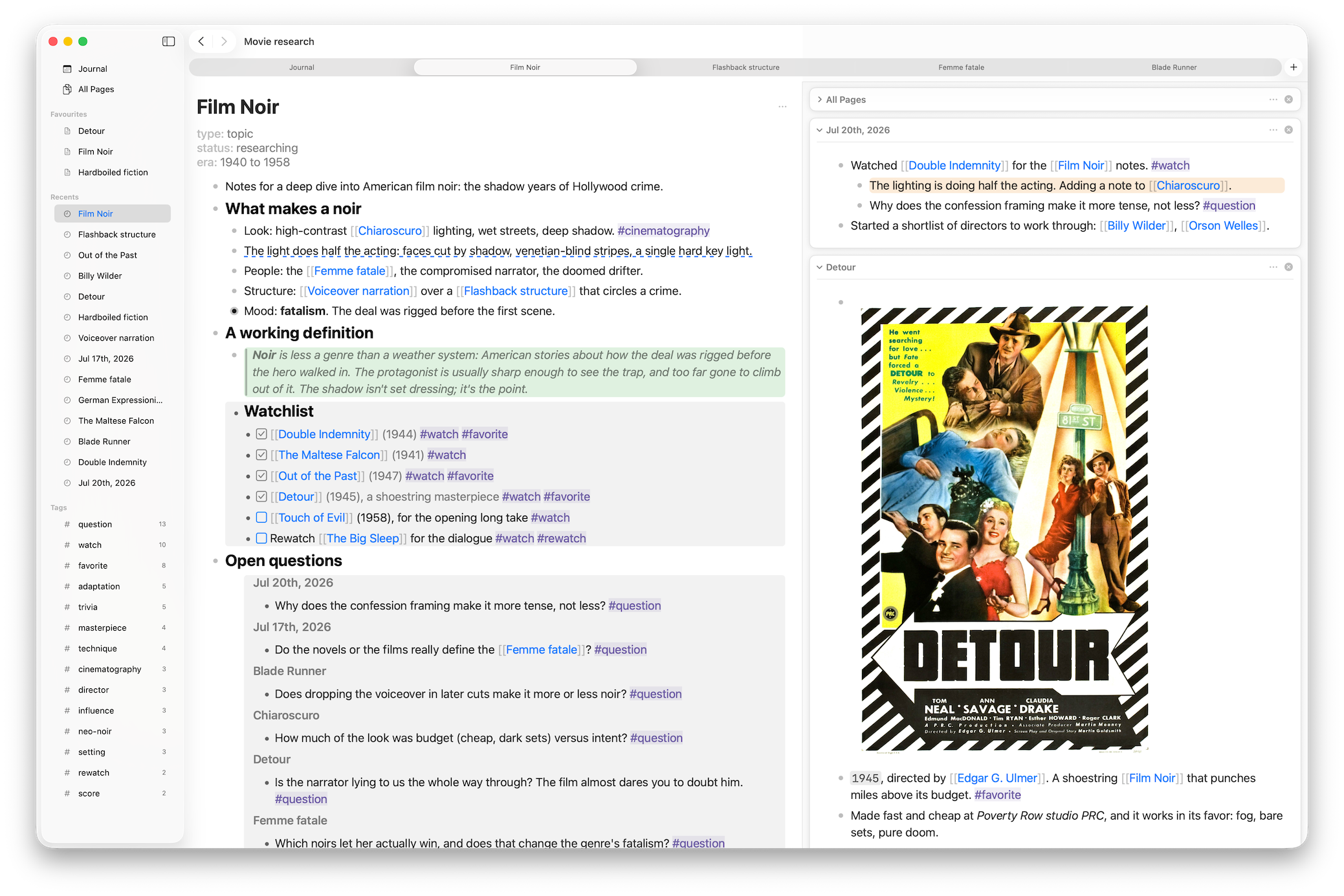
How to install Knopo on a Mac
- Get OpenDMG. It is a free app store for open source Mac apps. Download OpenDMG.
- Search for Knopo and press Get. OpenDMG downloads version 0.10.0 from alkalim's own GitHub release.
- Open it. The download is checked against its SHA-256 fingerprint and its signature is checked on your Mac before it lands in Applications.
Updates to Knopo show up in OpenDMG and install with one button. No account is needed.
Prefer to do it by hand? The developer's file is on GitHub: Knopo-0.10.0-macos-arm64.zip (4.7 MB).
What is new in Knopo 0.10.0
Pages get aliases, editable properties, and tags.

**New**

- Give a page one or more aliases with alias::. Use them in links, search (⌘K) and autocomplete. Linked References includes links to the page name and all its aliases.
- Choose **Add Page Property** from the page menu, or click a property above the outline to edit it.
- Tag a whole page with `tags::` to find it in tag views and queries.
- Markdown headings without a bullet are now editable outline blocks.
- Drag to reorder pages and tags together in Favourites.
- Choose **Open in New Window** to open a page or tag with both sidebars hidden.
- Click a task checkbox in an inline block reference to mark the source task done or reopen it.

**Improved**

- Back and Forward restore scroll position.
- A `title::` above the outline sets the page heading, breadcrumb, tab title and right-sidebar card header.
- Long journal feeds open faster.
- Blocks with many links or Markdown formatting markers are faster to display and edit.

**Fixes**

- Future journal entries appear above today, newest first.
- Find in Page clears stale matches as you scroll through the journal.
- The left sidebar highlights the selected row immediately.
- Search no longer crashes when recent page names have equivalent Unicode spellings.

---

### Opening Knopo the first time
…
More Productivity apps
-
 MaccyLightweight search-as-you-type clipboard manager
-
 AltTabBrings the Windows Alt-Tab functionality to macOS
-
 TinycastLightweight native launcher with app search, clipboard management, window controls, and…
-
 ClipyClipy is a Clipboard extension app for macOS
-
 FSNotesNotes manager for macOS/iOS: modern notational velocity (nvALT) on steroids
-
 OpenDisplayTurn spare Apple devices into second monitors — true extended display over USB or WiFi