
Human Eyes for Mac
Browse, search and map your Claude Code and Codex history: sessions, memory notes, skills and MCP servers, all kept on your Mac.
By neural-beat. Free and open source, GPL-3.0 licence.
Human Eyes at a glance
- Version
- 0.1.0
- Released
- 25 September 2026
- Download size
- 8.4 MB
- Works on
- Apple silicon and Intel
- Licence
- GPL-3.0
- Category
- Artificial Intelligence
- Developer
- neural-beat
- GitHub stars
- 5
About Human Eyes
Native Mac app that turns your Claude Code and Codex history into something you can read, search and see. Everything stays on your Mac.
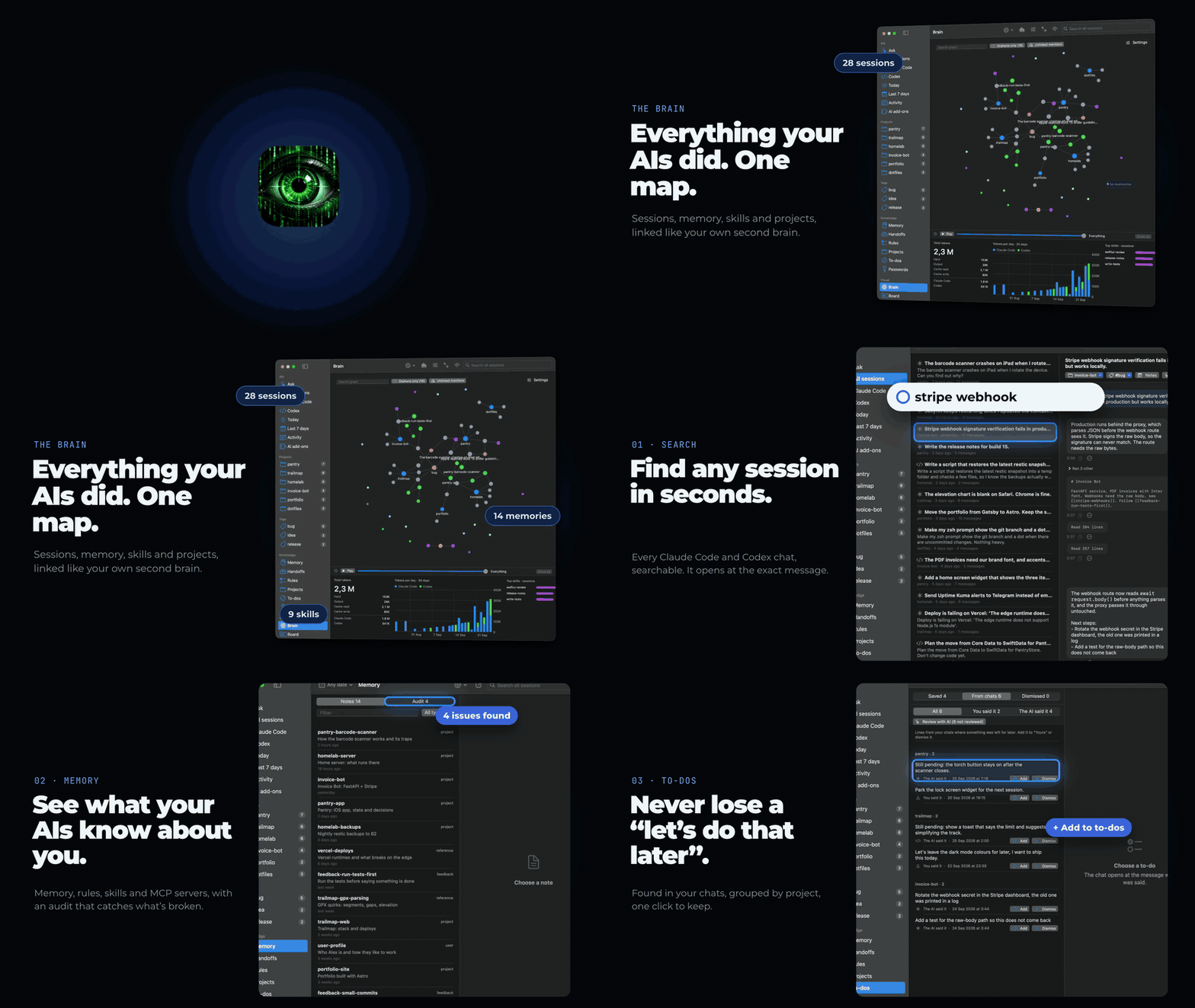
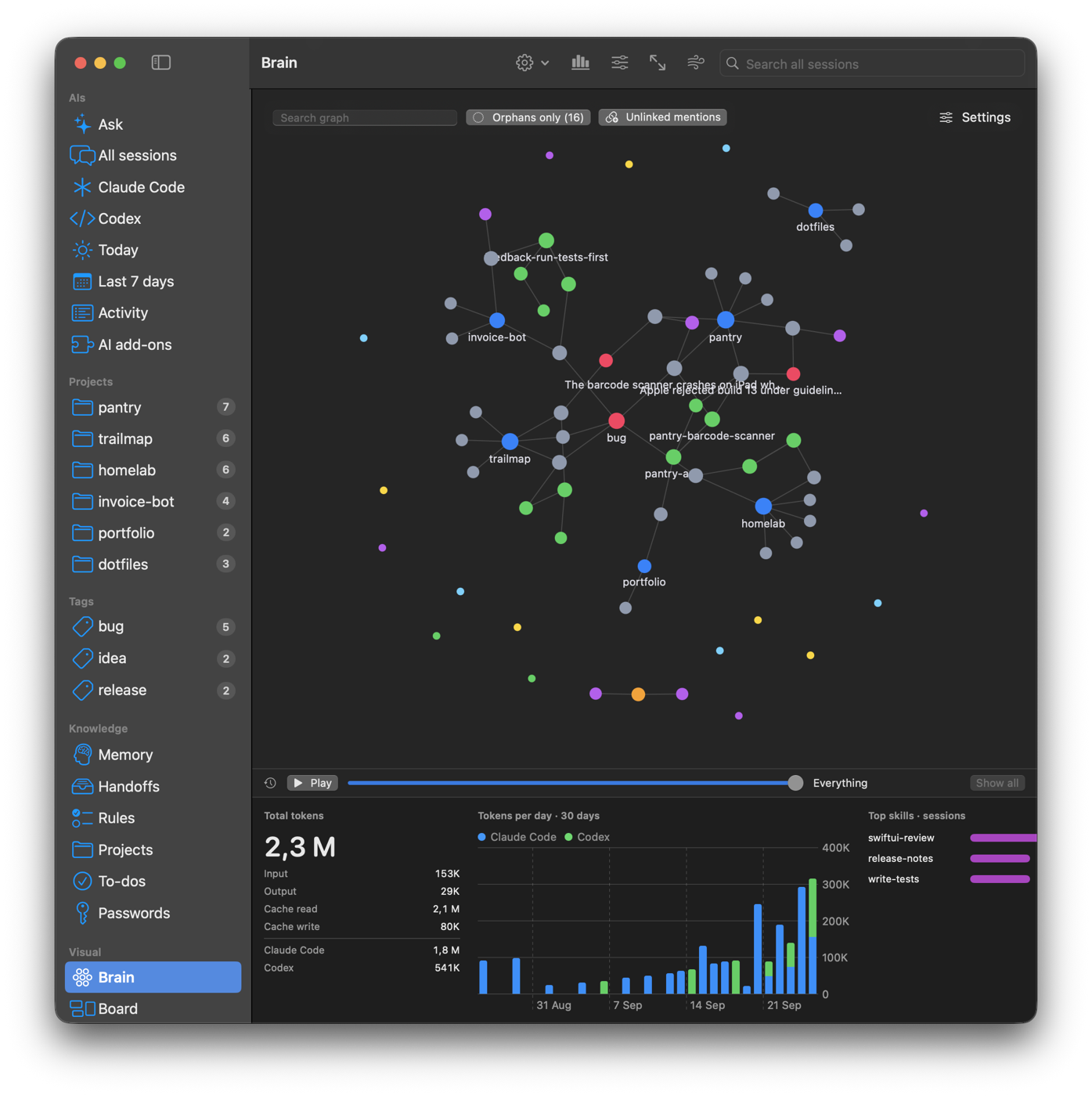
Screenshots
How to install Human Eyes on a Mac
- Get OpenDMG. It is a free app store for open source Mac apps. Download OpenDMG.
- Search for Human Eyes and press Get. OpenDMG downloads version 0.1.0 from neural-beat's own GitHub release.
- Open it. The download is checked against its SHA-256 fingerprint and its signature is checked on your Mac before it lands in Applications.
Updates to Human Eyes show up in OpenDMG and install with one button. No account is needed.
Prefer to do it by hand? The developer's file is on GitHub: Human-Eyes-0.1.0.zip (8.4 MB).
What is new in Human Eyes 0.1.0
First public release.

Human Eyes reads your Claude Code and Codex sessions, memory notes, rules, skills and MCP servers, and puts them in one native Mac window. It never uploads anything.

**What's in it**
Full-text search across every session, with filters by project, date and tool. *Ask* your own history and get answers that cite the sessions they came from. To-dos found in your chats ("still pending", "next steps", "for the next session"). A memory audit for broken links, orphans and stale notes. The Brain, an Obsidian-style graph with a timeline you can play back. The Board, a canvas for planning with templates and PNG/PDF export. Plus an activity timeline, per-project pages, your other machines over SSH, and a password vault in the macOS Keychain.

**Install**
Download `Human-Eyes-0.1.0.zip` below (not "Source code"), unzip it and drag the app to Applications. The first time, right-click it and choose Open: the app is signed but not notarised by Apple. Universal build, macOS 15 or later.

Want to look around before pointing it at your own history? Run it with `--demo` and it loads an invented developer's data instead.

It's early. If something breaks or looks wrong, open an issue and I'll take a look.
More Artificial Intelligence apps
-
 CodexBarShow usage stats for OpenAI Codex and Claude Code, without having to login
-
 CodeBurnTracks token usage, cost, and performance across 25 AI agents with per-task breakdowns
-
 OsaurusLocal LLM server and AI infrastructure with menu bar, CLI, and shared tools
-
 QuotioAI subscription manager with quota tracking and automatic failover
-
 Claude Usage TrackerTrack the usage of Claude Code
-
 VibeProxyMenu bar app to use existing Claude, ChatGPT, and other subscriptions with AI coding…