
HiPixel for Mac
AI-powered image super-resolution app for macOS.
By okooo5km. Free and open source, AGPL-3.0 licence.
HiPixel at a glance
- Version
- 0.4.3
- Released
- 13 March 2026
- Download size
- 8.0 MB
- Works on
- Apple silicon and Intel
- Licence
- AGPL-3.0
- Category
- Graphics and Design
- Developer
- okooo5km
- GitHub stars
- 1.2K
About HiPixel
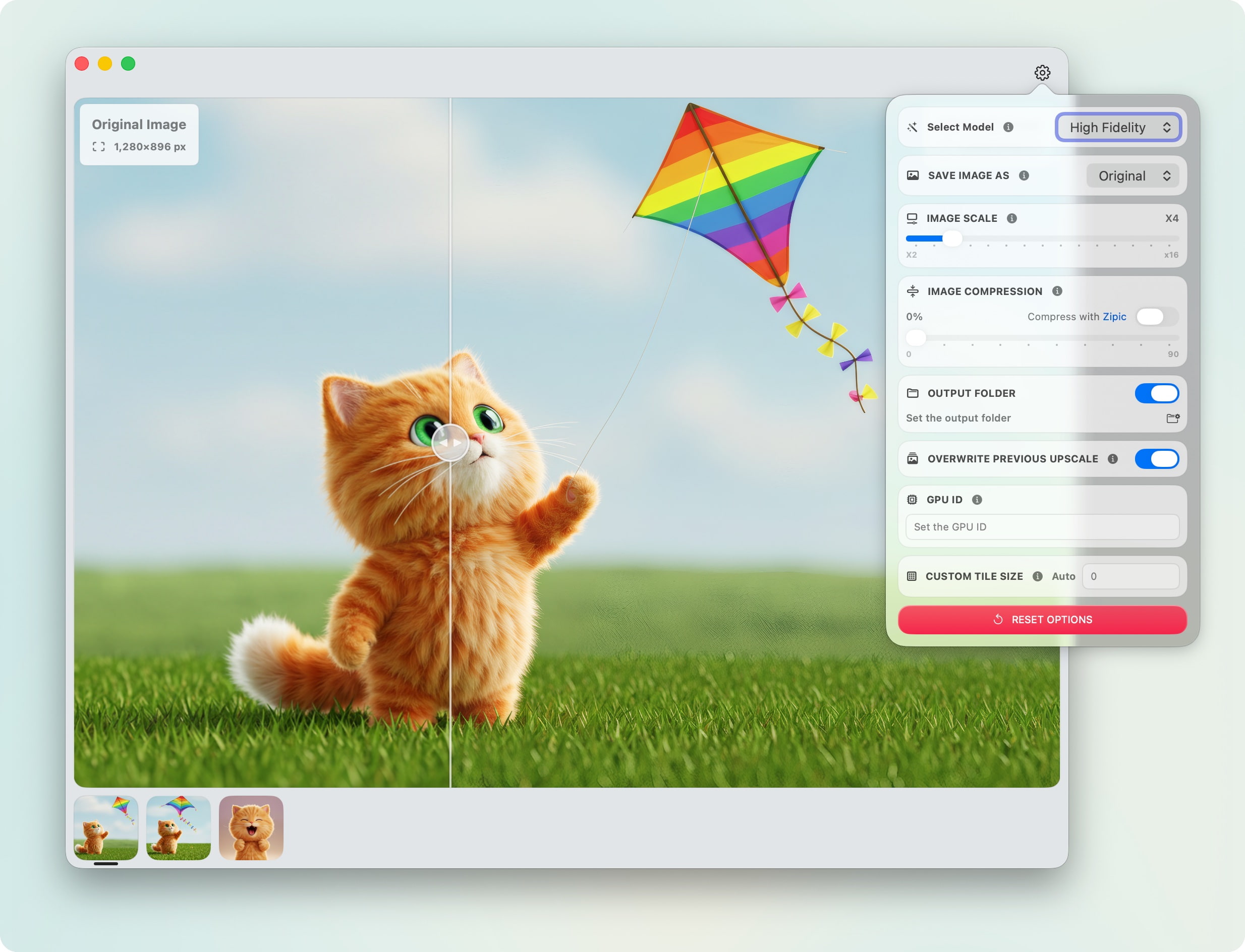
HiPixel is a native macOS application for AI-powered image super-resolution, built with SwiftUI and leveraging Upscayl's powerful AI models.
Screenshots
How to install HiPixel on a Mac
- Get OpenDMG. It is a free app store for open source Mac apps. Download OpenDMG.
- Search for HiPixel and press Get. OpenDMG downloads version 0.4.3 from okooo5km's own GitHub release.
- Open it. The download is checked against its SHA-256 fingerprint and its signature is checked on your Mac before it lands in Applications.
Updates to HiPixel show up in OpenDMG and install with one button. No account is needed.
Prefer to do it by hand? The developer's file is on GitHub: HiPixel-v0.4.3.dmg (8.0 MB).
What is new in HiPixel 0.4.3
Improved post-processing UX with smarter save workflow and Homebrew installation support.

## ✨ Highlights

- **New**: Manual save is now the default for new installs — an auto-save hint appears after the first save, letting users switch to automatic saving with one click
- **New**: Completion notifications now show the save destination path for quick file access
- **New**: HiPixel can now be installed via Homebrew: `brew install okooo5km/tap/hipixel`

## 🔧 Other Changes

- Notification messages adapt to the current save mode (manual vs. auto, custom folder vs. source directory)

---

⚠️ **Breaking Changes**: None
More Graphics and Design apps
-
 AerialApple TV Aerial Screensaver for macOS
-
 CompositorFree, open-source image editor aiming to be a full Photoshop alternative
-
 BrooklynScreensaver inspired by Apple's Event on October 30, 2018
-
 EquinoxCreate dynamic wallpapers for macOS
-
 ExcalidrawZA virtual whiteboard for sketching hand-drawn-like diagrams with native file management…
-
 WaifuXOpen-source ACG app for wallpapers, animated backgrounds, and anime videos