

ExcalidrawZ for Mac
A virtual whiteboard for sketching hand-drawn-like diagrams with native file management and iCloud sync.
By chocoford. Free and open source, MIT licence.
ExcalidrawZ at a glance
- Version
- 2.4.3
- Released
- 27 August 2026
- Download size
- 67 MB
- Works on
- Apple silicon and Intel
- Licence
- MIT
- Category
- Graphics and Design
- Developer
- chocoford
- GitHub stars
- 1.5K
About ExcalidrawZ
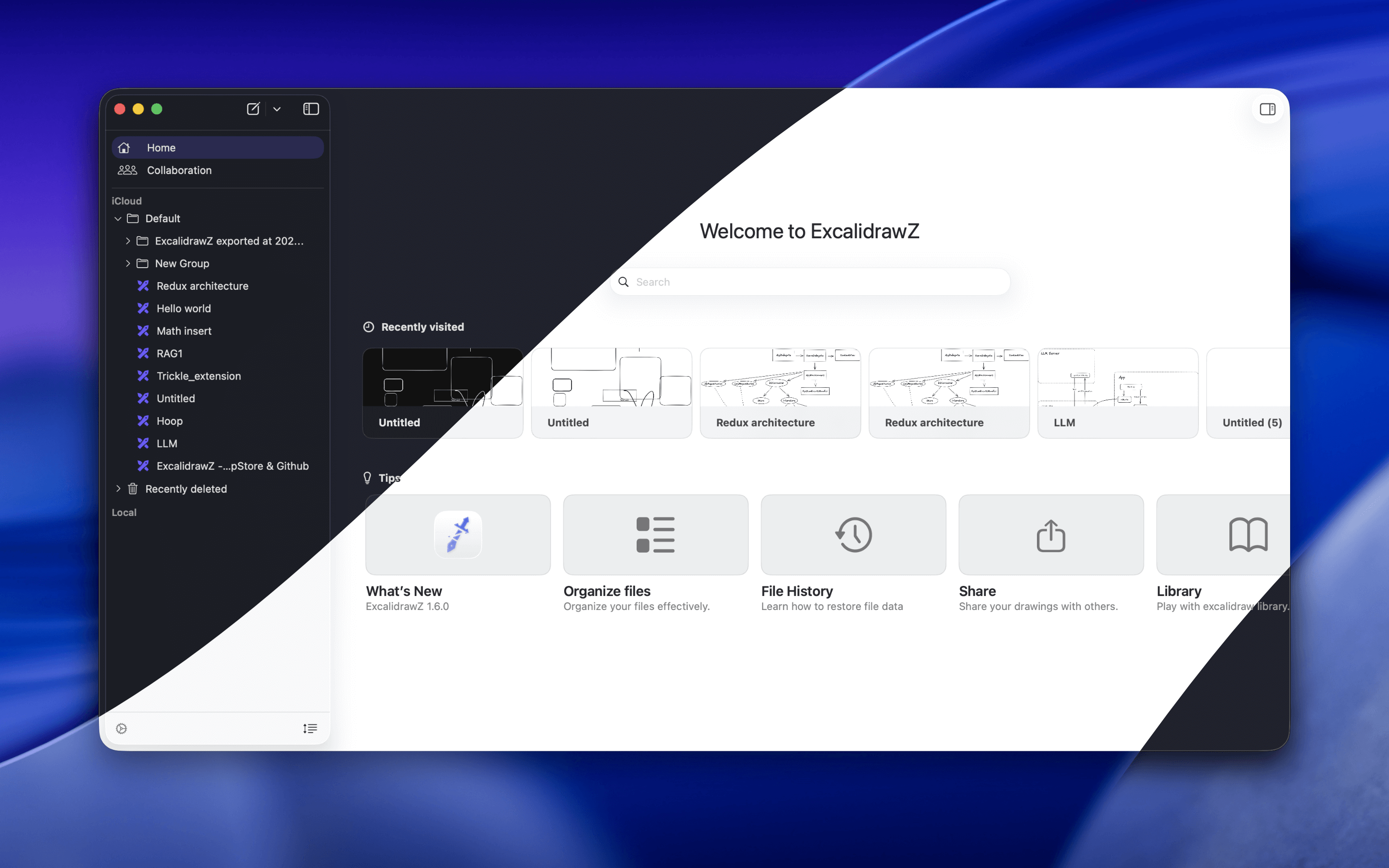
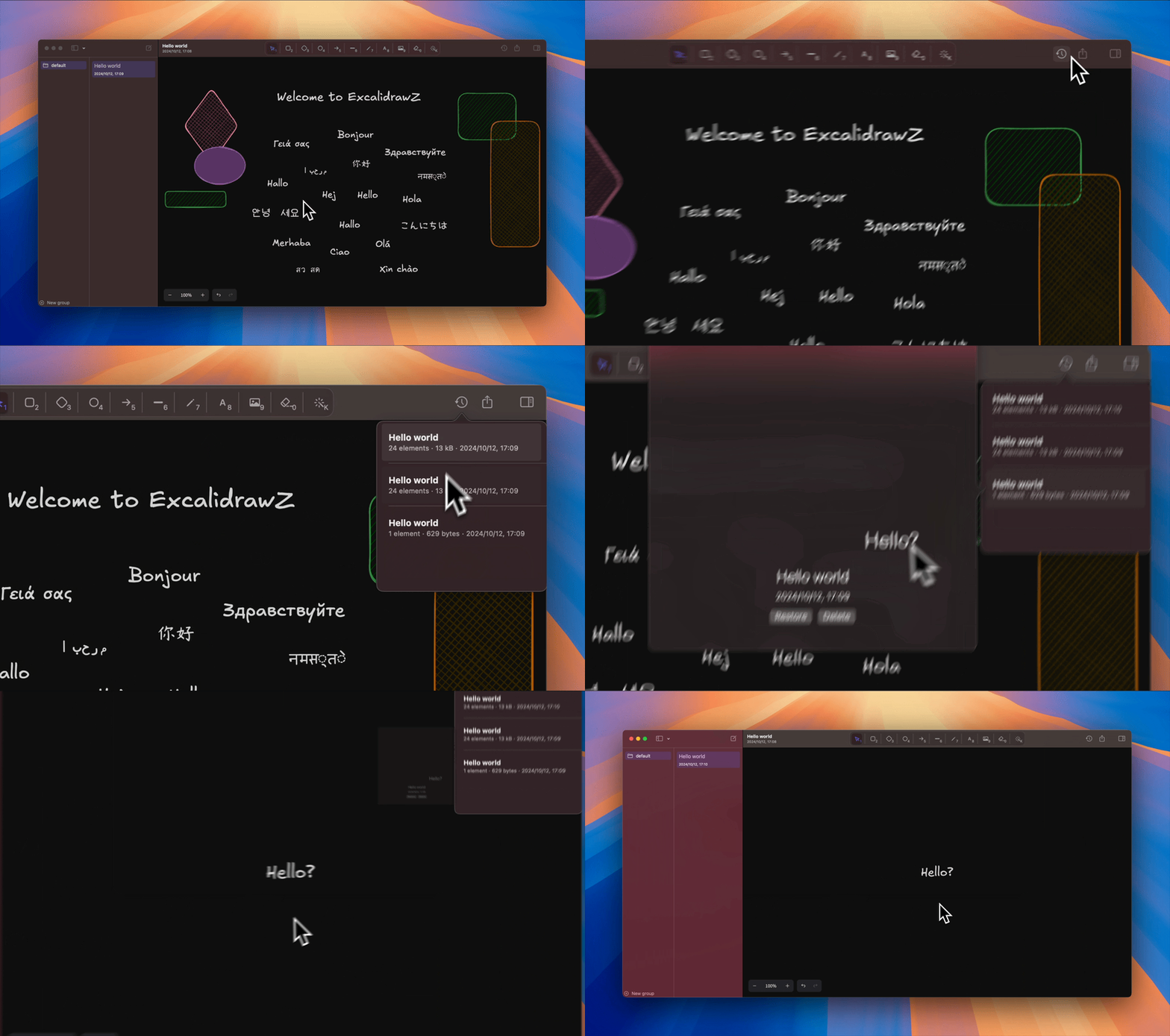
Excalidraw app for mac. Powered by pure SwiftUI.
Screenshots

How to install ExcalidrawZ on a Mac
- Get OpenDMG. It is a free app store for open source Mac apps. Download OpenDMG.
- Search for ExcalidrawZ and press Get. OpenDMG downloads version 2.4.3 from chocoford's own GitHub release.
- Open it. The download is checked against its SHA-256 fingerprint and its signature is checked on your Mac before it lands in Applications.
Updates to ExcalidrawZ show up in OpenDMG and install with one button. No account is needed.
Prefer to do it by hand? The developer's file is on GitHub: ExcalidrawZ.2.4.3.dmg (67 MB).
What is new in ExcalidrawZ 2.4.3
### Bug fixed

- Fixed remaining permission errors when opening external drawings from Files, reopening them from Temporary, or accessing Linked Folders on iPhone and iPad.
- Fixed Linked Folders on iPhone and iPad failing to refresh while File Provider content was still downloading, with clearer availability feedback.
- Fixed collaboration rooms on iPhone and iPad occasionally remaining stuck on the loading screen.
- Fixed Linked Folder drawings sometimes losing their containing folder context, which could affect sharing and return navigation.
- Fixed iPad Sidebar scrolling not responding when a gesture started over a folder row.
- Fixed iPad file transitions using a matching item from an inactive tab.
- Fixed a macOS drag-and-drop event monitor remaining registered after its view disappeared.

### Optimizations

- Refined File Home and group menus on Mac and iPad, including group-specific imports and consistent Sidebar section controls.
More Graphics and Design apps
-
 AerialApple TV Aerial Screensaver for macOS
-
 CompositorFree, open-source image editor aiming to be a full Photoshop alternative
-
 BrooklynScreensaver inspired by Apple's Event on October 30, 2018
-
 EquinoxCreate dynamic wallpapers for macOS
-
 WaifuXOpen-source ACG app for wallpapers, animated backgrounds, and anime videos
-
 System Color PickerThe macOS color picker as an app with more features