

Grux for Mac
AI agent that runs terminal sessions it can undo and reaches local mail, calendar, notes, and files, using your own API key or a local model.
By dotcomjack. Free and open source, MIT licence.
Grux at a glance
- Version
- 3.0.0
- Released
- 29 September 2026
- Download size
- 24 MB
- Works on
- Apple silicon and Intel
- Licence
- MIT
- Category
- Artificial Intelligence
- Developer
- dotcomjack
- GitHub stars
- 30
About Grux
Open source AI agent for macOS (MIT). One Command Panel for your mail, calendar, meetings, files and a shell it can undo. Runs on a local Ollama model with no key, or your own key. Change it with Claude Code. Download Grux.dmg at gruxai.com, or brew install --cask dotcomjack/tap/grux
Screenshots
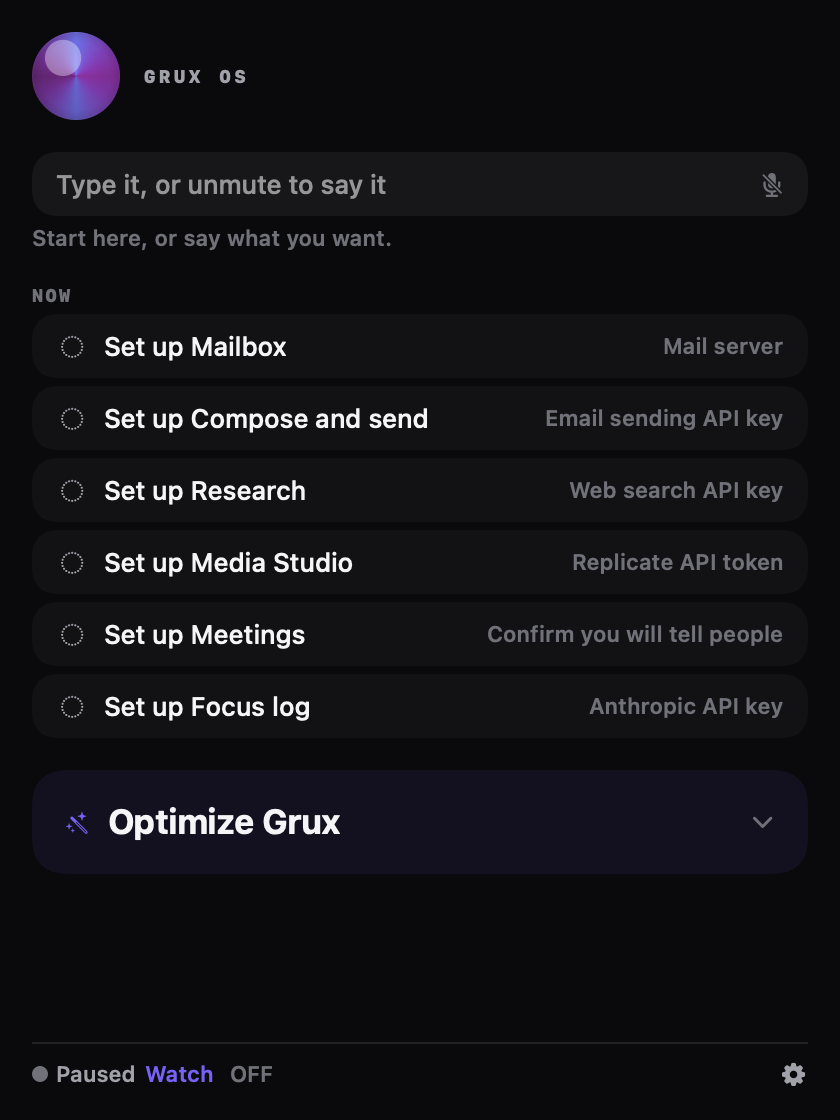
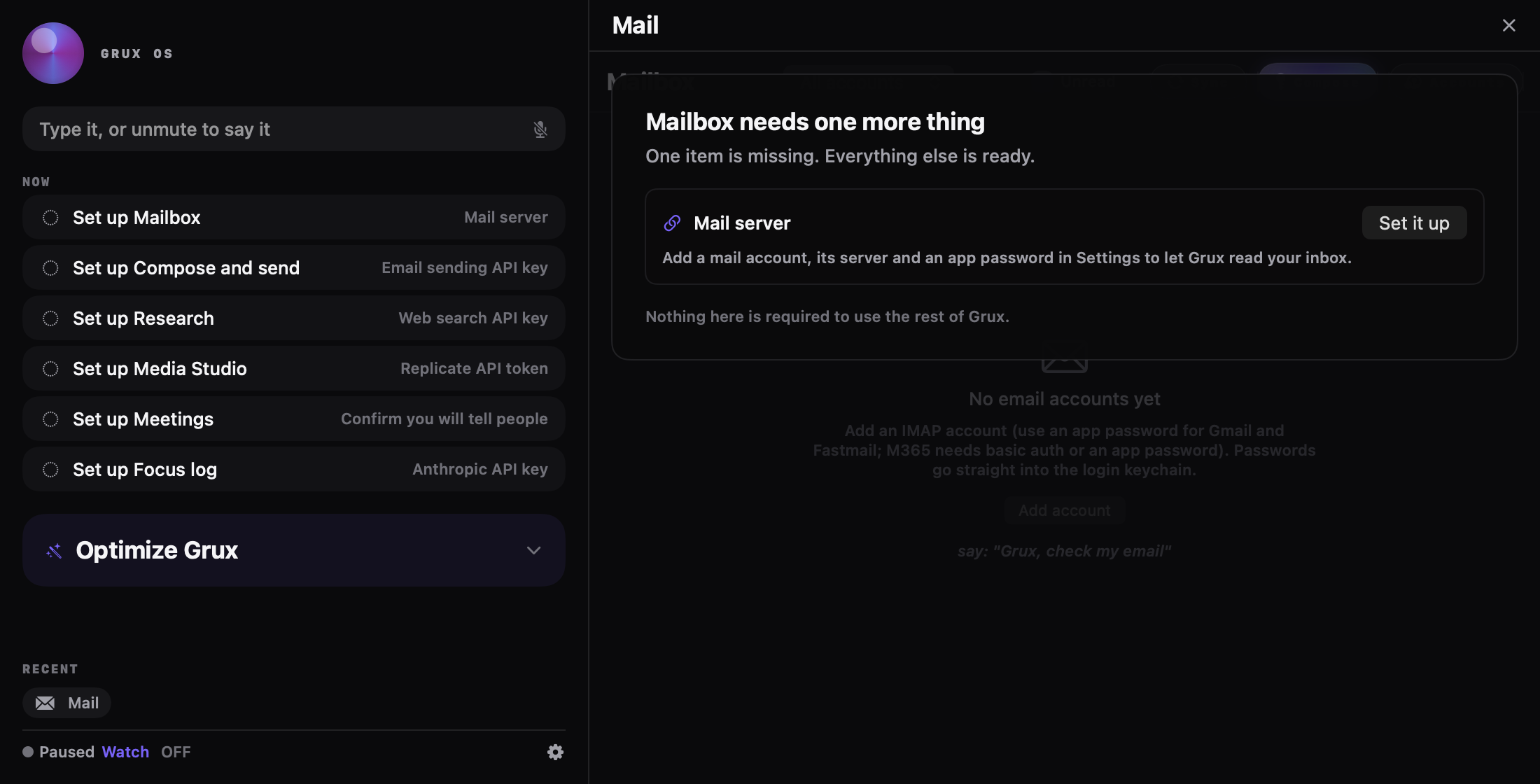
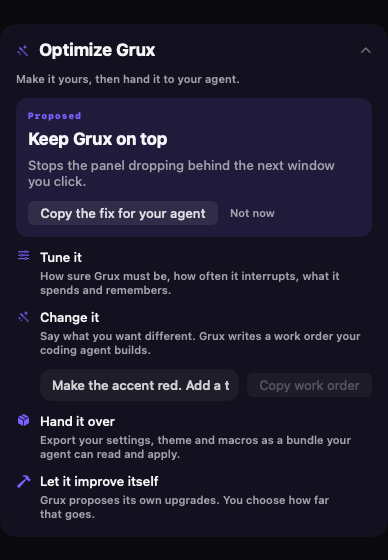
How to install Grux on a Mac
- Get OpenDMG. It is a free app store for open source Mac apps. Download OpenDMG.
- Search for Grux and press Get. OpenDMG downloads version 3.0.0 from dotcomjack's own GitHub release.
- Open it. The download is checked against its SHA-256 fingerprint and its signature is checked on your Mac before it lands in Applications.
Updates to Grux show up in OpenDMG and install with one button. No account is needed.
Prefer to do it by hand? The developer's files are on GitHub: Grux-macOS-arm64.zip (24 MB), Grux.dmg (26 MB).
What is new in Grux 3.0.0
## Install

**[Download Grux.dmg](https://github.com/dotcomjack/grux/releases/latest/download/Grux.dmg)** (27 MB, Apple silicon, macOS 14 or later)

1. Open `Grux.dmg`.
2. Drag Grux into Applications.
3. Open Grux from Applications.

Signed with a Developer ID, notarized by Apple and stapled, so it opens with no warning. Prefer Homebrew? `brew install --cask dotcomjack/tap/grux`

SHA-256 checksums:

```
e36c8780bf2fb82a3601cf13434e80646e62071bb2889a449194d9161695768a Grux.dmg
86782fb1f206d3845fc76ee4e6793f3739cc385f3ebb1fa3f4cf8f10a2df8bdc Grux-3.0.0-macOS-arm64.zip
```

The zips hold the same app, for Homebrew and older links.

---

**Grux 3.0**

Grux is a Mac agent that listens, decides, and does things on your machine. It
runs locally, it is MIT licensed, and it does not need an account.

**The thing you see first: one Command Panel.**

The sidebar is gone. Grux opens on a 420 point panel: one input, a Now list of
what needs you, and the Optimize Grux card. Anything you open (Chat, Today,
Settings, Mail) slides in as one pane beside it and closes back down. The old
sidebar stays for one release under Settings, General, Shell.

**The thing that changed underneath: Grux now decides in one place.**

Every small judgment Grux makes for you (was that meant for me, does this mail
need you, is this command dangerous, is now a bad moment to interrupt) used to
…
More Artificial Intelligence apps
-
 CodexBarShow usage stats for OpenAI Codex and Claude Code, without having to login
-
 CodeBurnTracks token usage, cost, and performance across 25 AI agents with per-task breakdowns
-
 OsaurusLocal LLM server and AI infrastructure with menu bar, CLI, and shared tools
-
 QuotioAI subscription manager with quota tracking and automatic failover
-
 Claude Usage TrackerTrack the usage of Claude Code
-
 VibeProxyMenu bar app to use existing Claude, ChatGPT, and other subscriptions with AI coding…