
Griasa for Mac
Menu bar app that tracks meeting promises and reminds you before your next call.
By Stari-am. Free and open source, GPL-3.0 licence.
Griasa at a glance
- Version
- 1.0.27
- Released
- 6 November 2026
- Download size
- 7.9 MB
- Works on
- Apple silicon and Intel
- Licence
- GPL-3.0
- Category
- Productivity
- Developer
- Stari-am
- GitHub stars
- 7
About Griasa
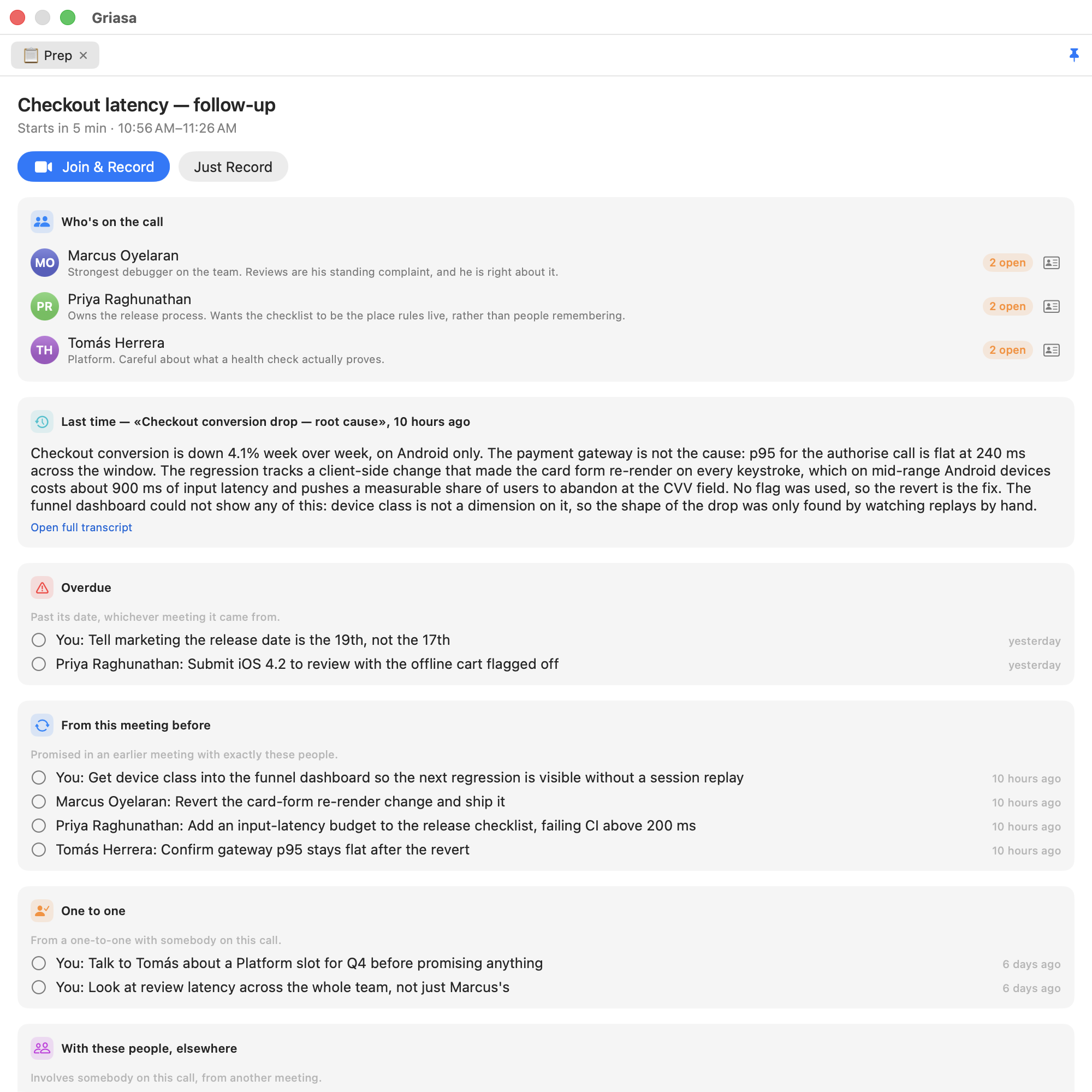
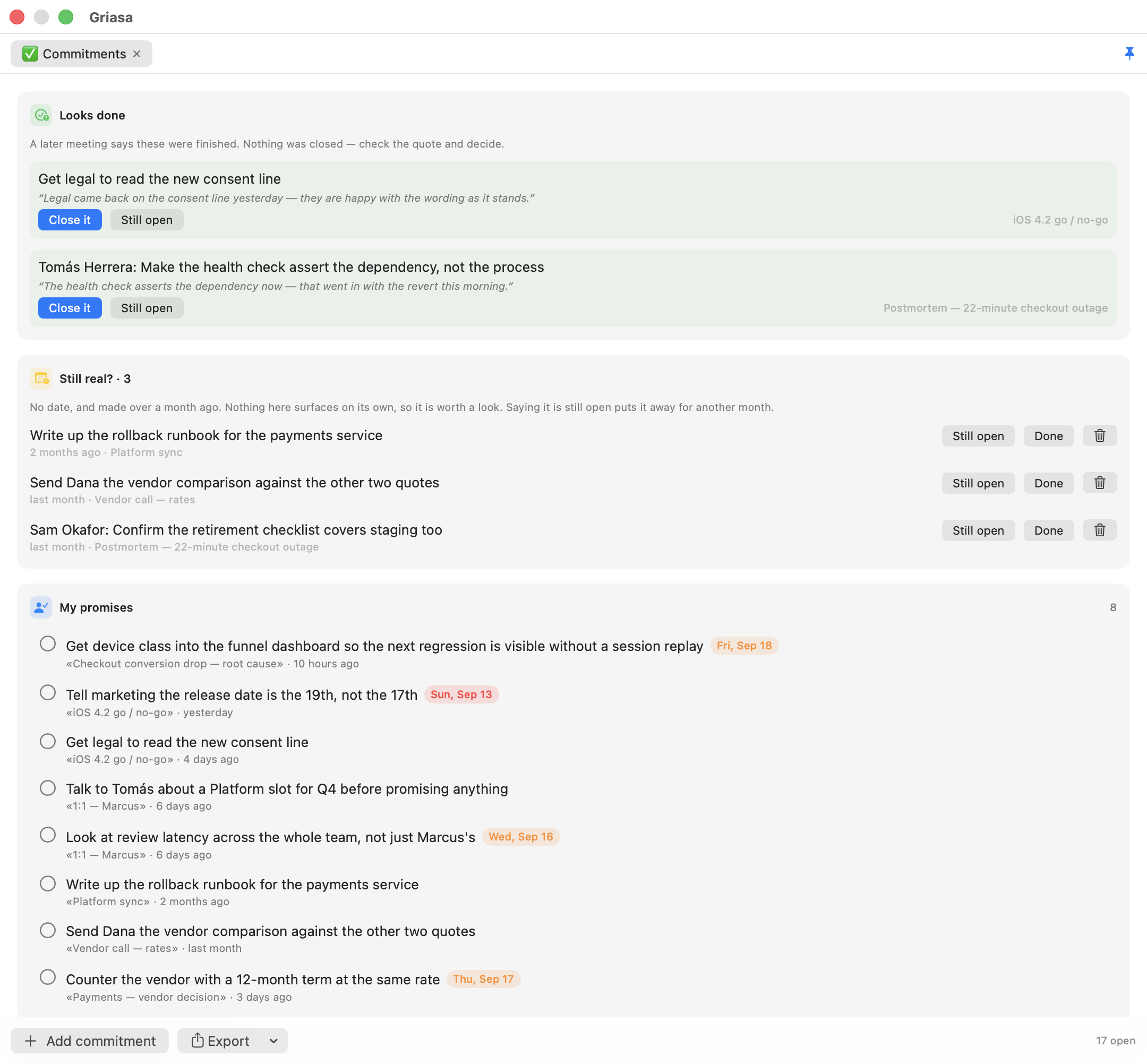
What was promised, by whom, and what you walk into next — a local-first macOS menu-bar app that turns recorded meetings into commitments, briefs you before the next call, and also types what you say into any app.
Screenshots

How to install Griasa on a Mac
- Get OpenDMG. It is a free app store for open source Mac apps. Download OpenDMG.
- Search for Griasa and press Get. OpenDMG downloads version 1.0.27 from Stari-am's own GitHub release.
- Open it. The download is checked against its SHA-256 fingerprint and its signature is checked on your Mac before it lands in Applications.
Updates to Griasa show up in OpenDMG and install with one button. No account is needed.
Prefer to do it by hand? The developer's file is on GitHub: Griasa-1.0.27.dmg (7.9 MB).
What is new in Griasa 1.0.27
**Meetings by who was in them.** History has a people menu under the project
picker: pick one person or several, and with several, choose whether every one
of them or any of them was there. Assistants get the same through
`search_meetings`: `people` takes one name or a list, and `match` is `all` (the
default) or `any`. Any spelling or alphabet works, a first name finds the full
name, and a name nobody in Griasa has comes back as `unknown_people`, so an
empty answer is not mistaken for "never met".

**Updates are noticed while Griasa runs.** It used to look for a new version
only when it started, and Griasa sits in the menu bar for weeks, so an update
could go unseen. It now checks once a day while it runs, and never shows the
window during a recording. A copy installed with Homebrew gets *Update with
Homebrew*: Griasa quits, Terminal runs `brew upgrade --cask griasa`, and Griasa
opens again when it is done, so Homebrew keeps track of the installed version.

**Settings fit again.** With the iPhone tab added, Projects and System had
slipped behind a `>>` button. The window is wider, so all eight tabs show, and
the iPhone tab says what each switch does before it is turned on.
More Productivity apps
-
 MaccyLightweight search-as-you-type clipboard manager
-
 AltTabBrings the Windows Alt-Tab functionality to macOS
-
 TinycastLightweight native launcher with app search, clipboard management, window controls, and…
-
 ClipyClipy is a Clipboard extension app for macOS
-
 FSNotesNotes manager for macOS/iOS: modern notational velocity (nvALT) on steroids
-
 OpenDisplayTurn spare Apple devices into second monitors — true extended display over USB or WiFi