

Graphis for Mac
Generate images from text prompts locally on Apple silicon with the open MOSS-Image model.
By Campfire7. Free and open source, MIT licence.
Graphis at a glance
- Version
- 1.1
- Released
- 4 November 2026
- Download size
- 177 MB
- Works on
- Apple silicon and Intel
- Licence
- MIT
- Category
- Graphics and Design
- Developer
- Campfire7
- GitHub stars
- 4
About Graphis
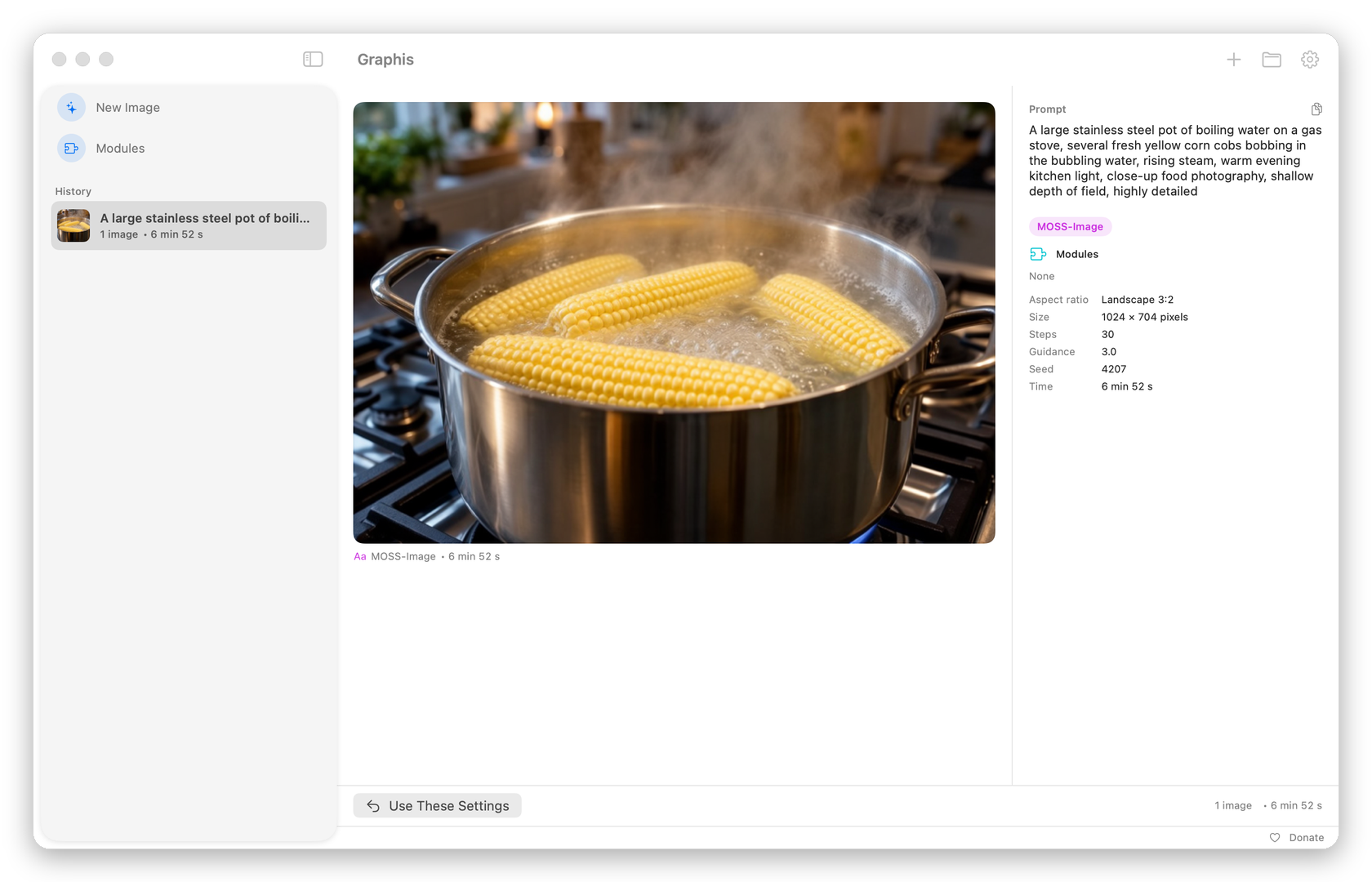
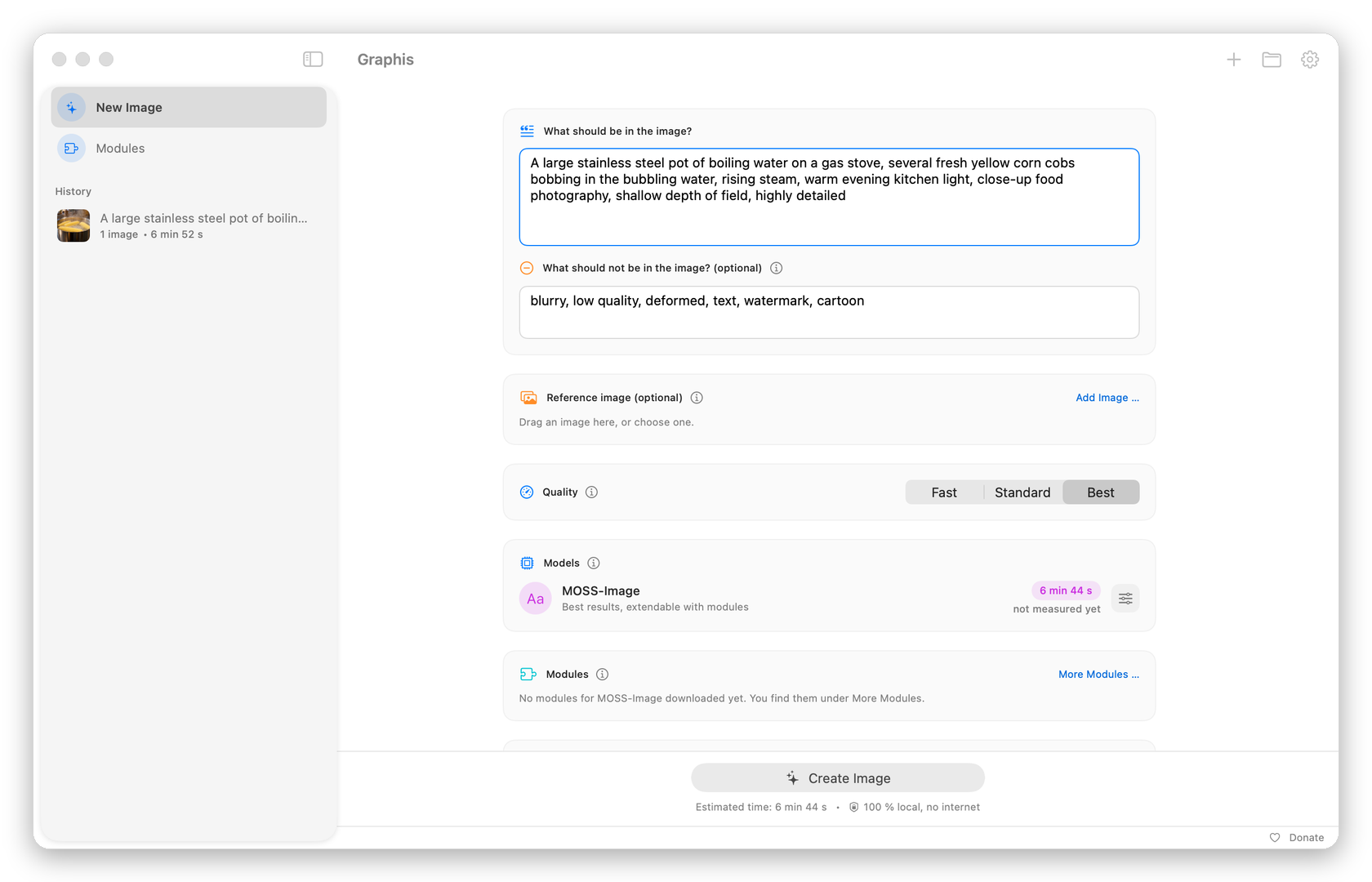
Uncensored text-to-image, entirely on your Mac. A native macOS app that runs MOSS-Image locally with mflux and MLX.
Screenshots
How to install Graphis on a Mac
- Get OpenDMG. It is a free app store for open source Mac apps. Download OpenDMG.
- Search for Graphis and press Get. OpenDMG downloads version 1.1 from Campfire7's own GitHub release.
- Open it. The download is checked against its SHA-256 fingerprint and its signature is checked on your Mac before it lands in Applications.
Updates to Graphis show up in OpenDMG and install with one button. No account is needed.
Prefer to do it by hand? The developer's file is on GitHub: Graphis-1.1.zip (177 MB).
What is new in Graphis 1.1
Uncensored text-to-image, entirely on your Mac. Graphis runs the open MOSS-Image model through mflux and MLX. Your prompts and images never leave the computer.

**New in 1.1**
- English interface. Graphis follows your Mac's language: English, or German on a German Mac.
- Optional update check: on first start Graphis asks whether it may look for new versions on GitHub, at most once a day. If one exists, a small note links to the download page. Nothing is downloaded automatically, and you can change this under Settings > General.
- A small Donate button at the bottom right of the window.
- License notices now include every Rust library compiled into the bundled packages.

Version 1.0 has no update check, so please install 1.1 by hand once.

**Requirements:** a Mac with Apple Silicon, macOS 26.2 or later, about 17 GB of free disk space, 24 GB of memory recommended.

**Install**
1. Download `Graphis-1.1.zip` below and double-click to unzip it.
2. Drag `Graphis.app` into your Applications folder.
3. Graphis is not notarized by Apple. The first time you open it, go to **System Settings > Privacy & Security** and click **Open Anyway**. Details in the README.

On first start, Graphis downloads the model (about 15 GB) from Hugging Face when you click Download. After that it works offline.

SHA-256 of `Graphis-1.1.zip`: `19b44c460354ea0ae171c855e522e0d0dbb8c214fb76467c561e4037cf595d57`
More Graphics and Design apps
-
 AerialApple TV Aerial Screensaver for macOS
-
 CompositorFree, open-source image editor aiming to be a full Photoshop alternative
-
 BrooklynScreensaver inspired by Apple's Event on October 30, 2018
-
 EquinoxCreate dynamic wallpapers for macOS
-
 ExcalidrawZA virtual whiteboard for sketching hand-drawn-like diagrams with native file management…
-
 WaifuXOpen-source ACG app for wallpapers, animated backgrounds, and anime videos