
FingerChord for Mac
Trackpad gesture tool that maps ⌘-click, window closing, and app quitting to native gestures with haptic feedback, with no Dock or menu bar icon.
By heruoxin. Free and open source, GPL-3.0 licence.
FingerChord at a glance
- Version
- 1.3.0
- Released
- 23 November 2026
- Download size
- 487 KB
- Works on
- Apple silicon and Intel
- Licence
- GPL-3.0
- Category
- Utilities
- Developer
- heruoxin
- GitHub stars
- 10
About FingerChord
Native trackpad gestures for macOS 27: ⌘ click, close windows, and quit apps. Haptic feedback, no Dock or menu bar icon. Built one-shot with GPT 6 Astra.
Screenshots
How to install FingerChord on a Mac
- Get OpenDMG. It is a free app store for open source Mac apps. Download OpenDMG.
- Search for FingerChord and press Get. OpenDMG downloads version 1.3.0 from heruoxin's own GitHub release.
- Open it. The download is checked against its SHA-256 fingerprint and its signature is checked on your Mac before it lands in Applications.
Updates to FingerChord show up in OpenDMG and install with one button. No account is needed.
Prefer to do it by hand? The developer's file is on GitHub: FingerChord.dmg (487 KB).
What is new in FingerChord 1.3.0
下载 **FingerChord.dmg**,打开后把指间拖进「应用程序」。需要 macOS 27,安装包已经过 Apple 公证。

- 新图标:触控板上的磨砂玻璃手掌,中指轻点。
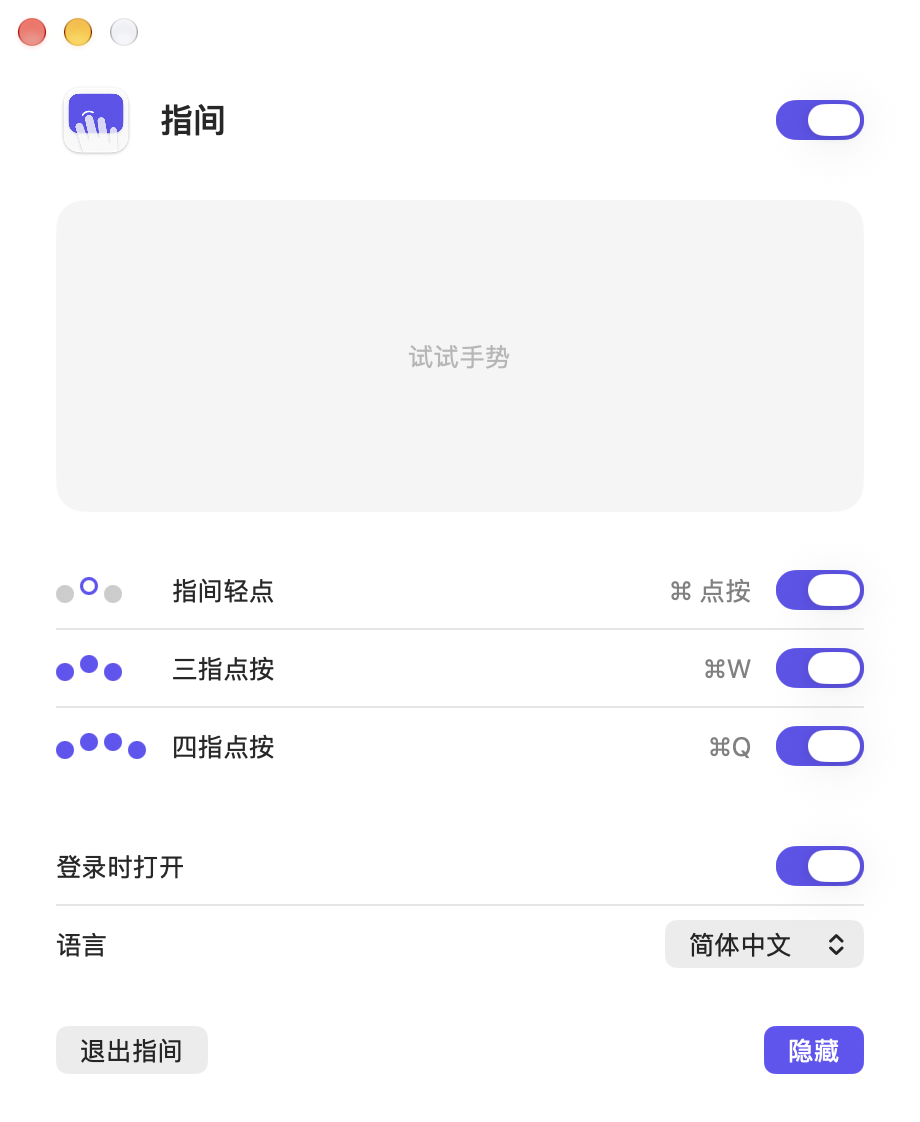
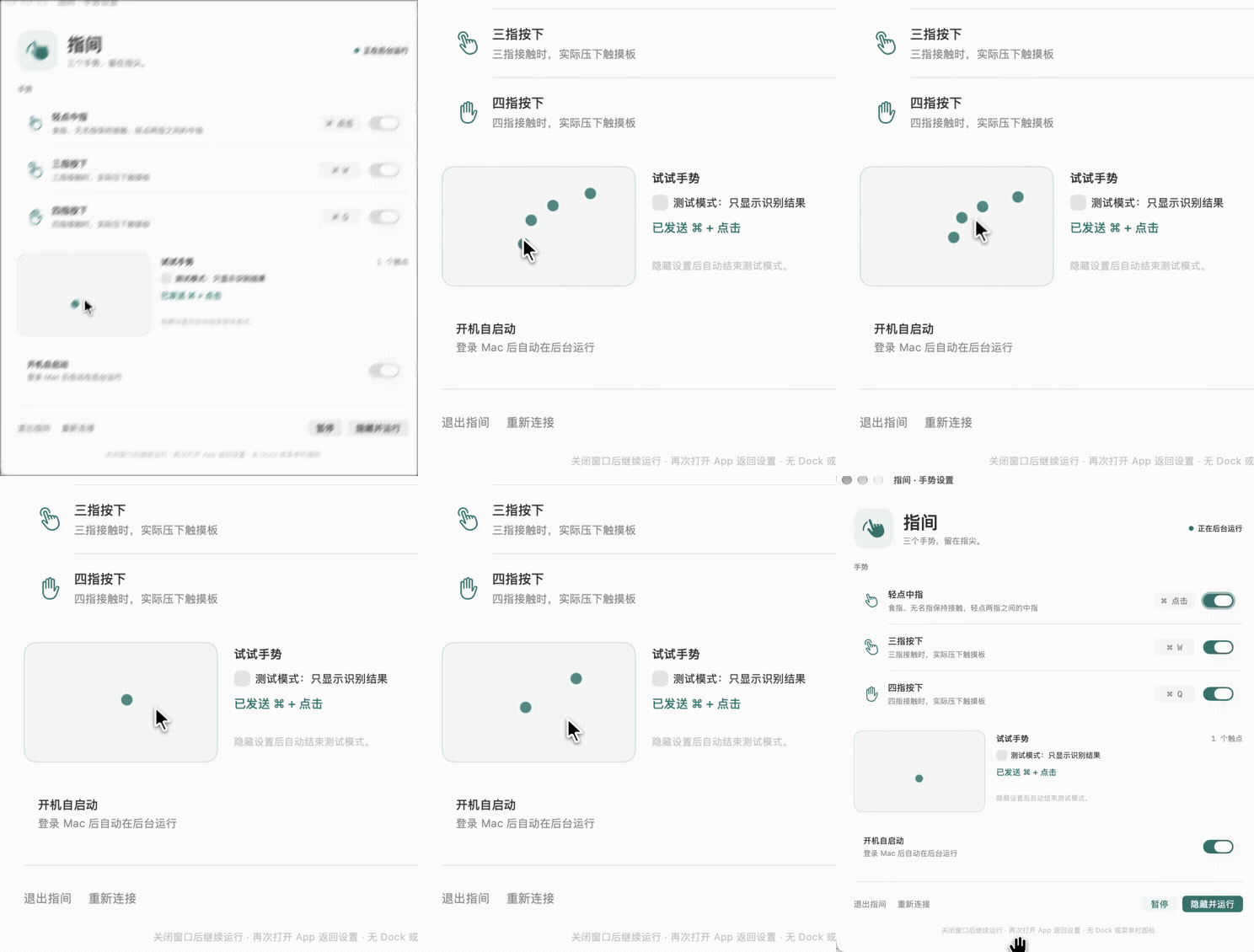
- 重做设置窗口:单栏布局,每个手势配一张指尖示意图。设置窗口在前台时,手势只显示在预览里,不会发出去,取代原来的测试模式。
- 重写简体、繁体和英文文案,沿用各语言系统里点按与轻点的说法。
- 降低后台开销:去掉滚动事件监听,指间轻点直接从触点位移识别两指滚动;拖移监听平时关闭,只在暂存判断或拦截点按时开启;单指移动光标的触点帧在 C 层直接丢弃。
- 关闭设置窗口后由新的后台进程接管,内存回到约 10 MB;所有手势都关闭时完全停止监听。
- 从源码构建时,`install.sh` 把产物移入「应用程序」,聚焦搜索里不再出现 `dist` 中的第二份。
- 改用经过公证的 DMG 发布,官网提供简体、繁体和英文三种语言。

---

Download **FingerChord.dmg**, open it, and drag FingerChord into Applications. Requires macOS 27; notarized by Apple.

- New icon: a frosted-glass hand on a trackpad, tapping with the middle finger.
- Redesigned settings: one column with a fingertip diagram for each gesture. While the settings window is in front, gestures only show in the preview instead of firing, which replaces test mode.
- Rewrote the copy in English, Simplified Chinese, and Traditional Chinese, using each system’s own terms for click and tap.
- Lower background overhead: the scroll event tap is gone, as tap between fingers now recognizes a scrolling pair from touch motion; the drag event tap only turns on while a click is buffered or swallowed; single-finger pointer frames are dropped in C before reaching Swift.
- Closing settings hands off to a fresh background process, so memory returns to about 10 MB. Monitoring stops completely when every gesture is off.
…
More Utilities apps
-
 VorssaintAn open-source, free, and local toolkit that integrates functions such as preventing…
-
 BetterDisplayDisplay management tool with HiDPI scaling, PiP, and EDID controls
-
 MosSmooth your mouse's scrolling and reverse the mouse scroll direction
-
 EasydictmacOS instant translator — type/select/screenshot, multi-service, zero setup
-
 OpenHaystackOpen-source tracker for finding Bluetooth devices through Apple's Find My network
-
 OrkasOrkas is an open-source (MIT), local-first AI team for your desktop: a Commander turns…